Introduzzjoni
This manual provides detailed instructions for the installation, operation, and maintenance of your Mars Gaming MPII850 850W ATX PC Power Supply. Please read this manual carefully before installation and use to ensure proper functionality and safety.
Istruzzjonijiet tas-Sigurtà
- Always disconnect the power supply from the main power outlet before installation or maintenance.
- Tiftaħx l-unità tal-provvista tal-enerġija. Volum għolitagĠewwa hemm elementi li jistgħu jikkawżaw xokk elettriku.
- Aċċerta ruħek li s-sistema tal-kompjuter tiegħek hija mqabbda sew mal-art.
- Installa l-provvista tal-enerġija f'żona ventilata sew biex tevita li tissaħħan iżżejjed.
- Evita li tesponi l-unità għall-umdità jew temperaturi estremi.
- Uża biss il-kejbils provduti mal-provvista tal-enerġija.
Kontenut tal-Pakkett
Ivverifika li l-oġġetti kollha huma preżenti fil-pakkett:
- Mars Gaming MPII850 850W ATX Power Supply Unit
- Modular Cable Set (PCI-E, SATA, PATA, FDD)
- Kurdun tal-Enerġija AC
- Viti tal-Immuntar
- Manwal għall-Utent (dan id-dokument)
Setup u Installazzjoni
Follow these steps to install your power supply unit:
1. Ipprepara s-Sistema Tiegħek
- Turn off your computer and disconnect the power cord from the wall outlet.
- Iftaħ il-każ tal-kompjuter tiegħek.
- If replacing an existing power supply, disconnect all cables from the old PSU and remove it from the case.
2. Installa l-Provvista tal-Enerġija
- Carefully place the Mars Gaming MPII850 into the power supply bay of your computer case.
- Waħħal il-provvista tal-enerġija mal-kaxxa billi tuża l-viti tal-immuntar provduti.

Image: Mars Gaming MPII850 Power Supply unit, showcasing its modular cable ports and fan grill. This view helps identify where to connect the modular cables.
3. Qabbad Kejbils
The MPII850 features a semi-modular cabling system. The main motherboard and CPU power cables are fixed, while other peripheral cables are modular.
- 20+4 Pin Main Power Connector: Connect this fixed cable to your motherboard's main power socket.
- 4+4 Pin 12V CPU Power Connector: Connect this fixed cable to your motherboard's CPU power socket.
- 6+2 Pin PCI-E Connectors (x2): For graphics cards. Connect these modular cables to your graphics card(s) as required.
- SATA Connectors (x6): For SATA hard drives, SSDs, and optical drives. Connect these modular cables to your storage devices.
- PATA Connectors (x4): For older IDE devices or case fans. Connect these modular cables as needed.
- FDD Connector (x1): For floppy disk drives or other legacy peripherals. Connect this modular cable if necessary.

Image: Mars Gaming MPII850 Power Supply unit, showing the fixed main power cables and the modular ports for additional components like graphics cards and storage drives.
Ensure all connections are secure. Utilize cable management features in your case to keep cables tidy and improve airflow.
4. Passi Finali
- Agħlaq il-każ tal-kompjuter tiegħek.
- Qabbad il-korda tal-enerġija AC mal-provvista tal-enerġija u mbagħad ma' żbokk tal-ħajt.
- Flip the power switch on the back of the PSU to the "ON" position.
Istruzzjonijiet Operattivi
The Mars Gaming MPII850 is designed for reliable and efficient operation. Once installed, it will provide stable power to your PC components.
- Power On/Off: Use the power button on your computer case to turn the system on or off. The PSU's rear switch should remain in the "ON" position during normal operation.
- Operazzjoni tal-Fann: The 12cm fan features intelligent speed control, adjusting its rotation based on temperature to maintain optimal cooling and minimize noise.
- Effiċjenza: With an efficiency rating of up to 85% and Active Power Factor Correction (PFC), the MPII850 ensures stable power delivery and energy savings.
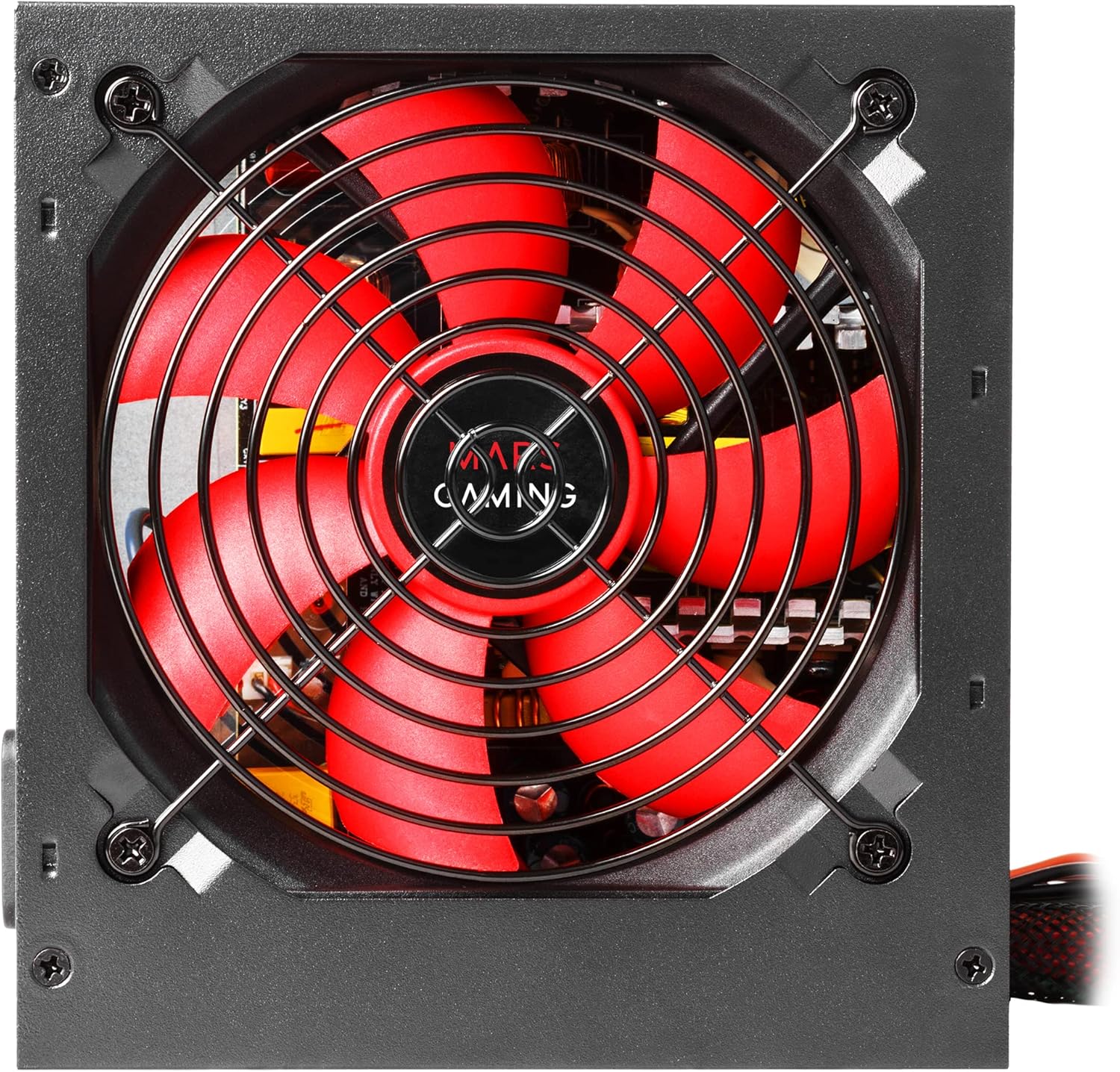
Immaġni: Dettaljata view of the 12cm fan on the Mars Gaming MPII850 power supply, highlighting its red blades and protective grill, designed for quiet and efficient cooling.
Manutenzjoni
To ensure the longevity and optimal performance of your power supply, follow these simple maintenance guidelines:
- Tindif tat-Trab: Periodically clean the fan and ventilation grilles of the power supply to prevent dust buildup, which can hinder airflow and lead to overheating. Use compressed air or a soft brush. Ensure the PSU is powered off and unplugged before cleaning.
- Ġestjoni tal-Kejbil: Regularly check that all cables are securely connected and not obstructing airflow within the PC case.
- Ambjent: Keep your computer in a clean, dry, and well-ventilated environment.
Issolvi l-problemi
If you encounter issues with your Mars Gaming MPII850 power supply, refer to the following common problems and solutions:
| Problema | Kawża Possibbli | Soluzzjoni |
|---|---|---|
| Il-kompjuter ma jixgħelx. |
|
|
| Is-sistema terġa' tibda b'mod mhux mistenni. |
|
|
| Storbju qawwi tal-fann. |
|
|
If the problem persists after trying these solutions, please contact Mars Gaming customer support.
Speċifikazzjonijiet
| Karatteristika | Dettall |
|---|---|
| Numru tal-Mudell | MPII850 |
| Brand | Logħob ta' Mars |
| Fattur tal-Formola | ATX |
| Qawwa tal-Ħruġ | 850 Watts |
| Effiċjenza | Sa 85% |
| PFC | PFC attiv |
| Metodu tat-tkessiħ | Air (12cm intelligent speed control fan) |
| Livell ta' Storbju | Approximately 14 dB (at low load) |
| Konnettur Ewlieni tal-Enerġija | 1x 20+4 Pin |
| Konnettur tal-Enerġija tas-CPU | 1x 12V 4+4 Pin |
| PCI-E Connectors | 2x 6+2 Pin |
| Konnetturi SATA | 6x |
| PATA Connectors | 4x |
| Konnettur FDD | 1x |
| Apparati Kompatibbli | Kompjuter Personali |
| Dimensjonijiet (L x W x H) | 188 x 90 x 275 mm (approximate, based on product data) |
| Piż | 1.3 Kilogrammi |
Garanzija u Appoġġ
Mars Gaming products are designed for durability and performance. For warranty information and technical support, please refer to the official Mars Gaming webis-sit jew ikkuntattja lill-bejjiegħ lokali tiegħek.
Appoġġ onlajn: www.marsgaming.eu
Please have your product model number (MPII850) and purchase details ready when contacting support.


