1. Introduzzjoni
This manual provides detailed instructions for the installation, operation, maintenance, and troubleshooting of your Zalman ZM1200-ARX 1200W ATX Power Supply Unit. The ZM1200-ARX is a high-performance, fully modular power supply designed to deliver stable and efficient power to your computer system. Please read this manual thoroughly before installation and retain it for future reference.

Figura 1: Minn fuq 'il quddiem view of the Zalman ZM1200-ARX Power Supply Unit.
2. Informazzjoni dwar is-Sigurtà
To ensure safe operation and prevent damage to your system, please observe the following safety precautions:
- ATTENZJONI! Do not remove the power supply cover. There are no user-serviceable parts inside. Refer all servicing to qualified service personnel.
- Do not operate the power supply in high humidity or extreme temperature environments.
- Kun żgur li l-provvista tal-enerġija hija skonnettjata mis-sokit tal-enerġija AC qabel l-installazzjoni jew il-manutenzjoni.
- Installa l-provvista tal-enerġija f'żona ventilata sew biex tevita li tissaħħan iżżejjed.
- Use only the modular cables provided with the Zalman ZM1200-ARX. Using incompatible cables may cause damage.
- This product is designed for use in computer systems only. Do not use it for any other purpose.

Figure 2: Warning label and electrical specifications on the PSU.
3. Kontenut tal-Pakkett
Iċċekkja li l-oġġetti kollha li ġejjin huma inklużi fil-pakkett tiegħek:
- Zalman ZM1200-ARX 1200W ATX Power Supply Unit
- Sett ta' Kejbils Modulari (diversi tipi għal motherboard, CPU, PCIe, SATA, Molex)
- Kurdun tal-Enerġija AC
- Viti tal-Immuntar
- Manwal għall-Utent (dan id-dokument)
- Cable Ties (for organization)
- Storage Pouch for unused cables

Figure 3: All components included in the Zalman ZM1200-ARX package.
4. Setup u Installazzjoni
4.1. Installazzjoni Fiżika
Follow these steps to install the power supply into your computer case:
- Ensure your computer is powered off and disconnected from the AC power outlet.
- Iftaħ il-kaxxa tal-kompjuter tiegħek skont l-istruzzjonijiet tal-manifattur.
- Locate the power supply mounting area, typically at the bottom or top rear of the case.
- Carefully slide the Zalman ZM1200-ARX into the designated slot.
- Align the screw holes on the power supply with those on the case.
- Żgura l-provvista tal-enerġija billi tuża l-viti tal-immuntar ipprovduti.

Figure 4: Dimensions of the Zalman ZM1200-ARX Power Supply Unit.
4.2. Konnessjonijiet tal-kejbil
The ZM1200-ARX is a fully modular power supply, allowing you to connect only the cables you need. This helps improve airflow and cable management within your case.
- Kejbil tal-Motherboard ATX ta' 24-pin: Connect to the main power connector on your motherboard.
- 8-pin (4+4) EPS/ATX 12V CPU Cable: Connect to the CPU power connector(s) on your motherboard.
- 8-pin (6+2) PCIe Cables: Connect to your graphics cards. Use separate cables for each high-power graphics card.
- Kejbils tal-Enerġija SATA: Qabbad ma' apparati SATA bħal SSDs, HDDs, u drives ottiċi.
- Kejbils Molex (Periferali): Qabbad ma' periferali jew fannijiet tal-kaxxa eqdem.
- Ensure all cables are securely seated in both the power supply and the component.
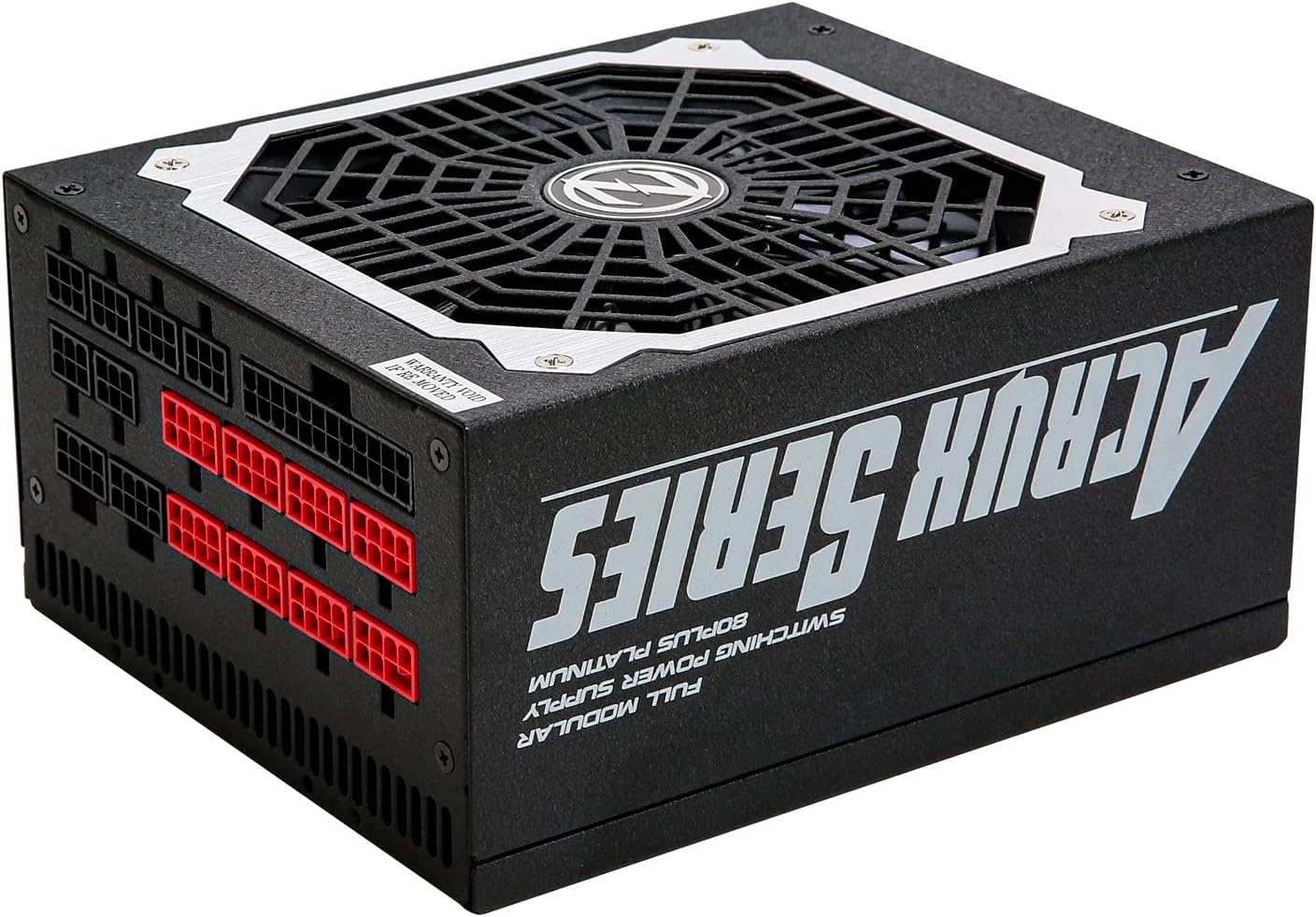
Figure 5: Modular cable connection ports on the Zalman ZM1200-ARX.
5. Istruzzjonijiet Operattivi
After completing the installation and connecting all necessary cables:
- Connect the AC power cord to the power supply's AC inlet and then to a wall outlet.
- Flip the power switch on the rear of the power supply to the 'ON' (I) position.
- Power on your computer system using the case's power button.
- To power off, shut down your computer normally, then flip the power switch on the PSU to the 'OFF' (O) position and disconnect the AC power cord if desired.

Figura 6: Wara view of the PSU showing the AC input and power switch.
6. Manutenzjoni
Manutenzjoni xierqa tiżgura l-lonġevità u l-prestazzjoni ottimali tal-provvista tal-enerġija tiegħek:
- Tindif: Periodically clean the exterior of the power supply and the fan grille to prevent dust buildup. Use compressed air to gently remove dust from the fan and vents. Ensure the power supply is off and unplugged before cleaning.
- Fluss tal-arja: Ensure that the power supply's fan intake and exhaust are not obstructed. Maintain good airflow within your computer case to prevent heat buildup.
- Ġestjoni tal-Kejbil: Organize cables neatly to improve airflow and prevent them from interfering with cooling fans.
7 Issolvi l-problemi
If you encounter issues with your Zalman ZM1200-ARX, refer to the following table for common problems and solutions:
| Problema | Kawża Possibbli | Soluzzjoni |
|---|---|---|
| Is-sistema ma tixgħel. | AC power cord not connected, PSU switch off, loose cables. | Check AC power cord, ensure PSU switch is 'ON', re-seat all modular cables. |
| Is-sistema tixgħel iżda tintefa immedjatament. | Overload, short circuit, faulty component. | Disconnect non-essential components to isolate the issue. Check for short circuits. Consult a technician if problem persists. |
| Unstable system operation or crashes. | Insufficient power, faulty PSU, or other component issues. | Ensure total system power draw is within PSU limits. Test with another known-good PSU if possible. |
| Fan is noisy or not spinning. | Dust buildup, fan malfunction. | Clean fan grille and blades with compressed air. If fan still malfunctions, contact support. |
8. Speċifikazzjonijiet
Detailed technical specifications for the Zalman ZM1200-ARX Power Supply Unit:
| Karatteristika | Speċifikazzjoni |
|---|---|
| Isem tal-Mudell | ZM1200-ARX |
| Potenza Totali | 1200 Watts |
| Fattur tal-Formola | ATX |
| Klassifikazzjoni tal-Effiċjenza | 80 PLUS Platinum |
| Modularità | Modulari Sħiħ |
| Metodu tat-tkessiħ | Air (Fan Cooled) |
| Vol Input ACtage | 115-240VAC |
| Frekwenza tal-Input AC | 50-60Hz |
| DC Output +3.3V | 25A |
| DC Output +5V | 22A |
| DC Output +12V | 100A |
| DC Output -12V | 0.3A |
| DC Output +5Vsb | 2.5A |
| Max Magħquda Wattage (+3.3V/+5V) | 120W |
| Max Magħquda Wattage (+12V) | 1200W |
| Dimensjonijiet (L x W x H) | 18 x 15 x 8.6 ċm (7.09 x 5.91 x 3.39 pulzieri) |
| Piż | 3100 Gramma (6.83 libbra) |
9. Garanzija u Appoġġ
For warranty information, technical support, or service inquiries regarding your Zalman ZM1200-ARX Power Supply Unit, please refer to the warranty card included with your product or visit the official Zalman website. Contact information for customer support can typically be found on the manufacturer's websit.


