1. Introduzzjoni
This manual provides instructions for the proper setup, operation, maintenance, and troubleshooting of your Onn ONA11HO089 Soft-Touch USB Keyboard. Please read this manual thoroughly before using the product to ensure optimal performance and longevity.
The Onn ONA11HO089 is a full-sized, black USB keyboard designed for comfortable and efficient typing across various compatible devices.
2. Setup
Setting up your Onn ONA11HO089 keyboard is a simple plug-and-play process. No additional drivers are typically required for most operating systems.
- Ħoll it-Tastiera: Oħroġ it-tastiera mill-imballaġġ tagħha bir-reqqa.
- Locate a USB Port: Identify an available USB-A port on your computer, laptop, gaming console, or tablet.
- Qabbad il-Cable USB: Insert the USB connector of the keyboard cable into the chosen USB port.
- Rikonoxximent tas-Sistema: Your operating system should automatically detect and install the necessary drivers for the keyboard. This process may take a few moments.
- Test the Keyboard: Open a text editor or any application that accepts text input and type to confirm the keyboard is functioning correctly.
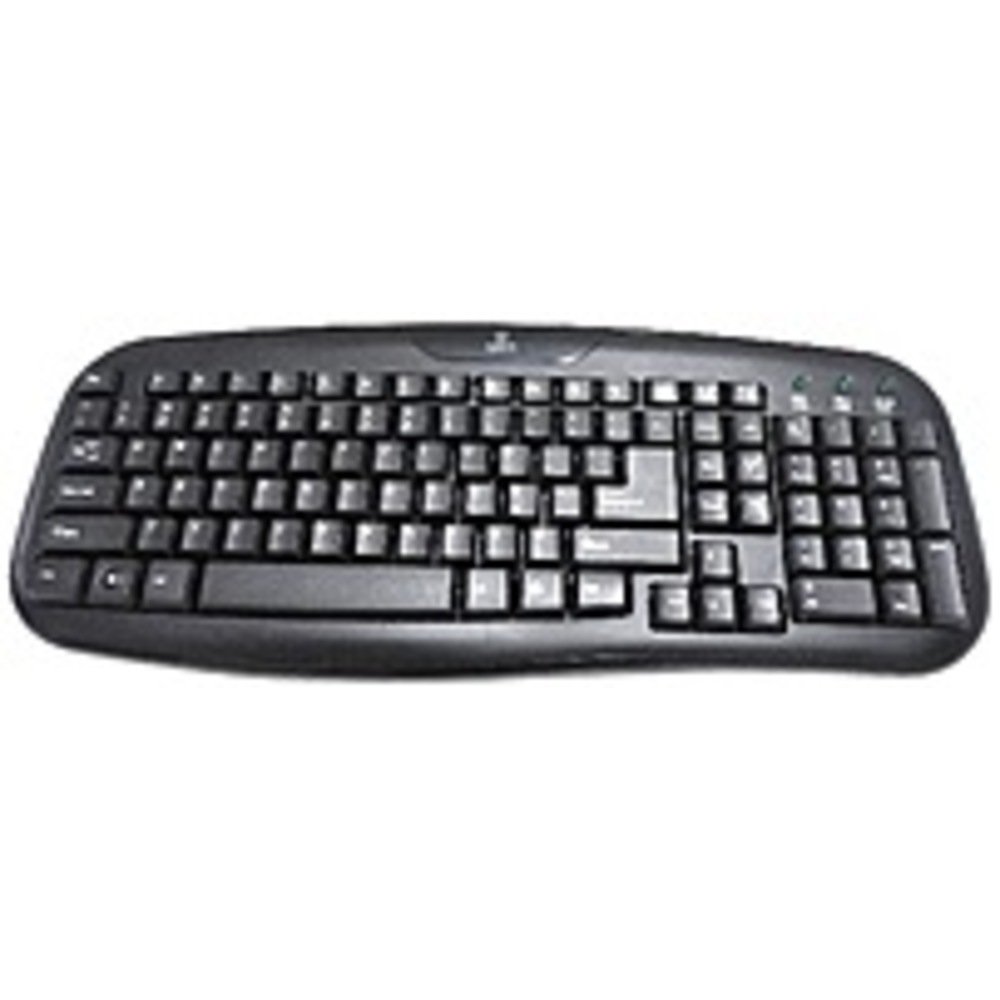
Figure 2.1: The Onn ONA11HO089 USB Keyboard. Connect the USB cable to an available port on your device.
3. It-Tħaddim tat-Tastiera
The Onn ONA11HO089 keyboard offers a standard layout for intuitive typing. Its soft-touch keys are designed for comfortable and responsive input.
- Ittajpjar Bażiku: Use the alphanumeric keys for standard text input. The keyboard features a full QWERTY layout, including a numeric keypad for data entry.
- Ċwievet tal-Funzjoni: The F1-F12 keys provide various functions, often used in combination with the Fn key on laptops, though this keyboard is a standalone unit and these keys typically perform their standard functions directly.
- Ċwievet Speċjali: Utilize keys like Ctrl, Alt, Shift, u l- Windows/Command key for shortcuts and system commands.
- Soft-Touch Experience: The tactile switches provide a comfortable typing experience, reducing fatigue during extended use.
- Kompatibilità: This keyboard is compatible with various devices including PCs, laptops, gaming consoles, and tablets that support USB keyboard input.
Figure 3.1: The key layout of the Onn ONA11HO089 keyboard, showing the standard QWERTY arrangement and numeric keypad.
4. Manutenzjoni
Proper maintenance can extend the life of your keyboard and ensure consistent performance.
- Tindif:
- Skonnettja t-tastiera mit-tagħmir tiegħek qabel ma tnaddafha.
- Uża drapp ratba u mingħajr ħelu ftit dampened with water or a mild cleaning solution to wipe the surface of the keys and casing.
- Għat-trab u l-fdalijiet bejn iċ-ċwievet, uża arja kkompressata.
- Evita li tuża kimiċi ħarxa, prodotti tat-tindif li joborxu, jew umdità eċċessiva, għax dawn jistgħu jagħmlu ħsara lit-tastiera.
- Keycap Wear: Over time and with heavy use, the lettering on the keycaps may show signs of wear. This is a common characteristic of printed keycaps. Gentle use and regular cleaning can help minimize this, but it is not indicative of a functional defect.
- Ħażna: Meta ma tkunx qed tużaha, aħżen it-tastiera f'ambjent nadif u niexef 'il bogħod minn temperaturi estremi u dawl tax-xemx dirett.
5 Issolvi l-problemi
If you encounter issues with your Onn ONA11HO089 keyboard, refer to the following common troubleshooting steps:
| Problema | Kawża Possibbli | Soluzzjoni |
|---|---|---|
| It-tastiera mhix qed tirrispondi. |
|
|
| Certain keys are not working. |
|
|
| Keyboard input is delayed or erratic. |
|
|
6. Speċifikazzjonijiet
Below are the technical specifications for the Onn ONA11HO089 Soft-Touch USB Keyboard:
- Mudell: ONA11HO089
- Ditta: Onn
- Teknoloġija tal-Konnettività: USB
- Deskrizzjoni tat-Tastiera: Ergonomiku
- Tip ta' swiċċ: Mess
- Kulur: Iswed
- Sors tal-Enerġija: Powered mill-USB
- Apparati Kompatibbli: Gaming Console, Laptop, PC, Tablet
- Dimensjonijiet tal-Prodott: 18 x 1.25 x 7 pulzieri (madwar 45.7 x 3.2 x 17.8 ċm)
- Piż tal-oġġett: 1.38 liri (madwar 0.63 kg)
- Data L-Ewwel Disponibbli: 5 ta’ Jannar, 2017
7. Garanzija u Appoġġ
For warranty information regarding your Onn ONA11HO089 Soft-Touch USB Keyboard, please refer to the documentation included with your purchase or visit the official Onn websit. It-termini u l-kundizzjonijiet tal-garanzija jistgħu jvarjaw skont ir-reġjun u l-bejjiegħ bl-imnut.
If you require technical support or have questions not covered in this manual, please contact Onn customer service through their official webis-sit jew l-informazzjoni ta' kuntatt ipprovduta mal-prodott tiegħek.


