1. Introduzzjoni
The Autel AutoLink AL419 is a powerful and user-friendly diagnostic tool designed to quickly and efficiently troubleshoot OBDII/CAN compliant vehicles. This device allows you to read and clear Diagnostic Trouble Codes (DTCs), view live data, perform I/M readiness tests, and retrieve vehicle information, helping you identify and resolve vehicle issues.

Image 1.1: Autel AutoLink AL419 device highlighting key functions.
2. Kontenut tal-Pakkett
Please check the contents of your package carefully. If any items are missing or damaged, contact your vendor.

Image 2.1: Package contents of the Autel AutoLink AL419.
- Autel AutoLink AL419 Unit
- Cable OBDII
- Cable USB
- Manwal għall-Utent
- Kawża tal-Ġarr
3. Prodott Aktarview
The AL419 features a TFT color display and an intuitive button layout for easy navigation. Key components include:
- Display LCD: Juri r-riżultati tat-test u l-għażliet tal-menù.
- Konnettur OBDII: Connects to the vehicle's Data Link Connector (DLC).
- Konnettur USB: For connecting to a PC for updates or printing data.
- Buttuna I/M: One-Click I/M Readiness check.
- Buttuna ESC: Exits current screen or cancels an action.
- Buttuna OK: Jikkonferma għażla jew azzjoni.
- Pad Direzzjonali: Jinnaviga permezz tal-menus u l-għażliet.
- Buttuna tal-Għajnuna: Provides context-sensitive help.

Image 3.1: Labeled components of the Autel AutoLink AL419.
4. Setup
Before using the AL419, ensure your vehicle is OBDII compliant and the ignition is in the ON position.
- Sib id-DLC: The Data Link Connector (DLC) is typically located under the dashboard on the driver's side. Refer to your vehicle's service manual for the exact location.
- Qabbad l-Iskaner: Plug the AL419's OBDII cable into the vehicle's DLC. The scanner will automatically power on.
- Inizjalizzazzjoni tas-Sistema: The scanner will perform a system initialization. Once complete, the main menu will appear.
5. Istruzzjonijiet Operattivi
The AL419 offers various diagnostic functions accessible from the main menu.
5.1. Reading Codes
This function retrieves Diagnostic Trouble Codes (DTCs) from the vehicle's computer.
- Mill-menu prinċipali, agħżel 'Read Codes' u agħfas OK.
- The scanner will display any stored or pending DTCs.
- Use the directional pad to scroll through the codes and their definitions.
5.2. Clearing Codes
This function erases DTCs from the vehicle's computer and turns off the Check Engine Light (MIL).
- Mill-menu prinċipali, agħżel 'Erase Codes' u agħfas OK.
- Ikkonferma l-azzjoni meta tintalab.
- Note: Clearing codes does not fix the underlying problem. Address the issue before clearing codes to prevent them from reappearing.
5.3. Test ta' Prontezza I/M
The I/M Readiness function checks the status of the emission-related monitoring systems on the vehicle.

Image 5.1: I/M Readiness status display on the AL419.
- Agħfas iddedikat I/M button on the device or select 'I/M Readiness' mill-menu.
- The screen will display the status of various monitors. A green checkmark indicates the monitor has completed its test, while a red 'X' indicates it has not.
- Color-coded LEDs (Green, Yellow, Red) and an audible tone provide quick status indication.
5.4. Viewing Data Live
This function displays real-time data from the vehicle's sensors and components.

Image 5.2: Live Data and RPM graph display.
- Mill-menu prinċipali, agħżel 'Live Data' u agħfas OK.
- Agħżel li view data in a list format or graphical format (if supported).
- Observe parameters such as engine RPM, vehicle speed, oxygen sensor readings, and more.
5.5. Viewing Freeze Frame Data
Freeze Frame Data captures a snapshot of the vehicle's operating conditions at the moment a DTC was set.
- Mill-menu prinċipali, agħżel 'Freeze Frame' u agħfas OK.
- The scanner will display various parameters recorded when the fault occurred, aiding in diagnosis.
5.6. Lookup DTC
This feature provides detailed definitions for Diagnostic Trouble Codes.
- Mill-menu prinċipali, agħżel 'Tiftix DTC' u agħfas OK.
- Enter the DTC code manually or select a code from a previously read list.
- L-iskaner se juri d-definizzjoni tal-kodiċi.
5.7. Retrieving Vehicle Information (VIN, CIN, CVN)
This function allows you to retrieve the Vehicle Identification Number (VIN), Calibration Identification (CIN), and Calibration Verification Number (CVN).
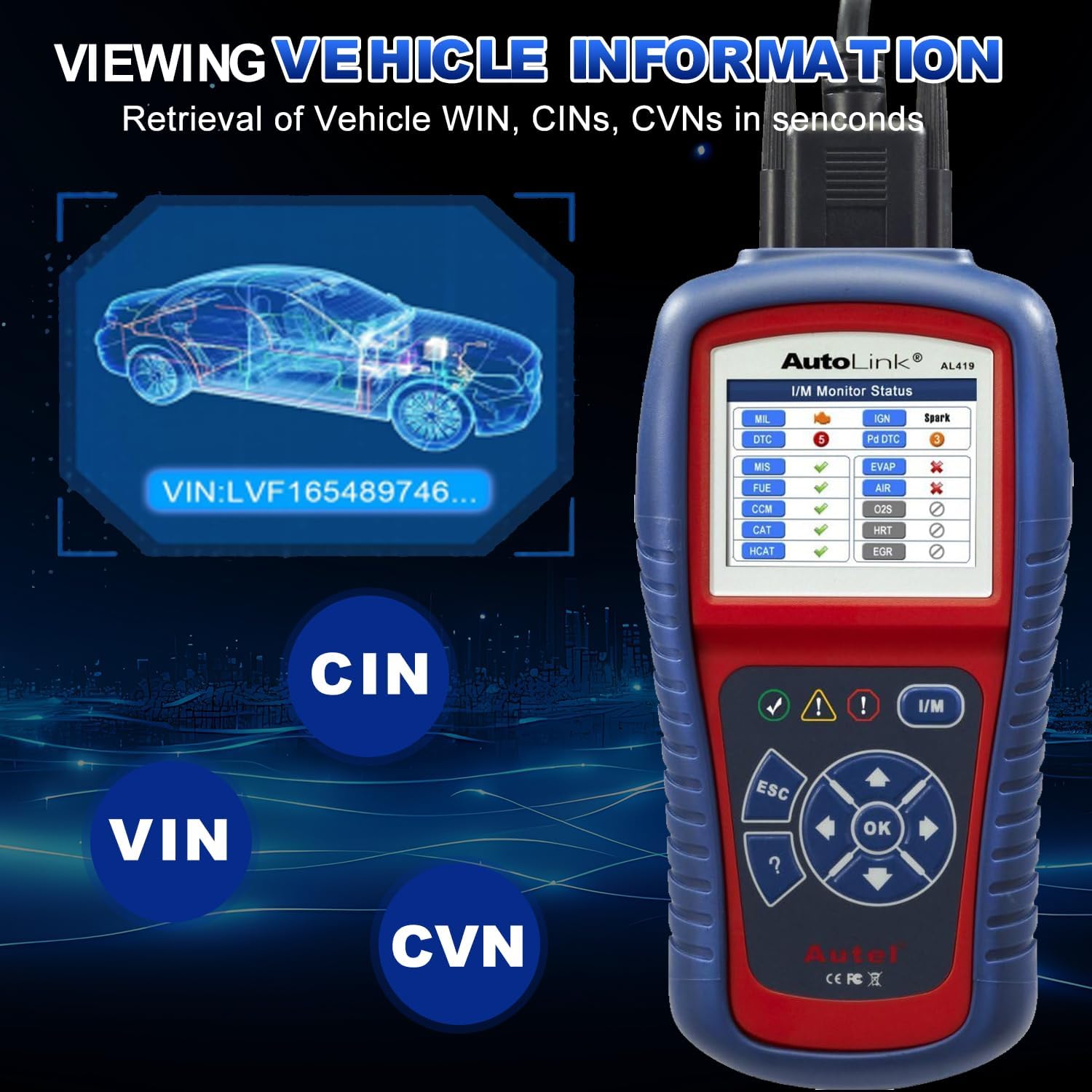
Stampa 5.3: Viewing Vehicle Information on the AL419.
- Mill-menu prinċipali, agħżel 'Vehicle Info' u agħfas OK.
- The scanner will display the available vehicle identification data.
5.8. Data Playback and Printing
The AL419 can store diagnostic data for later review u stampar.

Image 5.4: Additional features including Data Playback and Printing.
- Daqq tad-Data: Review previously recorded diagnostic data directly on the device.
- Stampar tad-Data: Connect the AL419 to a PC via the USB cable and use the provided software to print diagnostic reports.
6. Kompatibilità tal-Vettura
The Autel AutoLink AL419 is designed for broad vehicle compatibility, supporting most 1996 and newer vehicles that comply with OBDII & CAN protocols.
- Domestic & Imported Models: Works with a wide range of vehicles from various manufacturers.
- Petrol Vehicles: Applicable to models manufactured from 2001 onwards.
- Vetturi Diżil: Applicable to models manufactured from 2004 onwards.

Immaġni 6.1: Eż.amples of vehicle brands supported by the AL419.
7. Manutenzjoni
To ensure the longevity and optimal performance of your AL419, follow these maintenance guidelines:
- Tindif: Uża artab, damp drapp biex tnaddaf l-apparat. Tużax prodotti tat-tindif jew solventi li joborxu.
- Ħażna: Store the device in its carrying case in a dry, cool environment when not in use.
- Aġġornamenti tas-Software: Regularly check for software updates on the Autel official website to ensure the scanner has the latest vehicle data and features. Connect the device to a PC via the USB cable for updates.
- Kura tal-Cable: Evita li tgħawweġ jew iddawwar il-kejbil OBDII b'mod eċċessiv. Aħżnu pulit biex tevita l-ħsara.
8 Issolvi l-problemi
If you encounter issues with your AL419, refer to the following common problems and solutions:
- Scanner Fails to Power On:
- Ensure the OBDII cable is securely connected to the vehicle's DLC.
- Ivverifika li l-ignition tal-vettura tinsab fil-pożizzjoni ON.
- Iċċekkja l-volum tal-batterija tal-vetturatage; a low battery might prevent the scanner from powering on.
- Żball fil-Link:
- Confirm the vehicle is OBDII compliant (most 1996 and newer vehicles).
- Iċċekkja għal konnessjoni maħlula fid-DLC.
- Itfi l-ignition, stenna 10 sekondi, imbagħad erġa' ixgħelha u erġa' pprova.
- Try the scanner on another OBDII compliant vehicle to rule out a vehicle-specific issue.
- DTCs Not Clearing:
- Ensure the ignition is ON and the engine is OFF.
- If the underlying fault is still present, the codes will reappear immediately after clearing. Address the vehicle issue first.
9. Speċifikazzjonijiet
| Brand | Autel |
| Mudell | AL419 |
| Wiri | TFT Color Display (320 x 240 dpi) |
| Sors tal-Enerġija | Qawwa ta' 8.0 sa 18.0 V ipprovduta permezz tal-batterija tal-vettura |
| Temperatura operattiva | 0 sa 60° C (32 sa 140° F) |
| Temperatura tal-Ħażna | -20 sa 70° C (-4 sa 158° F) |
| Piż tal-oġġett | 2.2 liri |
| Dimensjonijiet tal-Pakkett | 10.31 x 7.48 x 3.54 pulzieri |
| Lingwa OSD | Ingliż, Spanjol, Franċiż |
10. Garanzija u Appoġġ
Autel provides a limited warranty for its products. For specific warranty terms and conditions, please refer to the warranty card included with your product or visit the official Autel websit.
For technical assistance, product inquiries, or after-sales support, please contact Autel customer service. The product includes 24/7 after-sale support.
Official Autel Websit: www.autel.com


