Introduzzjoni
This manual provides essential information for the safe and efficient operation of your Amazon Basics 15-Sheet Cross-Cut Paper, CD, and Credit Card Shredder. Please read all instructions carefully before use and retain this manual for future reference.
Informazzjoni dwar is-Sigurtà
Biex tiżgura tħaddim sikur, dejjem segwi l-linji gwida li ġejjin:
- Żomm idejk, xagħar, u ħwejjeġ maħlula 'l bogħod mis-slott tad-dħul tal-karta.
- Tisprejjax jew iżżomm xi prodotti tal-ajrusol ġewwa jew madwar it-shredder.
- Tqattax oġġetti bħal karti ta' kreditu metalliċi, tikketti adeżivi, jew formoli kontinwi.
- Aqla’ t-tqattigħ tal-karti mill-plagg meta ma jkunx qed jintuża jew qabel ma tnaddaf.
- Keep the shredder out of reach of children and pets.
- Tħaddimx it-tqattigħ tal-karti jekk il-korda tal-enerġija tkun bil-ħsara.
Prodott Overview
The Amazon Basics 15-Sheet Cross-Cut Shredder is designed for efficient document destruction, offering a high level of security for personal and office use.

Figura 1: Quddiem view tal-Amazon Basics Shredder Cross-Cut ta' 15-il Folja.
Karatteristiċi ewlenin:
- 15-Sheet Capacity: Shreds up to 15 sheets of 20 lb. paper at once.
- Cross-Cut Shredding: Shreds paper into 3/16" x 1-7/32" (4.7 x 31mm) particles for enhanced security (Security Level P-4).
- Multi-Material Shredding: Also destroys CD/DVDs, credit cards, staples, and small paper clips.
- Ħin ta' tħaddim estiż: Features a 20-minute continuous run time.
- Karatteristiċi tas-Sigurtà: Includes Overheat / Overload protection.
- Indikaturi LED: Provides visual alerts for Standby, Overheat, Overload, Door open, and Bin full status.
- Large Capacity Bin: Equipped with a 6-gallon pull-out basket for easy waste disposal.
- Mobilità: Casters included for convenient movement.
- 4-Mode Switch: Auto/Off/Forward/Reverse settings for versatile control.
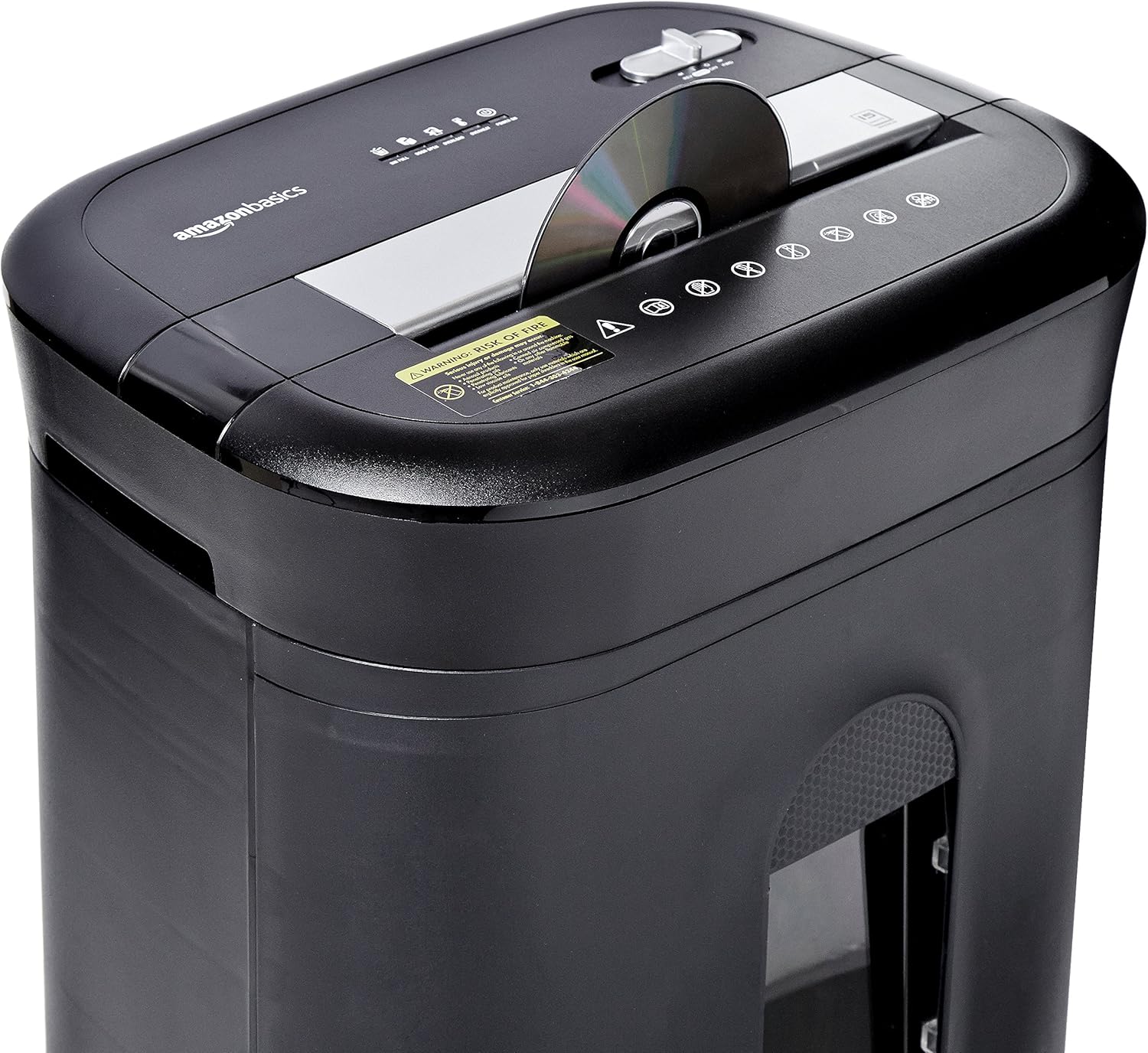
Figure 2: Diagram illustrating key features of the shredder.
Setup
Segwi dawn il-passi biex twaqqaf it-tqattigħ tal-karti tiegħek:
- Ippakkja: Neħħi bir-reqqa l-komponenti kollha mill-imballaġġ.
- Pożizzjoni: Place the shredder on a flat, stable surface. Ensure the waste bin is securely closed and properly inserted into the main unit.
- Qabbad l-Enerġija: Plug the power cord into a standard 120-volt AC outlet.
Video 1: Official product video demonstrating the setup and basic operation of the Amazon Basics 15-Sheet Cross-Cut Shredder.
Istruzzjonijiet Operattivi
Swiċċ tal-Modalità tal-Enerġija:
The shredder features a 4-mode slide switch located on the top panel:
- AWTO (I): It-tqattigħ tal-karti jibda awtomatikament meta tiddaħħal il-karta u jieqaf meta t-tqattigħ ikun lest. Din hija s-setting rakkomandat għal użu normali.
- MITFI (O): Turns off all shredder functions. Always select this setting when emptying the waste bin or when the shredder is not in use.
- FORWARD (▶▶): Manually activates the shredder to continuously cut. Useful for clearing minor jams.
- REVERSE (◀◀): Reverses the shredder mechanism to help clear paper jams.

Figure 3: Close-up of the control panel with the 4-mode switch.
Karta għat-tqattigħ:
- Ensure the power mode switch is set to AWTO (I).
- Insert up to 15 sheets of paper (20 lb. bond) straight into the paper entry slot. The shredder will automatically start and stop.
- Do not force paper into the shredder. If the shredder struggles, reduce the number of sheets.

Figure 4: Inserting paper into the shredder.
Shredding Credit Cards and CDs/DVDs:
- Ensure the power mode switch is set to AWTO (I).
- Insert one credit card or CD/DVD at a time into the dedicated slot.
- It-tqattigħ jibda u jieqaf awtomatikament.

Figura 5: It-tkissir ta' karta ta' kreditu.
Manutenzjoni
Emptying the Shredder Bin:
Regularly empty the waste bin to prevent paper jams and ensure optimal performance.
- Set the power mode switch to MITFI (O) u aqla’ l-plagg tat-tqattigħ.
- Iġbed il-kontenitur tal-iskart minn quddiem it-tqattigħ tal-karti.
- Armi l-materjal imqatta’.
- Slide the waste bin back into the shredder until it clicks securely into place.

Figure 6: Pull-out waste bin for easy emptying.
Żejtjar tat-Tqattigħ:
To maintain the shredder's performance and longevity, it is recommended to oil the cutting blades periodically, especially after emptying the bin multiple times or if performance decreases.
- Apply shredder oil (or vegetable oil) in a zigzag pattern across the paper entry slot.
- Set the power mode switch to FORWARD (▶▶) for 2-3 seconds to distribute the oil.
- Then, set the switch to REVERSE (◀◀) għal 2-3-il sekonda.
- Shred a few sheets of paper to remove any excess oil.
Issolvi l-problemi
The shredder is equipped with LED indicators to help diagnose common issues:
- Standby (Green): Jindika li x-shredder huwa mixgħul u lest biex jaħdem.
- Overheat (Red): The shredder has exceeded its maximum operating temperature. Allow it to cool down for approximately 20-30 minutes before resuming use.
- Tagħbija żejda (Aħmar): Too much material has been inserted. Use the REVERSE (◀◀) function to clear the jam, then reduce the amount of material.
- Door Open (Red): The waste bin is not properly closed or inserted. Ensure the bin is fully pushed in.
- Bin Full (Red): The waste bin is full and needs to be emptied.
| Problema | Kawża Possibbli | Soluzzjoni |
|---|---|---|
| It-tqattigħ tal-karti ma jixgħelx. | Not plugged in; Power switch in OFF position; Waste bin not properly inserted. | Check power connection; Set switch to AUTO; Re-insert waste bin securely. |
| It-tqattigħ jieqaf waqt l-operazzjoni. | Overheat protection activated; Overload protection activated; Bin full. | Allow to cool down; Clear jam using REVERSE, then reduce material; Empty bin. |
| Ġamm tal-karta. | Too much paper inserted; Paper inserted at an angle. | Use REVERSE function; Reduce paper quantity; Insert paper straight. |
Speċifikazzjonijiet
| Karatteristika | Speċifikazzjoni |
|---|---|
| Brand | Bażi tal-Amazon |
| Numru tal-Mudell | PBH-49976 |
| Tip imqatta | Cross Cut |
| Daqs tat-tqattigħ | 3/16" x 1-7/32" (4.7 x 31mm) |
| Livell ta' Sigurtà | P-4 |
| Kapaċità tal-folja | 15 folji (karta ta' 20 lb.) |
| Ħin ta' Mexxi Kontinwu | minuti 20 |
| Ħin ta' Tkessiħ | minuti 30 |
| Kapaċità Bin tal-Iskart | 6 Galun |
| Piż tal-oġġett | 22 liri |
| Dimensjonijiet tal-Prodott | 11 x 14.4 x 20.9 pulzieri |
| Kulur | Iswed |
Garanzija u Appoġġ
For warranty information or technical support, please refer to the documentation included with your product or contact Amazon Basics customer service.
Servizz tal-Klijent: 1-844-303-4244
Għal aktar riżorsi, żur il- Ħanut tal-Bażiċi tal-Amazon.


