1. Introduzzjoni
This manual provides essential information for the safe and efficient operation of your American DJ 3D Vision Hexagonal Flat Panel Display, model 3DV100. Please read these instructions thoroughly before installation and use to ensure proper functionality and to prevent damage.
2. Istruzzjonijiet tas-Sigurtà
- Sigurtà Elettrika: Always connect the unit to a grounded power outlet. Ensure the power supply voltage matches the unit's requirements. Disconnect power before any service or maintenance.
- Installazzjoni: Mount the unit securely to a stable surface or truss system. Ensure proper ventilation around the unit to prevent overheating.
- Immaniġġjar: Avoid dropping or subjecting the unit to severe impact. Do not expose the unit to rain or moisture.
- Operazzjoni: Do not operate the unit if the power cord is damaged or if the unit shows signs of malfunction. Refer all servicing to qualified personnel.
3. Prodott Aktarview
The American DJ 3D Vision 3DV100 is a hexagonal flat panel display designed to create dynamic 3D LED effects. Its modular design allows for various configurations, making it suitable for diverse stagapplikazzjonijiet elettroniċi u ta' avvenimenti.
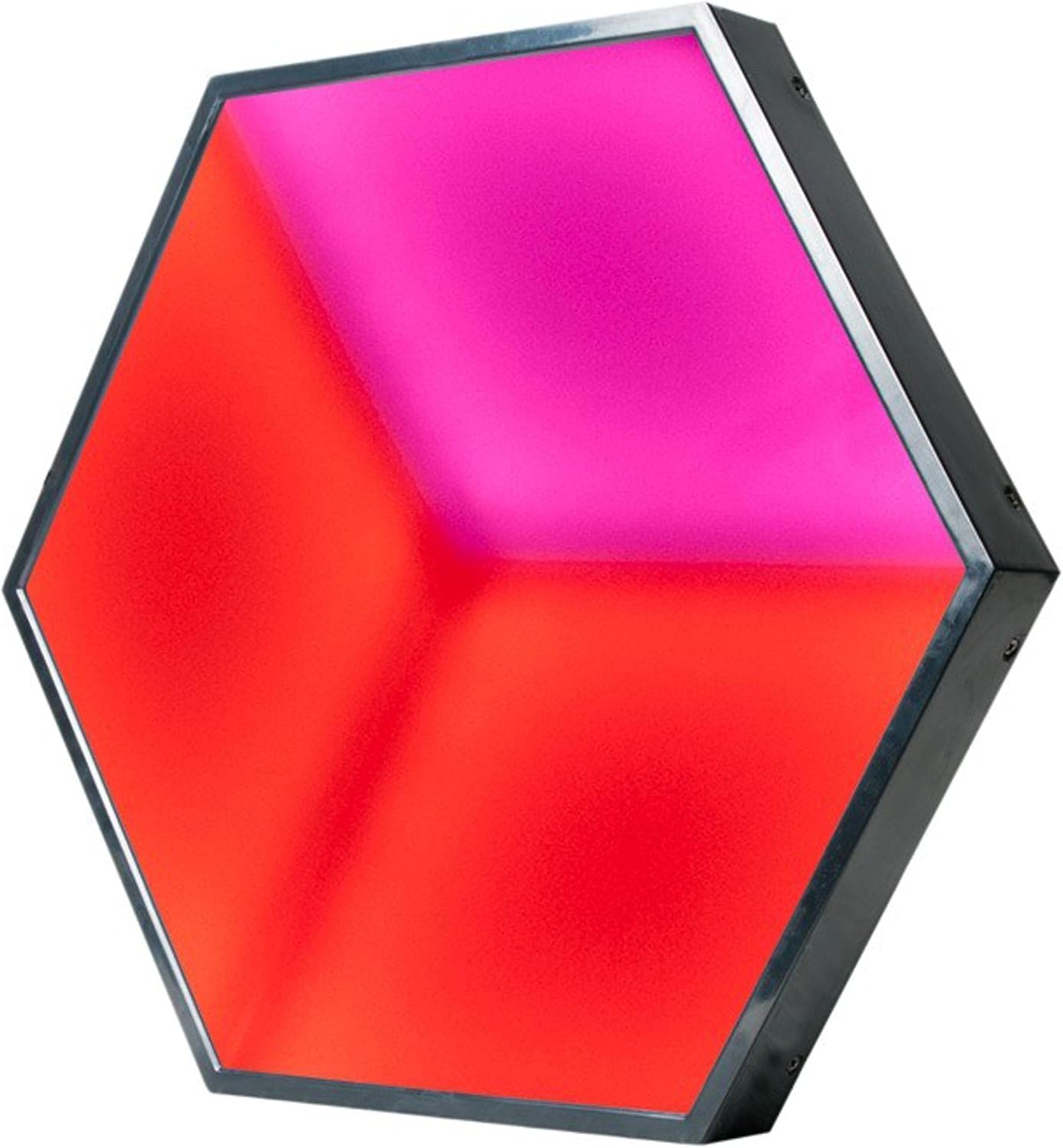
Figura 3.1: Quddiem view of the American DJ 3D Vision Hexagonal Flat Panel Display, showcasing its illuminated surface with red and pink hues.
3.1 Karatteristiċi ewlenin
- 3D LED effect panel for visual depth.
- Modular connecting system for flexible configurations.
- Ethercon data input and output for reliable signal transmission.

Figura 3.2: Wara view of the 3DV100 panel, showing the signal input/output and power connections.

Figura 3.3: Eżample arrangement of multiple 3D Vision panels demonstrating their modular capability to form larger displays.
4. Setup
4.1 Disimballaġġ
Carefully remove the 3DV100 panel from its packaging. Inspect the unit for any signs of damage during transit. Retain the packaging for future storage or transport.
4.2 Immuntar
The hexagonal design allows for creative mounting. Secure each panel using appropriate hardware (not included) to a stable structure such as a wall or truss. Ensure all mounting points are robust and capable of supporting the unit's weight.
4.3 Konnessjoni Elettrika
- Connect the power cable to the 'POWER IN' port on the rear of the unit.
- Plug the other end of the power cable into a suitable grounded power outlet.
- For daisy-chaining power to multiple units, connect a power link cable from the 'POWER OUT' port of one unit to the 'POWER IN' port of the next. Observe maximum power load limits for linked units.
4.4 Konnessjoni tad-Data
The 3DV100 uses Ethercon connections for data input and output, typically for DMX or similar control signals.
- Connect your DMX controller or signal source to the 'SIGNAL IN' Ethercon port of the first 3DV100 panel.
- To connect multiple panels, use an Ethercon cable from the 'SIGNAL OUT' port of the first panel to the 'SIGNAL IN' port of the next panel in the chain.
- Ensure all Ethercon cables are securely locked into place.
5. Istruzzjonijiet Operattivi
5.1 Power On/Off
Once all connections are made, apply power to the unit. The panel will typically illuminate with a default pattern or color. To power off, disconnect the main power supply.
5.2 Modi ta' Kontroll
The 3DV100 is designed to be controlled via an external DMX controller. Refer to your DMX controller's manual for specific programming instructions. The unit will respond to DMX signals received through its 'SIGNAL IN' port, allowing for control over color, patterns, and intensity.
Specific DMX channel assignments and internal program options (if available) are detailed in the full technical specifications document, which can be obtained from the manufacturer's websit.
6. Manutenzjoni
6.1 Tindif
To maintain optimal performance and appearance, clean the exterior of the unit periodically. Use a soft, lint-free cloth. For stubborn dirt, a slightly damp Tista' tuża drapp b'sapun ħafif, segwit minn drapp niexef. Tużax prodotti tat-tindif jew solventi li joborxu.
6.2 Ħażna
When not in use, store the 3DV100 in a dry, dust-free environment, preferably in its original packaging or a protective case.
7 Issolvi l-problemi
- Ebda Qawwa: Check the power cable connection at both the unit and the power outlet. Verify the power outlet is functional.
- Ebda Ħruġ tad-Dawl: Ensure the unit is receiving power. Check DMX signal connections and verify the DMX controller is sending a signal. Confirm the DMX address is correctly set on the unit.
- Incorrect Colors/Patterns: Verify DMX addressing and channel assignments. Ensure the DMX signal is clean and not interrupted.
- Operazzjoni intermittenti: Check all power and data cable connections for looseness or damage.
If issues persist after performing these checks, contact qualified service personnel.
8. Speċifikazzjonijiet
| Karatteristika | Dettall |
|---|---|
| Mudell | 3DV100 |
| Dimensjonijiet (L x W x H) | 17 x 15.25 x 4.5 pulzieri (43.18 x 38.74 x 11.43 ċm) |
| Piż | 8 liri (3.63 kg) |
| Konnessjonijiet tad-Data | Ethercon In/Out |
| Konnessjonijiet tal-Enerġija | Power In/Out (Daisy-chainable) |
| Tip ta 'Effett | 3D LED Effect Panel |
| L-Ewwel Data Disponibbli | 19 ta’ Settembru, 2016 |
9. Garanzija u Appoġġ
Għal informazzjoni dwar il-garanzija u appoġġ tekniku, jekk jogħġbok irreferi għall-websajt uffiċjali tal-ADJ. website or contact your authorized ADJ dealer. Keep your purchase receipt as proof of purchase for any warranty claims.


