1. Introduzzjoni
This user manual provides essential information for the safe and efficient operation of your APC Smart-UPS SRT 3000VA Uninterruptible Power Supply. This high-density, double-conversion online UPS is designed to provide reliable power protection for critical applications such as servers, voice/data networks, medical labs, and light industrial equipment. Please read this manual thoroughly before installation and use.
2. Informazzjoni dwar is-Sigurtà
Adherence to these safety guidelines is crucial for preventing electric shock, fire, or injury. Always follow local and national electrical codes.
- Installazzjoni: Install the UPS indoors in a controlled environment, away from excessive moisture, heat, or conductive contaminants. Ensure proper ventilation.
- Konnessjoni Elettrika: Connect the UPS to a properly grounded outlet. Do not remove the grounding prong.
- Sigurtà tal-batterija: Batteries can present a risk of electrical shock and burn from high short-circuit current. Observe all precautions when working with batteries. Replace batteries with the same type and number of batteries as originally installed.
- Servizzi: Refer all servicing to qualified service personnel. There are no user-serviceable parts inside the UPS except for the battery modules.
- Piż: The UPS is heavy (approximately 69 pounds). Use proper lifting techniques or assistance during installation to prevent injury.
3. Prodott Aktarview
The APC Smart-UPS SRT 3000VA is a high-performance Uninterruptible Power Supply designed to protect your critical equipment from power disturbances. It delivers 2.7 KW / 3000VA of power with a 0.9 power factor.

Figura 3.1: Angolat minn quddiem view of the APC Smart-UPS SRT 3000VA UPS, showcasing its compact tower design and front LCD display.
Karatteristiċi ewlenin:
- Double-Conversion Online Topology: Provides continuous, clean sine wave power, isolating connected equipment from utility power fluctuations.
- High Power Density: Delivers 2.7 KW / 3000VA of real power, suitable for demanding IT environments.
- Smart-Slot: Allows for the addition of a network management card (sold separately) for remote monitoring and management.
- Runtime Skalabbli: Supports optional external battery packs to extend backup runtime.
- Installazzjoni flessibbli: The SRT series is rack/tower convertible, adapting to various deployment needs.
- Interfaċċja LCD Intuwittiva: Provides real-time status updates and easy navigation.
- Batteriji li jistgħu jinbidlu direttament: Enables battery replacement without interrupting power to protected equipment.
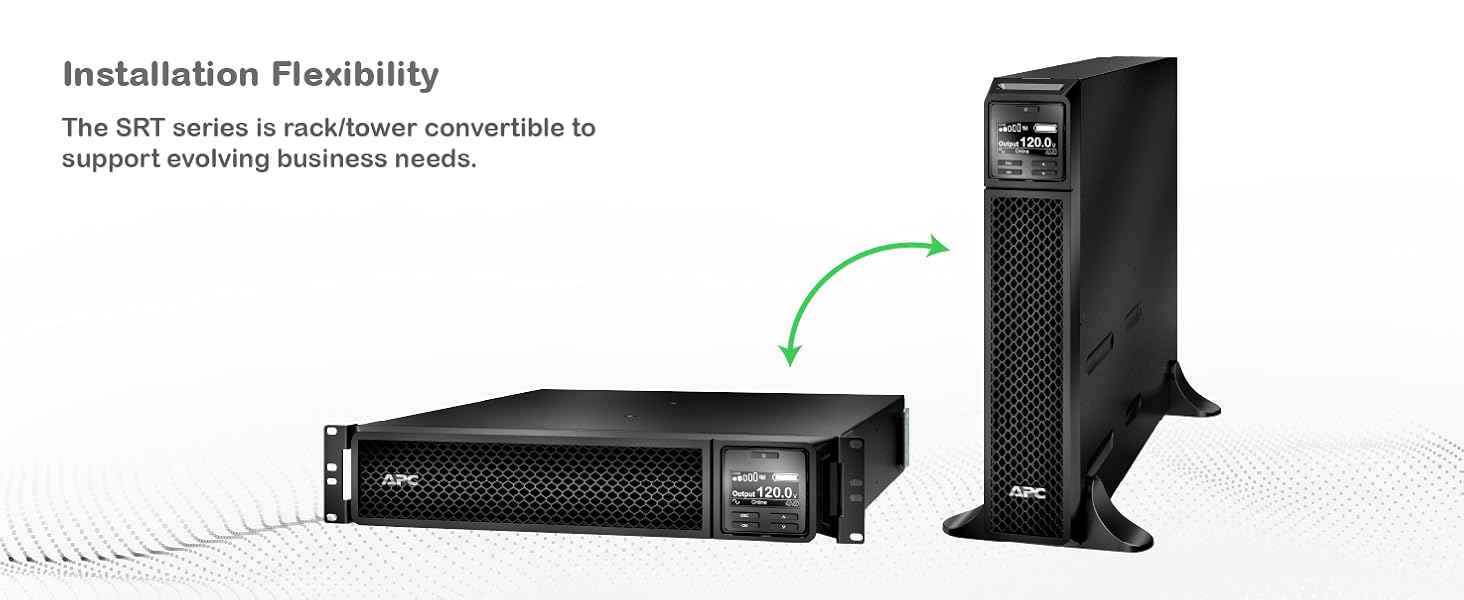
Figure 3.2: Illustration of the UPS's installation flexibility, demonstrating its ability to be configured as a floor-standing tower or a rack-mounted unit.

Figura 3.3: Panew ta' wara view detailing the communication ports and power outlets, including SmartSlot, NEMA 5-20R, and NEMA L5-30R connections.
4. Setup
Proper setup ensures optimal performance and safety of your UPS.
4.1 Spakkjar u Spezzjoni
- Carefully unpack the UPS and its components from the packaging.
- Inspect the UPS for any shipping damage. If damage is found, notify the carrier and dealer.
- Retain the packaging for future use or recycling.
4.2 Għażla tas-Sit
- Choose a location that is clean, dry, and free from excessive dust.
- Ensure adequate airflow around the UPS for proper cooling. Maintain at least 4 inches (10 cm) of clearance at the front and rear.
- Avoid direct sunlight, heat sources, and areas with high humidity.
- The UPS is designed for indoor use only.
4.3 Konnessjoni Inizjali
- Connect the UPS input power cord (NEMA 5-30p) to a dedicated, grounded electrical outlet.
- Connect your equipment to the UPS output receptacles. The UPS provides 8 NEMA 5-20R outlets and 1 NEMA L5-30R outlet for battery backup.
- Kun żgur li l-konnessjonijiet kollha huma siguri.
5. Istruzzjonijiet Operattivi
This section details the basic operation of your Smart-UPS SRT 3000VA.
5.1 Tixgħel l-UPS
- After connecting the input power and equipment, press the power button on the front panel.
- The UPS will perform a self-test and then switch to online mode, providing conditioned power to your connected devices.
5.2 Wiri LCD u Navigazzjoni
The intuitive LCD interface provides real-time status updates and allows for configuration adjustments.

Figura 5.1: Dettaljat view of the UPS LCD display, showing real-time output voltage and load status, along with navigation buttons.
- Use the navigation buttons (up, down, enter, escape) to browse menus and adjust settings.
- The display shows critical information such as input/output voltage, tagħbija perċentwalitage, battery charge, and operational status.
5.3 Softwer tal-Għeluq tan-Netwerk PowerChute
For advanced power protection and graceful shutdown of connected IT equipment, utilize the PowerChute Network Shutdown Software. This software enables unattended, graceful shutdown and automated start-up for hyperconverged infrastructure, virtual machines, and hosts/cluster services.

Figura 5.2: Eżample interface of the PowerChute Network Shutdown Software, illustrating its capabilities for managing IT environments during power events.
A network management card (sold separately) is required to use PowerChute Network Shutdown.
6. Manutenzjoni
Regular maintenance ensures the longevity and reliability of your UPS.
6.1 Ġestjoni tal-batterija
The Smart-UPS SRT features intelligent battery management and live swappable batteries.
- Batteriji li jistgħu jinbidlu direttament: Batteries can be replaced without powering down connected equipment, ensuring continuous operation.
- Ġestjoni Intelliġenti tal-Batterija: The UPS provides battery replacement recommendations, temperature-compensated charging, periodic battery self-tests, and disconnect battery notifications.
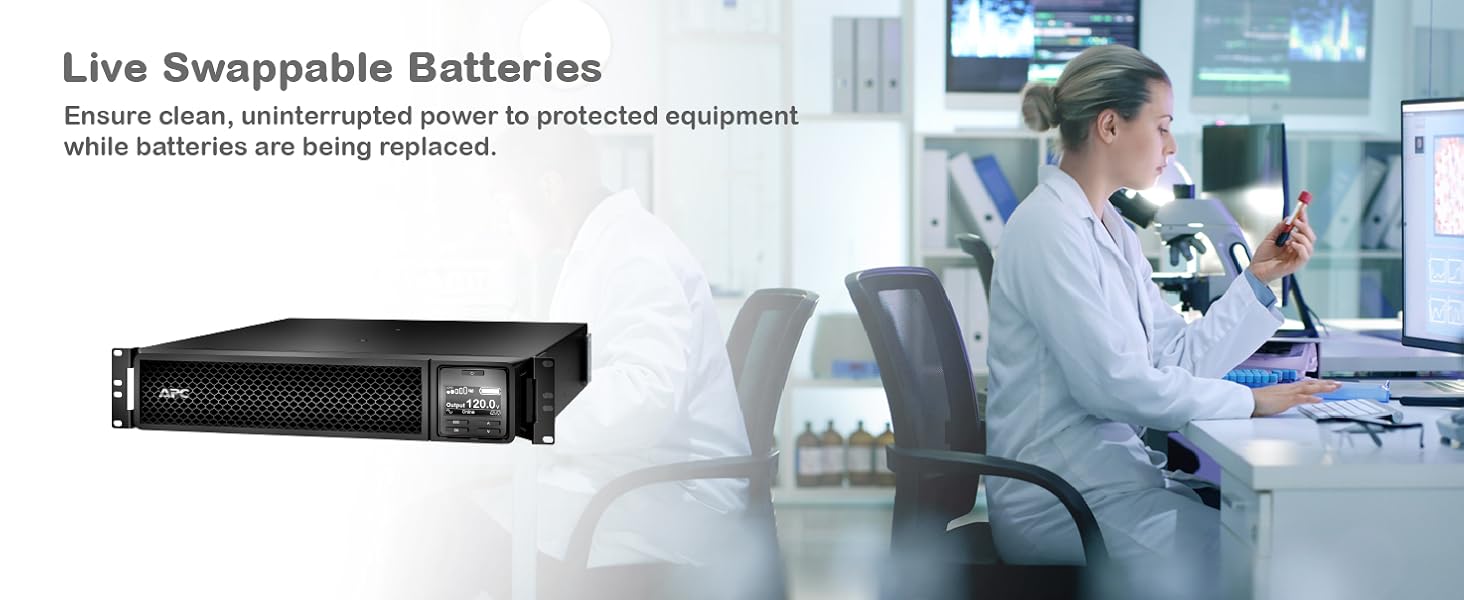
Figure 6.1: Illustration of live swappable batteries, demonstrating the ability to replace battery modules without interrupting power to critical loads.

Figure 6.2: Visual representation of intelligent battery management features, including recommendations, temperature compensation, self-tests, and notifications.
6.2 Tindif
Keep the UPS clean and free of dust. Use a dry cloth to wipe down the exterior. Do not use liquid cleaners or solvents.
7 Issolvi l-problemi
Din it-taqsima tipprovdi soluzzjonijiet għal kwistjonijiet komuni. Għal problemi aktar kumplessi, ikkuntattja l-appoġġ tekniku tal-APC.
| Problema | Kawża Possibbli | Soluzzjoni |
|---|---|---|
| Il-UPS ma jixgħelx. | No input power or discharged battery. | Ensure the input power cord is securely connected to a live outlet. Allow the UPS to charge for several hours. |
| Il-UPS qed jagħmel ħoss kontinwu. | UPS is on battery power due to utility power failure. | Save work and shut down connected equipment. The UPS will continue to provide power until the battery is depleted or utility power returns. |
| "Replace Battery" indicator is on. | Battery has reached end of life or is faulty. | Order and replace the battery module. Refer to the maintenance section for live swap instructions. |
| Allarm ta' tagħbija żejda. | Too much equipment connected to the UPS. | Disconnect non-essential equipment from the UPS outlets until the overload alarm clears. |
8. Speċifikazzjonijiet
Detailed technical specifications for the APC Smart-UPS SRT 3000VA (SRT3000XLA).
| Attribut | Valur |
|---|---|
| Numru tal-Mudell | SRT3000XLA |
| Dimensjonijiet tal-Prodott | 3.35 x 25 x 17.01 pulzieri (8.5 x 63.5 x 43.2 ċm) |
| Piż tal-oġġett | 69 liri (31.3 kg) |
| Voltage | 120 Volts |
| Kompożizzjoni taċ-Ċellola tal-Batterija | Jonju tal-litju |
| Kulur | Iswed |
| Materjal | Plastik |
| Konnessjoni tal-Input | NEMA 5-30p |
| Konnessjonijiet Output | 8 x NEMA 5-20R, 1 x NEMA L5-30R |
| Tul tal-kurdun | 6 pied (1.83 metri) |
| Kapaċità tal-Enerġija | 3000VA / 2700W |
| Topoloġija | Konverżjoni Doppja Online |
9. Garanzija u Appoġġ
For warranty information and technical support, please contact APC customer service or visit the official APC websit. Żomm l-irċevuta tax-xiri tiegħek għal pretensjonijiet ta' garanzija.
- Riżorsi onlajn: Żur www.apc.com for product documentation, FAQs, and support tools.
- Appoġġ Tekniku: Contact APC technical support for assistance with installation, operation, or troubleshooting.
- Pjanijiet ta' Protezzjoni: Extended protection plans may be available for purchase to cover your investment beyond the standard warranty.


