Introduzzjoni
The PAC SWICP2 is a universal steering wheel control interface designed to integrate aftermarket radios with a vehicle's existing steering wheel controls. This device allows users to retain the convenience and safety of factory steering wheel buttons when upgrading their car's audio system. It supports both analog (resistive) and data-bus steering wheel control systems found in a wide range of vehicles.
Karatteristiċi Ewlenin
- Universal compatibility with most popular aftermarket receivers.
- Plug and Play installation for simplified setup.
- Supports both Analog (resistive) and Data SWC Systems.
- Vehicle configuration via DIP switches or direct flash from the ControlPRO PC APP.
- Features a button learning mode for customizable button functions.
- Provides a 2 Amp, 12V Accessory (ACC) output for data-bus applications.
X'hemm fil-Kaxxa
- SWI-CP2 Module
- Wiring Harness and Connectors
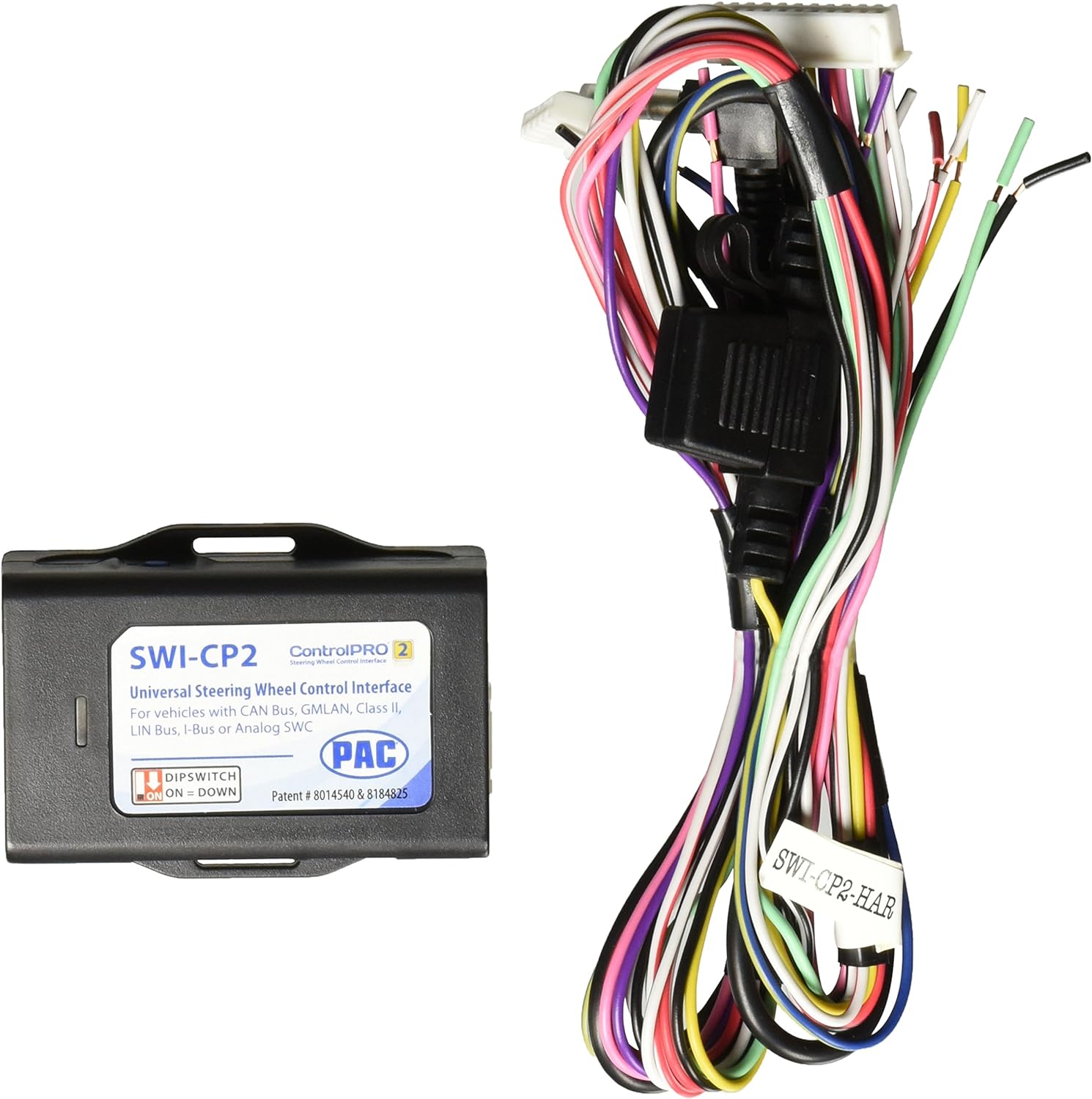
Image: The PAC SWI-CP2 module shown alongside its accompanying multi-colored wiring harness, illustrating the complete package contents.
Setup u Installazzjoni
Lista ta' Kontroll ta' Qabel l-Installazzjoni
- Kun żgur li l-batterija tal-vettura hija skonnettjata qabel tibda l-installazzjoni.
- Verify compatibility of the SWI-CP2 with your specific vehicle and aftermarket radio model.
- Gather all necessary tools, including wire strippers, crimpers, electrical tape, and a multimeter.
Konfigurazzjoni tas-Swiċċ DIP
The SWI-CP2 features DIP switches that must be set according to your vehicle and aftermarket radio's specific requirements. Refer to the PAC website or the ControlPRO APPs (PC, iOS & Android) for the correct DIP switch settings for your application. The switches are labeled 1 through 8 and 1 through 4, and their positions (ON or OFF) determine the interface's functionality.

Immaġni: Dettaljata view of the two sets of red DIP switches on the PAC SWI-CP2 module, showing their numbered positions and the "ON" indicator.
Konnessjonijiet tal-Wiring
Carefully connect the SWI-CP2 wiring harness to your vehicle's wiring and the aftermarket radio's harness. Ensure all connections are secure and properly insulated. The module includes specific connectors for power, ground, data, and steering wheel control inputs. Consult the detailed wiring diagram provided by PAC for your specific vehicle and radio combination.

Immaġni: Ġenb view of the SWI-CP2 module, highlighting a multi-pin connector port where the main wiring harness connects.

Immaġni: Naħa oħra view of the SWI-CP2 module, displaying a smaller connector port and a mini USB port, used for direct flashing and configuration.
The SWI-CP2 also provides a 2 Amp, 12V ACC output, which can be utilized in data-bus applications to provide switched power to the aftermarket radio.
Power-Up Inizjali
After all connections are made, reconnect the vehicle's battery. The SWI-CP2 will power on and may require a button learning process to fully integrate with your steering wheel controls.
Operazzjoni
Button Learning Mode
The SWI-CP2 features a button learning mode that allows you to program the functions of your steering wheel controls. This process typically involves pressing specific buttons on the steering wheel in a sequence dictated by the interface or the ControlPRO APP. This ensures that each button performs the desired function on your aftermarket radio.
Customizable Button Functions
Beyond basic functionality, the SWI-CP2 allows for customization of button functions. This means you can assign specific actions (e.g., volume up, track skip, mode change) to your steering wheel buttons to suit your preferences, enhancing your driving experience.
Manutenzjoni
The PAC SWI-CP2 is designed for long-term, maintenance-free operation once installed. Ensure the module is securely mounted in a dry location, away from excessive heat, moisture, or direct sunlight. Periodically check wiring connections for any signs of wear or looseness to maintain optimal performance.
Issolvi l-problemi
Kwistjonijiet Komuni u Soluzzjonijiet
- L-ebda Funzjonalità tal-Kontroll tal-Istering Wheel:
- Verify all wiring connections are correct and secure according to the PAC wiring diagram.
- Confirm DIP switches are set correctly for your specific vehicle and radio.
- Ensure the button learning process has been completed successfully.
- Check the aftermarket radio's settings to ensure steering wheel control input is enabled.
- Incorrect Button Functions:
- Re-enter the button learning mode and reprogram the functions.
- Ensure no buttons were accidentally pressed during the learning sequence.
- Operazzjoni intermittenti:
- Iċċekkja għal konnessjonijiet tal-wajers maħlula jew imsaddadin.
- Ensure the module is not exposed to excessive vibration or moisture.
If you encounter issues not covered here, or if troubleshooting steps do not resolve the problem, please contact PAC technical support for assistance.
Speċifikazzjonijiet
| Attribut | Dettall |
|---|---|
| Brand | PAC |
| Numru tal-Mudell | SWICP2 |
| Kulur | Iswed |
| Tip ta' Materjal | Plastik |
| Piż tal-oġġett | 3.52 uqija |
| Dijametru tal-Oġġett | 3 Pulzier |
| Tip ta 'Waħħal tal-Karozzi | Waħħal Universali |
| UPC | 680132151186, 609098818582 |
Garanzija u Appoġġ
For specific warranty information regarding your PAC SWI-CP2, please refer to the documentation included with your purchase or visit the official PAC website. PAC provides technical support to assist with installation, configuration, and troubleshooting.
Contact information for support can typically be found on the PAC webis-sit jew fl-imballaġġ tal-prodott.
Informazzjoni Importanti
Ċaħda Legali:
Dan il-prodott fih kimiċi magħrufa mill-Istat ta’ Kalifornja li jikkawżaw kanċer u difetti fit-twelid jew ħsara riproduttiva oħra.


