1. Prodott Aktarview
The Vimtag CP1 is a wireless IP video monitoring surveillance security camera designed for remote home or business monitoring. It features high-definition video, pan/tilt functionality, two-way audio, and night vision capabilities.
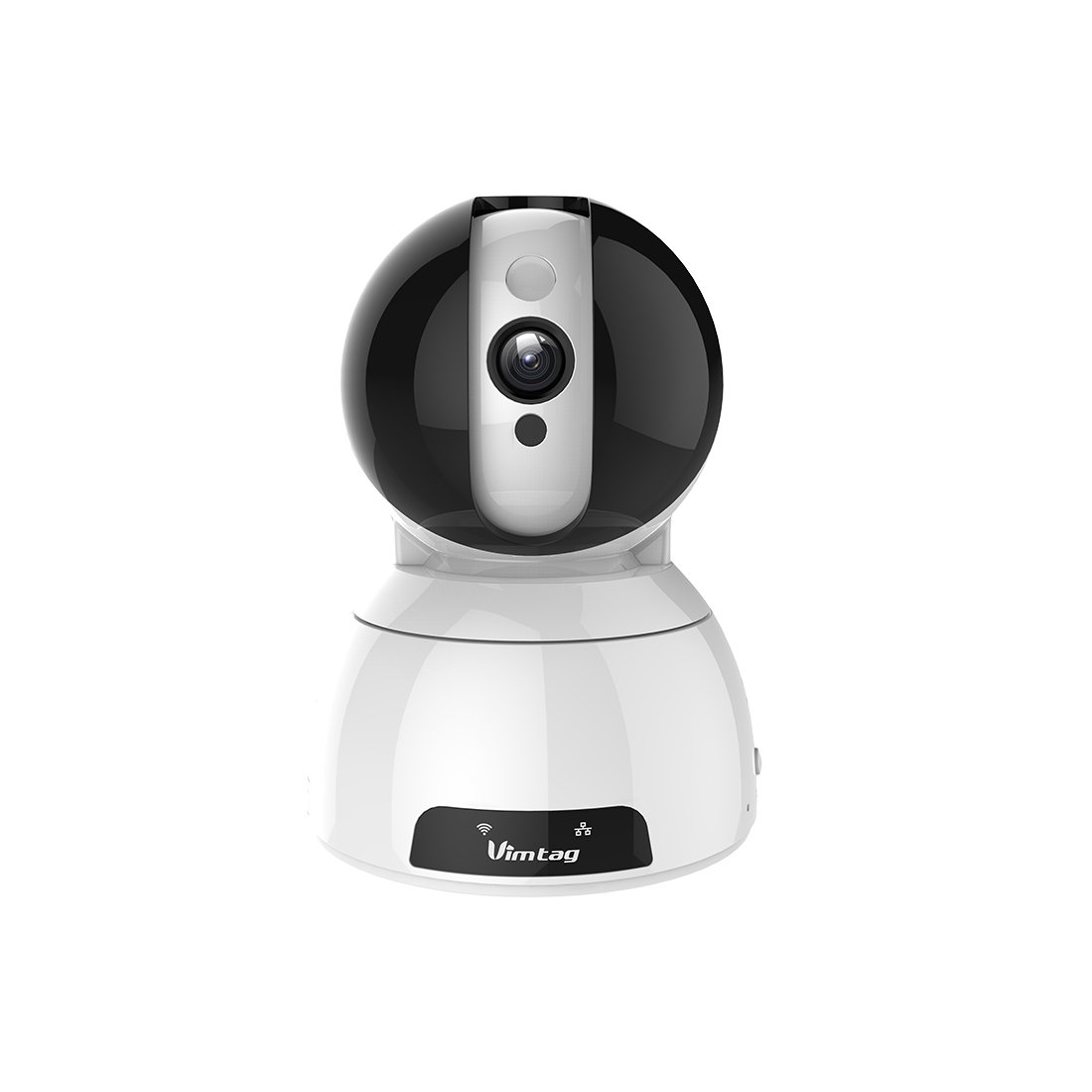
Figure 1: Vimtag CP1 Camera Front View
Karatteristiċi ewlenin:
- Kwalità tal-Vidjo HD: 1280 x 720p at 25 frames per second for clear monitoring.
- Funzjonalità Pan u Tilt: 350-degree horizontal rotation and 100-degree vertical tilt to cover a wide area.
- Awdjo f'żewġ direzzjonijiet: Mikrofonu u kelliem integrati għall-komunikazzjoni.
- Viżjoni bil-lejl: Infrared LEDs provide clear visibility up to 10 meters in low-light conditions.
- Sejbien tal-Moviment: Alerts with snapshots and video clips upon detecting movement.
- Ħażna Lokali u Cloud: Supports Micro SD cards up to 64GB and optional cloud storage.
- Setup faċli: Quick Wi-Fi setup via the Vimtag applikazzjoni mobbli.

Figure 2: Vimtag CP1 Key Features
2. Gwida ta' Setup
2.1 Kontenut tal-Pakkett
Qabel tibda, kun żgur li l-oġġetti kollha huma preżenti fil-pakkett:
- 1 x Vimtag Kamera CP1
- 1 x Camera Rack
- 1 x Kejbil tal-Enerġija
- 1 x Cable Ethernet
- 1 x Manwal tal-Utent (dan id-dokument)
2.2 Passi Inizjali tas-Setup
- Qawwa Mixgħul: Connect the power cable to the camera and plug it into a power outlet. The camera will initiate its startup sequence.
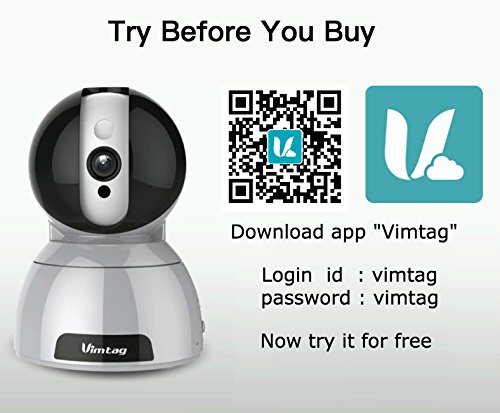
- Niżżel l-App: Download the free Vimtag app from your smartphone's app store (iOS App Store or Google Play Store).
- Reġistrazzjoni tal-Kont: Open the Vimtag app and register for a new account or log in if you already have one.
- Żid Kamera: Follow the in-app instructions to add your new CP1 camera. This typically involves scanning a QR code on the camera or entering its device ID.
- Konfigurazzjoni Wi-Fi: Configure the camera to connect to your Wi-Fi network using the app. Ensure your Wi-Fi network is 2.4GHz, as 5GHz networks may not be supported.
- Immuntar (Mhux obbligatorju): Use the included camera rack to mount the camera on a wall or ceiling if desired.
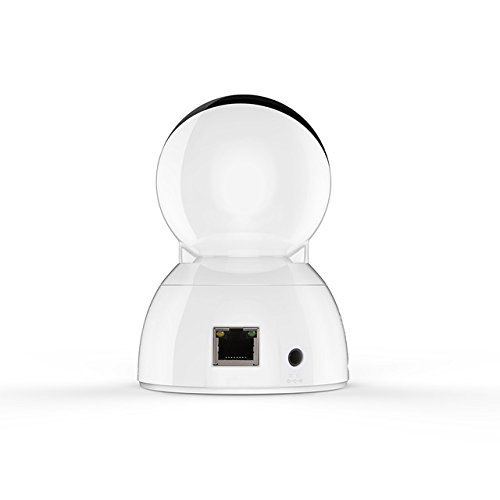
Figure 3: Vimtag CP1 Back View bil-Portijiet
For detailed visual guidance, refer to the video tutorials available on the official Vimtag appoġġ websit.
3. Istruzzjonijiet Operattivi
3.1 Ħaj View u Kontroll Pan/Tilt
Once the camera is connected, open the Vimtag app to access the live video feed. Use the on-screen controls to pan the camera horizontally (350 degrees) and tilt it vertically (100 degrees) to adjust the viewangolu tal-ing.

Figure 5: Pan and Tilt Control via App
3.2 Awdjo b'żewġ direzzjonijiet
The camera supports two-way audio. Tap the microphone icon in the app to speak through the camera's speaker, and listen to audio from the camera's built-in microphone.
3.3 Viżjoni bil-lejl
The CP1 camera automatically switches to night vision mode in low-light conditions, providing clear black and white video up to 10 meters using its infrared LEDs.
3.4 Sejbien tal-Mozzjoni u Twissijiet
Configure motion detection settings within the Vimtag app. You can set sensitivity levels and define specific areas for detection. When motion is detected, the camera can send instant notifications to your smartphone, including snapshots or short video clips.
3.5 Reġistrazzjoni u Ħażna tal-Vidjo
Il-kamera tappoġġja żewġ metodi primarji ta' ħażna:
- Karta Micro SD: Insert a Micro SD card (up to 64GB, not included) into the camera's designated slot for local recording. Recordings can be accessed and managed through the app.
- Ħażna Cloud: Optional cloud storage services are available through Vimtag for remote backup and access to recorded footage.
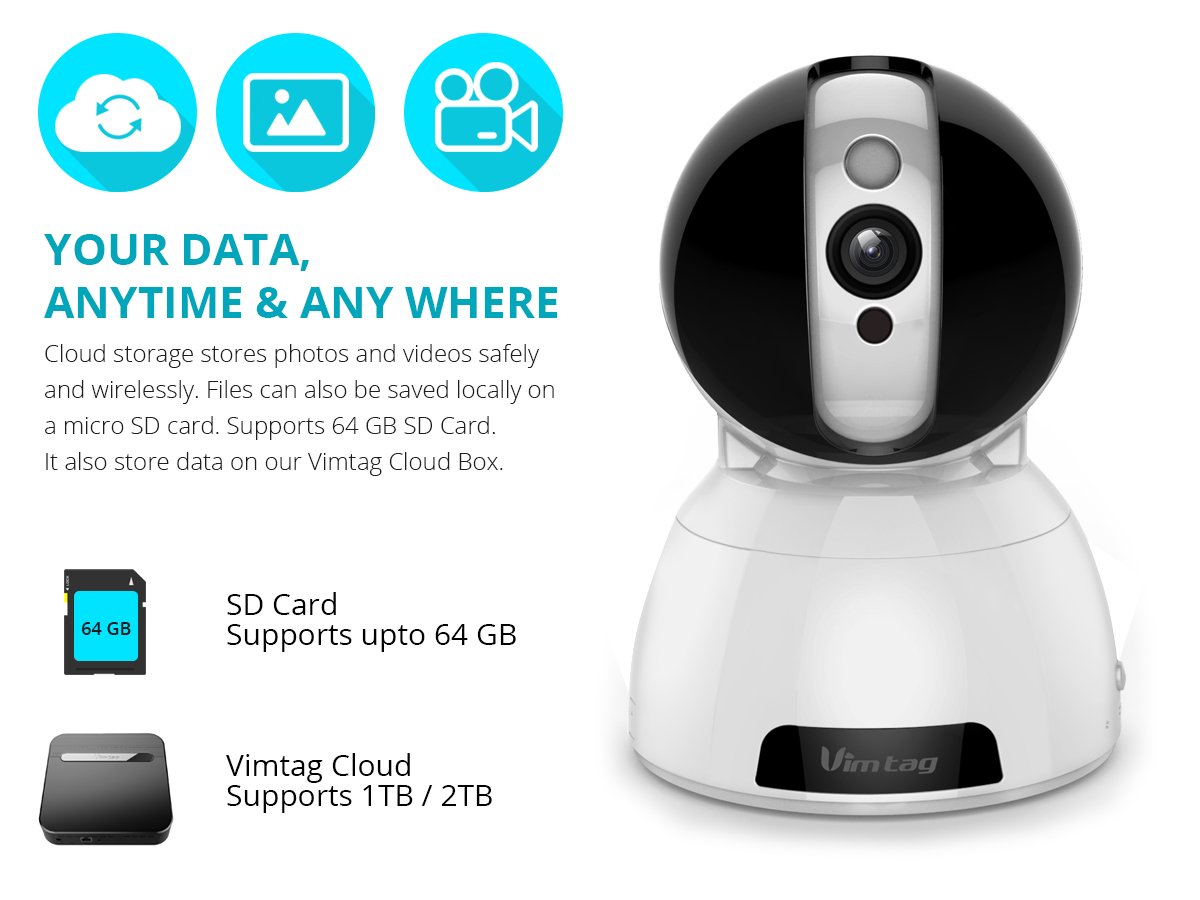
Figure 6: Storage Options for Vimtag CP1
4. Manutenzjoni
4.1 Tindif
To maintain optimal performance, periodically clean the camera's lens and exterior. Use a soft, dry cloth. Avoid abrasive cleaners or solvents that could damage the camera's finish or lens coating.
4.2 Aġġornamenti tal-Firmware
Vimtag may release firmware updates to improve camera performance, add features, or enhance security. Check the Vimtag app regularly for available updates and follow the in-app instructions to install them. Ensure the camera remains powered during the update process.
4.3 Konsiderazzjonijiet Ambjentali
The Vimtag CP1 camera is designed for indoor use. Avoid exposing it to extreme temperatures, direct sunlight, high humidity, or water, as it is not water-resistant.
5 Issolvi l-problemi
This section addresses common issues you might encounter with your Vimtag CP1 camera.
5.1 Il-Kamera Mhux Qed Tikkonnettja mal-Wi-Fi
- Iċċekkja l-Banda tal-Wi-Fi: Ensure your Wi-Fi network is 2.4GHz. The camera may not support 5GHz networks.
- Qawwa tas-Sinjal: Poġġi l-kamera eqreb tar-router tal-Wi-Fi tiegħek biex tiżgura sinjal qawwi.
- Password Korretta: Double-check that you are entering the correct Wi-Fi password in the app.
- Irrisettja l-Kamera: Locate the reset button on the camera (often a small pinhole) and press it for 5-10 seconds until the camera resets. Then, attempt the setup process again.
- Settings tal-router: Verify that your router's firewall or security settings are not blocking the camera's connection.
5.2 Kwalità tal-Vidjo Fqira
- Faxxa tan-Netwerk: Ensure your internet connection has sufficient upload speed for streaming HD video.
- Settings tal-App: Check the video quality settings within the Vimtag app; you might be able to adjust it.
- Indafa tal-Lenti: Naddaf il-lenti tal-kamera b'ċarruta ratba u niexfa.
5.3 Kwistjonijiet tal-Awdjo f'Żewġ Direzzjonijiet
- Livelli tal-Volum: Check the volume settings on your smartphone and within the Vimtag app.
- Ostruzzjoni tal-Mikrofonu/Speaker: Kun żgur li l-mikrofonu u l-ispiker tal-kamera mhumiex ostakolati.
- Latenza tan-Netwerk: High network latency can affect audio quality and introduce delays.
5.4 Is-Sejbien tal-Mozzjoni Mhux Jaħdem
- Ippermetti l-Karatteristika: Verify that motion detection is enabled in the Vimtag settings tal-app.
- Sensittività: Aġġusta s-sensittività tad-detezzjoni tal-moviment. Jekk tkun baxxa wisq, tista' titlef avvenimenti.
- Żoni ta' sejbien: Ensure the areas you want to monitor are correctly configured as detection zones.
6. Speċifikazzjonijiet Tekniċi
| Isem tal-Mudell | Vimtag CP1 |
| Numru tal-Mudell tal-Oġġett | 6970167642228 |
| Riżoluzzjoni tal-Qbid tal-Vidjo | 720p (1280 x 720 pixels) |
| Frame Rata | 25 frejm kull sekonda |
| Medda Pan/Tilt | 350 degrees (Pan) x 100 degrees (Tilt) |
| Zoom Diġitali | 4x |
| Distanza tal-Viżjoni bil-lejl | Sa 10 metri (Infra-aħmar) |
| Għażliet ta' Ħażna | Mikro SD (sa 64GB), Ħażna fis-Sħab |
| Konnettività | Wireless (Wi-Fi IEEE802.12b/g/n) |
| Sors tal-Enerġija | AC Power Adapter (7 Watts) |
| Dimensjonijiet (L x W x H) | 40 x 30 x 40 Millimetru |
| Piż tal-oġġett | 450 gramma |
| Użu fuq ġewwa/barra | Ġewwa |
| Livell ta 'Reżistenza għall-Ilma | Mhux Reżistenti għall-Ilma |
| Metodu ta' Kontroll | App (Android, iOS), Voice |
7. Garanzija u Appoġġ
7.1 Garanzija tal-Prodott
The Vimtag CP1 camera comes with a Garanzija ta 'sostituzzjoni ta' 6 xhurDin il-garanzija tkopri difetti fil-manifattura u malfunzjonamenti taħt użu normali. Jekk jogħġbok żomm il-prova tax-xiri tiegħek għal talbiet ta' garanzija.
7.2 Appoġġ għall-Klijent
For any queries, technical assistance, or warranty claims, please contact Vimtag customer support. Support is available via telephone, chat, Skype, and email. Refer to the official Vimtag webis-sit għall-aktar informazzjoni ta' kuntatt aġġornata.
Step-by-step setup instructions and video tutorials are also available on the Vimtag support portal to assist you with installation and operation.


