1. Introduzzjoni
The Meer YG300 Classic Mini Projector is a compact and portable LED LCD video projector designed for various entertainment purposes, including watching movies, playing games, and enjoying sports. Its small size makes it ideal for travel, outdoor activities, and creating a private theater experience anywhere. This manual provides essential information for setting up, operating, maintaining, and troubleshooting your projector.

The Meer YG300 Classic Mini Projector is designed for ultimate portability, easily fitting into a bag for on-the-go entertainment.
2. Informazzjoni dwar is-Sigurtà
Please read all safety instructions carefully before using the projector. Improper use can result in fire, electric shock, or other hazards. Keep this manual for future reference.
- Tesponix il-proġekter għax-xita jew l-umdità biex tevita n-nar jew xokk elettriku.
- Tiftaħx is-casing. Irreferi s-servizz kollu lil persunal tas-servizz kwalifikat.
- Aċċerta ruħek li jkun hemm ventilazzjoni xierqa. Timblokkax il-fetħiet tal-ventilazzjoni.
- Uża biss l-adapter tal-enerġija li jiġi mal-proġettur.
- Evita l-espożizzjoni diretta tal-għajnejn għal-lenti tal-proġettazzjoni meta tkun qed taħdem.amp hija mixgħula.
- Żomm il-proġettur 'il bogħod minn sorsi ta' sħana u dawl tax-xemx dirett.
3. Kontenut tal-Pakkett
Ivverifika li l-oġġetti kollha huma preżenti fil-pakkett tiegħek:
- Meer YG300 Classic Mini Projector
- Cable HDMI
- Kontroll mill-bogħod
- Adapter tal-Enerġija
- AV Cable
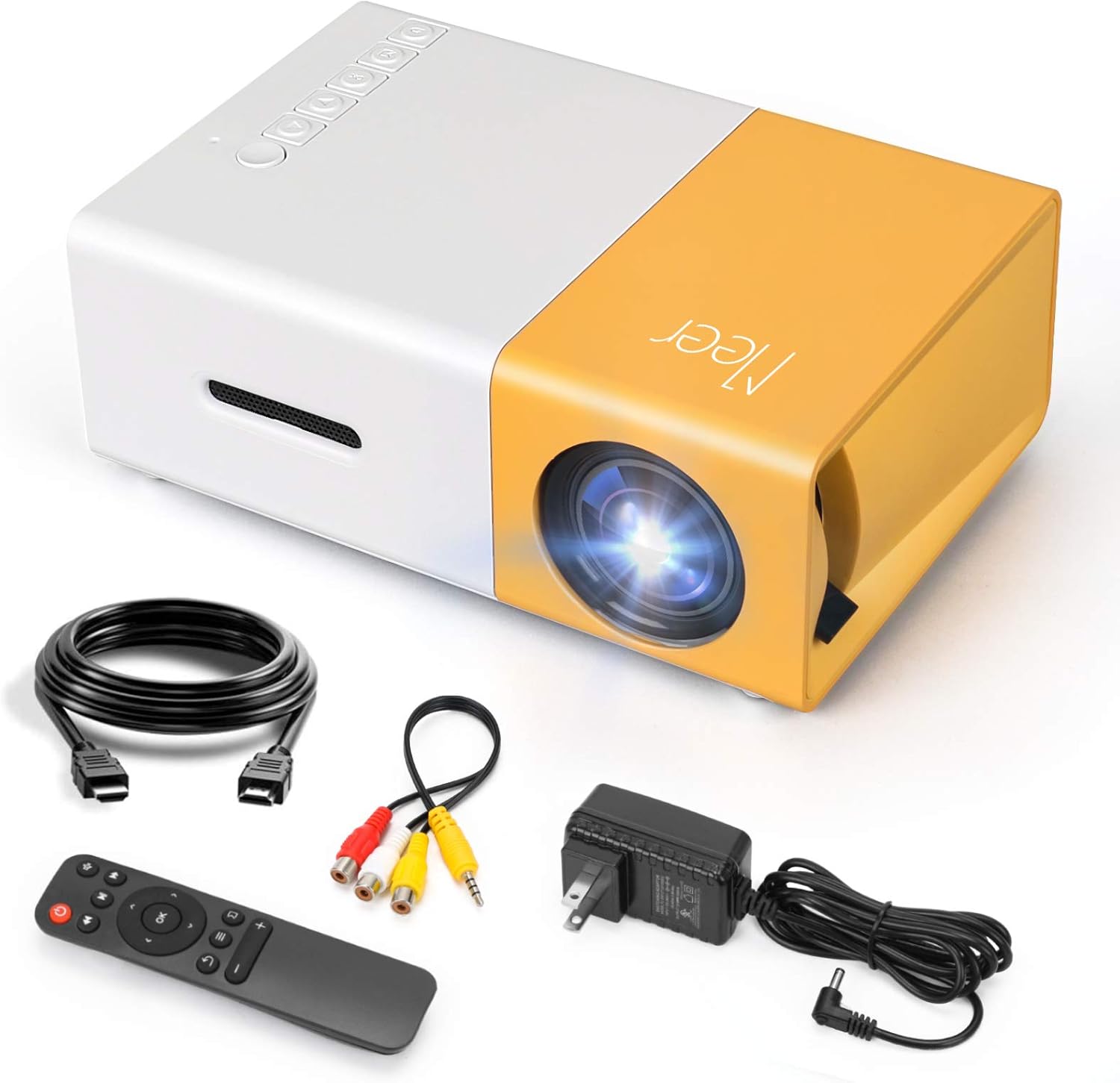
The complete package contents of the Meer YG300 Classic Mini Projector, including the projector unit and all necessary cables and accessories.
4. Prodott Aktarview
Familiarize yourself with the various parts and interfaces of your Meer YG300 Classic Mini Projector.
4.1. Quddiem u Ġenb View

Detailed diagram illustrating the various buttons and input/output ports on the Meer YG300 Classic Mini Projector.
- Swiċċ tal-Enerġija: Ixgħel/itfi l-proġekter.
- Navigation Buttons (Left, Right, Up, Down): Użat biex jinnaviga l-menus.
- Buttuna OK: Jikkonferma l-għażla.
- Buttuna tal-Input: Jagħżel is-sors tad-dħul.
- Buttuna tar-ritorn: Jmur lura għall-menu preċedenti.
- Slott tal-Karta Mikro SD: Biex iddoqq il-midja direttament minn kard Micro SD.
- Input AV: Connects to devices using the AV cable.
- Micro USB (5V/2A): Input tal-enerġija għall-proġettazzjoni.
- Earphone Slot: Għall-konnessjoni ta' headphones jew speakers esterni.
4.2. Wara View

Rear panel of the projector, highlighting the USB, DC power, and HDMI ports.
- USB Input Slot: For playing media directly from a USB drive.
- Input ta' Enerġija DC: Main power connection.
- Switch of Battery's Power: (Note: This model does not have a built-in battery. This switch may be for internal components or a feature present in other variants.)
- HDMI Input Slot: Connects to devices via HDMI cable.
5. Setup
5.1. Powering the Projector
The Meer YG300 Classic Mini Projector does not have its own internal battery. It requires a 5V/2A power source to operate. You can use the included wall charger or a compatible power bank, making it versatile for both indoor and outdoor use.

The projector can be powered by a standard wall adapter or a portable power bank (5V/2A minimum) for flexible usage.
5.2. Tqegħid Inizjali
Place the projector on a stable, flat surface. Ensure there are no obstructions in front of the lens or around the ventilation openings. For optimal viewing, use the projector in a dark environment.
6. It-Tħaddim tal-Proġettur
6.1. Mezzi ta 'Konnessjoni
Il-proġekter jappoġġja sorsi ta' input multipli:
- HDMI: Connect to laptops, TV sticks, gaming consoles (PS4, PS5, X-Box ONE), or tablets.
- USB: Insert a USB flash drive to play videos, photos, or music directly.
- TA’: Use the included AV cable to connect to older devices like DVD players.
- Karta SD: Daħħal kard Micro SD biex tilgħab il-midja files.
To connect directly to a smartphone or tablet, you will need a specific adapter (e.g., Lightning to HDMI, Micro USB to HDMI, or Type-C to HDMI), which is not included. For wireless connection, a Wi-Fi display adapter is required for screen mirroring or casting. For streaming services, it is recommended to use devices like Fire Stick, Google Chromecast, or Roku.

The projector offers broad multimedia support, connecting to a wide range of devices for diverse entertainment options.
6.2. Adjusting Focus and Projection Size
The projector features a manual focus adjustment. Rotate the focus ring on the lens until the image appears clear. The optimal projection distance is between 1 to 3 meters, yielding a projection size of up to 60 inches.

Guide to projection distances and screen sizes for the Meer YG300 Classic Mini Projector.
6.3. Output tal-Awdjo
The projector has a built-in speaker for audio playback. For a more immersive experience or louder sound, you can connect external speakers or headphones via the earphone slot.
6.4. Xenarji ta' Użu

Enjoy movies indoors with family.
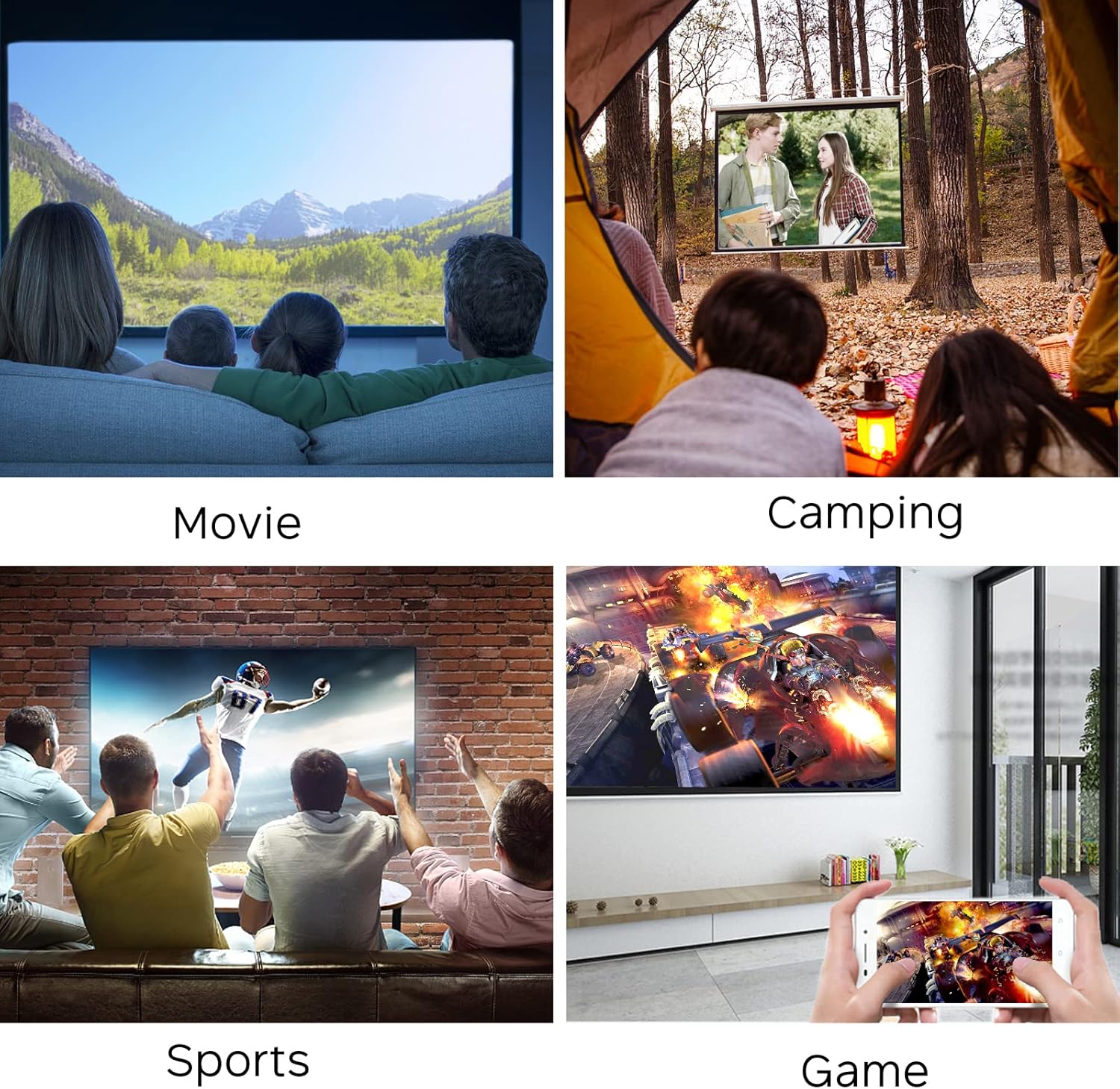
Perfect for outdoor entertainment and camping.
7. Manutenzjoni
Biex tiżgura l-lonġevità u l-prestazzjoni ottimali tal-proġettazzjoni tiegħek, segwi dawn il-linji gwida ta' manutenzjoni:
- Tindif tal-Lenti: Uża drapp artab u mingħajr suf iddisinjat speċifikament għal lentijiet ottiċi. Tużax prodotti tat-tindif jew drappijiet li jobrox li jistgħu jigrif il-lenti.
- Tindif tas-Casing: Imsaħ il-barra tal-proġettazzjoni b'ċarruta ratba u niexfa. Għal ħmieġ iebes, neħħi ftit.amp Jista' jintuża drapp, iżda kun żgur li ma tidħolx umdità fl-apparat.
- Ventilazzjoni: Regularly check that the ventilation openings are clear of dust and debris to prevent overheating. Do not place the projector on soft surfaces that might block airflow.
- Ħażna: Meta ma tkunx qed tużah għal perjodi twal, aħżen il-proġettur f'post frisk u niexef, 'il bogħod mix-xemx diretta u minn temperaturi estremi.
8 Issolvi l-problemi
Jekk tiltaqa' ma' problemi bil-proġettur tiegħek, irreferi għall-problemi u s-soluzzjonijiet komuni li ġejjin:
| Problema | Kawża Possibbli | Soluzzjoni |
|---|---|---|
| L-ebda immaġni fuq l-iskrin | No power; Incorrect input source; Loose cable connection | Ensure power adapter is connected and power source is active. Select the correct input source (HDMI, USB, AV, SD). Check all cable connections. |
| Immaġini mċajpra | Mhux iffukat; Distanza ta' projezzjoni mhux korretta | Adjust the focus ring on the lens. Ensure the projector is within the recommended projection distance (1-3 meters). |
| L-ebda ħoss | Volume too low; Muted; External audio device not connected properly | Increase the volume. Check if the projector or source device is muted. Ensure external speakers/headphones are correctly plugged into the earphone slot. |
| Il-proġekter iżżejjed | Ventilazzjoni mblukkata; Użu fit-tul f'ambjent sħun | Ensure ventilation openings are clear. Operate in a well-ventilated area. Allow the projector to cool down if it feels excessively hot. |
| Il-kontroll mill-bogħod ma jaħdimx | Dead batteries; Obstruction between remote and projector | Replace batteries in the remote control. Ensure there is a clear line of sight between the remote and the projector's IR receiver. |
9. Speċifikazzjonijiet
| Karatteristika | Dettall |
|---|---|
| Isem tad-Ditta | Meer |
| Numru tal-Mudell tal-Oġġett | YG300 |
| Dimensjonijiet tal-Prodott | 4.98 x 3.37 x 1.88 pulzieri |
| Piż tal-oġġett | 10.2 uqija |
| Isem tal-Kulur | Isfar |
| Riżoluzzjoni tal-Wiri | 640 x 480 |
| Appoġġ Riżoluzzjoni | 1080P (Input) |
| Luminożità | 400 Lumens |
| Proporzjon ta' l-aspett | 4:3 jew 16:9 |
| Distanza ta' Projezzjoni | 1-3 metri |
| Daqs tal-Projezzjoni | Sa 60 pulzier |
| Teknoloġija tal-Konnettività | HDMI, USB, AV, SD |
| Karatteristiċi Speċjali | Kelliema Inkorporati |
| Sors tal-Enerġija | 5V/2A (via wall charger or power bank) |
| Pajjiż ta' Oriġini | Iċ-Ċina |
10. Garanzija u Appoġġ
For any product inquiries, technical support, or warranty information, please refer to the official Meer webis-sit jew ikkuntattja lis-servizz tal-konsumatur tagħhom direttament. Tista' ssib ukoll riżorsi addizzjonali u FAQs fuq il-paġna tal-elenkar tal-prodott fuq Amazon.
A digital version of this user guide is available for download: Gwida għall-Utent (PDF)


