Introduzzjoni
Grazzi tax-xiriasing the Senso Bluetooth Headphones. These wireless sports earbuds are designed to provide high-fidelity audio with deep bass and crystal clear treble, featuring Bluetooth 4.1 CSR technology and IPX7 waterproof rating. This manual will guide you through the setup, operation, and maintenance of your new headphones to ensure optimal performance and longevity.
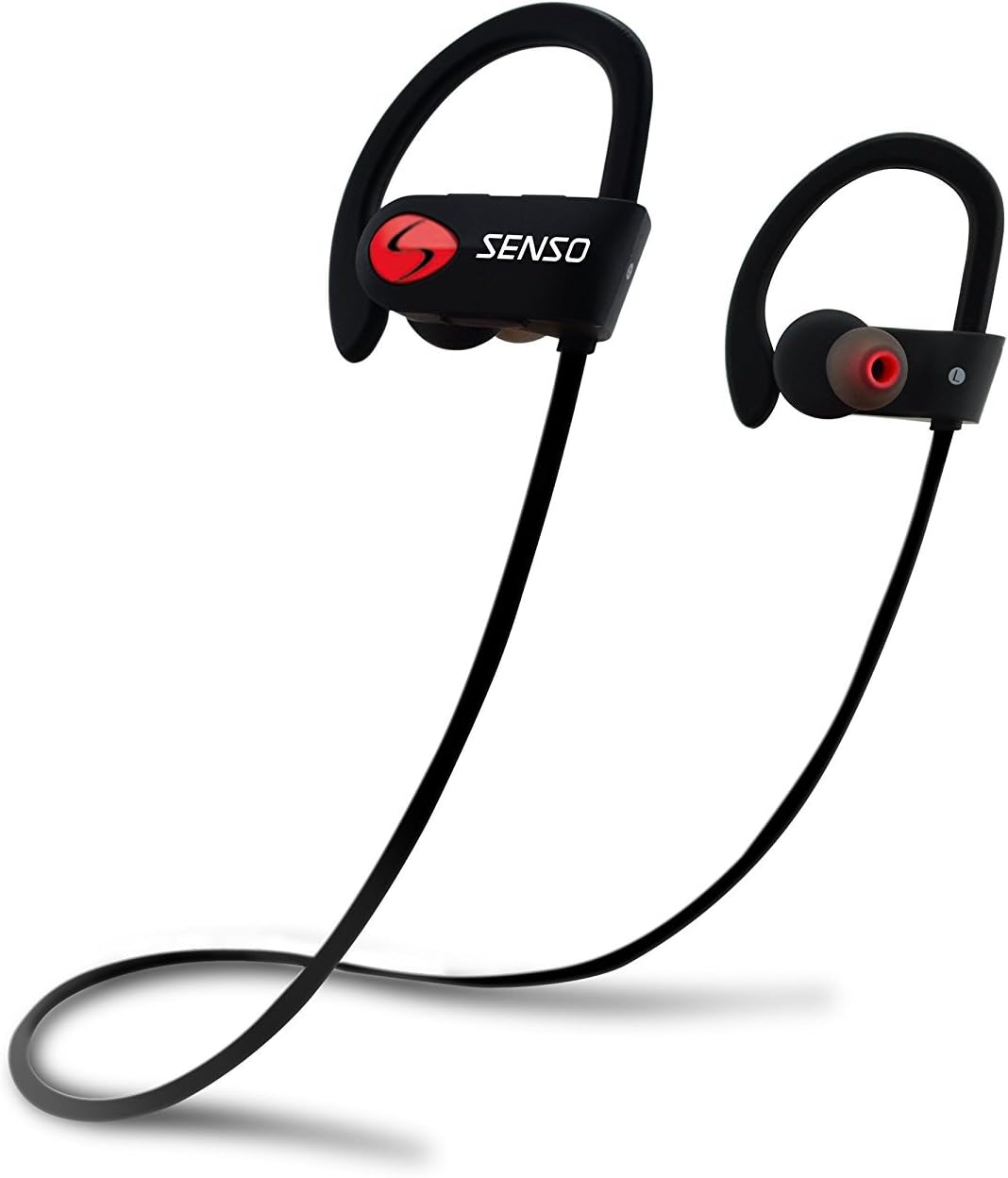
Image: Senso Bluetooth Headphones, showcasing their sleek black design with red accents and ear hooks.
X'hemm fil-Kaxxa
Jekk jogħġbok iċċekkja l-kontenut tal-pakkett biex tiżgura li l-oġġetti kollha huma preżenti:
- Senso Bluetooth Headphones (1 pair)
- Hard Carry Case (1)
- Short Charging Cable (Micro USB) (1)
- Long Charging Cable (Micro USB) (1)
- Dual Car Charger (1)
- Sets of Gel Flex Silicone Ear Tips (Small, Medium, Large)
- Manwal għall-Utent (dan id-dokument)

Image: All included accessories for the Senso Bluetooth Headphones, including the headphones, charging cables, ear tips, and carrying case.
Prodott Overview
The Senso activbuds s-250 are designed for active lifestyles, offering a secure and comfortable fit with advanced audio technology.
- True HD High Fidelity Sound: Equipped with Bluetooth 4.1 CSR technology and acoustic components for deep bass and clear treble.
- Klassifikazzjoni IPX7 li ma jgħaddix ilma minnha: Designed to withstand sweat and splashes, making them ideal for sports and workouts.
- Tajjeb Komdu u Sikur: Ergonomically designed flexible ear hooks and gel Flex silicone earbuds ensure a stable and fatigue-free experience.
- Ħajja twila tal-batterija: Up to 8 hours of music playback and 240 hours of standby time on a single 1.5-hour charge.
- CVC 6.0 Noise Suppression: Reduces ambient noise for clearer calls and immersive music listening.
- Medda bla fili: Connects seamlessly with Bluetooth-enabled devices up to 30 feet away.

Image: Diagram highlighting key features of the Senso Bluetooth Headphones, including IPX7 waterproof rating, HD sound, and comfortable fit.
Setup
1. Iċċarġjar tal-Headphones
Before first use, fully charge your Senso Bluetooth Headphones. A full charge takes approximately 1.5 hours.
- Locate the Micro USB charging port on the right earbud, usually covered by a small rubber flap.
- Connect the provided USB charging cable to the headphones and the other end to a USB power source (e.g., computer USB port, wall adapter, or the included car charger).
- The LED indicator light will turn red during charging and turn blue or off when fully charged.
2. It-tqabbil mat-Tagħmir Tiegħek
Segwi dawn il-passi biex tqabbad il-headphones tiegħek ma' apparat li jaħdem bil-Bluetooth:
- Kun żgur li l-headphones huma mitfija.
- Press and hold the multi-function button on the right earbud for approximately 5-7 seconds until the LED indicator light flashes red and blue alternately. This indicates pairing mode.
- Fuq l-apparat tiegħek (smartphone, tablet, kompjuter), attiva l-Bluetooth u fittex apparati ġodda.
- Select "Senso activbuds s-250" (or similar name) from the list of available devices.
- Once connected, the LED indicator light on the headphones will flash blue slowly or turn solid blue, and you may hear a voice prompt confirming the connection.
Nota: If prompted for a password, enter "0000". The headphones will automatically attempt to reconnect to the last paired device when turned on.
Istruzzjonijiet Operattivi
Kontrolli Fuqview
All controls are located on the right earbud.
| Buttuna/Azzjoni | Funzjoni |
|---|---|
| Buttuna b'ħafna funzjonijiet (MFB) |
|
| Volum 'il fuq (+) |
|
| Volum 'l isfel (-) |
|
Liebes il-headphones
The Senso headphones feature flexible ear hooks for a secure fit. Gently place the earbuds into your ears and adjust the ear hooks over your ears until they feel comfortable and stable. Experiment with the different sizes of silicone ear tips to find the best seal for optimal sound quality and comfort.

Image: Close-up of the Senso Bluetooth Headphones, showing the ear hook design and ear tip for a secure fit.
Manutenzjoni
Kura xierqa testendi l-ħajja tal-headphones tiegħek:
- Tindif: Imsaħ il-headphones b'artab, damp cloth. Do not use harsh chemicals or abrasive cleaners. Remove ear tips and clean them separately with mild soap and water, then dry thoroughly before reattaching.
- Ħażna: When not in use, store the headphones in the provided hard carry case to protect them from dust, dirt, and physical damage.
- Espożizzjoni għall-Ilma: While IPX7 rated, avoid prolonged submersion in water. Ensure the charging port cover is securely closed to maintain water resistance.
- Temperatura: Evita li tesponi l-headphones għal temperaturi estremi (sħan jew kesħin) għax dan jista' jaffettwa l-ħajja tal-batterija u l-prestazzjoni ġenerali.

Image: Senso Bluetooth Headphones alongside their sturdy carry case, emphasizing proper storage.
Issolvi l-problemi
Jekk tiltaqa' ma' problemi bil-headphones tiegħek, ipprova s-soluzzjonijiet li ġejjin:
| Problema | Soluzzjoni |
|---|---|
| Il-headphones ma jixegħlux | Kun żgur li l-headphones huma ċċarġjati kompletament. Qabbadhom ma' sors tal-enerġija u ċċekkja l-indikatur tal-iċċarġjar. |
| Ma tistax tqabbad mat-tagħmir |
|
| L-ebda ħoss jew volum baxx |
|
| Qtugħ tal-ħoss 'il ġewwa/'l barra |
|
Speċifikazzjonijiet
| Karatteristika | Dettall |
|---|---|
| Isem tal-Mudell | activbuds s-250 |
| Teknoloġija tal-Konnettività | Bluetooth |
| Verżjoni Bluetooth | 4.1 |
| Medda Bluetooth | Sa 30 pied |
| Livell ta 'Reżistenza għall-Ilma | IPX7 Waterproof |
| Ħajja tal-batterija | 8-il Siegħa (Daqq tal-Mużika) |
| Ħin tal-Iċċarġjar | 1.5 Sigħat |
| Kontroll tal-Ħoss | Active Noise Cancellation (CVC 6.0 Noise Suppression) |
| Rispons ta' Frekwenza | 20 Hz - 22 kHz |
| Headphones Jack | Mikro USB |
| Piż tal-oġġett | 0.16 uqija (madwar 4.54 g) |
| Dimensjonijiet tal-Prodott | 4.9 x 4.7 x 1.3 pulzieri |
| Materjal | Silikonju |
| Manifattur | Senso |
Garanzija u Appoġġ
Senso Bluetooth Headphones come with a Garanzija tal-Manifattur ta' 1 snin. Din il-garanzija tkopri difetti fil-materjali u l-abbilità taħt użu normali.
Barra minn hekk, a Politika ta' ritorn ta' 30 jum mingħajr mistoqsijiet huwa offrut għas-serħan tal-moħħ tiegħek.
For warranty claims, technical support, or any inquiries, please contact Senso customer service through the retailer where you purchased the product or visit the official Senso websit għal informazzjoni ta' kuntatt.
Jekk jogħġbok żomm il-prova tax-xiri tiegħek għall-validazzjoni tal-garanzija.


