Introduzzjoni
This manual provides instructions for the installation and operation of your Satechi Aluminum USB-C 2.5-inch HDD/SSD Enclosure. This enclosure allows you to convert any 2.5-inch SATA hard drive (HDD) or solid-state drive (SSD) into a portable external storage device, utilizing a USB-C connection for data transfer speeds up to 10 Gbps.
Kontenut tal-Pakkett
- Satechi Aluminum USB-C 2.5-inch HDD/SSD Enclosure
- USB-C għal USB-C Cable
- Mini tornavit
- Viti tal-Immuntar
Setup u Installazzjoni
Follow these steps to install your 2.5-inch HDD or SSD into the enclosure:
- Iftaħ l-Għeluq: Use the provided mini screwdriver to remove the two small screws located on the side of the enclosure. Carefully slide the internal tray out from the aluminum casing.
- Daħħal id-Drive: Align your 2.5-inch SATA HDD or SSD with the SATA connector on the internal tray. Gently push the drive into the connector until it is firmly seated.
- Assigura d-Drive: Use the provided mounting screws to secure the HDD/SSD to the internal tray. Ensure the drive is stable and does not move.
- Agħlaq l-Għeluq: Carefully slide the internal tray, with the installed drive, back into the aluminum casing. Re-insert and tighten the two small screws to secure the enclosure.

Image: Enclosure disassembled, revealing the internal tray and screws.
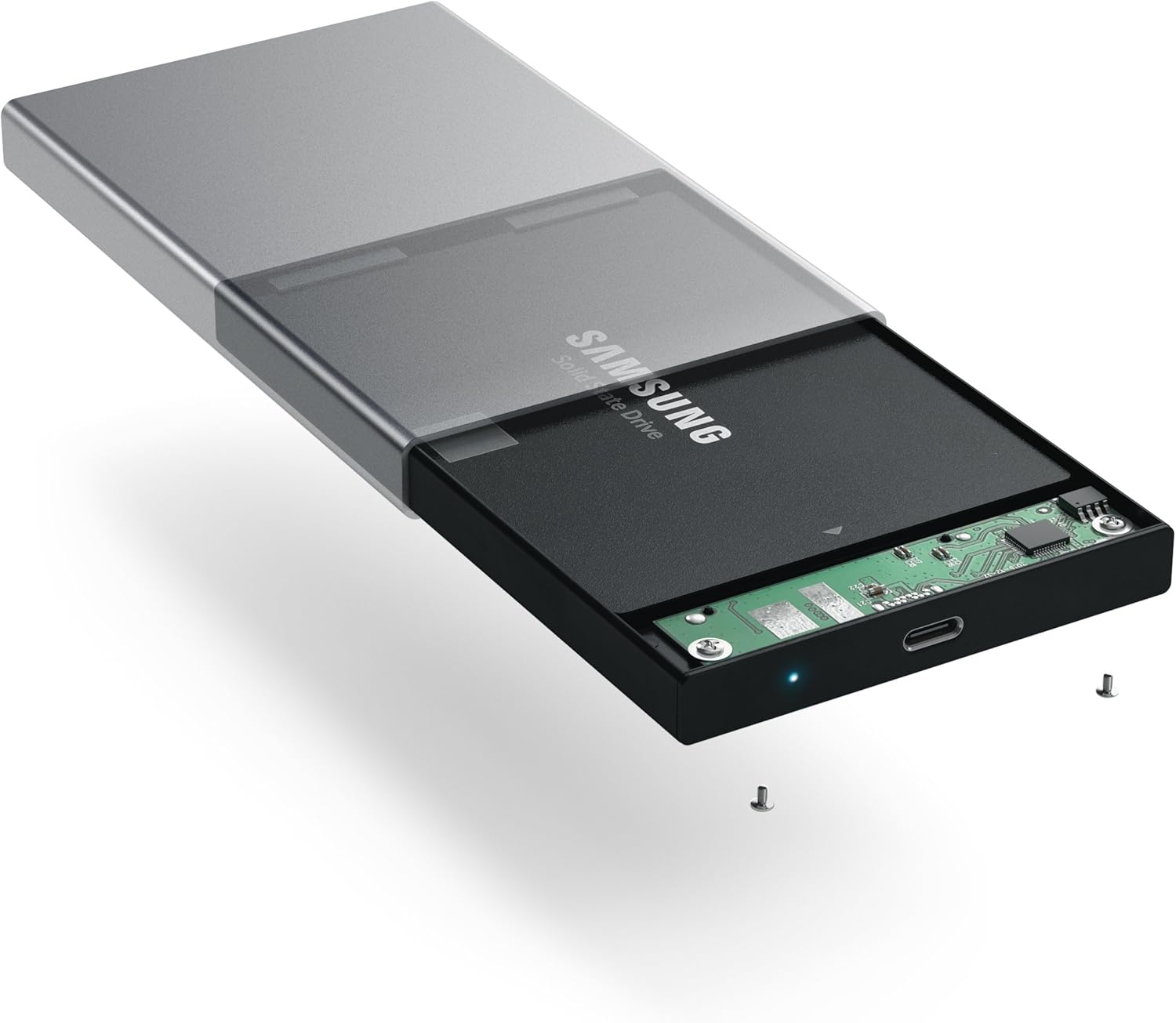
Image: Inserting a 2.5-inch SSD into the internal tray.

Image: SSD fully inserted and secured in the tray.
Istruzzjonijiet Operattivi
- Qabbad mal-Kompjuter: Use the included USB-C to USB-C cable to connect the enclosure to an available USB-C port on your computer.
- Indikatur tal-Enerġija: A blue LED indicator light on the enclosure will illuminate when connected and powered, indicating readiness for use. The LED will blink during data transfer activity.
- Aċċess għad-Drive: Your computer should automatically detect the external drive. If it is a new drive, you may need to format it before use. Refer to your operating system's documentation for drive formatting procedures.
- Trasferiment tad-Data: Iddreggja u qiegħed files to and from the external drive as you would with any other storage device. The enclosure supports data transfer speeds up to 10 Gbps, depending on your drive and computer's USB-C port capabilities.
- Tneħħija Sikura: Always safely eject the external drive from your operating system before disconnecting the cable to prevent data corruption.

Image: Enclosure connected to a laptop.

Image: Enclosure with cable connected, showing the blue LED.
Manutenzjoni
- Żomm l-għeluq nadif u ħieles mit-trab. Uża drapp artab u niexef għat-tindif.
- Evita li tesponi l-apparat għal temperaturi estremi, umdità, jew dawl tax-xemx dirett.
- Do not attempt to disassemble the enclosure beyond the initial drive installation, as this may void the warranty.
Issolvi l-problemi
- Sewqan Mhux Rilevat:
- Kun żgur li l-kejbil USB-C huwa konness sew kemm mal-kaxxa kif ukoll mal-kompjuter tiegħek.
- Try connecting to a different USB-C port on your computer.
- Verify that the HDD/SSD is correctly seated within the enclosure's SATA connector.
- If it is a new drive, ensure it has been formatted for your operating system.
- Veloċitajiet ta' Trasferiment Baxxi:
- Ensure your computer's USB-C port supports USB 3.1 Gen 2 (10 Gbps) for optimal performance.
- The performance of the drive itself (HDD vs. SSD) will impact transfer speeds.
- Consider using a high-quality, certified USB-C cable, especially if experiencing intermittent disconnections or slower-than-expected speeds.
- L-Enclosure Jiskonnettja b'mod każwali:
- This can sometimes be caused by an incompatible or low-quality USB-C cable. Try using a different, certified USB-C cable.
- Ensure your computer's power settings are not configured to turn off USB ports to save power.
Speċifikazzjonijiet
| Numru tal-Mudell | ST-TCDEM |
| UPC | 879961006242 |
| Materjal | Aluminju |
| Tip ta 'Sewqan Kompatibbli | 2.5-inch SATA HDD/SSD |
| Numru Massimu ta' Apparat Appoġġjat | 1 |
| Rata ta' Trasferiment tad-Data | Sa 10 Gigabits Kull Sekonda (USB 3.1 Ġen 2) |
| Teknoloġija tal-Konnettività | USB-C |
| Piż tal-oġġett | 6.4 uqija (181 Grammi) |
| Kulur | Griż Spazjali |
Garanzija u Appoġġ
For warranty information and technical support, please refer to the official Satechi webis-sit jew ikkuntattja lis-servizz tal-konsumatur tagħhom direttament. Żomm l-irċevuta tax-xiri tiegħek għal talbiet ta' garanzija.


