Introduzzjoni
This user manual provides comprehensive instructions for the MI Redmi 4A smartphone. It covers essential information regarding device setup, operation, maintenance, and troubleshooting to ensure optimal performance and user experience. Please read this manual carefully before using your device.
Apparat Matulview
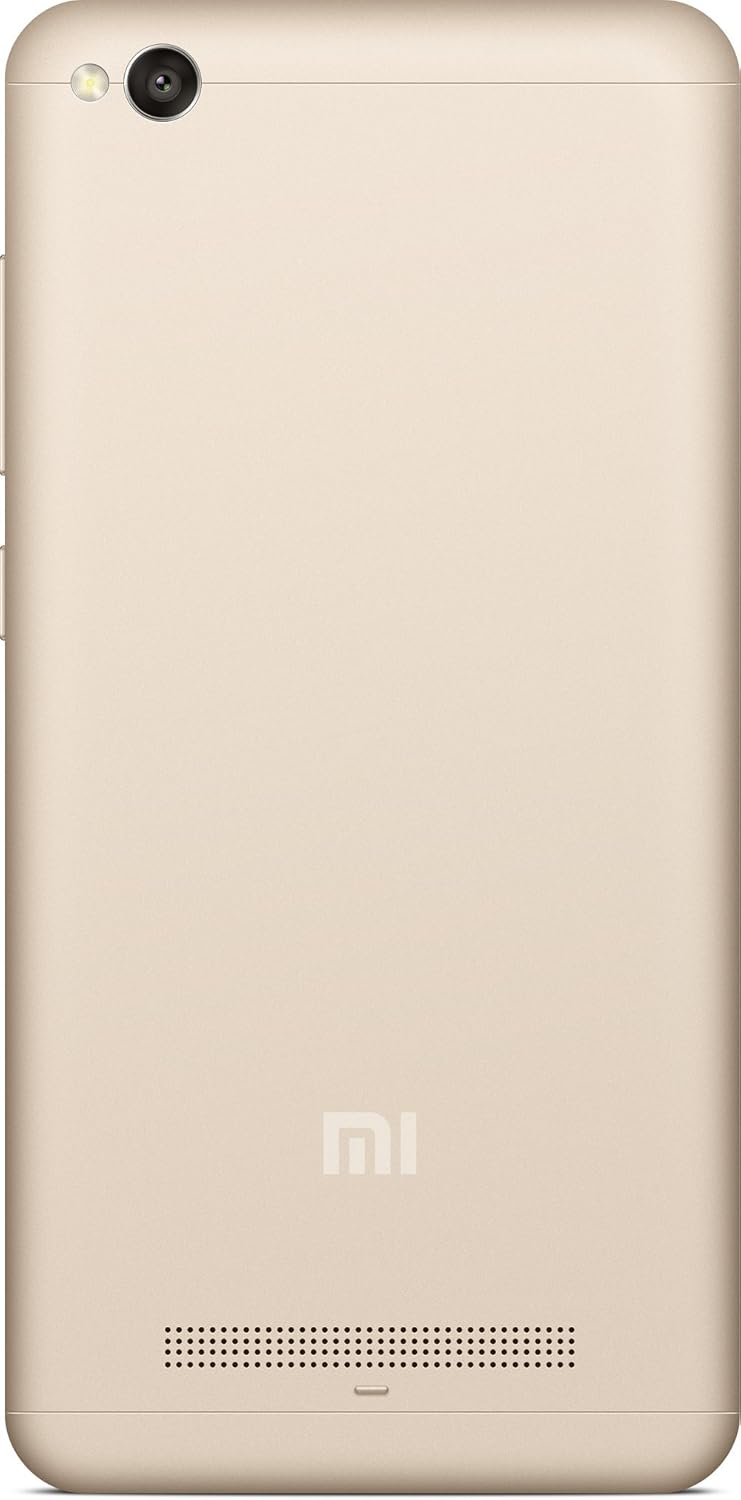
The MI Redmi 4A is a compact and lightweight smartphone designed for everyday use. It features a touchscreen display, front and rear cameras, and essential connectivity options.



Gwida ta' Setup
1. Il-ftuħ tal-kaxxa u l-iċċarġjar inizjali
Carefully remove the MI Redmi 4A and all accessories from the packaging. Before first use, it is recommended to fully charge the device using the provided charger and USB cable.
- Qabbad il-kejbil USB mal-port tal-iċċarġjar tat-telefon.
- Qabbad it-tarf l-ieħor tal-kejbil USB mal-adapter tal-enerġija.
- Ipplaggja l-adapter tal-enerġija f'iżbokk tal-ħajt.
- L-indikatur tal-iċċarġjar se jidher fuq l-iskrin.
2. Daħħal il-Karta SIM u l-Karta MicroSD
The MI Redmi 4A supports dual SIM cards and a microSD card for expandable storage.
- Locate the SIM tray on the left side of the device (refer to Figure 4).
- Daħħal l-għodda tal-ejector tas-SIM fit-toqba ż-żgħira fuq it-trej tas-SIM biex tiftaħha.
- Poġġi l-kard(s) Nano-SIM u/jew il-kard microSD tiegħek fl-islottijiet apposta fuq it-trej, filwaqt li tiżgura orjentazzjoni korretta.
- Imbotta t-trej bil-mod lura fit-telefon sakemm tikklikkja f'postu.
3. Tixgħel u Konfigurazzjoni Inizjali
Biex tixgħel l-apparat tiegħek għall-ewwel darba:
- Press and hold the Power button (located on the right side, refer to Figure 3) until the MI logo appears.
- Segwi l-istruzzjonijiet fuq l-iskrin biex tagħżel il-lingwa u r-reġjun tiegħek, tikkonnettja mal-Wi-Fi, u tissettja l-kont Google tiegħek.
Istruzzjonijiet Operattivi
Navigazzjoni Bażika
- Touchscreen: Interaġixxi mat-tagħmir billi taptap, timxi 'l isfel, toqros, u tifrex fuq id-displej.
- Buttuna tad-dar: Jirritorna għall-iskrin tad-dar.
- Buttuna Riċenti: Juri l-applikazzjonijiet li nfetħu dan l-aħħar.
- Buttuna Lura: Terġa' lura għall-iskrin ta' qabel.
- Buttuni tal-Volum: Aġġusta l-volum tal-midja, il-volum tas-sejħiet, u l-volum tan-notifiki.
- Buttuna tal-Qawwa: Agħfas biex tixgħel/titfi l-iskrin, agħfas u żomm biex titfi jew terġa' tibda.
Użu tal-Kamera
The MI Redmi 4A is equipped with a 13MP primary camera and a front camera.
- Iftaħ l-applikazzjoni tal-Kamera mill-iskrin tad-dar jew mill-kexxun tal-app.
- Ibdel bejn il-kameras ta' quddiem u ta' wara billi tuża l-ikona tal-bdil tal-kamera.
- Tap on the screen to focus on a specific object.
- Agħfas il-buttuna tax-shutter biex taqbad ritratt.
- Explore various modes like Panorama, Manual, and Beautify for enhanced photography.
Konnettività
- Wi-Fi: Mur f'Settings > Wi-Fi biex tikkonnettja man-netwerks mingħajr fili disponibbli.
- Bluetooth: Mur f'Settings > Bluetooth biex tqabbad ma' apparati Bluetooth bħal headphones jew speakers.
- USB: Connect the phone to a computer using a USB cable for file trasferiment jew iċċarġjar.
Manutenzjoni
- Aġġornamenti tas-Software: Regularly check for system updates to ensure your device has the latest features and security patches. Go to Settings > About phone > System update.
- Tindif: Uża drapp artab u mingħajr suf biex tnaddaf l-iskrin u l-qafas tat-telefon. Evita li tuża kimiċi ħarxa jew materjali li joborxu.
- Kura tal-batterija: To prolong battery life, avoid extreme temperatures and do not let the battery drain completely before recharging frequently.
- Ġestjoni tal-Ħażna: Neħħi l-cache perjodikament, iddiżinstalla l-apps mhux użati, u ttrasferixxi l-apps kbar files to external storage or cloud services to free up internal memory.
Issolvi l-problemi
| Problema | Kawża Possibbli | Soluzzjoni |
|---|---|---|
| Apparat mhux mixgħul | Batterija baxxa; Ħabta tas-sistema | Iċċarġja l-apparat għal mill-inqas 30 minuti. Agħfas u żomm il-buttuna tal-Power għal 10-15-il sekonda biex terġa' tibda. |
| L-apps jiġġarraf jew jiffriża | Insufficient RAM; App conflict; Outdated app | Close background apps. Clear app cache (Settings > Apps > [App Name] > Storage > Clear cache). Update the app from Google Play Store. Restart the device. |
| Ħajja fqira tal-batterija | High screen brightness; Many background apps; Weak signal | Reduce screen brightness. Close unused apps. Enable battery saver mode. Check network signal strength. |
| Ma tistax tikkonnettja mal-Wi-Fi | Incorrect password; Router issue; Wi-Fi module error | Verify Wi-Fi password. Restart your router. Toggle Wi-Fi off and on on the phone. Forget the network and reconnect. |
Speċifikazzjonijiet
| Karatteristika | Dettall |
|---|---|
| Mudell | MI Redmi 4A |
| Sistema Operattiva | Android 9.0 |
| RAM | 2 GB |
| Ħażna Interna | 16 GB |
| Mudell tas-CPU | Snapdragon |
| Veloċità tas-CPU | 1.4 GHz |
| Teknoloġija tal-Wiri | LCD |
| Riżoluzzjoni | 1280 x 720 |
| Kamera Primarja | 13 MP |
| Kamera ta' Quddiem | Iva |
| Awdjo Jack | 3.5 mm |
| Konnettività | Bluetooth, Wi-Fi, USB, Ċellulari |
| GPS | AGPS |
| Kulur | Deheb |
| Piż tal-oġġett | 240 g |
| Dimensjonijiet tal-Pakkett | 14.8 x 8 x 3.6 ċm |
| Data L-Ewwel Disponibbli | 13 ta’ Mejju 2016 |
Garanzija u Appoġġ
For warranty information and customer support, please refer to the official MI webis-sit jew ikkuntattja ċ-ċentri tas-servizz awtorizzati tagħhom. Żomm l-irċevuta tax-xiri tiegħek bħala prova tax-xiri għal talbiet ta' garanzija.
Note: Specific warranty terms and conditions may vary by region and purchase date.