Introduzzjoni
This user manual provides comprehensive instructions for the safe and effective use of your Laica Fresco Più VT3302 Vacuum Food Container Set. By following these guidelines, you can maximize the freshness and shelf life of your food, ensuring optimal performance and longevity of the product.
Prodott Overview
The Laica Fresco Più VT3302 set is designed for efficient food preservation through vacuum sealing. It includes the following components:
- One (1) Rectangular Container, 0.5 Liters: Ideal for smaller portions or individual servings.
- One (1) Rectangular Container, 2 Liters: Suitable for larger quantities of food.
- One (1) Manual Vacuum Pump: Used to extract air from the containers.
The containers are constructed from durable Tritan material, while the lids are made of ABS, featuring silicone valves and an integrated date indicator for tracking food freshness.

Image: The Laica Fresco Più VT3302 set, showing both the 0.5L and 2L rectangular containers along with the manual vacuum pump.
Informazzjoni dwar is-Sigurtà
Please read and understand all safety precautions before using the product.
- Do not use abrasive cleaners or scouring pads on the containers or pump, as this may damage the surfaces.
- Ensure the lid is properly sealed before attempting to create a vacuum.
- The containers are suitable for use in refrigerators, freezers, and microwaves.
- When using in the microwave, ensure the vacuum is released before heating. Do not seal the container while heating.
- Operating temperature range: -20°C to +120°C. For thermal shock (direct transfer from freezer to microwave), the range is -30°C to +60°C.
- Keep the manual pump clean and dry to ensure proper function.
Twaqqif u l-Ewwel Użu
- Spakkjar: Neħħi bir-reqqa l-komponenti kollha mill-imballaġġ.
- Tindif Inizjali: Before first use, wash both containers and lids thoroughly with warm soapy water, or place them in a dishwasher. Rinse well and allow to air dry completely. Ensure the silicone valve on the lid is clean and free of debris.
- Spezzjona l-Komponenti: Check all parts for any signs of damage. Do not use if any component is cracked or broken.
Istruzzjonijiet Operattivi
Creating a Vacuum Seal
- Ipprepara l-Ikel: Place the food item(s) into the container. Do not overfill; leave sufficient space between the food and the lid to allow for proper sealing.
- Agħlaq l-Għatu: Place the lid firmly onto the container, ensuring all four clips are securely fastened. Press down on the center of the lid to ensure a good initial seal.
- Poġġi l-Pompa: Place the manual vacuum pump directly over the silicone valve located in the center of the lid. Ensure the pump is seated flush and securely over the valve.
- Pump Air Out: Hold the container firmly with one hand and pump the handle of the manual vacuum pump up and down repeatedly. Continue pumping until resistance is felt and the air has been extracted from the container. The central button on the valve will depress when a sufficient vacuum is achieved.
- Neħħi l-Pompa: Once the vacuum is created, carefully remove the pump by lifting it straight up.

Image: A user demonstrating the process of creating a vacuum seal by pumping the manual vacuum pump on top of the container's lid.
Setting the Date Indicator
The lid features a date indicator to help you track when the food was sealed or when it should be consumed by.
- Aġġusta Xahar: Rotate the outer ring of the dial to select the desired month.
- Aġġusta l-Jum: Rotate the inner ring of the dial to select the desired day.

Image: A hand rotating the date indicator dial on the lid of a Laica vacuum container to set the month and day.
Releasing the Vacuum
To open the container, you must first release the vacuum.
- Press Valve: Gently press the central button on the silicone valve on the lid. You will hear a hiss as air re-enters the container.
- Miftuħa għatu: Once the air has entered, unclip the four lid fasteners and remove the lid.
Kura u Manutenzjoni
Proper care ensures the longevity and hygiene of your vacuum containers.
- Tindif: The containers and lids are dishwasher safe. For best results, place them on the top rack of your dishwasher. Alternatively, hand wash with warm soapy water. Ensure all parts, especially the silicone valve and gasket, are thoroughly cleaned and free of food residue.
- Tnixxif: Allow all components to dry completely before storing to prevent mold or odors.
- Ħażna: Store containers with lids unsealed or slightly ajar to allow air circulation and prevent odors.
- Użu tal-Friżer: Containers are freezer safe. Ensure food is cooled before placing in the freezer.
- Użu fil-majkrowejv: Containers are microwave safe. Always release the vacuum seal before microwaving. Do not heat sealed containers.

Image: Laica vacuum containers placed in the top rack of a dishwasher, illustrating their dishwasher-safe feature.

Image: The Laica vacuum containers and manual pump positioned on a dishwasher rack, ready for cleaning.

Image: Laica vacuum containers filled with food, neatly stored inside a refrigerator, demonstrating their suitability for cold storage.
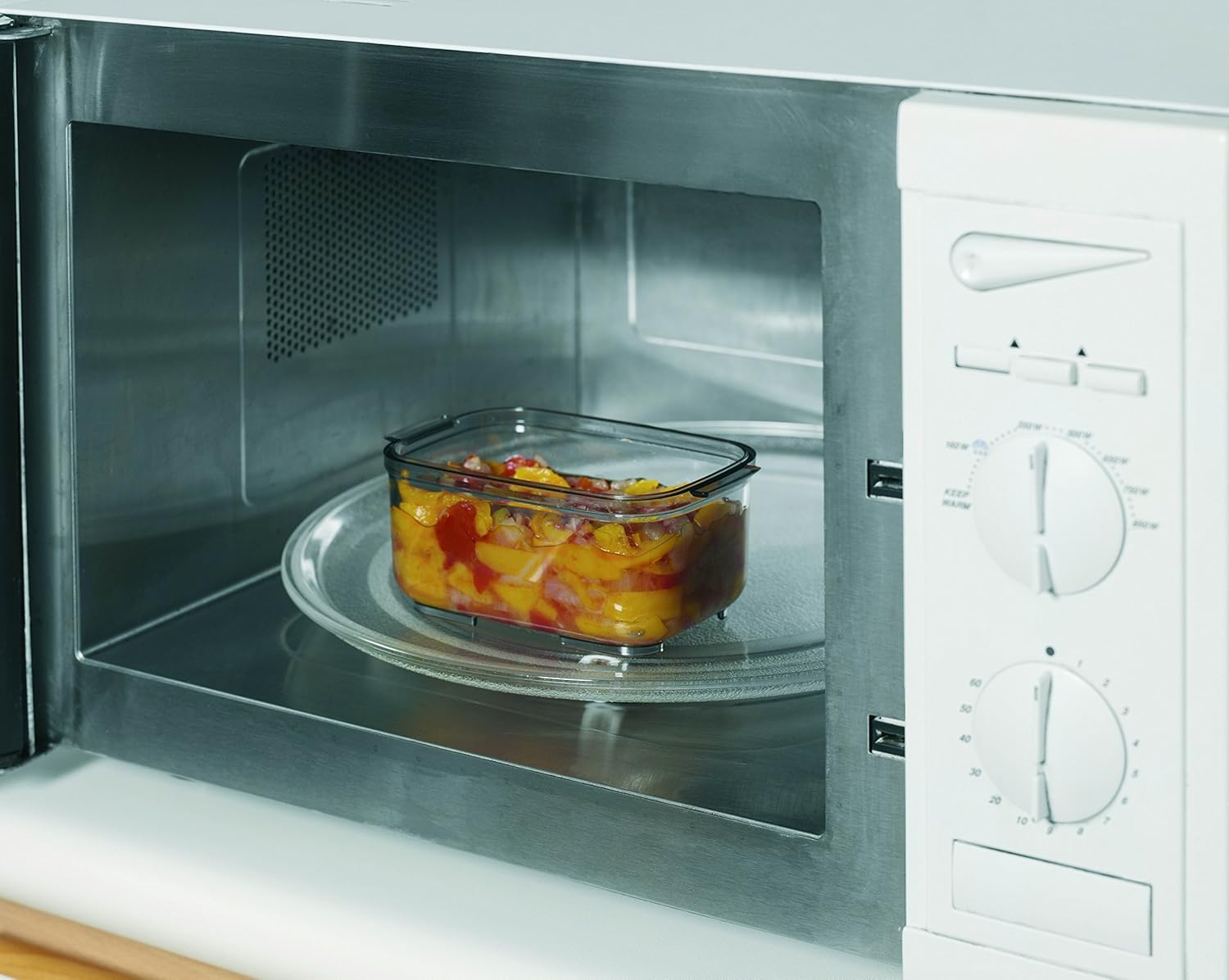
Image: A Laica vacuum container with food placed inside a microwave, illustrating its microwave-safe capability (after releasing vacuum).
Issolvi l-problemi
| Problema | Kawża Possibbli | Soluzzjoni |
|---|---|---|
| Vacuum seal does not hold or leaks. |
|
|
| Difficulty pumping air out. |
|
|
Speċifikazzjonijiet
- Mudell: VT3302
- Container Capacities: 0.5 Liters, 2 Liters
- Materjal tal-Kontenitur: Tritan
- Materjal tal-għatu: ABS with Silicone Valves
- Kulur: White/Transparent
- Firxa tat-Temperatura Operattiva: -20°C sa +120°C (-4°F sa +248°F)
- Reżistenza għal Xokk Termali: -30°C sa +60°C (-22°F sa +140°F)
- Safe għall-ħasil tal-platti: Iva
- Safe għall-Friżer: Iva
- Microwave Safe: Yes (with vacuum released)
- Approximate Dimensions (2L container): 12 x 23.3 x 15.6 ċm (4.7 x 9.2 x 6.1 pulzieri)
- Approximate Weight (total set): 850 gramma (1.87 lbs)
Garanzija u Appoġġ
Laica products are manufactured to high-quality standards. For information regarding warranty coverage, product registration, or technical support, please refer to the warranty card included with your purchase or visit the official Laica website. You may also contact Laica customer service directly for assistance with any product-related inquiries.
Official Laica Websit: www.laica.com


