1. Prodott Aktarview
The Noyafa NF-198 is a GPS-enabled land meter designed for accurate measurement of area and length. It is suitable for various terrains, including mountainous, sloped, and flat fields. The device provides real-time tracking, displays measurement values, and can automatically calculate prices based on set parameters. It features a color screen for clear data visualization and supports data export for printing and analysis.

Figure 1: Noyafa NF-198 GPS Land Meter
Din l-immaġni turi l-parti ta’ quddiem view of the Noyafa NF-198 GPS Land Meter, highlighting its display screen and control buttons. The device is blue and black with a wrist strap.
2. Product Components and Structure
The NF-198 device includes several key components and controls for its operation:

Figure 2: NF-198 Product Structure
This diagram labels the various parts and buttons of the NF-198 device, including the hanging hole, GPS signal indication, HD digital display screen, power status indication, On/Off button, Save function button, Back button, Pause button, Delete button, Left/Right/Upward/Downward adjustment buttons, Validator (Enter button), Backlit button, Data confirmation button, and Lighting light button.
2.1. Kontenut tal-Pakkett
Meta tiftaħ il-kaxxa, kun żgur li l-komponenti kollha huma preżenti:
- Noyafa NF-198 GPS Land Meter
- PCB (Printed Circuit Board - likely refers to internal components or a specific accessory)
- Manwal għall-Utent (dan id-dokument)
- Carrying Pouch (as seen in packaging images)
- USB Cable (for data transfer/charging, implied)

Figura 3: Kontenut tal-Ippakkjar
This image displays the Noyafa NF-198 device alongside its retail packaging and a black carrying pouch, indicating the typical contents of the product package.
3. Twaqqif u Użu Inizjali
3.1. Installazzjoni u Iċċarġjar tal-batterija
The device comes with two 2000mAh lithium batteries. Ensure they are properly installed. Connect the device to a power source using the provided USB cable to charge the batteries before first use.
3.2. Tixgħil / Mitfi
Agħfas u żomm il- Mixgħul/Mitfi button (refer to Figure 2) to power the device on or off.
3.3. GPS Signal Acquisition
For accurate measurements, the device requires a strong GPS signal. Operate the device outdoors and away from tall buildings or dense foliage that may obstruct satellite signals. Wait until the satellite signal indicator shows at least 6 satellites before starting any measurement.
4. Gwida tal-Operazzjoni
The NF-198 offers various measurement modes and functions accessible via its main menu.

Figure 4: Main Menu Functions
This image displays the main menu of the NF-198, showing icons for S-Flat (flat area measurement), Length, S-Slope (slope area measurement), S-Width (width measurement), Vehicle (vehicle-carrier measurement), and Query (data query).
4.1. Area and Length Measurement
- From the main menu, select the desired measurement mode (e.g., S-Flat for flat area, S-Slope for slope area, Tul for linear distance).
- Walk along the perimeter of the area to be measured or along the line for length measurement. The device will track your movement.
- Agħfas il- Waqfa button to temporarily stop tracking, and Waqfa għal darb'oħra biex terġa 'tibda.
- Once the measurement is complete, the device will display the measuring value, figure track, and automatically calculate the price if configured.

Figure 5: Measurement Data Display
This image shows the NF-198 screen displaying measurement results, including Girth, S-Flat area, Piece, Total, and GPS coordinates (LON, LAT), along with the date and time.
4.2. Vehicle-Carrier Measurement
This mode allows for distance measurement while mounted on a vehicle. The distance can be adjusted according to specific needs. Select Vettura from the main menu to activate this function.
4.3. Equal-Width Area Measurement
This function is used for measuring areas with a consistent width. Consult the on-screen instructions or specific manual section for detailed steps on using this mode.
4.4. Setting Unit Area Price
The device allows you to set a unit area price, enabling automatic price calculation after measurement. This can be done via 'manual testing' or 'auto testing' methods.

Figure 6: Settings Menu
This image shows the settings menu of the NF-198, where users can configure Area Unit, Area U/P (Unit Price), Len Unit, Len U/P, Mode, Backlight, Auto off, Coord, and TimeZone.
4.5. Ġestjoni tad-Data
The NF-198 can save up to 100 sets of measurement data. Saved data can be reviewed and deleted directly on the device.
Figure 7: Data Review and Deletion
This image shows two screens from the NF-198: one listing saved measurement data (Delect, S-Flat, Length, S-Width with dates) and another showing a confirmation prompt to delete selected data.
4.6. Data Export
Test data and graphics trajectory can be exported to a computer for printing and further analysis. The device is compatible with Google Maps to show real graphics trajectory.

Figure 8: Data Export to Computer
This image illustrates the process of exporting data from the NF-198 to a computer, showing the device's main menu and a computer screen displaying a mapping software interface (resembling Google Earth) with options to connect, read data, and save images.
5. Karatteristiċi ewlenin
The Noyafa NF-198 GPS Land Meter incorporates several features to enhance its functionality:
- Pożizzjonament Avvanzat: Utilizes advanced chips for fast search positioning and ultra-high precision measurements.
- Versatile Measurement: Measures area and length of any shape, including mountainous, sloped, and flat land.
- Traċċar f'ħin reali: Displays real-time track and calculates total price.
- Display bil-kulur: Features a 2.8-inch large color screen for easy operation and clear visual data.
- Efficient Startup: Cold boot in approximately 30 seconds, warm boot in 3 seconds.
- Currency Detection: Includes a currency detection function.
- Dawl Integrat: Equipped with an LED light and backlight function for use in low-light conditions.
- Kalendarju Perpetwu: Built-in calendar function.

Figura 9: Karatteristiċi Addizzjonali
This image highlights the currency detection, LED light, and backlight functions of the NF-198. It shows the device being used to detect currency, emitting light, and its screen with backlight activated.
6. Speċifikazzjonijiet Tekniċi
| Karatteristika | Speċifikazzjoni |
|---|---|
| Brand | NOYAFA |
| Numru tal-Mudell | NF-198 |
| Piż tal-oġġett | 396 g |
| Dimensjonijiet tal-Pakkett | 22.1 x 15.5 x 5.5 ċm |
| Daqs tal-Wiri | 2.8 Inches (as per image, JSON says 8 Inches, 2.8 is more consistent with product image) |
| Riżoluzzjoni | 1280 x 720 (likely for internal processing, not screen resolution) |
| Teknoloġija tal-Konnettività | GPS |
| Sistema Operattiva | Android (likely refers to internal OS, not user-facing) |
| Apparat Kompatibbli | Vehicles, Android devices (for data export/connectivity) |
| Batteriji Inklużi | Iva |
| Kontenut tal-Enerġija tal-Batterija tal-litju | 3.7 Watt Sigħat |
| Piż tal-batterija tal-litju | 0.85 Gramm |
| Karatteristika Speċjali | Advanced Measurement and Tracking Capabilities |
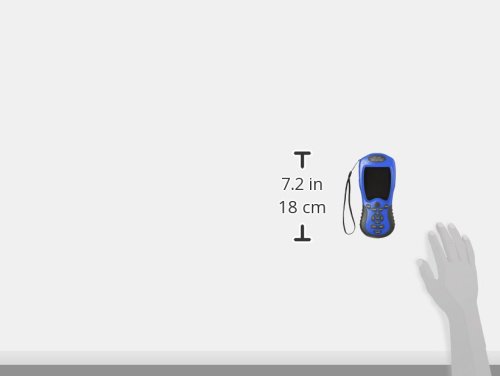
Figura 10: Dimensjonijiet tal-Apparat
This image provides a visual representation of the NF-198's dimensions, indicating a height of 7.2 inches (18 cm).
7. Manutenzjoni
- Tindif: Uża drapp artab u niexef biex tnaddaf l-apparat. Evita li tuża kimiċi ħarxa jew materjali li joborxu.
- Ħażna: Aħżen l-apparat f'post frisk u niexef 'il bogħod mix-xemx diretta u minn temperaturi estremi.
- Kura tal-batterija: If the device will not be used for an extended period, fully charge the batteries and store them separately if possible, or periodically charge the device to maintain battery health.
8 Issolvi l-problemi
If you encounter issues with your NF-198, consider the following:
- Ebda Sinjal tal-GPS:
- Ensure you are outdoors and in an open area, away from tall buildings or dense tree cover.
- Wait until the satellite signal indicator shows at least 6 satellites before starting measurement.
- Kejl mhux eżatt:
- Ensure a stable GPS signal (at least 6 satellites).
- Avoid crossing your movement direction during measurement.
- The device is not recommended for areas less than 180 square meters.
- Data Export Issues:
- Ensure the device is properly connected to the computer via USB.
- Verify that the necessary software or drivers are installed on your computer.
- Note: Some older software versions for Google Earth export may no longer be compatible with current Google Earth versions.
- L-Apparat Mhux Jixgħel:
- Check battery charge level. Connect to charger.
- Kun żgur li l-batteriji huma installati sew.
9. Garanzija u Appoġġ
For warranty information and technical support, please refer to the documentation provided with your purchase or contact Noyafa customer service directly. Keep your proof of purchase for warranty claims.


