1. Introduzzjoni
This manual provides detailed instructions for the safe and efficient operation of your Optoma EH416 Full HD 3D DLP Projector. Please read this manual thoroughly before using the projector and retain it for future reference. Proper use and maintenance will ensure optimal performance and longevity of your device.
Informazzjoni dwar is-Sigurtà
- Tħarisx direttament fil-lenti tal-proġettazzjoni meta tkun qed taħdem.amp mixgħul. Id-dawl intens jista’ jikkawża ħsara lill-għajnejn.
- Aċċerta ruħek li jkun hemm ventilazzjoni adegwata madwar il-proġettazzjoni. Timblokkax il-fetħiet tal-ventilazzjoni.
- Use only the power cord supplied with the projector. Connect to a properly grounded outlet.
- Do not expose the projector to rain, moisture, or excessive humidity.
- Irreferi kull servizz lil persunal tas-servizz kwalifikat. Tippruvax tiftaħ jew issewwi l-proġettazzjoni int stess.
2. X'hemm fil-Kaxxa
Please verify that all items listed below are present in your package. If any items are missing or damaged, contact your dealer immediately.
- Optoma EH416 Projector
- Korda tal-Enerġija
- Cable VGA għal VGA
- Kontroll mill-bogħod
- Borża tal-Ġarr
- Batteriji għall-Kontroll mill-bogħod
- Multilingual CD-ROM User’s Manual
- Karta tal-Bidu Quick
- Karta ta' Garanzija
3. Prodott Aktarview
Karatteristiċi Ewlenin
- Luminożità Għolja: 4200 lumens for clear images in various lighting conditions.
- Kuntrast Għoli: 20,000:1 contrast ratio for sharp, luminous images with deep blacks.
- Riżoluzzjoni Full HD: Native 1080p (1920x1080) resolution, supporting up to WUXGA (1920x1200).
- Advanced Optical Lens: Features a 1.6x zoom and vertical lens shift for flexible installation.
- Konnettività estensiva: Dual HDMI (one with MHL support), dual audio-in, VGA, and more.
- sRGB Color Profile: Enables vibrant and highly accurate colors based on Rec. 709 HDTV specification.
- Aġġustament tal-Kulur tal-Ħajt: Compensates for brightness loss when projecting on non-white surfaces.
- Maskra tat-Tarf: Eliminates soft edges and jaggedness on the projection border for a smooth image.
- Awdjo Integrat: Kelliem 10W inkorporat.
Komponenti tal-projector
The image below illustrates the main components of the Optoma EH416 projector, including the lens, control panel, and various ports.
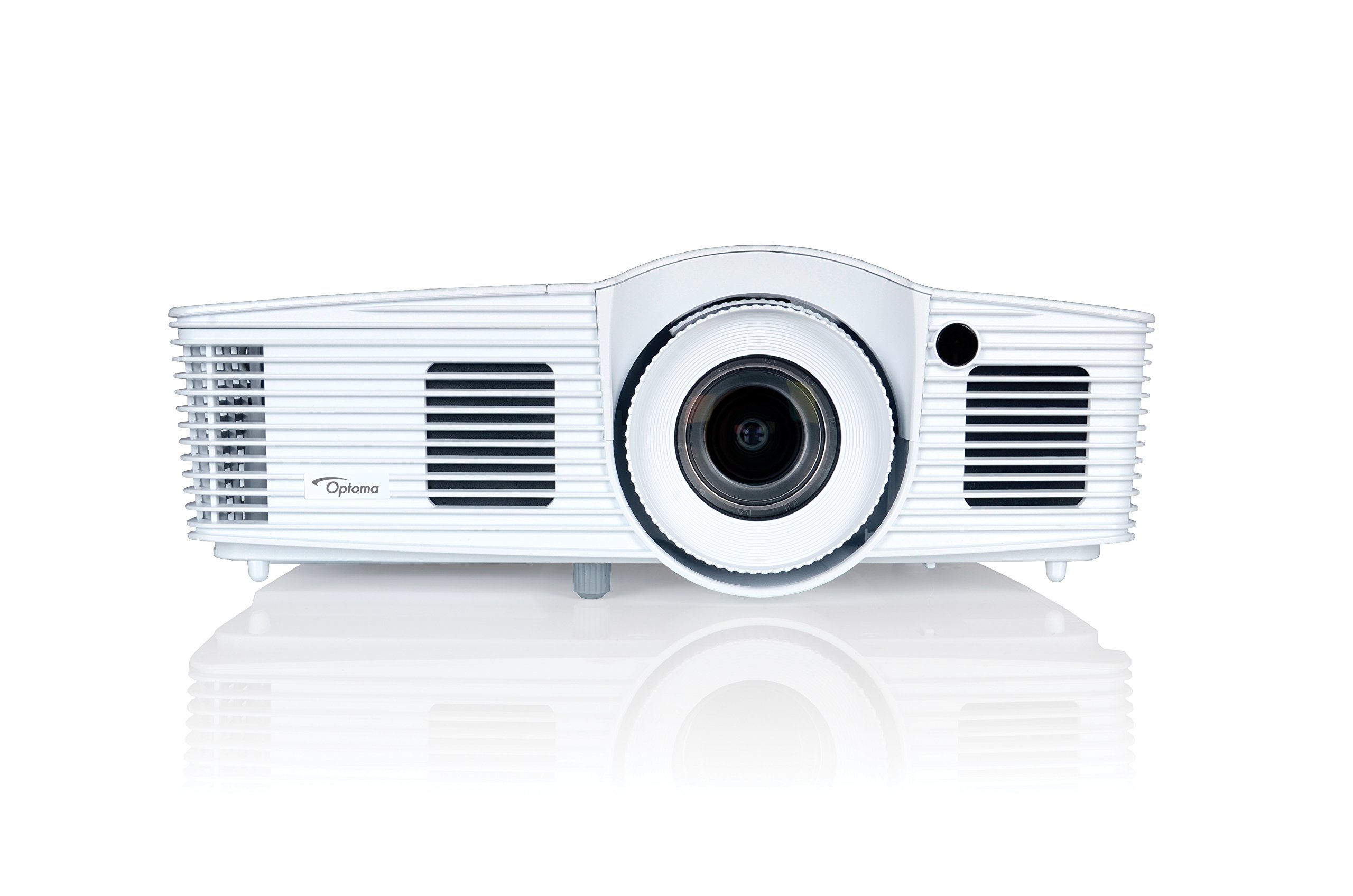
Figura 1: Quddiem view of the Optoma EH416 Projector, showing the lens and primary controls.
Portijiet tal-Konnettività
The Optoma EH416 projector offers a wide range of connectivity options located on the rear panel for versatile integration with various devices.
- HDMI (x2): Digital input for high-definition video and audio. One port supports MHL for mobile devices.
- VGA (x2): Analog input for computer connections.
- Audio In (x2): 3.5mm stereo jack for analog audio input.
- Out tal-Awdjo: 3.5mm stereo jack for connecting external speakers.
- USB-A: For power output or service.
- RS232: Għall-kontroll tal-proġettazzjoni permezz ta' kompjuter jew sistema ta' kontroll.
- RJ45 (Ethernet): Għall-kontroll u l-ġestjoni tan-netwerk.
4. Setup
Poġġiment ta' Proġekter
The Optoma EH416 offers flexibility in placement due to its 1.6x zoom and vertical lens shift capabilities. Position the projector on a stable surface or mount it securely. Adjust the distance from the screen to achieve the desired image size. The 1.6x zoom allows for a larger image from a shorter distance or a smaller image from a longer distance without moving the projector.
Apparat li jgħaqqad
- Konnessjoni tal-Enerġija: Connect the power cord to the projector's power inlet and then to a grounded electrical outlet.
- Sors tal-vidjo:
- For HDMI devices (e.g., Blu-ray player, laptop): Connect an HDMI cable from your device to one of the HDMI ports on the projector.
- For VGA devices (e.g., older laptops): Connect a VGA cable from your device to a VGA port on the projector. If audio is also required, connect a separate 3.5mm audio cable from your device to an Audio In port on the projector.
- For MHL compatible mobile devices: Connect an MHL cable to the designated HDMI/MHL port.
- Ħruġ tal-Awdjo (Mhux obbligatorju): If using external speakers, connect an audio cable from the projector's Audio Out port to your sound system.
Tixgħel/Jitfi
- Biex Tixgħel: Press the power button on the projector's control panel or the remote control. The power indicator light will turn blue.
- Biex Tifi: Press the power button twice. The projector will enter a cooling down cycle before completely shutting off. Do not unplug the projector during the cooling cycle.
5. It-Tħaddim tal-Proġettur
Operazzjoni Bażika
- Għażla tas-Sors: Use the 'Source' button on the remote or control panel to cycle through available input sources (HDMI1, HDMI2/MHL, VGA1, VGA2).
- Navigazzjoni fil-menu: Press the 'Menu' button to access the On-Screen Display (OSD). Use the arrow keys to navigate and 'Enter' to select options.
- Kontroll tal-Volum: Use the volume buttons on the remote control to adjust the audio output from the built-in speaker or Audio Out port.
Aġġustamenti tal-Immaġni
- Fokus u Zoom: Rotate the focus and zoom rings on the projector lens to achieve a sharp and appropriately sized image.
- Korrezzjoni Keystone: If the image appears trapezoidal, use the 'Keystone' function in the OSD menu or the dedicated button on the remote to correct the image shape. The EH416 supports ±40° vertical keystone correction.
- Ċaqliq tal-Lenti Vertikali: This feature allows you to physically move the image up or down without tilting the projector, minimizing keystone distortion. Adjust the lens shift dial located near the lens.
- Aġġustament tal-Kulur tal-Ħajt: Access this feature in the OSD menu to compensate for the color of your projection surface (e.g., blackboard, light yellow wall). This helps maintain accurate color reproduction even on non-white walls.
- sRGB Color Profile: For the most accurate and vibrant colors, especially when connecting to a PC, Mac, or sRGB compatible source, select the sRGB picture mode in the OSD. This profile adheres to the Rec. 709 HDTV specification.
- Maskra tat-Tarf: This function, found in the OSD, helps to refine the edges of the projected image, eliminating any soft or jagged appearance on the border.
6. Manutenzjoni
Tindif tal-Proġekter
- Lenti: Uża drapp artab u mingħajr suf iddisinjat speċifikament għal lentijiet ottiċi. Tużax prodotti tat-tindif li joborxu.
- Casing: Imsaħ il-proġettazzjoni casinNaddaf b'ċarruta ratba u niexfa. Għal ħmieġ iebes, uża ċarruta ratba u niexfa.amp drapp b'deterġent ħafif, imbagħad imsaħ niexef.
- Vents tal-arja: Regularly check and clean the air vents to prevent dust buildup, which can lead to overheating. Use a soft brush or compressed air.
Lamp Kura
Il-proġekter lamp għandu ħajja finita. Meta l-lamp life is nearing its end, a warning message may appear on the screen. Refer to the full user manual on the included CD-ROM for detailed instructions on lamp replacement. Always use genuine Optoma replacement lamps biex jiżguraw prestazzjoni u sigurtà ottimali.
7 Issolvi l-problemi
This section addresses common issues you might encounter. For more detailed troubleshooting, refer to the comprehensive user manual on the included CD-ROM.
- L-ebda Immaġni fuq l-Iskrin:
- Check if the projector is powered on and the lamp huwa mixgħul.
- Verify that the video source device is powered on and functioning correctly.
- Ensure the video cable (HDMI, VGA) is securely connected to both the projector and the source device.
- Agħżel is-sors tad-dħul korrett billi tuża l-buttuna 'Sors' fuq ir-remote jew il-proġettazzjoni.
- Immaġni Mċajpra jew Mgħawġa:
- Aġġusta ċ-ċirku tal-fokus fuq il-lenti tal-proġekter.
- If the image is trapezoidal, use the keystone correction function.
- Ensure the projector is perpendicular to the screen or use vertical lens shift.
- Ebda Ħsejjes:
- Iċċekkja l-livell tal-volum fuq il-proġettazzjoni u l-apparat tas-sors.
- If using an analog VGA connection, ensure a separate audio cable is connected.
- Ivverifika li l-output tal-awdjo mhux siekta.
- Il-Kontroll mill-bogħod Mhux Jaħdem:
- Iċċekkja u ibdel il-batteriji.
- Kun żgur li m'hemm l-ebda ostaklu bejn ir-remote u r-riċevitur IR tal-proġettazzjoni.
8. Speċifikazzjonijiet
| Karatteristika | Dettall |
|---|---|
| Numru tal-Mudell | EH416 |
| Riżoluzzjoni tal-Wiri | 1920 x 1080 (Full HD) |
| Luminożità | 4200 Lumens |
| Proporzjon ta' Kuntrast | 20,000:1 |
| Teknoloġija tal-Konnettività | Wireless, HDMI, MHL, VGA |
| Dimensjonijiet tal-Prodott | 8.81 x 12.36 x 4.48 pulzieri |
| Piż tal-oġġett | 6.6 liri |
| Użi Rakkomandati | Business, Education |
| Manifattur | OPTOMA TECHNOLOGY |
| Data L-Ewwel Disponibbli | 5 ta’ April, 2016 |
9. Garanzija u Appoġġ
Your Optoma EH416 projector comes with a manufacturer's warranty. Please refer to the included warranty card for specific terms, conditions, and registration information. For technical support, product registration, or to download the latest drivers and firmware, please visit the official Optoma website or contact Optoma customer service.


