1. Matulview
The iHome iBT35 is a rugged, portable, and waterproof Bluetooth stereo speaker designed for both indoor and outdoor use. It features a built-in speakerphone for hands-free calling and is engineered to withstand various environmental conditions, making it an ideal companion for travel and outdoor activities.

Stampa 1.1: Quddiem view of the iHome iBT35 speaker, showcasing its black body, blue trim, and attached carabiner clip.
2. Karatteristiċi ewlenin
- Disinn imħatteb: Built to withstand military-grade drop tests, offering durability against accidental falls.
- Li ma jgħaddix ilma (IP67 Rated): Fully waterproof, allowing submersion up to 3 feet for 30 minutes. It also floats, making it suitable for poolside use.
- Konnettività Bluetooth: Ixxandar l-awdjo mingħajr fili minn apparati kompatibbli.
- Speakerphone Integrat: Answer and end calls directly from the speaker.
- Ħajja twila tal-batterija: Up to 8 hours of playback in normal mode, extendable to 14 hours in Eco mode.
- Port tal-Aux-in: For wired connection to non-Bluetooth audio sources.
- Carabiner Clip with Bottle Opener: Convenient for portability and utility.
3. Setup
3.1 Iċċarġjar tal-Ispeaker
Before initial use, fully charge the iBT35 speaker. Use the provided Micro USB cable to connect the speaker's 'POWER IN' port to a USB power source (e.g., computer USB port, USB wall adapter). The charging indicator light will show the charging status.

Image 3.1: Side panel of the iBT35 with the protective door open, showing the AUX-IN, POWER IN, and ON/ECO/OFF switch.
3.2 Tixgħel/Jitfi
Locate the 'ON/ECO/OFF' switch behind the waterproof door on the side of the speaker. Slide the switch to 'ON' to power on the speaker. To conserve battery, slide the switch to 'ECO' mode, which slightly reduces volume levels for extended playback. Slide to 'OFF' to power down.
3.3 Tqabbil tal-Bluetooth
- Kun żgur li l-kelliem ikun mixgħul.
- Agħfas u żomm il- Buttuna ta 'tqabbil tal-Bluetooth (often combined with Play/Pause) on the top panel until the Bluetooth indicator light flashes, indicating it's in pairing mode.
- Fuq it-tagħmir mobbli tiegħek, ippermetti l-Bluetooth u fittex tagħmir disponibbli.
- Select "iHome iBT35" from the list.
- Once paired, the Bluetooth indicator light will become solid, and you will hear an audible confirmation.
3.4 Using Aux-in
For devices without Bluetooth, connect an audio cable (not included) from your device's headphone jack to the 'AUX-IN' port on the speaker (located behind the waterproof door). The speaker will automatically switch to Aux-in mode.
4. Istruzzjonijiet Operattivi
4.1 Kontrolli tal-Panel ta' Fuq
- Buttuna tal-Qawwa (ċirku b'linja vertikali): Press to power on/off (short press for power, long press for pairing if combined).
- Volum 'il fuq (+): Żid il-volum tal-plejbek.
- Volum 'l isfel (-): Naqqas il-volum tal-plejbek.
- Play/Pawża (ikona tal-plej/pawża): Play or pause audio playback. Also functions as Bluetooth pairing button (long press).
- Trakka li Jmiss (double arrow right): Skip to the next audio track. Also functions as 'Talk' button for calls.
- Track Preċedenti (double arrow left): Go to the previous audio track. Also functions as 'End' button for calls.
4.2 Funzjonalità tal-Ispeakerphone
When paired with a mobile phone:
- Irrispondi Sejħa: Press the 'Talk' button (Next Track button) to answer an incoming call.
- Tmiem Sejħa: Press the 'End' button (Previous Track button) to end an active call.
5. Manutenzjoni
5.1 Maintaining Waterproofing
To ensure the iBT35 remains waterproof, always make sure the side protective door covering the ports (AUX-IN, POWER IN, ON/ECO/OFF switch) is completely closed and securely sealed before exposing the speaker to water or moisture.
5.2 Tindif
Naddaf il-kelliem b'artab, damp cloth. Do not use abrasive cleaners or solvents, as these may damage the finish or rubberized coating.
5.3 Resetting the Speaker
If the speaker becomes unresponsive or experiences connectivity issues, locate the small 'RESET' pinhole button behind the side waterproof door. Use a thin object (like a paperclip) to gently press and hold the reset button for a few seconds. This will restart the speaker without losing pairing information.
6 Issolvi l-problemi
- Ebda Qawwa: Ensure the speaker is charged. Connect it to a power source using the Micro USB cable. Check the 'ON/ECO/OFF' switch is in the 'ON' or 'ECO' position.
- Ma tistax tikkopja permezz tal-Bluetooth: Make sure the speaker is in pairing mode (flashing Bluetooth indicator). Ensure your device's Bluetooth is enabled and within range. Try turning both devices off and on again. If issues persist, perform a reset on the speaker.
- Poor Sound Quality/Distortion: Reduce the volume on both the speaker and your connected device. Ensure there are no obstructions between the speaker and the Bluetooth device. If using Aux-in, check the cable connection.
- Speaker Not Waterproof: Verify that the side protective door is fully closed and sealed. Any gap will compromise its waterproof capabilities.
Helpful Video: iHome iBT35 Waterproof Bluetooth Speaker Overview
Dan il-filmat jipprovdi viżwali fuqview of the iHome iBT35 speaker, demonstrating its design, features, and rugged capabilities, including its waterproof nature and various ports.
7. Speċifikazzjonijiet
| Karatteristika | Dettall |
|---|---|
| Isem tal-Mudell | iBT35 |
| Tip ta' Kelliem | Barra |
| Karatteristiċi Speċjali | Built-in Microphone, Waterproof (IP67) |
| Użi Rakkomandati | Smartphones, Tablets, Outdoor Activities |
| Apparati Kompatibbli | Desktop, Laptop, Smartphone, Tablet |
| Dimensjonijiet tal-Prodott | 8"D x 4"W x 4"H |
| Piż tal-oġġett | 1.5 Liri |
| Metodu ta' Kontroll | Mess |
| Komunikazzjoni bla fili | Bluetooth |
| Sors tal-Enerġija | Mħaddma bil-batterija |
| Tip ta' Sewwieq Awdjo | Sewwieq Dinamika |
| Stil | Barra imħatteb |
| Manifattur | IHOM |
| Qawwa tal-Ħruġ Massimu tal-Ispeaker | 3 Watts |
| Modalità tal-Ħruġ tal-Awdjo | Stereo |
| Tip ta 'Immuntar | Freestanding |
| UPC / GTIN | 047532910162 |
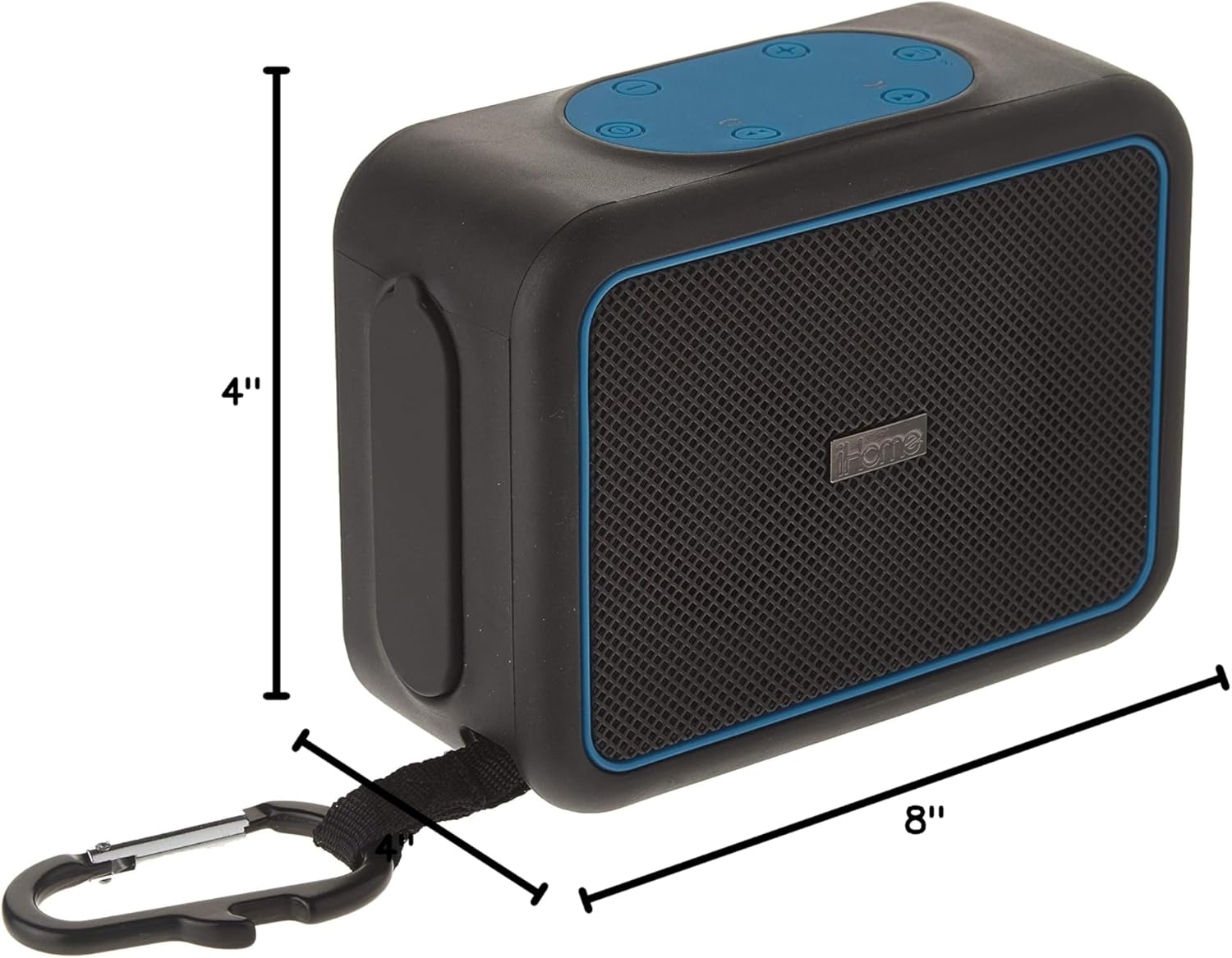
Image 7.1: Dimensions of the iHome iBT35 speaker.
8. Garanzija u Appoġġ
The iHome iBT35 speaker comes with an Extended Warranty. For specific warranty terms, conditions, and to register your product, please refer to the warranty card included in your product packaging or visit the official iHome support website. For technical assistance or further inquiries, please contact iHome customer support.


