1. Introduzzjoni
The YI Mirror Dash Cam C1C is designed to enhance your driving safety and record your journeys. This device integrates a front-facing 1080p HD camera and a rear-facing 720p HD camera into a rearview mirror form factor, providing comprehensive road coverage. It features an integrated LCD touchscreen for easy control and preview, built-in Wi-Fi for mobile app connectivity, a G-Sensor for emergency recording, and loop recording functionality.
2. Informazzjoni dwar is-Sigurtà
- Kun żgur li l-apparat huwa mmuntat sew u ma jostakolax il-vista tiegħek view tat-triq jew jinterferixxu mal-kontrolli tal-vettura.
- Do not operate the device or adjust settings while driving. Always pull over safely before making any adjustments.
- Use only the provided power adapter and cables to prevent damage to the device and your vehicle.
- Evita li tesponi l-apparat għal temperaturi estremi, dawl tax-xemx dirett għal perjodi twal, jew umdità eċċessiva.
- Keep the lenses clean for optimal recording quality.
3. Kontenut tal-Pakkett
Jekk jogħġbok iċċekkja l-pakkett għall-oġġetti li ġejjin:
- YI Mirror Dash Cam (Main Unit)
- Kamera ta' wara
- Rear Camera Cable (6.5m / 21.3ft)
- Car Charger/Power Cable
- Ċineg tal-Immuntar
- Memory Card (Included)
- Manwal tal-Utent (Dan id-Dokument)
4. Prodott Aktarview
The YI Mirror Dash Cam C1C combines a high-definition dash camera with a functional rearview mirror. It captures both front and rear views of your vehicle, providing comprehensive recording and enhanced visibility.

Figure 1: YI Mirror Dash Cam C1C main unit and rear camera. The main unit is a mirror with an integrated front camera and a screen, while the smaller rear camera is separate.
Karatteristiċi ewlenin:
- Kameras HD Doppji: Records front (1080p) and rear (720p) simultaneously.
- 4.3" Integrated Touchscreen: For intuitive control and live view.
- Lenti ta' angolu wiesa' ta' 138°: Jaqbad firxa wiesgħa view tat-triq.
- Viżjoni bil-Lejl Eċċellenti: Provides clear images in low-light conditions.
- G-Sensor: Automatically detects collisions and locks footage.
- Reġistrazzjoni Loop: Continuously records, overwriting the oldest files meta l-karta tal-memorja tkun mimlija.
- Reverse Monitor: Displays the rear camera view mal-linji gwida tal-parkeġġ meta tkun qed tirriversja.
- Wi-Fi inkorporat: For connecting to the mobile app.

Figura 2: Aktarview of YI Mirror Dash Cam C1C features, including 1080p front camera, 720p rear camera, 138° wide-angle lens, 4.3" integrated touchscreen, night vision, and simple setup.

Figure 3: YI Mirror Dash Cam C1C highlighting the 1080p front camera integrated into the mirror and the separate 720p rear camera.

Figure 4: A visual representation of the YI Mirror Dash Cam C1C's night vision feature, showing clear recording in a dark environment.
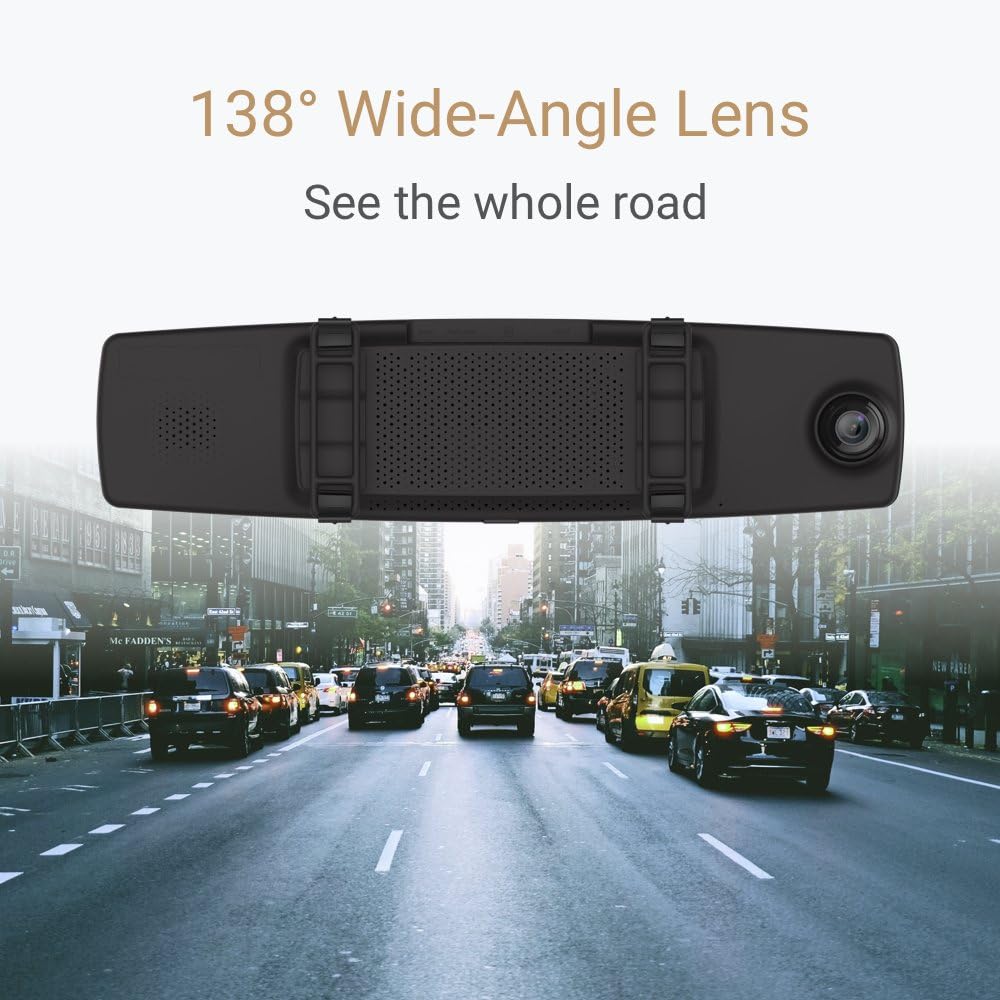
Figure 5: An illustration demonstrating the 138° wide-angle lens of the YI Mirror Dash Cam C1C, capturing a broad perspective of the road ahead.

Figure 6: The YI Mirror Dash Cam C1C displaying a 'Driver Fatigue Prompt' on its screen, indicating a feature designed to alert drivers.
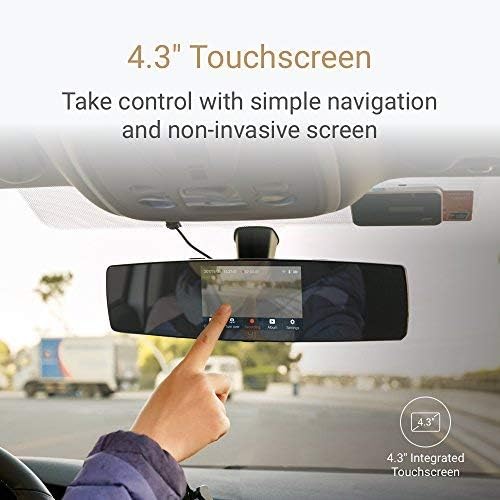
Figure 7: A hand interacting with the 4.3-inch touchscreen of the YI Mirror Dash Cam C1C, demonstrating its touch control interface.
5. Setup
5.1. Daħħal il-Kard tal-Memorja
- Locate the microSD card slot on the YI Mirror Dash Cam.
- Insert the provided memory card into the slot until it clicks into place. Ensure the card is inserted correctly to avoid damage.
5.2. Mounting the Mirror Dash Cam
- Place the YI Mirror Dash Cam over your vehicle's existing rearview mera.
- Secure the dash cam using the provided mounting straps, ensuring it is firmly attached and does not vibrate.
- Adjust the angle of the front camera to ensure it captures the desired view tat-triq 'il quddiem.
5.3. Konnessjoni tal-Kamera ta' Wara
- Connect the rear camera cable to the rear camera port on the main dash cam unit.
- Route the rear camera cable neatly along the vehicle's interior to the desired mounting location for the rear camera (e.g., rear windshield).
- Mount the rear camera securely using its adhesive or screws, ensuring a clear view ta’ wara.
- For the reverse monitor function, connect the red wire from the rear camera cable to your vehicle's reverse light power supply. This step is optional but recommended for automatic reverse display.
5.4. Konnessjoni tal-Enerġija
- Connect the car charger/power cable to the power input port on the YI Mirror Dash Cam.
- Ipplaggja t-tarf l-ieħor tal-ċarġer tal-karozza fis-sokit tal-enerġija ta' 12V tal-vettura tiegħek (sokit tal-lajter tas-sigaretti).
- Route the power cable neatly to avoid obstructing your driving.
6. Istruzzjonijiet Operattivi
6.1. Tixgħil / Mitfi
- Id-dash cam tixgħel awtomatikament u tibda tirrekordja meta l-ignition tal-vettura tiegħek tinxtegħel.
- Jintefa awtomatikament meta l-ignition jintefa.
- To manually power on/off, press and hold the power button located on the device.
6.2. Interfaċċja tat-Touchscreen
The 4.3-inch LCD touchscreen allows you to navigate menus, view foo ħajtage, and playback recordings. Tap icons on the screen to access different functions and settings.
6.3. Modi ta' Reġistrazzjoni
- Reġistrazzjoni Loop: The dash cam continuously records video in segments (e.g., 1, 3, or 5 minutes). When the memory card is full, it automatically overwrites the oldest unlocked files.
- Reġistrazzjoni ta' Emerġenza (G-Sensor): In the event of a sudden impact or collision, the built-in G-Sensor will automatically trigger emergency recording. This footage is locked and protected from being overwritten by loop recording.
6.4. Reverse Monitor Function
If the rear camera is correctly wired to your vehicle's reverse light, the dash cam screen will automatically switch to display the rear camera view with parking guidelines when you shift into reverse.
6.5. Konnessjoni tal-Wi-Fi u tal-App Mobbli
- Download the official YI Dash Cam mobile app from your smartphone's app store.
- On the dash cam, enable Wi-Fi through the settings menu.
- Connect your smartphone to the dash cam's Wi-Fi network (SSID and password usually found in the dash cam's Wi-Fi settings).
- Uża l-app għal view foo ħajtage, download recordings, and adjust settings remotely.
6.6. Daqq
You can playback recorded videos directly on the dash cam's touchscreen or by connecting to the mobile app. Alternatively, remove the microSD card and view files fuq kompjuter.
7. Manutenzjoni
- Tindif: Use a soft, dry cloth to clean the dash cam's screen and lenses. Do not use abrasive cleaners or solvents.
- Kard tal-memorja: Regularly format the microSD card (at least once a month) to ensure optimal performance and prevent data corruption. Back up important files qabel l-ifformattjar.
- Aġġornamenti tal-Firmware: Check the YI website or mobile app periodically for firmware updates to ensure your device has the latest features and bug fixes.
8 Issolvi l-problemi
- Apparat mhux mixgħul: Check the power connection and ensure the car charger is properly plugged into the 12V outlet. Test the outlet with another device.
- Kwistjonijiet ta' reġistrazzjoni: Ensure a compatible microSD card is inserted and formatted. Check if the card is full or corrupted.
- Kwalità fqira tal-vidjo: Clean the camera lenses. Ensure the protective film has been removed from the lenses.
- Problemi bil-konnessjoni tal-Wi-Fi: Ensure Wi-Fi is enabled on the dash cam and your smartphone. Restart both devices and try reconnecting.
- Reverse monitor not activating: Verify that the rear camera's red wire is correctly connected to the vehicle's reverse light power supply.
9. Speċifikazzjonijiet
| Karatteristika | Speċifikazzjoni |
|---|---|
| Dimensjonijiet tal-Prodott | 13.3 x 4.3 x 3.1 pulzieri |
| Piż tal-oġġett | 1.54 libbra (0.7 Kilogrammi) |
| Numru tal-Mudell tal-Oġġett | C1C |
| Batteriji | 1 batterija tal-Lithium Polymer meħtieġa (inkluża) |
| Teknoloġiji tal-Konnettività | Wi-Fi |
| Karatteristiċi Speċjali | Loop Recording |
| Teknoloġija tal-Wiri | LCD |
| Karatteristiċi oħra tal-Wiri | Wireless |
| Kulur | Iswed |
| Manifattur | YI |
| Isem tal-Mudell | YI Mirror Dash Camera |
| Tip ta 'Servizz tal-Vettura | Karozza |
| Riżoluzzjoni tal-Qbid tal-Vidjo | 1080p (Quddiem) |
| Metodu ta' Kontroll | Mess |
10. Garanzija u Appoġġ
For warranty information, technical support, or service inquiries, please refer to the official YI website or contact YI customer service. Keep your purchase receipt as proof of purchase for warranty claims.