Introduzzjoni
This manual provides comprehensive instructions for the AT&T CL80115 DECT 6.0 Cordless Expansion Handset. This accessory handset is designed to extend the functionality of compatible AT&T cordless phone base systems, offering enhanced audio calls and additional communication features. It is not a standalone device and requires connection to a compatible base unit for operation.
X'hemm fil-Kaxxa
- AT&T CL80115 Cordless Handset
- Ċarġer tal-idejn
- Power Adapter for Charger
- Pakkett ta' Batteriji Rikarikabbli

Image: The AT&T CL80115 Cordless Handset resting in its charging cradle. The handset features a large display, backlit keys, and an AT&T logo.
Kompatibilità
The AT&T CL80115 accessory handset requires one of the following AT&T cordless phone base systems to operate:
- CL82115
- CL82215
- CL82315
- CL82415
- CL82465
- CL82515
- CL83215
- CL83315
- CL83365
- CL83415
- CL83465
- CL83565
- CL84115
- CL84215
- CL84265
- CL84365
Setup
1. Installazzjoni tal-batterija
- Sib il-kompartiment tal-batterija fuq wara tal-idejn.
- Daħħal il-pakkett tal-batterija rikarikabbli, waqt li tiżgura l-polarità korretta.
- Agħlaq l-għatu tal-kompartiment tal-batterija sew.
2. Iċċarġja l-handset
- Connect the power adapter to the handset charger and plug it into an electrical outlet.
- Place the handset in the charger with the display facing forward.
- Allow the handset to charge for at least 10 hours before initial use to ensure optimal battery performance. The "CHARGE" indicator on the handset will illuminate.

Immaġni: Angolata view of the AT&T CL80115 Cordless Handset in its charging cradle, highlighting the display and keypad.
3. Registering the Handset to a Base Unit
This accessory handset must be registered to a compatible AT&T cordless phone base unit before it can be used.
- Ensure the base unit is powered on and not in use.
- Fuq l-unità bażi, agħfas u żomm il-buttuna PAĠNA button (or equivalent registration button) for approximately 4 seconds until the FL-UŻU light on the base unit turns on.
- On the CL80115 handset, press the # key. The handset will display "Registering..."
- Once registered, the handset will display "Handset X Registered" (where X is the handset number) and emit a confirmation tone.
- If registration fails, repeat the steps. If it continues to fail, refer to the troubleshooting section or the base unit's manual.
Tħaddim tal-Handset
Nagħmlu u Nwieġbu Sejħiet
- Biex Tagħmel Sejħa: Agħfas TELEFON, imbagħad ċempel in-numru.
- Biex Twieġeb Sejħa: Agħfas TELEFON when the handset rings.
- Biex Intemm Sejħa: Agħfas OFF jew poġġi l-idejn lura fil-ċarġer.
Aġġusta tal-Volum
Waqt sejħa, agħfas VOLUM up or down buttons on the side of the handset to adjust the earpiece volume.
Funzjoni Mute
Waqt sejħa, agħfas MUTE/ĦASSAR button to mute the microphone. Press it again to unmute.
Intercom (Walkie-Talkie)
If multiple handsets are registered to the same base, you can use the intercom feature for internal communication. This handset supports communication with up to 4 individuals simultaneously.
- Agħfas MENU/AGĦŻEL.
- Scroll to "Intercom" and press MENU/AGĦŻEL.
- Select the desired handset to call or choose "Broadcast" to call all other handsets.
Karatteristiċi
- Enlarged Font and Backlit Keys: The handset features an extra-large display with enlarged font and backlit keys for improved visibility and ease of use, particularly beneficial for individuals with visual impairments.
- Ekwalizzatur Aġġustabbli: Enhance audio call quality with the adjustable equalizer, allowing customization of sound profiles for clearer conversations.
- Modalità ECO: This mode intelligently manages power consumption, optimizing battery life and reducing energy usage.
- Ringer Silence: Temporarily or permanently silence the ringer on both the handset and the base unit as needed.
- Wiri tal-ID tas-Sejjieħ: The extra-large display clearly shows caller ID information for incoming calls, provided by the compatible base unit.
Manutenzjoni
- Tindif: Wipe the handset and charger with a soft, damp drapp. Evita li tuża kimiċi ħarxa jew tindif li joborxu.
- Kura tal-batterija: Ensure the handset is placed in the charger when not in use to maintain battery charge. Replace the battery pack when its performance significantly degrades.
- Ħażna: If storing the handset for an extended period, remove the battery pack. Store in a cool, dry place.
Issolvi l-problemi
| Problema | Soluzzjoni |
|---|---|
| L-handset ma jixgħelx jew m'għandux enerġija. |
|
| Ma nistax nagħmel jew nirċievi telefonati. |
|
| Kwalità awdjo fqira jew statiku. |
|
| Handset displays "Not Registered". |
|
Speċifikazzjonijiet
- Mudell: CL80115
- Ditta: AT&T (Manufactured by VTech)
- Tip tat-Telefon: Bla fili
- Teknoloġija: DECT 6.0
- Kulur: Griż
- Materjal: Plastik
- Piż tal-oġġett: 11.7 uqija (madwar 331 gramma)
- Dimensjonijiet tal-Prodott (L x W x H): 4.9 x 2 x 7 pulzieri (madwar 12.4 x 5.1 x 17.8 ċm)
- Batteriji: 2 batteriji rikarikabbli AA (inklużi)
- Sors tal-Enerġija: Elettriku bil-fili (għall-ċarġer)
- Operazzjoni Multiline: Iva
- Wiri tal-ID tas-Sejjieħ: Supported (via compatible base unit)
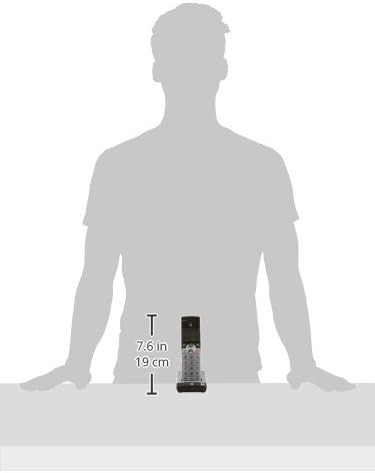
Image: A diagram illustrating the dimensions of the AT&T CL80115 Cordless Handset, showing a height of 7.6 inches (19 cm).
Informazzjoni Importanti dwar is-Sigurtà
TWISSIJA:
Dan il-prodott fih kimiċi magħrufa mill-Istat ta’ Kalifornja li jikkawżaw kanċer u difetti fit-twelid jew ħsara riproduttiva oħra.
Dejjem segwi l-prekawzjonijiet bażiċi ta' sigurtà meta tuża dan il-prodott biex tnaqqas ir-riskju ta' nar, xokk elettriku, u korriment lil persuni.
Garanzija u Appoġġ
For warranty information, technical support, or customer service inquiries, please refer to the documentation included with your primary AT&T cordless phone base system or visit the official AT&T/VTech support websit. Żomm l-irċevuta tax-xiri tiegħek bħala prova tax-xiri.


