1. Introduzzjoni
The AULA F2010 Unicorn Backlit Mechanical Gaming Keyboard is designed for an enhanced gaming and typing experience. It features a durable construction, multi-color LED illumination, and responsive mechanical switches. This manual provides detailed instructions for setting up, operating, and maintaining your keyboard.
2. Kontenut tal-Pakkett
- AULA F2010 Mechanical Gaming Keyboard
- Manwal għall-Utent
- Keycap Puller
3. Gwida ta' Setup
3.1 Rekwiżiti tas-Sistema
- Operating System: Windows Vista / 7 / 8 / 10 / Mac OS
- Port USB Disponibbli
3.2 Konnessjoni tat-Tastiera
- Sib port USB disponibbli fuq il-kompjuter tiegħek.
- Plug the USB connector of the AULA F2010 keyboard into the USB port.
- The keyboard will automatically install the necessary drivers. This may take a few moments.
- Ladarba l-installazzjoni tkun tlestiet, id-dawl ta' wara tat-tastiera jixgħel, u jindika li hija lesta għall-użu.
4. Istruzzjonijiet Operattivi
4.1 Kontroll tad-Dawl ta' Wara
The AULA F2010 features multi-color LED backlighting with adjustable brightness and various lighting effects.
- Aġġusta tal-luminożità: Agħfas FN + PGUP to increase brightness. Press FN + PGDN biex tnaqqas il-luminożità.
- Nibdlu l-Modi tad-Dawl: Agħfas FN + INS to cycle through different lighting effects (e.g., strobe, glow, pulse).
- Customizing Dawl: Użu FN + HOME to enter custom lighting mode. Specific keys can be lit according to user preference.
- Adjusting Effect Speed: Użu FN + Vleġġa tax-Xellug or FN + Vleġġa tal-Lemin biex taġġusta l-veloċità tal-effetti tad-dawl dinamiku.
4.2 Anti-Ghosting and Key Rollover
The keyboard features 100% Anti-Ghosting with 104 Key Roll-over on USB, ensuring that every key press is registered accurately, even during rapid, simultaneous inputs common in gaming.
4.3 Modalità Sleep
To conserve energy, the keyboard will enter sleep mode and turn off all LEDs after 10 minutes of inactivity. Press any key to resume the LED backlight and normal operation.
4.4-il Shortcut Key tal-Multimedia
The keyboard includes user-friendly shortcut function keys that can be activated in conjunction with the FN key for quick access to multimedia controls and other functions.
5. Karatteristiċi tal-prodott
- Disinn Eleganti: Minimalist styled mechanical gaming keyboard with 6-color backlighting.
- Kostruzzjoni Durabbli: Features a brushed aluminum chassis for rugged, lifelong durability.
- Advanced Keycaps: AULA Armor Technology with highly durable Double-shot injection molding keycaps, suitable for all gaming circumstances.
- Reżistenza Ambjentali: Water resistant, dust-proof, and static-free design.
- Swiċċijiet mekkaniċi: Equipped with Blue mechanical switches for a tactile and audible typing experience.

Immaġni: Minn fuq għal isfel view of the AULA F2010 keyboard, showcasing its full layout and vibrant multi-color backlighting.

Immaġni: Angolata view of the AULA F2010 keyboard, displaying the multi-color LED backlighting across the keys.
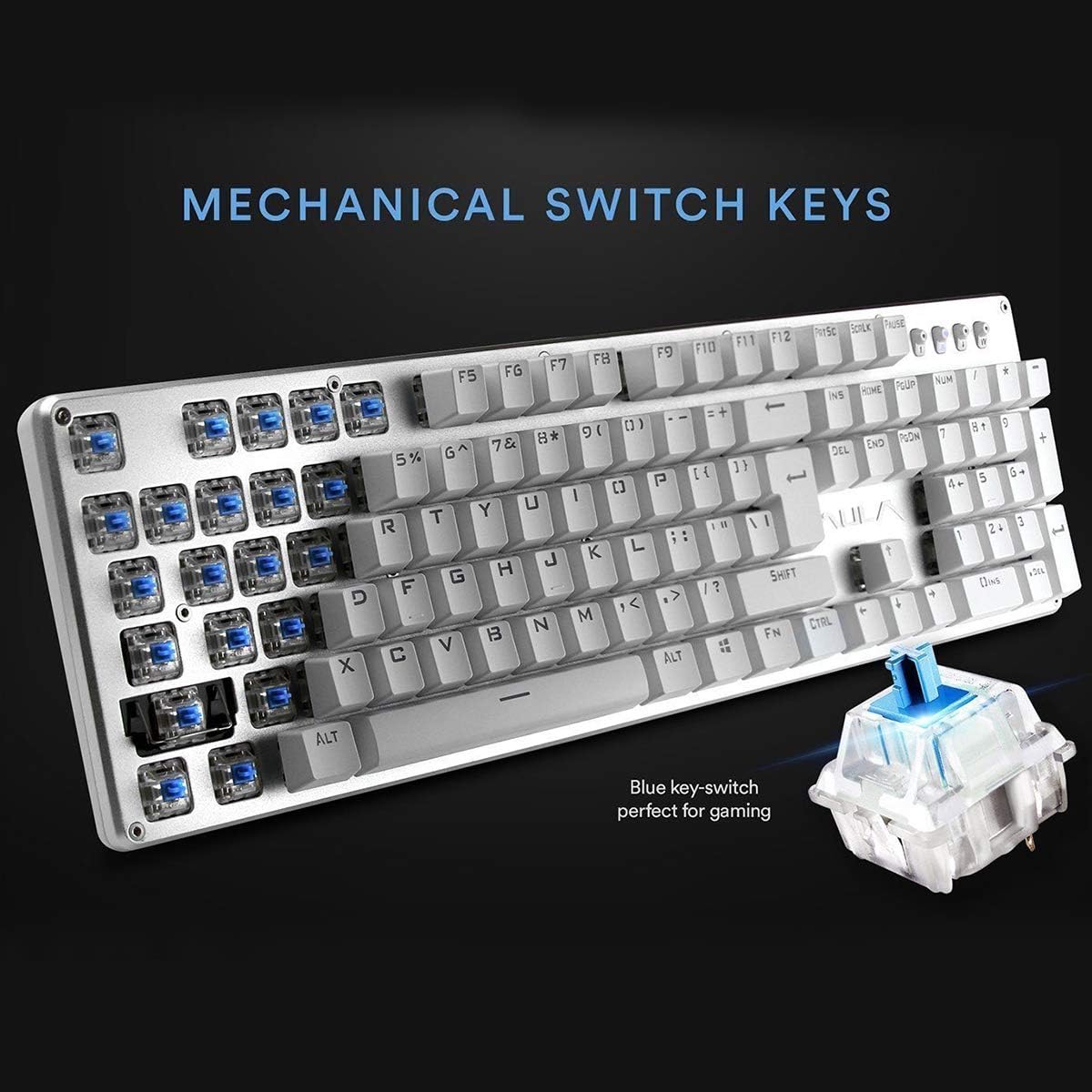
Immaġni: Close-up view highlighting the mechanical blue switches, which provide tactile feedback and a distinct click sound.
6. Manutenzjoni u Kura
Proper maintenance ensures the longevity and optimal performance of your AULA F2010 keyboard.
- Tindif: Regularly clean the keyboard with a soft, dry cloth. For deeper cleaning, use a keycap puller to remove keycaps and clean dust and debris with compressed air or a small brush.
- Tixrid ta' Likwidu: Due to its water-resistant design, minor spills may not cause damage. However, it is recommended to immediately unplug the keyboard, dry it thoroughly, and allow it to air dry completely before reconnecting.
- Ħażna: Aħżen it-tastiera f'post frisk u niexef 'il bogħod mix-xemx diretta u minn temperaturi estremi.
7 Issolvi l-problemi
Jekk tiltaqa' ma' problemi bit-tastiera tiegħek, irreferi għas-soluzzjonijiet komuni li ġejjin:
- It-Tastiera Mhux Tirrispondi:
- Kun żgur li l-kejbil USB huwa mdaħħal sew kemm fit-tastiera kif ukoll fil-kompjuter.
- Ipprova qabbad it-tastiera ma' port USB differenti.
- Ibda mill-ġdid il-kompjuter tiegħek.
- Check if the keyboard is in sleep mode (press any key to wake it).
- Id-Dawl ta' Wara Mhux Jaħdem:
- Ensure the brightness is not set to the lowest level (use FN + PGUP biex tiżdied).
- Verify that the keyboard is not in sleep mode.
- Keys Not Registering or Doubling:
- Clean around and under the affected keycaps for any debris.
- If the issue persists, it may indicate a switch malfunction. Contact customer support if the product is under warranty.
8. Speċifikazzjonijiet
| Karatteristika | Dettall |
|---|---|
| Brand | AULA |
| Numru tal-Mudell | F2010 |
| Teknoloġija tal-Konnettività | Bil-fili (USB) |
| Numru ta' Ċwievet | 104 |
| Tip ta 'Swiċċ taċ-Ċavetta | Mechanical (Blue Switch) |
| Backlighting | Multi-color LED (RGB) with adjustable brightness and modes |
| Kontra l-Ghosting | 100% Anti-Ghosting with 104 Key Roll-over |
| Materjal | Brushed Aluminum Chassis, Double-shot Injection Molding Keycaps |
| Kompatibilità tas-Sistema Operattiva | Windows Vista / 7 / 8 / 10 / Mac OS |
| Piż tal-oġġett | 2.87 lbs (1.3 kg) |
| Dimensjonijiet tal-Prodott (L x W x H) | 17.2 x 5.1 x 0.83 pulzieri (43.7 x 13 x 2.1 ċm) |
| Karatteristiċi Speċjali | Water Resistant, Dust-proof, Static-free, Sleep Mode |
9. Garanzija u Appoġġ
For warranty information, technical support, or service inquiries, please refer to the warranty card included with your product or visit the official AULA websit. Żomm l-irċevuta tax-xiri tiegħek bħala prova tax-xiri għal talbiet ta' garanzija.


