1. Introduzzjoni
This manual provides detailed instructions for the setup, operation, and maintenance of your Cobra ACXT360 Water Resistant Walkie Talkies. These two-way radios are designed for reliable communication in various environments, featuring water resistance, multiple channels, and NOAA weather alerts.

Immaġni: Quddiem view of a Cobra ACXT360 Walkie Talkie, displaying its screen and control buttons.
2. Kontenut tal-Pakkett
Iċċekkja li l-oġġetti kollha elenkati hawn taħt huma inklużi fil-pakkett tiegħek:
- 3 x Cobra ACXT360 Walkie Talkies
- 9 x AAA Rechargeable NiMH Batteries
- 3 x Clips taċ-ċinturin
- 1 x USB-Y Cable for charging
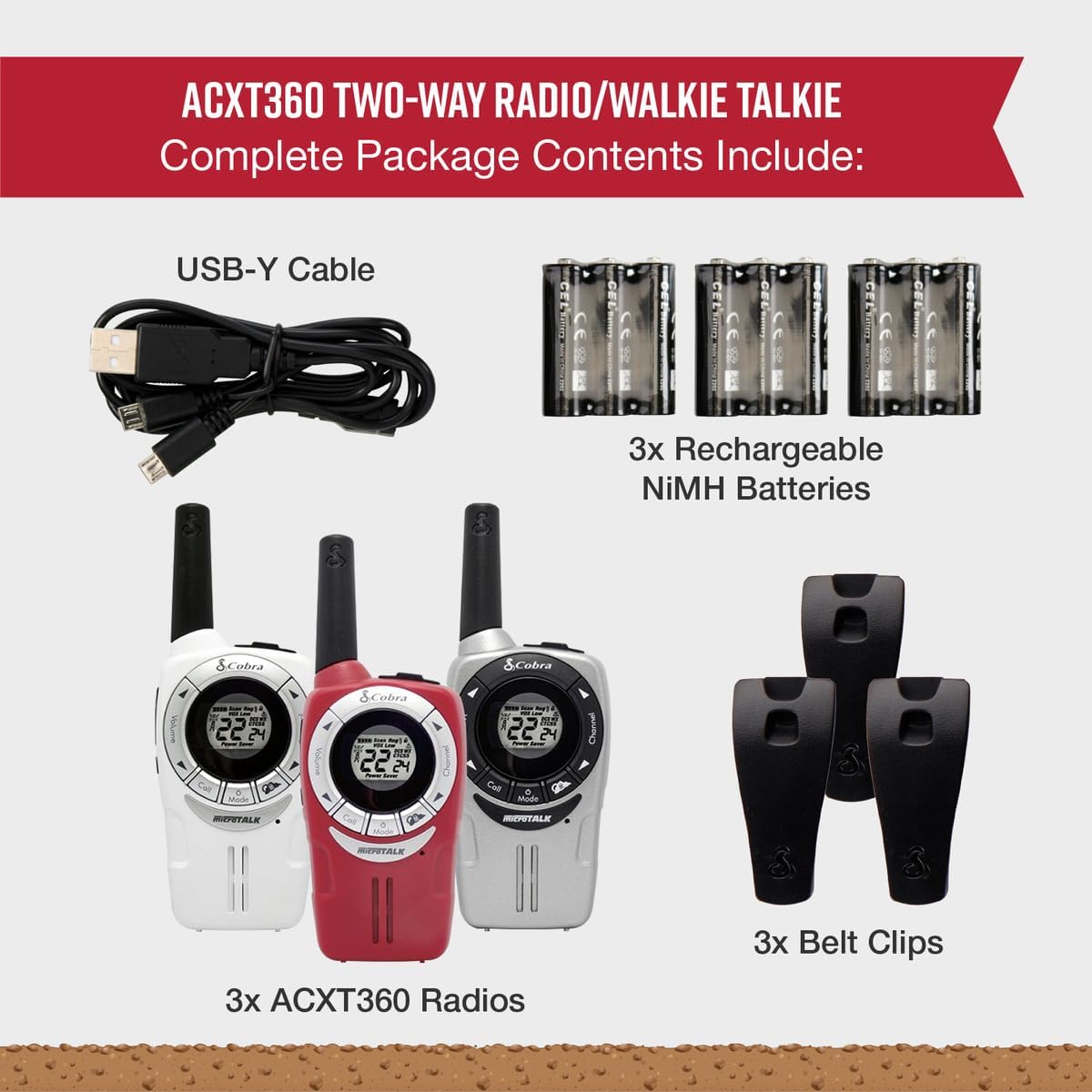
Image: A visual representation of the Cobra ACXT360 package contents, showing three radios, batteries, belt clips, and the charging cable.
3. Setup
3.1 Installazzjoni tal-batterija
- Kun żgur li r-radju jkun mitfi.
- Sib l-għatu tal-kompartiment tal-batterija fuq wara tar-radju.
- Agħfas 'l isfel fuq il-lukkett u żżerżaq l-għatu 'l barra.
- Insert 3 AAA rechargeable NiMH batteries into each radio, observing the polarity markings (+/-).
- Erġa’ poġġi l-għatu tal-kompartiment tal-batterija, waqt li tiżgura li jikklikkja sew f’postu.
3.2 Iċċarġjar tal-batteriji
The included NiMH batteries are rechargeable. For optimal performance, fully charge the batteries before first use.
- Connect the USB-Y cable to the charging port on the radio.
- Connect the other end of the USB-Y cable to a compatible USB power source (e.g., computer USB port, USB wall adapter).
- The battery indicator on the radio display will show charging status.
- Charging time may vary. Disconnect the cable once charging is complete.
4. Istruzzjonijiet Operattivi
4.1 Power On/Off
- Biex tixgħel: Agħfas u żomm il-buttuna Qawwa / Menu Agħfas il-buttuna sakemm id-displej jixgħel.
- Biex titfi: Agħfas u żomm il-buttuna Qawwa / Menu buttuna sakemm il-wiri jintefa.
4.2 Aġġustament tal-Volum
- Uża l- Volum Up u Volum 'l isfel buttons (typically located on the side or front) to adjust the listening volume.
4.3 Għażla tal-Kanal
Your ACXT360 radios operate on 22 FRS/GMRS channels.
- Agħfas il- Channel Up or Channel Down buttons to cycle through available channels.
- In-numru tal-kanal magħżul se jintwera fuq l-iskrin.
4.4 Trażmissjoni u Riċeviment
- Biex tittrażmetti: Agħfas u żomm il-buttuna Imbotta biex titkellem (PTT) button. Speak clearly into the microphone. Release the PTT button to stop transmitting.
- To receive: Ensure the PTT button is not pressed. The radio will automatically receive transmissions on the selected channel.
4.5 Kodiċijiet tal-Privatezza (CTCSS/DCS)
The radios support 121 privacy codes (38 CTCSS and 83 DCS) to help reduce interference from other users on the same channel.
- To set a privacy code: With the radio on, press the Menu button until the privacy code setting flashes. Use the Kanal 'l fuq/'l isfel buttons to select a code. Press Menu mill-ġdid biex tikkonferma.
- Both radios must be set to the same channel and privacy code to communicate.
4.6 VOX (Trażmissjoni Attivata bil-Vuċi)
VOX allows for hands-free operation, transmitting automatically when you speak.
- To enable/disable VOX: Press the Menu button until the VOX icon flashes. Use the Kanal 'l fuq/'l isfel buttons to select a VOX sensitivity level (1-5) or turn it off. Press Menu biex tikkonferma.
4.7 Toni tas-Sejħa
You can select from 5 different call tones to alert other users.
- To select a call tone: Press the Menu button until the call tone setting flashes. Use the Kanal 'l fuq/'l isfel buttuni biex preview and select a tone. Press Menu biex tikkonferma.
- To send a call tone: Briefly press the Ċempel buttuna.
4.8 kanali tat-temp NOAA
Access 24/7 NOAA weather channels for alerts and updates.
- To access NOAA channels: Refer to your radio's specific menu options for weather channel access. This is typically a dedicated button or a menu option.
4.9 Channel Scan
The scan feature allows you to automatically scan all 22 channels for activity.
- To activate scan: Press the Skennja button (often labeled 'S' or integrated with another button). The radio will scan channels until activity is detected.
- To stop scan: Press the Skennja button again or the PTT button.
5. Karatteristiċi Overview
The Cobra ACXT360 radios offer several features for enhanced communication:
- Weather-Resistant (IPX2): Designed to withstand light splashes and rain, ensuring reliable operation in various outdoor conditions.
- 22 Kanal u 121 Kodiċi ta' Privatezza: Jipprovdi ample communication options and helps minimize interference.
- Twissijiet tat-Temp tal-NOAA: Keeps you informed of changing weather conditions.
- VOX Transmission: Enables hands-free communication.
- Toni ta' Sejħiet Personalizzabbli: Allows for distinct alerts from different callers.
- Scan tal-Kanal: Quickly finds active channels.
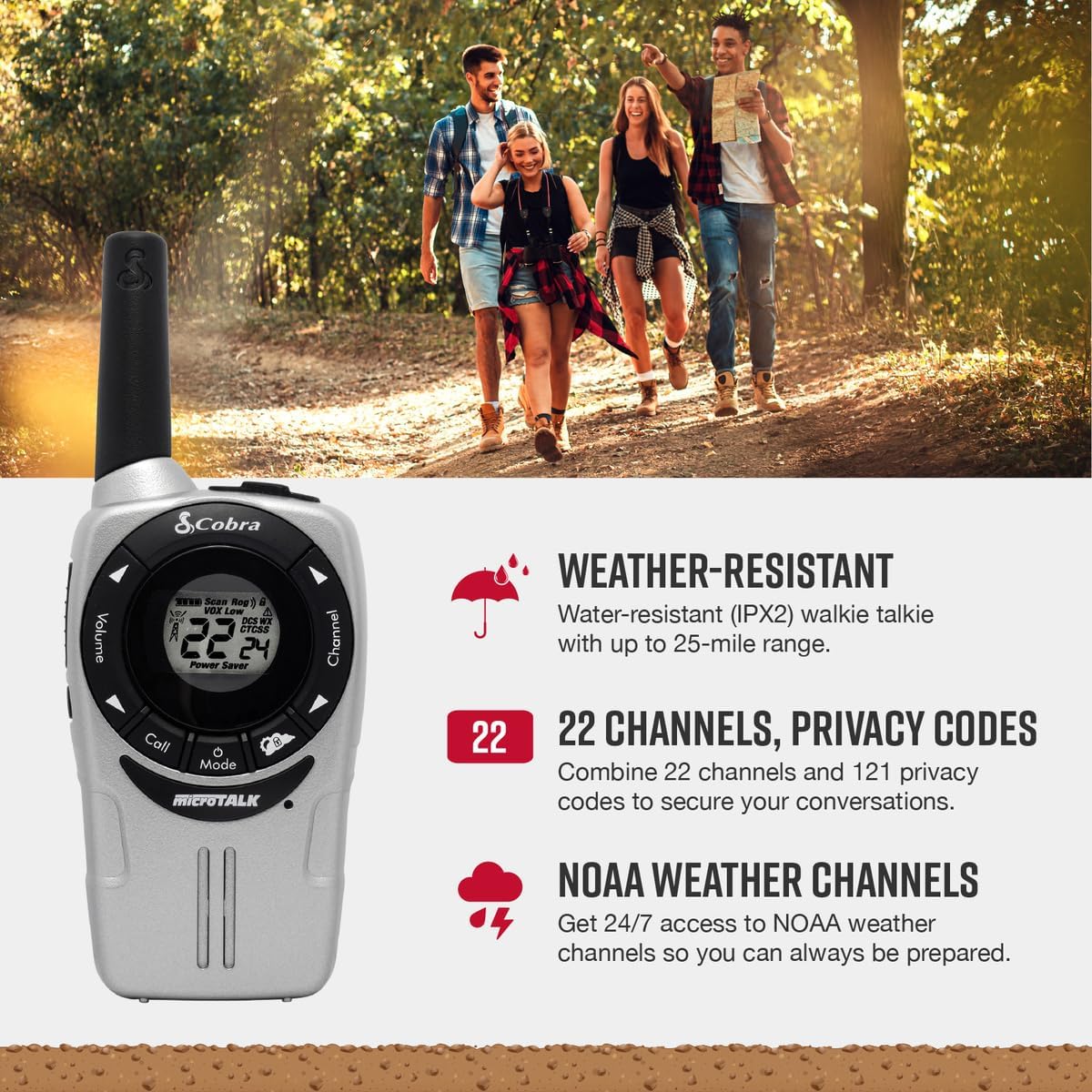
Image: A Cobra ACXT360 radio with icons indicating weather resistance, 22 channels, and NOAA weather alerts.

Image: A Cobra ACXT360 radio with icons indicating VOX transmission, call tones, and channel scan features.
5.1 Understanding Range
The maximum range of a walkie talkie is tested under ideal conditions, such as flat, open terrain with a clear line of sight and no obstructions. The actual usable range can be significantly affected by environmental factors.
- Firxa massima: Achieved in optimal conditions with no obstructions.
- Usable Range: Influenced by weather, landscape (hills, valleys), radio signals, elevation, and physical obstructions like trees, foliage, buildings, and mountains.

Image: An illustration explaining the difference between maximum theoretical range and actual usable range for walkie talkies, listing influencing factors.
6. Manutenzjoni
6.1 Kura Ġenerali
- Avoid exposing the radios to extreme temperatures, direct sunlight for prolonged periods, or excessive moisture beyond their IPX2 rating.
- Do not drop or subject the radios to severe impacts.
6.2 Tindif
- Imsaħ l-uċuħ tar-radju b'ċarruta ratba u damp drapp. Tużax tindif jew solventi li joborxu.
- Kun żgur li l-port tal-iċċarġjar ikun nadif u ħieles minn debris.
6.3 Kura tal-Batterija
- Use only the specified AAA rechargeable NiMH batteries.
- Jekk se taħżen ir-radjijiet għal perjodu estiż, neħħi l-batteriji biex tevita t-tnixxija.
- Armi l-batteriji qodma skont ir-regolamenti lokali.
7 Issolvi l-problemi
| Problema | Soluzzjoni Possibbli |
|---|---|
| Ir-radju ma jixgħelx. | Check battery installation and ensure batteries are charged. Replace batteries if necessary. |
| Ma jistax jittrażmetti jew jirċievi. | Ensure both radios are on the same channel and privacy code. Check battery level. Verify PTT button is functioning. |
| Kwalità awdjo fqira jew statiku. | Move closer to the other radio. Check for obstructions. Adjust volume. Ensure antenna is not obstructed. |
| Firxa limitata. | Range is affected by terrain, weather, and obstructions. Try moving to a higher or more open area. |
| VOX not activating. | Adjust VOX sensitivity level in the menu. Speak louder or closer to the microphone. |
8. Speċifikazzjonijiet
| Karatteristika | Dettall |
|---|---|
| Numru tal-Mudell | ACXT360 |
| Dimensjonijiet tal-Prodott | 1.25 x 2 x 5 pulzieri (3.18 x 5.08 x 12.7 ċm) |
| Piż tal-oġġett | 3.76 uqija (106.6 gramma) |
| Batteriji | 6 AAA NiMH rechargeable batteries (3 per radio) |
| Numru ta 'Kanali | 22 Kanali FRS/GMRS |
| Kodiċi tal-Privatezza | 121 (38 CTCSS, 83 DCS) |
| Medda ta' Frekwenzi | 400-512 MHz (estimated) |
| Talking Range Massimu | Up to 25 Miles (under ideal conditions) |
| Livell ta 'Reżistenza għall-Ilma | IPX2 (Reżistenti għall-Ilma) |
| Karatteristiċi Speċjali | Battery Strength Indicator, Dust Proof, Long Range, Rechargeable |
9. Informazzjoni dwar Garanzija
Cobra products are designed and manufactured to high standards. For specific warranty details, including coverage period and terms, please refer to the warranty card included with your product or visit the official Cobra websit. Żomm il-prova tax-xiri tiegħek għal talbiet ta' garanzija.
10. Appoġġ
Jekk tiltaqa' ma' xi problemi jew għandek xi mistoqsijiet li mhumiex koperti f'dan il-manwal, jekk jogħġbok irreferi għar-riżorsi li ġejjin:
- Appoġġ onlajn: Visit the official Cobra website for FAQs, product registration, and additional support documentation.
- Servizz tal-Klijent: Contact Cobra customer service directly for technical assistance. Contact information can typically be found on the manufacturer's webis-sit jew l-imballaġġ tal-prodott.


