Introduzzjoni
Thank you for choosing the Perixx PERIMICE-608II Wireless Vertical Mouse. This manual provides essential information for setting up, operating, and maintaining your new ergonomic mouse. Designed for right-handed users, this mouse promotes a natural hand position to enhance comfort during extended use. Please read this manual thoroughly before using the product.
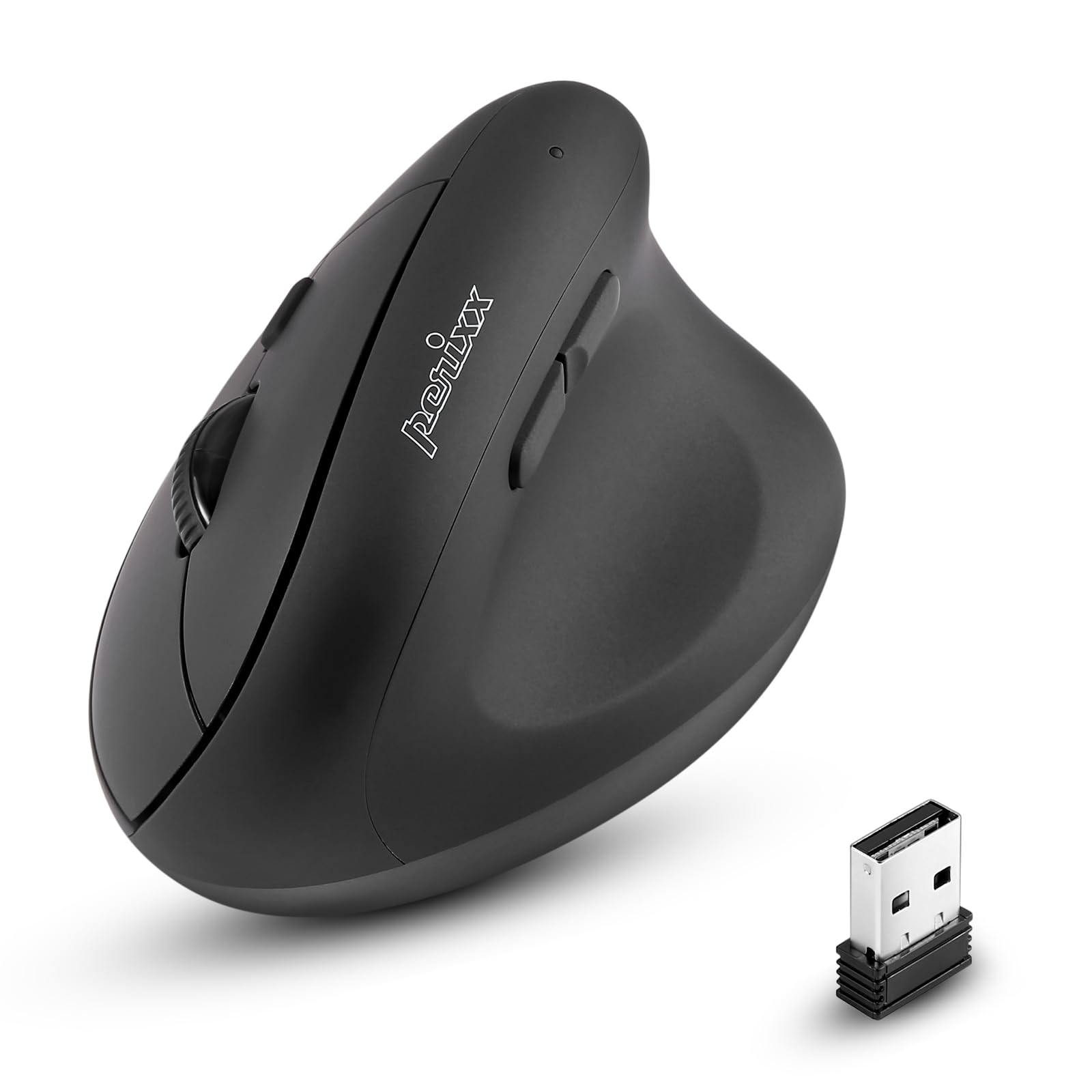
Quddiem view of the Perixx PERIMICE-608II Wireless Vertical Mouse.
X'hemm fil-Kaxxa
Ivverifika li l-oġġetti kollha huma preżenti fil-pakkett tiegħek:
- 1 x Perixx PERIMICE-608II Wireless Vertical Mouse
- 1 x Riċevitur USB
- 1 x Manwal tal-Utent (dan id-dokument)
Setup Istruzzjonijiet
- Installa l-Batterija: Locate the battery compartment on the underside of the mouse. Insert one AA battery (not included) according to the polarity indicators.
- Daħħal ir-Riċevitur USB: Remove the USB receiver from its storage slot on the mouse's underside. Plug the USB receiver into an available USB port on your computer.
- Qawwa Mixgħul: Slide the ON/OFF switch on the bottom of the mouse to the "ON" position. The mouse should now be recognized by your computer and ready for use.

Underside of the mouse, illustrating the battery compartment and ON/OFF switch.

The mouse positioned next to a laptop, demonstrating the USB receiver plugged into a port.
Istruzzjonijiet Operattivi
Disinn Ergonomiku
The PERIMICE-608II features a vertical design that positions your hand in a natural handshake posture, reducing wrist strain and promoting comfort.

Demonstration of a relaxed, neutral grip on the vertical mouse.
Funzjonijiet tal-buttuna
- Ikklikkja Xellug: Għażla u attivazzjoni standard.
- Ikklikkja bil-lemin: Aċċessa l-menus tal-kuntest.
- Scroll Wheel: Skrollja dokumenti u web pages vertically. Can also be pressed for middle-click functionality.
- Buttuni 'l Quddiem/Lura: Located on the side for convenient web browsing u navigazzjoni.
Aġġustament DPI
The mouse features a DPI (Dots Per Inch) button to adjust cursor sensitivity. Press the DPI button located on the top of the mouse to cycle through the available settings: 800, 1200, 1600, and 2400 DPI. An LED indicator will briefly light up to confirm the change.

The DPI switch on the mouse, allowing for quick sensitivity adjustments.
Manutenzjoni
Tindif
Biex tnaddaf il-maws tiegħek, imsaħ il-wiċċ bil-mod b'ċarruta ratba u damp drapp. Evita li tuża kimiċi ħarxa jew materjali li joborxu, għax dawn jistgħu jagħmlu ħsara lill-finitura. Kun żgur li l-ebda likwidu ma jidħol fil-komponenti interni tal-maws.
Sostituzzjoni tal-batterija
When the mouse performance degrades or it stops responding, it may be time to replace the AA battery. Follow the battery installation steps in the Setup section.
Issolvi l-problemi
- Il-maws ma jirrispondix:
- Ensure the mouse is switched to the "ON" position on its underside.
- Check if the USB receiver is securely plugged into a working USB port on your computer.
- Ibdel il-batterija AA b'waħda ġdida.
- Ipprova waħħal ir-riċevitur USB f'port USB differenti.
- Moviment erratiku tal-cursor:
- Kun żgur li l-maws qed jintuża fuq wiċċ nadif u li ma jirriflettix.
- Adjust the DPI setting using the DPI button to find a suitable sensitivity.
- Kwistjonijiet ta' konnettività:
- Move the mouse closer to the USB receiver to ensure a strong 2.4GHz wireless connection.
- Evita li tuża l-maws ħdejn apparati oħra mingħajr fili li jistgħu jikkawżaw interferenza.
Speċifikazzjonijiet
| Brand | Perixx |
| Numru tal-Mudell | 12383 |
| Serje | PERIMICE-608 II |
| Teknoloġija tal-Konnettività | 2.4GHz Wireless (Riċevitur USB) |
| Livelli DPI | 800 / 1200 / 1600 / 2400 |
| Numru ta' Buttuni | 6 |
| Orjentazzjoni tal-Idejn | Leminija |
| Sors tal-Enerġija | Powered Battery (1 x batterija AA meħtieġa) |
| Ħajja Medja tal-Batterija | 100 Sigħat |
| Piż tal-oġġett | 4.4 uqija (madwar 125 gramma) |
| Dimensjonijiet tal-Prodott (LxWxH) | 4.87 x 2.67 x 2.43 pulzieri (madwar 123.7 x 67.8 x 61.7 mm) |
| Kompatibilità tas-Sistema Operattiva | Linux, Windows 7, Windows XP (and newer versions) |

Detailed dimensions and weight of the Perixx PERIMICE-608II mouse.
Garanzija u Appoġġ
For detailed warranty information, technical support, and frequently asked questions, please visit the official Perixx website or contact Perixx customer service. You can find more information at the Ħanut Perixx fuq Amazon.


