1. Introduzzjoni
This manual provides detailed instructions for the operation and maintenance of your EXCELVAN Weather Station. This device is designed to provide accurate indoor and outdoor temperature and humidity readings, barometric pressure, and weather forecasts. It also features time display with dual alarms and moon phase information.

Immaġni: Quddiem view of the EXCELVAN Weather Station main unit, showing its large LCD display with indoor/outdoor temperature, humidity, pressure history, time, date, moon phase, and sunrise/sunset times.
2. Kontenut tal-Pakkett
Jekk jogħġbok iċċekkja l-kontenut tal-pakkett bir-reqqa. Jekk xi oġġetti huma nieqsa jew bil-ħsara, ikkuntattja l-appoġġ għall-klijenti.
- 1 x EXCELVAN Weather Station Main Unit
- 1 x Sensor ta' Barra mingħajr fili
- 1 x Manwal għall-Utent

Image: The complete package contents, including the main weather station unit, the wireless remote sensor, and the user manual.
3. Speċifikazzjonijiet
| Karatteristika | Speċifikazzjoni |
|---|---|
| Unitajiet tat-Temperatura | °C / °F selectable |
| Medda ta 'Temperatura ta' ġewwa | 0°C ~ 50°C (32°F ~ 122°F) |
| Firxa ta 'Temperatura ta' Barra | -20°C ~ 60°C (-4°F ~ 140°F) |
| Medda ta 'Umdità | 20% ~ 95% RH |
| Kalendarju | 2000 ~ 2099 (Year), Date, Month, Day of Week |
| Format tal-Ħin | 12/24 Siegħa magħżula |
| Kanali Wireless | Up to 3 external sensors supported |
| Qawwa tal-Unità Prinċipali | 2 Batteriji AA ta' 1.5V (mhux inklużi) |
| Qawwa tas-Sensor Remot | 2 Batteriji AAA ta' 1.5V (mhux inklużi) |
| Dimensjonijiet tal-Unità Prinċipali | 171 x 123 x 50mm |
| Dimensjonijiet LCD | 124 x 78mm |
| Frekwenza tat-Trażmissjoni | 433 MHz |
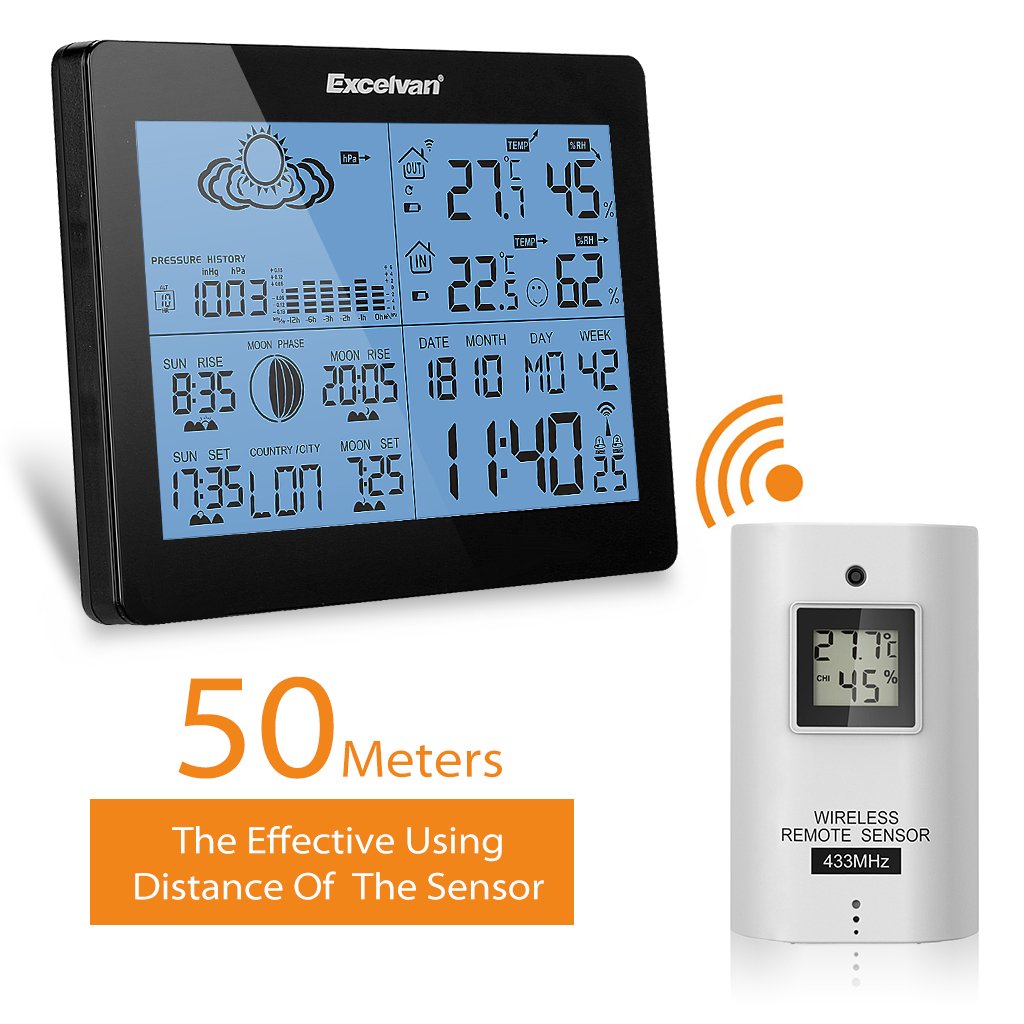
| Firxa Wireless | Up to 50m (164ft) in open space |
4. Setup
4.1 Installazzjoni tal-batterija
- Unità Prinċipali: Open the battery compartment cover on the back of the main unit. Insert 2 x AA batteries, observing the correct polarity (+/-). Close the cover.
- Sensor mill-bogħod: Open the battery compartment cover on the back of the remote sensor. Insert 2 x AAA batteries, observing the correct polarity (+/-). Close the cover.
Immaġni: Wara view of the main weather station unit, showing the battery compartment with the cover removed, indicating where to insert AA batteries.

Immaġni: Quddiem u wara views of the wireless remote sensor, highlighting its compact design and the mounting hole on the back.
4.2 Tqegħid tas-Sensor
- The main unit is designed for indoor use only and should be placed on a desktop.
- The remote sensor can be wall-mounted or placed on a desktop. For accurate outdoor readings, place the sensor in a shaded area, away from direct sunlight and precipitation.
- Ensure the sensor is within 50 meters (164 feet) of the main unit, free from major obstructions that could interfere with the wireless signal.

Image: The main weather station unit and the wireless remote sensor, illustrating the effective wireless range of 50 meters between them.
5. Istruzzjonijiet Operattivi
5.1 Konfigurazzjoni Inizjali u Sinkronizzazzjoni
After battery installation, the main unit will automatically search for the remote sensor signal. This may take a few minutes. Once connected, the outdoor temperature and humidity will be displayed.
5.2 L-issettjar tal-ħin u tad-data
Agħfas il- MODALITÀ button to cycle through display modes. When in time display mode, press and hold MODALITÀ to enter setting mode. Use the UP u 'L isfel buttons to adjust values, and MODALITÀ to confirm and move to the next setting (e.g., 12/24 hour format, hour, minute, year, month, day, language for day of week).
5.3 Wiri tat-Temperatura u l-Umdità
The main unit displays both indoor and outdoor temperature and humidity simultaneously. You can switch between °C and °F by pressing the ° C / ° F button (if available, or usually part of time setting).
5.4 Tbassir tat-Temp
The weather station provides a forecast based on barometric pressure changes. The forecast icons (sunny, partly cloudy, cloudy, rainy, stormy) are displayed on the screen.
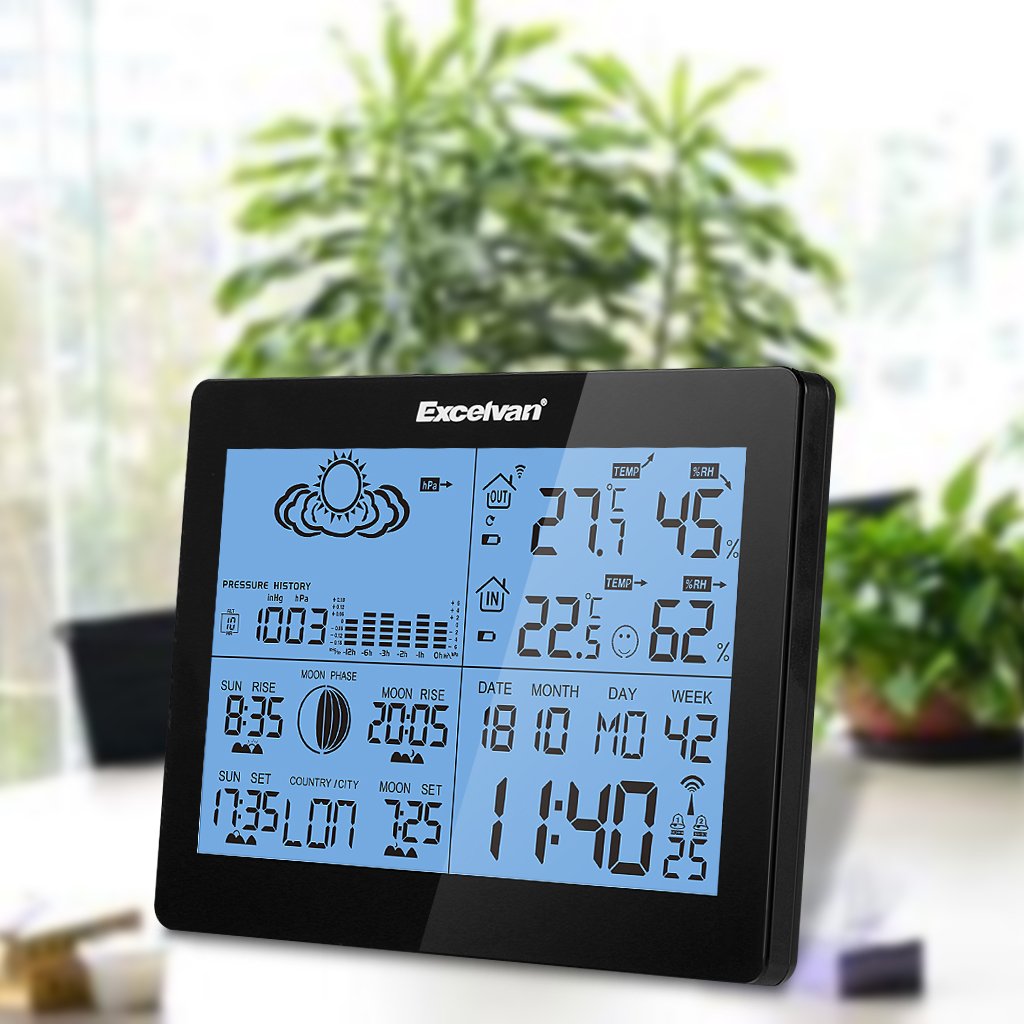
Image: Close-up of the EXCELVAN Weather Station display, highlighting the weather forecast icons at the top, such as sunny, cloudy, and rainy.
5.5 L-issettjar tal-allarm
The unit features dual daily alarms. Press the ALLARM buttuna biex view alarm times. Press and hold ALLARM to set Alarm 1, then repeat for Alarm 2. Use UP/ISĦU biex taġġusta u ALLARM to confirm. The snooze function can be activated by pressing the SNOOZE / DAWL buttuna meta l-allarm ħsejjes.

Immaġni: Fuq view of the EXCELVAN Weather Station, showing the prominent SNOOZE/LIGHT button located on the top edge of the unit.
5.6 Channel Selection (for multiple sensors)
If you have multiple outdoor sensors (up to 3 supported), press the KANAL button on the main unit to cycle through the sensor channels (CH1, CH2, CH3) and view their respective readings.
6. Manutenzjoni
- Naddaf l-unità b’soft artab, damp drapp. Tużax tindif jew solventi li joborxu.
- Evita li tesponi l-unità prinċipali għax-xemx diretta, temperaturi estremi, jew umdità għolja.
- If the display becomes dim or unresponsive, replace the batteries.
- Do not disassemble the unit; this will void the warranty.
7 Issolvi l-problemi
- L-ebda wiri tat-temperatura/umdità ta' barra:
- Ensure batteries are correctly installed in both the main unit and the remote sensor. Check that the sensor is within range (50m) and free from major obstructions. Try re-synchronizing by removing and reinserting batteries in both units, starting with the main unit.
- Qari mhux preċiż:
- Ensure the sensor is placed in a shaded, well-ventilated area, away from heat sources or direct sunlight. Allow time for readings to stabilize after initial setup or relocation.
- Id-displej huwa mudlam jew vojt:
- Replace the batteries in the main unit.
8. Garanzija u Appoġġ
This EXCELVAN product comes with a standard manufacturer's warranty. For specific warranty terms and conditions, please refer to the warranty card included in your package or contact EXCELVAN customer support. For technical assistance or further inquiries, please visit the official EXCELVAN websit jew ikkuntattja lid-dipartiment tas-servizz tal-konsumatur tagħhom.


