Introduzzjoni
This manual provides comprehensive instructions for the installation, operation, and maintenance of your Chacon 34548 Outdoor Wi-Fi IP Camera. This device allows for remote monitoring of your property, day and night, through the dedicated Chacon application. Please read this manual thoroughly before using the product to ensure proper function and safety.
Informazzjoni dwar is-Sigurtà
- Ensure the camera is installed in a secure location, out of reach of unauthorized individuals.
- Use only the power adapter supplied with the camera.
- Do not expose the camera to extreme temperatures, humidity, or direct water immersion (beyond its IP66 rating).
- Evita li tpoġġi l-kamera ħdejn kampi elettromanjetiċi qawwija.
- Skonnettja l-enerġija qabel ma tnaddaf jew tagħmel xi manutenzjoni.
Kontenut tal-Pakkett
Ivverifika li l-oġġetti kollha huma preżenti fil-pakkett:
- Chacon 34548 Outdoor Wi-Fi IP Camera
- Adapter tal-Enerġija
- Kit tal-Immuntar (viti, tappijiet tal-ħajt)
- Manwal għall-Utent (dan id-dokument)
Prodott Overview
The Chacon 34548 is an outdoor-rated Wi-Fi IP camera designed for robust surveillance. It features a durable housing, integrated night vision, and Wi-Fi connectivity for remote access.

Figura 1: Quddiem view of the Chacon 34548 Outdoor Wi-Fi IP Camera, showing the lens, IR illuminator, and mounting bracket.

Figura 2: Frontal perspective of the camera, highlighting the main lens, infrared sensor, and external Wi-Fi antenna for improved signal reception.

Figura 3: Ġenb view of the Chacon 34548 camera, illustrating its compact design and the position of the Wi-Fi antenna.

Figura 4: Wara view of the camera, displaying the model number (34548), regulatory marks, and a QR code for easy setup.
Setup
1. Installazzjoni Fiżika
- Agħżel Post: Agħżel post fil-beraħ li jipprovdi l-aspett mixtieq viewing angle and is within range of your Wi-Fi network. Ensure the location offers protection from direct impact and allows for proper cable management.
- Immonta l-Kamera:
- Mark the drilling points on the wall or ceiling using the camera's mounting bracket as a template.
- Agħmel toqob u daħħal it-tappijiet tal-ħajt provduti.
- Żgura l-parentesi tal-immuntar bil-viti.
- Attach the camera to the bracket and adjust the angle as needed.
2. Konnessjoni tal-Enerġija
Connect the supplied power adapter to the camera's power input port. Plug the adapter into a suitable outdoor power outlet. Ensure the connection is secure and protected from weather elements.
3. Installazzjoni tal-App
Download the official Chacon application from the App Store (for iOS devices) or Google Play Store (for Android devices). Fittex għal "Chacon" and install the application.
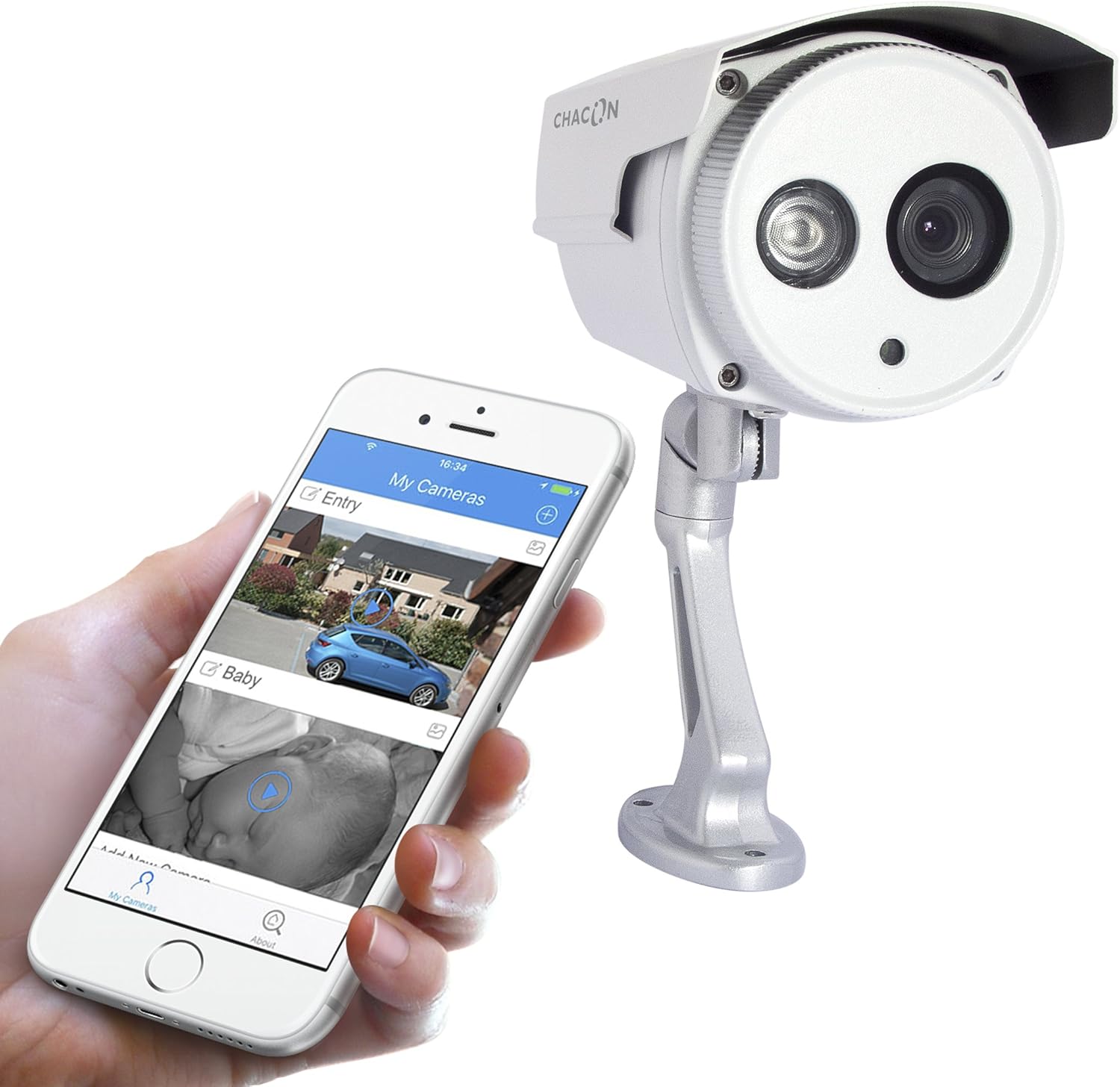
Figura 5: The Chacon 34548 camera shown alongside a smartphone running the Chacon application, demonstrating remote viewkapaċitajiet.
4. Konnessjoni tan-Netwerk (Wi-Fi)
- Open the Chacon app and create an account or log in.
- Follow the in-app instructions to add a new device. This typically involves scanning a QR code on the camera (refer to Figure 4) or manually entering the device ID.
- Select your Wi-Fi network and enter the password. Ensure your camera is within range of your Wi-Fi router.
- Wait for the camera to connect to the network. The app will indicate successful connection.
Istruzzjonijiet Operattivi
1. Viewing Live Feed
Once connected, open the Chacon app and select your camera from the device list to view the live video feed. You can monitor your property in real-time.
2. Viżjoni bil-lejl
The camera is equipped with automatic night vision, providing clear images up to 20 meters in low-light conditions. This feature activates automatically when ambient light levels are insufficient.
3. Remote Access and Control
The Chacon app allows you to access your camera feed from anywhere with an internet connection. You can also adjust settings, such as video resolution (720p), and monitor the horizontal viewing angle of 70 degrees and diagonal viewangolu ta' 75 grad.
4. Reġistrazzjoni u Daqq
Refer to the Chacon app's specific features for information on motion detection recording, cloud storage options, or local storage (if a microSD card slot is present, which is not explicitly mentioned in specifications but common). Instructions for playback of recorded footage will be available within the app.
Manutenzjoni
- Tindif: Imsaħ bil-mod il-lenti u l-kaxxa tal-kamera b'ċarruta ratba u damp drapp. Tużax kimiċi ħarxa jew tindif li joborxu.
- Aġġornamenti tal-Firmware: Periodically check the Chacon app for available firmware updates. Keeping your camera's firmware updated ensures optimal performance and security.
- Spezzjoni tal-Cable: Regularly inspect power and network cables for any signs of wear or damage, especially in outdoor installations.
Issolvi l-problemi
| Problema | Kawża Possibbli | Soluzzjoni |
|---|---|---|
| Il-kamera ma tixgħelx | Bla enerġija, adapter difettuż, konnessjoni maħlula | Check power outlet, ensure adapter is securely connected, try a different outlet. |
| Ma tistax tikkonnettja mal-Wi-Fi | Incorrect Wi-Fi password, camera out of range, network interference | Verify Wi-Fi password, move camera closer to router, restart router, check for 2.4GHz network compatibility. |
| L-ebda feed tal-vidjow dirett | Network issue, camera offline, app malfunction | Check internet connection, restart camera, restart Chacon app, ensure camera is connected to Wi-Fi. |
| Kwalità ta 'immaġni fqira | Lenti maħmuġa, dawl baxx, bandwidth tan-netwerk | Clean the camera lens, ensure adequate lighting or check night vision activation, check network speed. |
Speċifikazzjonijiet
| Karatteristika | Dettall |
|---|---|
| Numru tal-Mudell | 34548 |
| Brand | Chacon |
| Teknoloġija tal-Konnettività | Wireless (Wi-Fi) |
| Riżoluzzjoni ta' Reġistrazzjoni tal-Vidjo | 720p |
| Riżoluzzjoni tal-Vidjo Effettiva | 720 Pixel |
| Karatteristiċi Speċjali | Viżjoni bil-lejl |
| Medda tal-Viżjoni Lejl | 20-il metru |
| ViewAngolu (Orizzontali) | 70 Grad |
| ViewAngolu (Dijagonali) | 75 Grad |
| Livell ta 'Reżistenza għall-Ilma | Water-repellent (IP66 rating implied by "voor buiten" and common for outdoor cameras) |
| Apparati Kompatibbli | Smartphone (iOS, Android) |
| Sors tal-Enerġija | Kejbil elettriku |
| Tip ta 'Immuntar | Mount Wall |
| Kulur | Abjad |
| Materjal | PVC |
| Komponenti Inklużi | Wi-Fi IP Camera for outdoor use |
Informazzjoni dwar Garanzija
For detailed warranty information, please refer to the warranty card included with your product packaging or consult your purchase documentation. Warranty terms and conditions may vary by region and retailer.
Appoġġ għall-Klijent
If you encounter any issues or have questions not covered in this manual, please contact Chacon customer support. Visit the official Chacon websit għal dettalji ta' kuntatt, FAQs, u riżorsi addizzjonali.


