Introduzzjoni
Thank you for choosing the Monster ROC Sport Wireless Over-Ear Headphones. This manual provides essential information for setting up, operating, maintaining, and troubleshooting your headphones to ensure optimal performance and longevity.
Kontenut tal-Pakkett
Qabel ma tibda, jekk jogħġbok ivverifika li l-oġġetti kollha huma preżenti fil-pakkett tiegħek:
- Monster ROC Sport Wireless Over-Ear Headphones
- Cable Awdjo
- Ear Cushions (pre-installed or spare)
- USB Charging Cable (not explicitly listed but implied by 'Lithium Ion batteries required')
- Gwida ta' Bidu Mgħaġġel (jekk inkluża)
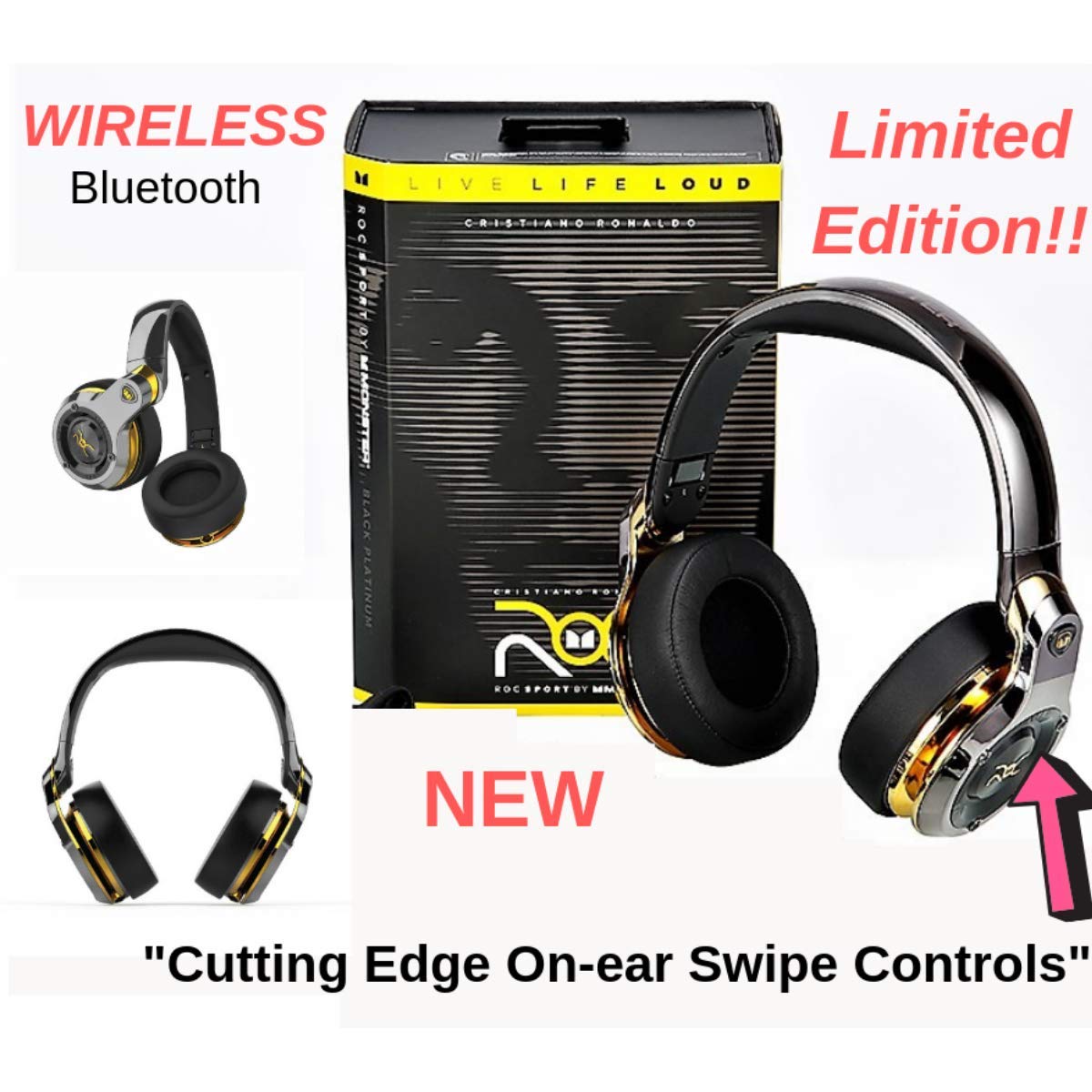
Image: Monster ROC Sport Wireless Over-Ear Headphones shown with its retail packaging, highlighting the product and its box.
Setup
1. Iċċarġjar tal-Headphones
Your headphones contain a rechargeable Lithium Ion battery. Before first use, fully charge the headphones.
- Sib il-port tal-iċċarġjar fuq il-headphones.
- Connect the provided USB charging cable to the headphones and to a standard USB power source (e.g., computer USB port, USB wall adapter).
- The LED indicator on the headphones will show the charging status. Refer to the quick start guide for specific LED behavior.
- Ladarba tkun iċċarġjata kompletament, skonnettja l-kejbil tal-iċċarġjar.
2. Tixgħil / Mitfi
- To power on: Press and hold the Power button until the LED indicator illuminates.
- Biex titfi: Agħfas u żomm il-buttuna tal-Enerġija sakemm l-indikatur LED jintefa.
3. Tqabbil tal-Bluetooth
Biex tqabbad il-headphones tiegħek mingħajr fili ma' apparat:
- Kun żgur li l-headphones huma ċċarġjati u mitfija.
- Press and hold the Power button for approximately 5-7 seconds until the LED indicator flashes rapidly (usually blue and red), indicating pairing mode.
- On your audio device (smartphone, tablet, laptop), enable Bluetooth and search for new devices.
- Select "ROC Sport by Monster" or a similar name from the list of available devices.
- Once paired, the LED indicator on the headphones will change to a steady blue or flash slowly, confirming the connection.

Immaġni: Faċċata dettaljata view of the Monster ROC Sport Wireless Over-Ear Headphones, showcasinil-earcups u l-headband.
4. Konnessjoni bil-fili
For a wired audio experience or when the battery is depleted, use the included audio cable:
- Plug one end of the audio cable into the 3.5mm jack on the headphones.
- Ipplaggja t-tarf l-ieħor fl-output tal-awdjo ta' 3.5mm tat-tagħmir tiegħek.
- The headphones will operate in passive mode, requiring no battery power.
Istruzzjonijiet Operattivi
Liebes il-headphones
Adjust the headband to ensure a comfortable and secure fit. The earcups are designed to sit over your ears for optimal sound isolation and comfort.

Image: A person wearing the Monster ROC Sport Wireless Over-Ear Headphones, demonstrating how they fit over the ears.
Kontrolli
The headphones feature touch controls for various functions. Specific control gestures may vary; refer to the quick start guide for detailed instructions. Common functions include:
- Play/Pawsa: Single tap on the earcup.
- Volum 'il fuq/Niżżel: Swipe up/down on the earcup.
- Track Li jmiss / Preċedenti: Swipe forward/backward on the earcup.
- Tweġiba/Tmiem Sejħa: Tektek waħda waqt telefonata li tkun dieħla.
- Irrifjuta Sejħa: Agħfas u żomm waqt telefonata li tkun dieħla.
- Attiva l-Assistent tal-Vuċi: Double tap or press and hold (refer to specific model instructions).
Iżolament tal-Ħoss
The over-ear design provides passive sound isolation, reducing external noise for an immersive listening experience.
Manutenzjoni u Kura
Tindif
- Use a soft, dry cloth to clean the surfaces of the headphones.
- Do not use liquid cleaners or aerosols directly on the headphones.
- Gently wipe ear cushions with a slightly damp drapp jekk meħtieġ, imbagħad nixxef sew.
Ħażna
When not in use, store your headphones in a cool, dry place. The headphones are foldable for compact storage.

Image: The Monster ROC Sport Wireless Over-Ear Headphones shown in a folded position, illustrating their portability and ease of storage.
Reżistenza għall-Ilma
Dawn il-headphones huma mhux reżistenti għall-ilma. Avoid exposure to liquids, moisture, or extreme humidity to prevent damage.
Issolvi l-problemi
| Problema | Soluzzjoni Possibbli |
|---|---|
| Il-headphones ma jixegħlux. | Ensure the headphones are fully charged. Connect to a power source and allow sufficient charging time. |
| Ma tistax tqabbad permezz tal-Bluetooth. | Ensure headphones are in pairing mode (flashing LED). Turn off and on your device's Bluetooth. Move headphones closer to the device. Clear previous Bluetooth connections on your device. |
| L-ebda ħoss jew volum baxx. | Check volume levels on both headphones and the connected device. Ensure the headphones are properly paired or the audio cable is fully inserted. Test with a different audio source. |
| Il-kwalità tal-ħoss hija fqira. | Ensure there are no obstructions between the headphones and the Bluetooth device. Move away from sources of interference (e.g., Wi-Fi routers, other Bluetooth devices). |
| Il-kontrolli ma jirrispondux. | Ensure the headphones are powered on and connected. Try restarting the headphones and the connected device. |
Speċifikazzjonijiet
| Karatteristika | Dettall |
|---|---|
| Isem tal-Mudell | MH ROC OE BPL BT WW |
| Teknoloġija tal-Konnettività | Mingħajr fili (Bluetooth), Bil-fili (Jack ta' 3.5mm) |
| Teknoloġija tal-Komunikazzjoni mingħajr Fili | Bluetooth |
| Komponenti Inklużi | Audio Cable, Ear Cushions |
| Materjal | Plastik |
| Apparati Kompatibbli | Smartphones, Tablets, Laptops, Desktops, Kelliema Intelliġenti |
| Karatteristika tal-Cable | Tħabbil Ħieles |
| Piż tal-oġġett | 350 Gramm |
| Livell ta 'Reżistenza għall-Ilma | Mhux Reżistenti għall-Ilma |
| Metodu ta' Kontroll | Mess |
| Tip ta' Sewwieq Awdjo | Sewwieq Dinamika |
| Forma tal-widna | Fuq il-widna |
| Sors tal-Enerġija | 1 Lithium Ion battery (rechargeable) |
| Dimensjonijiet tal-Prodott | 11.43 x 17.46 x 25.4 ċm |
| Kulur | Black (with Platinum accents) |
| Kontroll tal-Ħoss | Iżolament tal-Ħoss |
Garanzija u Appoġġ
For warranty information, technical support, or service inquiries, please refer to the warranty card included with your product or visit the official Monster websit. Żomm il-prova tax-xiri tiegħek għal talbiet ta' garanzija.
Manifattur: Monster Power, LLC
UPC: 050644749629


