1. Introduzzjoni
This manual provides comprehensive instructions for the safe and efficient operation of your DBPOWER RD-805 Portable Multimedia Mini LED Projector. Please read this manual thoroughly before using the projector and retain it for future reference. This projector is designed for versatile multimedia applications, offering a compact solution for home entertainment, presentations, and more.
2. Informazzjoni dwar is-Sigurtà
- Tħarisx direttament fil-lenti tal-proġettazzjoni meta tkun qed taħdem.amp mixgħul. Id-dawl intens jista’ jikkawża ħsara lill-għajnejn.
- Kun żgur li jkun hemm ventilazzjoni xierqa. Timblokkax il-fetħiet tal-ventilazzjoni. Tisħin żejjed jista' jagħmel ħsara lill-proġettur.
- Use only the power adapter supplied with the projector. Using an incorrect adapter may cause malfunction or fire.
- Żomm il-proġettazzjoni 'l bogħod mill-ilma jew likwidi oħra. Tħaddimhiex f'ambjenti umdi.
- Evita li tpoġġi l-proġekter fuq uċuħ instabbli.
- Skonnettja l-korda tal-enerġija waqt maltempati bis-sajjetti jew meta ma tużax għal perjodi twal.
- Tippruvax issewwi l-proġettur int stess. Irreferi għal kull manutenzjoni f'idejn persunal kwalifikat.
3. Kontenut tal-Pakkett
Iċċekkja li l-oġġetti kollha elenkati hawn taħt huma inklużi fil-pakkett tiegħek. Jekk xi oġġetti huma neqsin jew bil-ħsara, jekk jogħġbok ikkuntattja lill-bejjiegħ tiegħek.
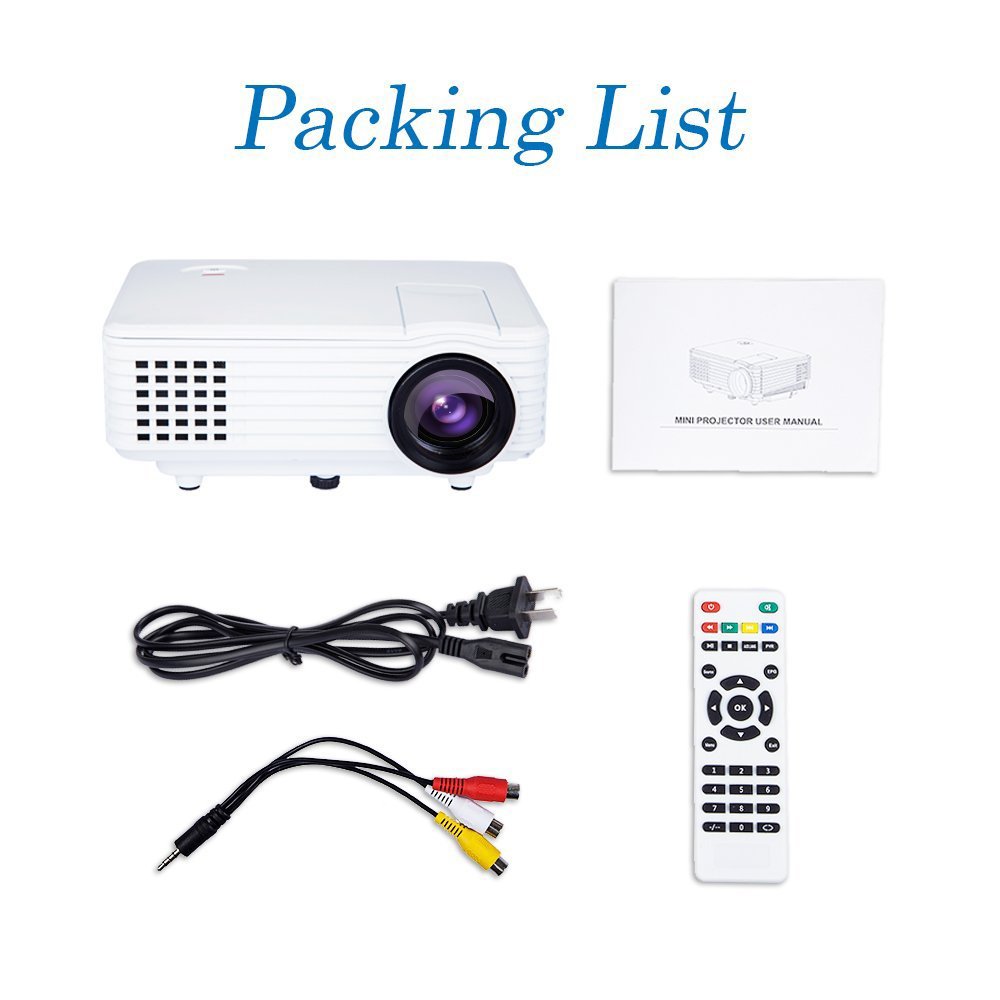
Image: Contents of the DBPOWER RD-805 projector package, showing the projector unit, power cable, AV cable, remote control, and user manual.
- DBPOWER RD-805 Mini LED Projector
- Kejbil tal-Enerġija
- Kontroll mill-bogħod
- AV Cable
- Manwal għall-Utent
4. Prodott Aktarview
Familiarize yourself with the various parts of your projector.

Image: The DBPOWER RD-805 projector held in a hand, illustrating its portable and compact design.
4.1 Quddiem u Fuq View
- Lenti tal-Projezzjoni: Joħroġ l-immaġni.
- Ċirku tal-Fokus: Aġġusta ċ-ċarezza tal-immaġni.
- Dial tal-Korrezzjoni tal-Keystone: Corrects trapezoidal image distortion.
- Panel tal-Kontroll: Buttons for menu navigation and basic functions.
4.2 Il-Pannell ta' Wara u l-Konnessjonijiet

Immaġni: Dettaljata view of the rear panel of the DBPOWER RD-805 projector, highlighting the power button, on/off switch, USB port, HDMI port, AV input, VGA input, and audio output jack.
- Buttuna tal-Qawwa: Ixgħel/itfi l-proġekter.
- On/Off Button (Main Switch): Master power switch.
- Port USB: Qabbad id-drajvs tal-USB għad-daqq tal-midja.
- Port HDMI: Connect devices via HDMI cable (e.g., laptops, gaming consoles).
- AV IN Port: Connect devices using the AV cable (e.g., DVD players).
- Port VGA: Connect computers via VGA cable.
- Audio Output (Earphone) Jack: Qabbad kelliema jew headphones esterni.
- Mikro USB: (Not explicitly labeled in image, but mentioned in features) For specific connectivity.
5. Setup
5.1 Tqegħid
Place the projector on a stable, flat surface. Ensure there is adequate space around the projector for ventilation. The projection distance will determine the image size (20-80 inches recommended).

Image: The DBPOWER RD-805 projector set up on a tripod next to a laptop, demonstrating a typical usage scenario for presentations or media viewing.
5.2 Konnessjoni tal-Enerġija
- Qabbad il-kejbil tal-enerġija mad-dħul tal-enerġija tal-proġettazzjoni.
- Ipplaggja t-tarf l-ieħor tal-kejbil tal-enerġija f'sokit tal-ħajt.
- Flip the main On/Off switch on the rear panel to the 'On' position.
5.3 Apparat li jgħaqqad
Il-proġettazzjoni tappoġġja diversi sorsi ta' input:

Image: A circular diagram illustrating the wide range of devices compatible with the DBPOWER RD-805 projector, including laptops, desktops, gaming consoles (PS4, Xbox 360, Wii), mobile phones, tablets, DVD players, and MP4/MP5 players.
- HDMI: Connect laptops, gaming consoles (PS4, Xbox 360), Blu-ray players.
- VGA: Qabbad kompjuters tad-desktop jew laptops eqdem.
- TA’: Connect DVD players, set-top boxes using the included AV cable.
- USB: Insert USB flash drives for direct playback of photos, videos, and music.
- Mikro USB: For specific device connections (refer to device manual for compatibility).
- Out tal-Awdjo: Qabbad kelliema esterni jew headphones għal awdjo mtejjeb.
6. It-Tħaddim tal-Proġettur
6.1 Tixgħel/Jitfi
- Ensure the main On/Off switch on the rear is in the 'On' position.
- Press the Power button on the projector or remote control to turn on the unit.
- To power off, press the Power button again. The indicator light will change.
6.2 Aġġustament tal-Immaġni
- Fokus: Dawwar iċ-ċirku tal-fokus ħdejn il-lenti sakemm l-immaġni pproġettata tkun ċara u qawwija.
- Korrezzjoni Keystone: Use the keystone correction dial to adjust the image if it appears trapezoidal (wider at the top or bottom). The projector supports up to 15 degrees of keystone correction.
6.3 Għażla tas-Sors tal-Input
Use the 'Source' button on the remote or projector control panel to cycle through available input sources (HDMI, VGA, AV, USB).
6.4 Daqq tal-Multimedia
When a USB drive is connected, navigate the on-screen menu to select the desired media type (Photo, Music, Movie, Text) and browse files. The projector supports MP3/WMA/OGG/AAC/FLAC/APE/WAV audio and JPEG/BMP/PNG image formats.
6.5 Applikazzjonijiet
The DBPOWER RD-805 is suitable for a variety of uses:

Image: A collage depicting various applications of the DBPOWER RD-805 projector, including outdoor movie nights, classroom teaching, business meetings, and gaming sessions.

Immaġni: Erba' eksamples of home theater environments utilizing the DBPOWER RD-805 projector for immersive viewesperjenzi.
- Divertiment fid-dar: Enjoy movies, TV shows, and sports on a large screen.
- Logħob: Qabbad il-console tal-logħob tiegħek għal esperjenza ta' logħob immersiva.
- Preżentazzjonijiet: Ideal for small business meetings or educational purposes.
- Ritratt Viewing: Share your photos with friends and family on a big display.
7. Manutenzjoni
7.1 Tindif tal-Lenti
Uża drapp artab u mingħajr suf iddisinjat speċifikament għal lentijiet ottiċi. Tużax prodotti tat-tindif jew drappijiet li jobrox li jistgħu jigrif il-lenti.
7.2 Tindif tal-Korp tal-Proġettur
Imsaħ il-barra tal-proġettazzjoni b'ċarruta ratba u niexfa. Għal marki persistenti, neħħi ftit ċarruta.amp Jista' jintuża drapp, segwit minn wieħed niexef.
7.3 Ventilazzjoni
Regularly check and clean the ventilation grilles to prevent dust buildup, which can impede airflow and cause overheating.
7.4 Lamp Ħajja
L-LED lamp in your projector has a long lifespan, rated for approximately 50,000 hours, significantly reducing the need for lamp sostituzzjoni.
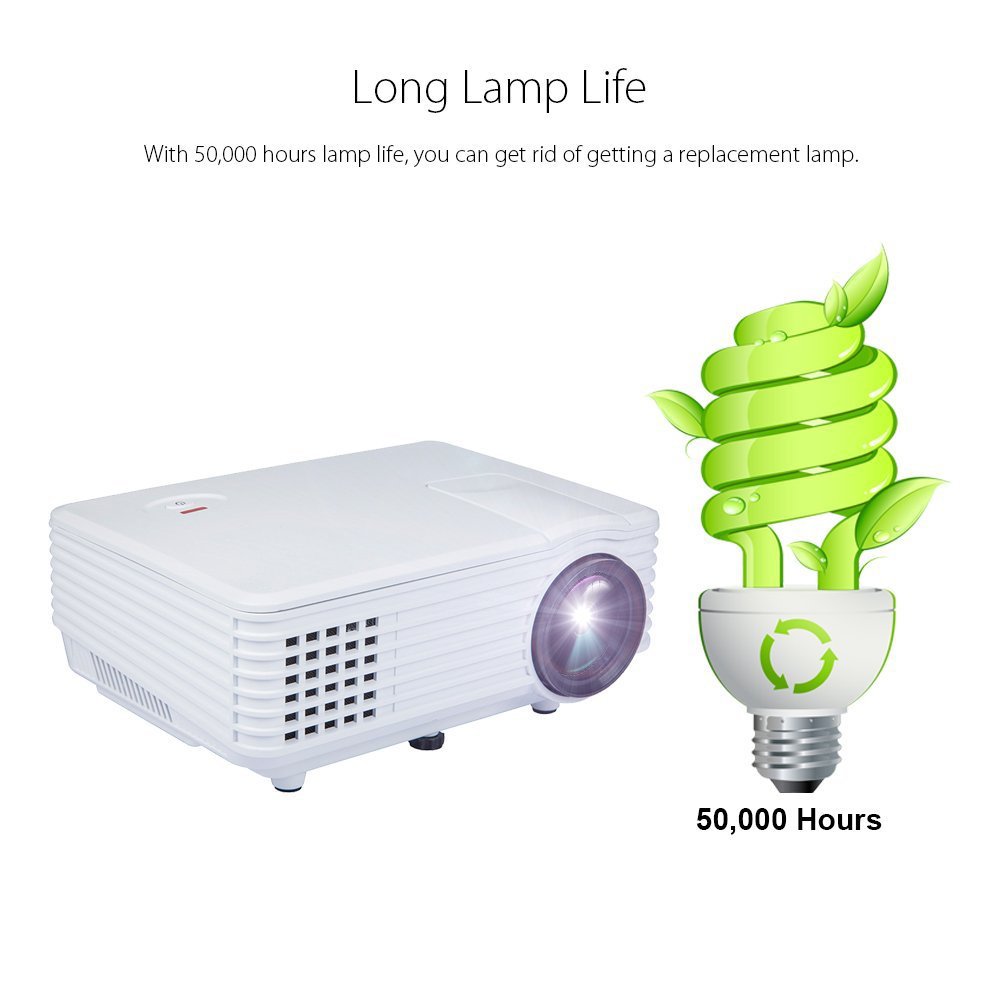
Image: An illustration highlighting the long lamp life of the DBPOWER RD-805 projector, indicating an estimated lifespan of 50,000 hours for its LED light source.
8 Issolvi l-problemi
| Problema | Kawża Possibbli | Soluzzjoni |
|---|---|---|
| L-ebda immaġni pproġettata | Qawwa mhux konnessa; Sors tad-dħul mhux korrett; Għatu tal-lenti mwaħħal. | Iċċekkja l-konnessjoni tal-enerġija; Agħżel is-sors tad-dħul korrett; Neħħi l-għatu tal-lenti. |
| L-immaġni hija mċajpra | Il-fokus mhux aġġustat; Il-proġettazzjoni hija qrib/bogħod wisq mill-iskrin. | Adjust focus ring; Adjust projection distance (20-80 inches). |
| L-immaġni hija trapezojdali | Il-ġebla tax-xewka mhux aġġustata. | Aġġusta l-arloġġ tal-korrezzjoni tat-trapezoidali. |
| L-ebda ħoss | Volume too low; External speakers not connected; Audio format not supported. | Increase volume; Connect external speakers to audio out; Check audio format compatibility. |
| Il-kontroll mill-bogħod ma jaħdimx | Batteries dead; Obstruction between remote and projector. | Ibdel il-batteriji; Kun żgur li l-linja tal-vista mar-riċevitur tal-IR hija ċara. |
9. Speċifikazzjonijiet

Image: The DBPOWER RD-805 projector with its physical dimensions (21cm length, 14.5cm width, 8cm height) and weight (1250g) indicated, alongside a "1 Year Warranty" badge.
| Brand | DBPOWER |
| Isem tal-Mudell | RD-805 |
| Numru tal-Mudell tal-Oġġett | FP8048H1W-IV6 |
| Teknoloġija tal-Wiri | LCD |
| Tip ta 'Wiri | LED |
| Daqs tal-Projezzjoni | 20-80 pulzier (rakkomandat) |
| Max Screen Display Size | 120 pulzieri / 305 ċm |
| Korrezzjoni Keystone | Manual, 15 degrees |
| Lamp Ħajja | Sa 50,000 sigħat |
| Interfaces tal-Input | USB, VGA, HDMI, AV, Micro USB |
| Output Interface | Earphone (3.5mm Audio Jack) |
| Formati Awdjo Appoġġjati | MP3 / WMA / OGG / AAC / FLAC / APE / WAV |
| Formati ta 'Immaġni Appoġġjati | JPEG/BMP/PNG (with zoom, 360 degree rotate) |
| Konsum tal-Enerġija | 20 Watts |
| Sors tal-Enerġija | AC |
| Dimensjonijiet tal-Prodott (LxWxH) | 21.08 x 14.48 x 7.87 ċm |
| Piż tal-oġġett | 907.18 g |
10. Garanzija u Appoġġ
Your DBPOWER RD-805 Projector comes with a 1-Sena Garanzija mid-data tax-xiri. Din il-garanzija tkopri difetti fil-manifattura u xogħol taħt użu normali.
For technical support, warranty claims, or any inquiries, please contact DBPOWER customer service through the contact information provided on their official website or your purchase platform. Please have your model number (RD-805) and purchase details ready when contacting support.


