1. Introduzzjoni
This manual provides essential information for setting up, operating, and maintaining your Acer R240HY bidx 23.8-inch Full HD IPS monitor. Please read this manual thoroughly before using your new monitor to ensure proper functionality and safety.
2. Informazzjoni dwar is-Sigurtà
- Always place the monitor on a stable, flat surface.
- Twaqqafx il-fetħiet tal-ventilazzjoni.
- Use only the power adapter and cables provided by Acer.
- Keep the monitor away from water, moisture, and extreme temperatures.
- Aqla 'l-monitor mill-iżbokk tad-dawl qabel it-tindif.
- Irreferi l-manutenzjoni kollha lil persunal tas-servizz kwalifikat.
3. Kontenut tal-Pakkett
Ivverifika li l-oġġetti kollha huma preżenti fil-pakkett tiegħek:
- Acer R240HY bidx 23.8-inch Monitor
- Stand tal-Monitor (Bażi u Għonq)
- Adapter tal-Enerġija u Korda tal-Enerġija
- Cable HDMI
- Cable DVI
- Kejbil VGA
- Manwal għall-Utent (dan id-dokument)
4. Setup
4.1 L-Immuntar tal-Istand tal-Monitor
- Oħroġ il-monitor u l-komponenti tal-istand mill-imballaġġ bir-reqqa.
- Waħħal l-għonq tal-istand mal-pannell tal-monitor billi tallinja t-tabs u timbotta sakemm tikklikkja f'postu.
- Waħħal il-bażi tal-istand mal-għonq tal-istand. Waħħalha bil-kamin captive li jinsab fuq in-naħa ta’ taħt tal-bażi.
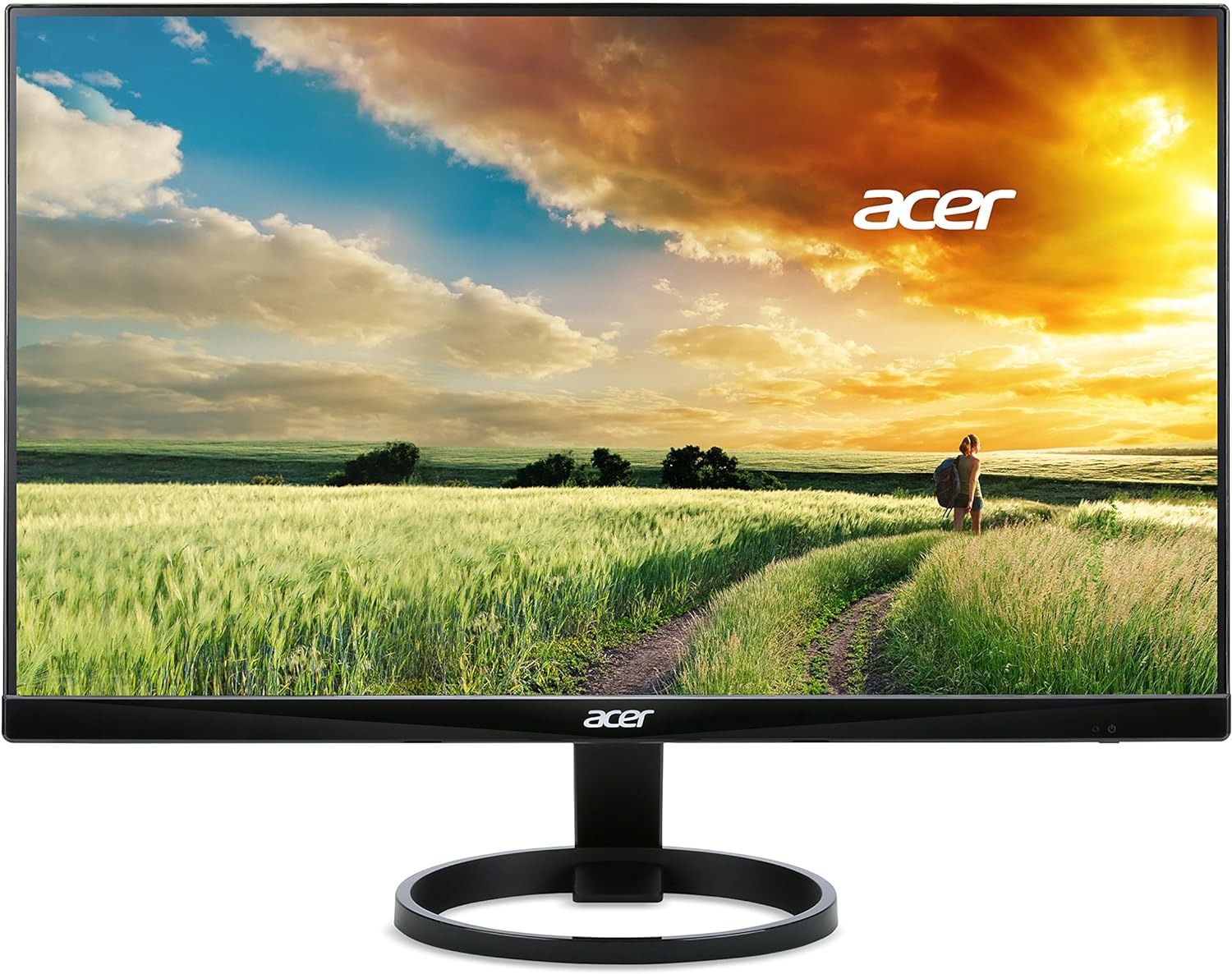
Figura 1: Quddiem view of the Acer R240HY bidx monitor, showcasing its zero-frame design and circular stand base.

Figura 2: Angolat view of the monitor highlights its slim profile and the elegant circular stand.
4.2 Konnessjoni tal-Monitor
- Ensure your computer and monitor are powered off.
- Connect one end of the appropriate video cable (HDMI, DVI, or VGA) to the corresponding port on your computer's graphics card.
- Connect the other end of the video cable to the matching input port on the back of your Acer R240HY bidx monitor.
- Qabbad l-adapter tal-enerġija mad-dħul tal-enerġija tal-monitor, imbagħad daħħal il-korda tal-enerġija f'sokit tal-ħajt.

Figura 3: The back of the monitor is shown, detailing the available input ports: HDMI, DVI, and VGA, along with the power input.
4.3 Tixgħel Inizjali
- Ixgħel il-kompjuter tiegħek.
- Press the power button on the monitor (located on the bottom right bezel) to turn it on.
- The monitor should automatically detect the active input signal. If not, use the OSD menu to manually select the input source.
Vidjo 1: Official product video demonstrating the features and connectivity options of the Acer R240HY bidx 23.8-inch monitor, including its IPS display, HDMI, DVI, and VGA ports.
5. It-tħaddim tal-Monitor
5.1 Menù tal-Wiri fuq l-Iskrin (OSD)
The OSD menu allows you to adjust various monitor settings. The control buttons are located on the bottom right bezel of the monitor.
- Buttuna tal-Qawwa: Ixgħel jew jitfi l-monitor.
- Buttuna tal-menu: Accesses the main OSD menu.
- Buttuni tan-Navigazzjoni: Użat biex tinnaviga fl-għażliet tal-menù u taġġusta l-valuri.
- Buttuna Agħżel l-Input: Quickly switches between available input sources (HDMI, DVI, VGA).
5.2 Aġġustament tas-Settings tad-Displej
Within the OSD menu, you can modify settings such as:
- Luminożità/Kuntrast: Adjust the overall luminance and contrast levels.
- Settings tal-Kulur: Irfina t-temperatura tal-kulur, il-gamma, u s-saturazzjoni.
- Sors tad-dħul: Manually select the video input (HDMI, DVI, VGA).
- Settings tal-Immaġni: Adjust sharpness, aspect ratio, and other image properties.
- Settings OSD: Customize OSD language, timeout, and transparency.
6. Karatteristiċi ewlenin
- Wiri IPS Full HD ta' 23.8 pulzieri: Enjoy vibrant colors and consistent image quality from wide viewing angles with 1920 x 1080 resolution.
- Disinn tal-qafas żero: Maximizes screen visibility from edge to edge, ideal for multi-monitor setups.
- Ħin ta' Rispons Mgħaġġel: A 4ms response time ensures smooth transitions and reduced ghosting for fast-paced content.
- Wiesgħa ViewIng Angolu: 178° orizzontali u vertikali viewing angles provide clear visuals from almost any perspective.
- Għażliet ta' Konnettività Multipli: Includes 1 x HDMI, 1 x DVI (with HDCP 1.4), and 1 x VGA inputs for broad compatibility.
- Dawl Blu Baxx: Inaqqas l-emissjoni tad-dawl blu biex jimminimizza l-istress fuq l-għajnejn waqt użu fit-tul.
7. Manutenzjoni
7.1 Tindif tal-Monitor
To clean your monitor:
- Dejjem aqla’ l-monitor mill-plagg tal-elettriku qabel ma tnaddaf.
- Uża drapp ratba u mingħajr ħelu ftit dampMaħsul bl-ilma jew b'tindif tal-iskrin ħafif u mhux abrażiv.
- Tisprejjax it-tindif direttament fuq l-iskrin.
- Evita li tuża kimiċi ħarxa, prodotti tat-tindif li joborxu, jew solventi.
7.2 Kura Ġenerali
- Evita li tpoġġi oġġetti tqal fuq il-monitor jew il-kejbils tiegħu.
- Do not expose the monitor to direct sunlight or heat sources.
- Aċċerta ruħek li jkun hemm ventilazzjoni adegwata madwar il-monitor.
8 Issolvi l-problemi
8.1 No Picture Visible
- Ensure the monitor is powered on and the power indicator light is active.
- Check that the video cable is securely connected to both the monitor and the computer.
- Verify that the correct input source is selected via the OSD menu.
- If the screen is too dark, adjust brightness and contrast settings in the OSD menu or reset them to default.
- Test the monitor with another computer or video source if possible.
8.2 Kwistjonijiet tal-Kwalità tal-Immaġni
- Adjust brightness, contrast, and color settings in the OSD menu.
- Ensure the display resolution on your computer matches the monitor's native resolution (1920 x 1080).
- Check for any physical damage to the video cable or ports.
8.3 Monitor Not Responding to Controls
- Unplug the monitor's power cord, wait for 30 seconds, then plug it back in and try again.
- Ensure no buttons are stuck or obstructed.
9. Speċifikazzjonijiet
| Karatteristika | Speċifikazzjoni |
|---|---|
| Daqs tal-wiri tal-iskrin wieqaf | 23.8 Pulzier |
| Riżoluzzjoni tal-Iskrin | 1920x1080 (Full HD) |
| Riżoluzzjoni Massima tal-Iskrin | 1920 x 1080 Pixels |
| Brand | Acer |
| Serje | R240HY bidx |
| Numru tal-mudell tal-oġġett | R240HY bidx |
| Piż tal-oġġett | 6.4 liri |
| Dimensjonijiet tal-Prodott | 21.3 x 7.3 x 16 pulzieri |
| Kulur | Iswed |
| Manifattur | Acer |
| Daqs tal-Iskrin | 23.8 Pulzier |
| Riżoluzzjoni | FHD 1080p |
| Proporzjon ta' l-aspett | 16:9 |
| Deskrizzjoni tal-wiċċ tal-iskrin | Matte |
10. Garanzija u Appoġġ
Your Acer R240HY bidx monitor comes with a standard manufacturer's warranty. For specific warranty terms and conditions, please refer to the warranty card included in your product packaging or visit the official Acer support websit.
For technical support, troubleshooting assistance, or to inquire about service, please contact Acer Customer Service through their official channels. Have your monitor's model number and serial number ready when contacting support.


