Introduzzjoni
This manual provides essential information for the safe and efficient operation of your Truper 1500 W Power Inverter, Model INCO-1500. Please read all instructions carefully before use and retain this manual for future reference.
Istruzzjonijiet tas-Sigurtà
TWISSIJA: Failure to follow these safety instructions may result in electric shock, fire, and/or serious injury.
- Tiftaħx l-inverter casing. Ġewwa m'hemm l-ebda partijiet li jistgħu jiġu sservisjati mill-utent.
- Żomm l-inverter 'il bogħod mill-ilma, l-umdità, u materjali fjammabbli.
- Kun żgur li jkun hemm ventilazzjoni adegwata madwar l-inverter biex tevita li jisħon iżżejjed.
- Qabbad l-inverter biss ma' sors ta' enerġija ta' 12V DC.
- Do not exceed the inverter's rated power output of 1500W.
- Always connect the inverter to the battery terminals correctly: positive to positive, negative to negative.
- Skonnettja l-inverter mis-sors tal-enerġija meta ma jkunx qed jintuża.
- Żomm lit-tfal 'il bogħod mill-inverter.
Prodott Overview
Familiarize yourself with the components of your Truper 1500 W Power Inverter.
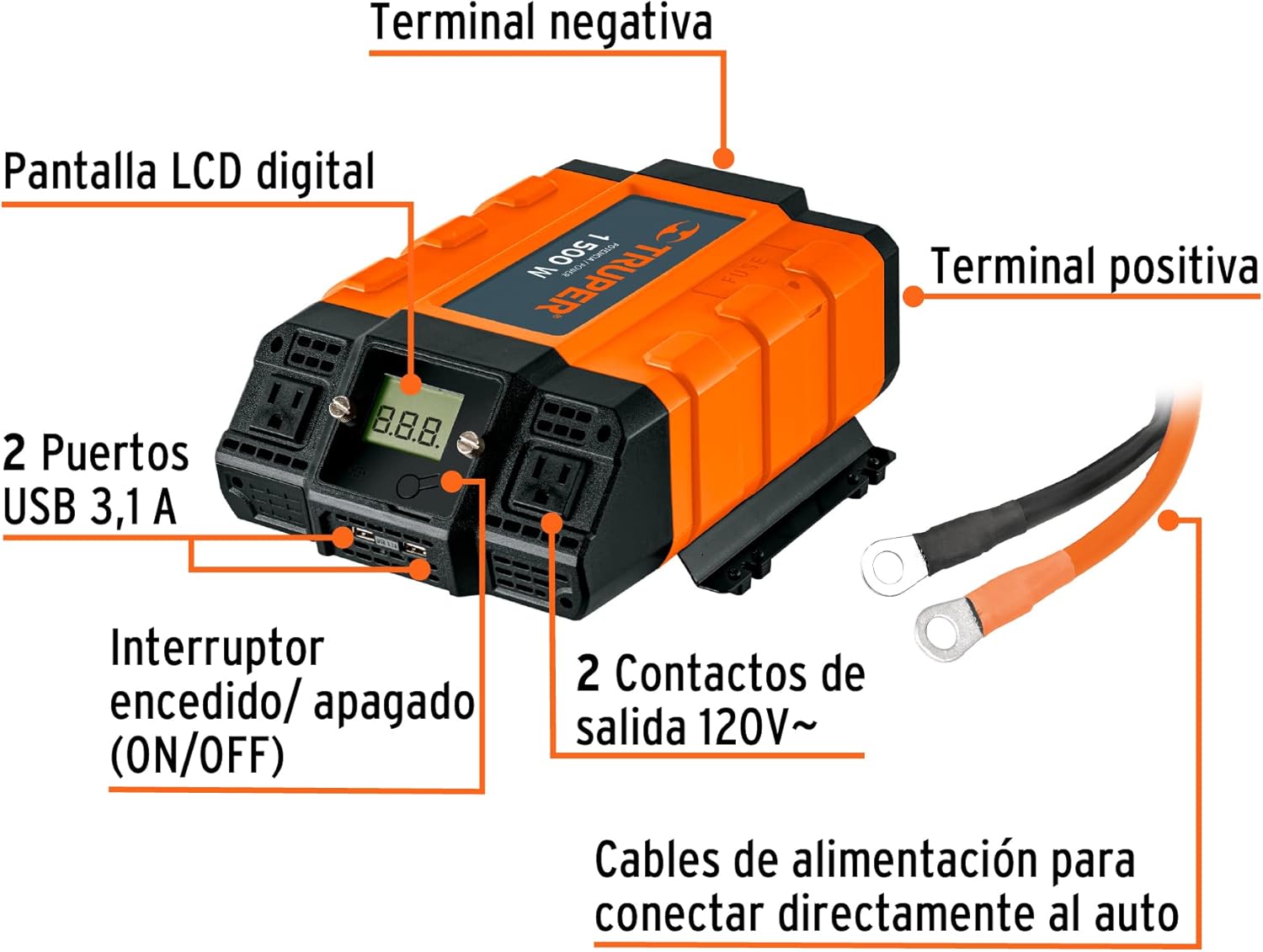
Stampa 1: Quddiem view of the Truper 1500 W Power Inverter showing its main components. These include the Digital LCD Display, ON/OFF Switch, two USB 3.1A Ports, two 120V~ AC Outlets, Positive Terminal, and Negative Terminal. Power cables for direct car connection are also shown.
- Display LCD diġitali: Shows output voltage, input voltage, u kodiċijiet ta' żball.
- Swiċċ mixgħul / mitfi: Controls the power to the inverter.
- USB 3.1A Ports: Għall-iċċarġjar ta' apparati li jaħdmu bil-USB.
- 120V~ AC Outlets: Standard household outlets for AC appliances.
- Positive Terminal: Terminal aħmar għall-konnessjoni pożittiva tal-batterija.
- Negative Terminal: Terminal iswed għall-konnessjoni negattiva tal-batterija.
- Kejbils tal-Enerġija: Heavy-duty cables for connecting the inverter directly to a 12V car battery.
Setup
Follow these steps to properly set up your power inverter:
- Ensure the inverter's ON/OFF switch is in the "OFF" position.
- Connect the red (positive) power cable to the inverter's positive terminal and then to the positive terminal of your 12V battery.
- Connect the black (negative) power cable to the inverter's negative terminal and then to the negative terminal of your 12V battery.
- Kun żgur li l-konnessjonijiet kollha huma siguri u stretti.
- Place the inverter in a well-ventilated area, away from direct sunlight, heat, or moisture.

Stampa 2: Connection diagram illustrating how to connect the power inverter to a 12V battery and then to a device (e.g., a portable tool). The diagram shows the machine/device connected to the inverter, and the inverter connected to the battery.
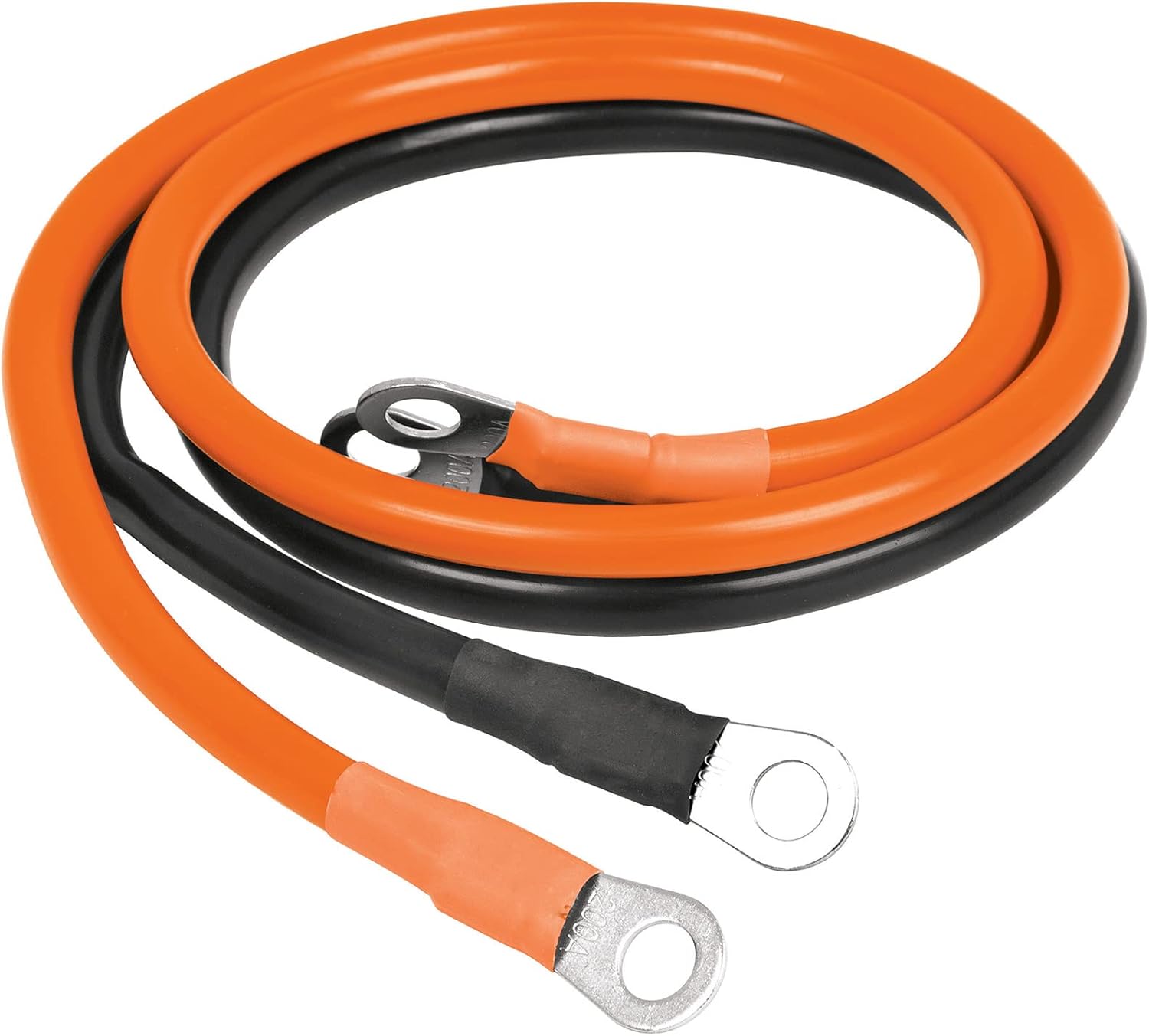
Stampa 3: A close-up view of the orange and black power cables, which are 85 cm long, used for connecting the inverter to a battery. These cables feature ring terminals for secure attachment.
Istruzzjonijiet Operattivi
Once the inverter is properly set up:
- Turn the inverter's ON/OFF switch to the "ON" position. The LCD display will illuminate, showing the input voltage u output voltage.
- Plug your AC appliance into one of the 120V~ AC outlets or your USB device into a USB port.
- Ensure the total power consumption of all connected devices does not exceed 1500W.
- When finished, turn the inverter's ON/OFF switch to the "OFF" position and disconnect your devices.
The Truper 1500 W Power Inverter is suitable for powering various electronic devices and portable tools:

Stampa 4: Eż. viżwaliamples of common applications for the power inverter, including charging cell phones and tablets, powering video game consoles, operating portable tools, running other electronic equipment, and charging laptops.
Manutenzjoni
- Żomm l-inverter nadif u ħieles mit-trab u l-fdalijiet. Uża drapp niexef għat-tindif.
- Regularly check the battery connections for tightness and corrosion.
- Aħżen l-inverter f'post frisk u niexef meta ma jkunx qed jintuża.
- Kun żgur li l-fetħiet tal-ventilazzjoni mhumiex imblukkati.
Issolvi l-problemi
| Problema | Kawża Possibbli | Soluzzjoni |
|---|---|---|
| Ebda output ta 'enerġija | Inverter switch is OFF; Loose battery connection; Low battery voltage; Overload. | Turn switch ON; Check and tighten connections; Recharge battery; Reduce load. |
| Tfigħ bis-sħana żejda | Ventilazzjoni fqira; Tagħbija eċċessiva. | Ensure clear ventilation; Reduce load; Allow to cool. |
| Allarm tal-batterija baxxa | Batterija voltage huwa baxx wisq. | Iċċarġja mill-ġdid jew ibdel il-batterija. |
Speċifikazzjonijiet
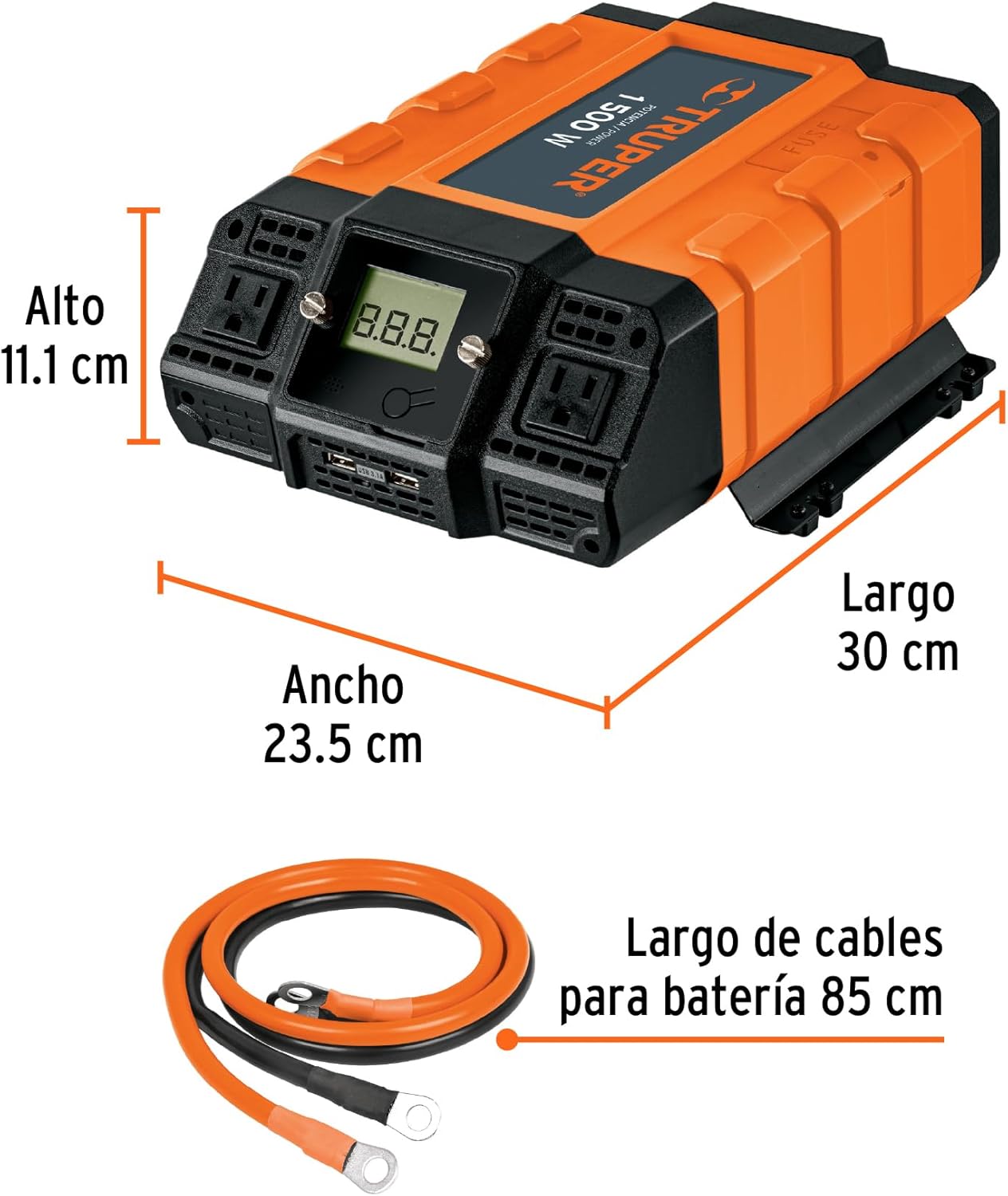
Stampa 5: Ġenb view of the Truper 1500 W Power Inverter with its physical dimensions indicated: Length 30 cm, Width 23.5 cm, Height 11.1 cm.
- Mudell: INCO-1500
- Qawwa Kontinwa: 1500 W
- Input Voltage: 12V DC
- Ħruġ Voltage: 120V AC
- Output USB: 3.1A (Total for 2 ports)
- Dimensjonijiet (L x W x H): Madwar 30 ċm x 23.5 ċm x 11.1 ċm (11.8 pulzieri x 9.25 pulzieri x 4.37 pulzieri)
- Piż: Madwar 3.1 kg (6.82 lbs)
Garanzija u Appoġġ
Truper products are manufactured to high-quality standards. For warranty information or technical support, please refer to the contact details provided with your purchase or visit the official Truper websit. Żomm il-prova tax-xiri tiegħek għal talbiet ta' garanzija.