1. Introduzzjoni
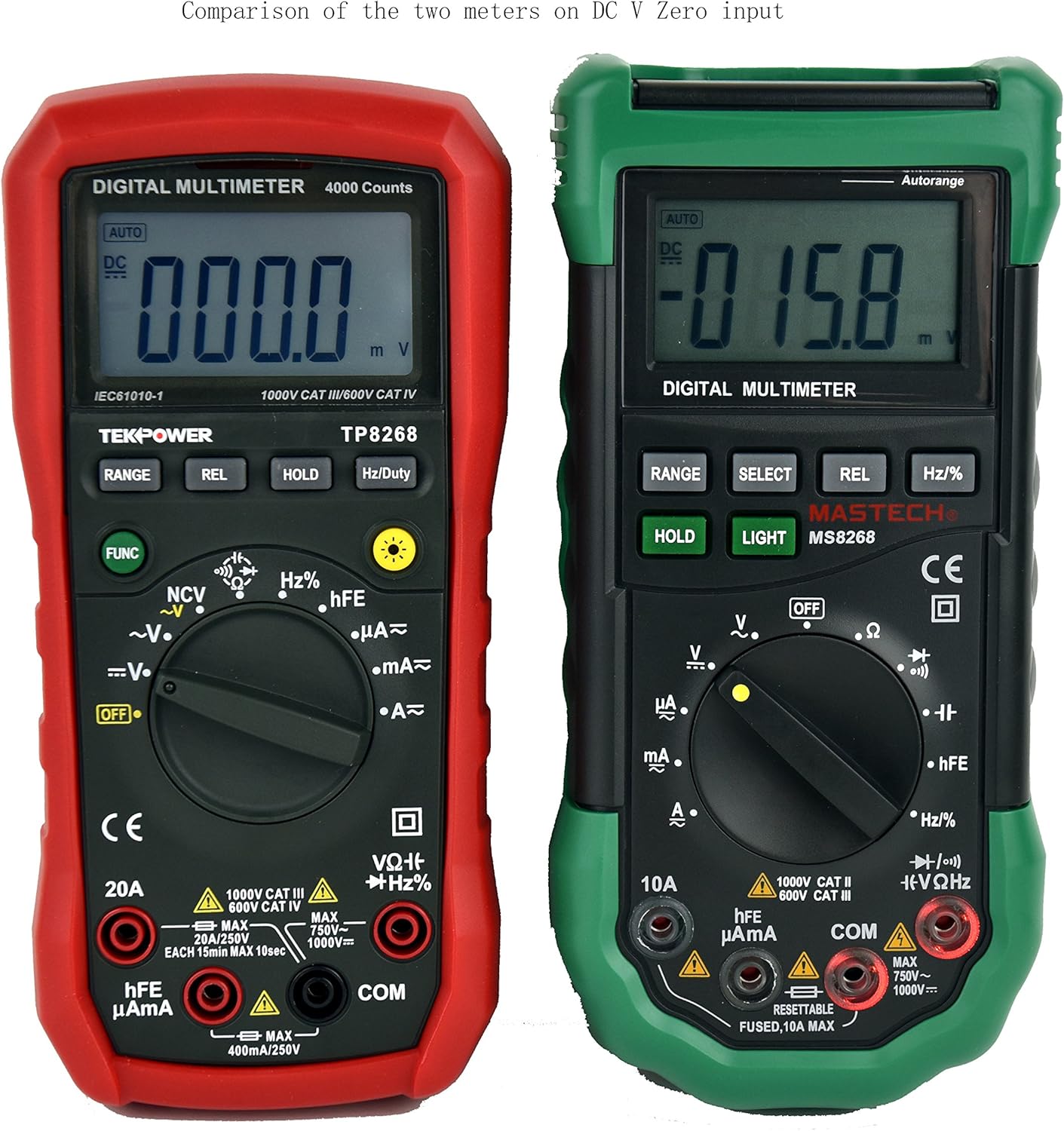
This manual provides detailed instructions for the safe and effective operation of your Tekpower TP8268 Digital Multimeter. The TP8268 is an advanced auto/manual ranging digital multimeter, featuring improved accuracy and additional functionalities compared to its predecessor, the MS8268. Key features include Non-Contact Voltage (NCV) detection and a blue LED back-lit LCD display. Please read this manual thoroughly before use.
2. Informazzjoni dwar is-Sigurtà
Dejjem osserva l-prekawzjonijiet ta' sigurtà meta tuża tagħmir għall-ittestjar elettriku. Jekk tonqos milli tagħmel dan, tista' tikkawża korriment jew ħsara lill-miter jew lit-tagħmir li jkun qed jiġi ttestjat.
- Kun żgur li l-miter huwa ssettjat għall-funzjoni u l-firxa korretti qabel ma tieħu l-kejl.
- Tippruvax tkejjel il-voltages or currents exceeding the maximum rated values for the meter.
- Always disconnect power to the circuit before connecting or disconnecting test leads, especially when measuring current.
- Oqgħod attent meta taħdem bil-voltages 'il fuq minn 30V AC RMS, 42V peak, jew 60V DC, għax dawn joħolqu periklu ta' xokk elettriku.
- Inspect test leads for damage before each use. Replace damaged leads immediately.
- Tħaddimx il-miter jekk jidher li għandu l-ħsara jew jekk il-kaxxa tkun miftuħa.
- Segwi l-kodiċijiet tas-sigurtà lokali u nazzjonali kollha.
3. Kontenut tal-Pakkett
Ivverifika li l-oġġetti kollha huma preżenti fil-pakkett tiegħek:
- 1x Tekpower TP8268 Digital Multimeter
- 1x Pair of High Quality Test Leads (Red and Black)
- 1x Multi-function Adapter for hFE and Capacitance Test
- 1x 9V Battery (pre-installed or included separately)
- 1x Manwal għall-Utent

4. Prodott Aktarview u Karatteristiċi
The Tekpower TP8268 is designed for precision and ease of use in various electrical measurement tasks. Its robust design and comprehensive features make it suitable for both hobbyists and professionals.
- Auto/Manual Ranging: Automatically selects the appropriate measurement range or allows manual selection for specific applications.
- Mhux Kuntatt Voltage (NCV) Feature: Jiskopri AC voltage above 110V RMS without direct contact, useful for identifying live wires.
- Blue LED Back-lit LCD Display: Provides clear readings in low-light conditions.
- Kejl Relattiv: Allows for comparison measurements against a stored reference value.
- Żamma tad-Data: Jiffriża l-qari muri għal reġistrazzjoni konvenjenti.
- Kontroll tad-Dijodi: Jittestja l-funzjonalità tad-dijodi.
- Test ta' Kontinwità: Audible indication for circuit continuity (less than 60 ohms).
- hFE Test: Ikejjel il-qligħ tal-kurrent DC tat-transistors.
- Mitfi Awtomatiku: Conserves battery life (can be disabled).

5. Setup
5.1. Installazzjoni tal-batterija
- Kun żgur li l-multimetru huwa MITFI.
- Sib il-kompartiment tal-batterija fuq wara tal-miter.
- Uża tornavit biex tiftaħ il-qoxra tal-batterija.
- Daħħal il-batterija ta' 9V, waqt li tosserva l-polarità korretta (+/-).
- Ibdel l-għatu tal-batterija u waħħalha bil-kamin.
5.2. Konnessjoni tal-wajers tat-test
- Daħħal il-wajer tat-test iswed fil-jack "COM" (komuni).
- Għal ħafna mill-volumtage, resistance, and continuity measurements, insert the red test lead into the "VΩHz" jack.
- For current measurements up to 400mA, insert the red test lead into the "µAmA" jack.
- Għal kejl tal-kurrent sa 20A, daħħal il-wajer tat-test aħmar fil-jack "20A".
6. Istruzzjonijiet Operattivi
6.1. Turning On/Off and Function Selection
Rotate the central rotary switch to the desired measurement function to turn the meter ON. Turn the switch to "OFF" to power down the meter.
6.2. AC/DC Voltage Kejl
- Connect the black lead to COM and the red lead to VΩHz.
- Rotate the switch to the "V~" (AC Voltage) jew "V-" (Volum DCtage) pożizzjoni.
- The meter will automatically select the range. For manual ranging, press the GANJA buttuna.
- Tmiss il-probi tat-test mal-punti taċ-ċirkwit fejn il-volumtage għandu jitkejjel.

6.3. Kejl tal-kurrent AC/DC
- IMPORTANTI: Skonnettja l-enerġija miċ-ċirkwit qabel ma tqabbad il-miter f'serje.
- Connect the black lead to COM. Connect the red lead to "µAmA" for small currents or "20A" for larger currents.
- Rotate the switch to the "A~" (AC Current) or "A-" (DC Current) position.
- Ikteb iċ-ċirkwit u qabbad il-miter f'serje mat-tagħbija.
- Apply power to the circuit and read the current.
6.4. Kejl tar-Reżistenza
- Connect the black lead to COM and the red lead to VΩHz.
- Rotate the switch to the "Ω" (Resistance) position.
- Kun żgur li ċ-ċirkwit ma jkollux l-enerġija qabel ma tkejjel ir-reżistenza.
- Touch the probes across the component to measure its resistance.
6.5. Mhux ta' Kuntatt Voltage (NCV) Sejbien
- Rotate the switch to the "NCV" position.
- Move the top tip of the meter near the conductor or outlet.
- Il-miter se joħroġ ħoss ta’ ħoss u l-indikatur NCV se jixgħel jekk il-volum tal-ACtage jiġi skopert.

6.6. Other Functions (Diode, Continuity, hFE, Capacitance, Frequency)
Refer to the specific symbols on the rotary switch and the detailed specifications table for instructions on using Diode Check, Continuity, hFE, Capacitance, and Frequency/Duty Cycle measurements. Use the multi-function adapter for hFE and capacitance tests as needed.
7. Manutenzjoni
7.1. Kura Ġenerali
- Keep the meter dry. If it gets wet, wipe it dry immediately.
- Use and store the meter in normal temperature environments. Extreme temperatures can shorten the life of electronic devices.
- Handle the meter gently and carefully. Dropping it can damage circuit boards and cases.
- Keep the meter away from dust and dirt, which can cause premature wear of parts.
- Imsaħ il-miter b'reklamaramp drapp kultant biex iżommha tidher ġdida. Tużax kimiċi ħorox, solventi tat-tindif, jew deterġenti qawwija.
7.2. Sostituzzjoni tal-batterija
When the battery symbol appears on the display, replace the 9V battery as described in the Setup section (5.1). Always remove batteries if the meter is not going to be used for an extended period.
8 Issolvi l-problemi
8.1. Display Shows "OL" (Overload)
If the display shows "OL" during a measurement, it indicates that the input value exceeds the selected range or the maximum measurement capability of the meter. Try selecting a higher range if available, or ensure the measured value is within the meter's specifications.
8.2. No Reading or Incorrect Reading
- Iċċekkja l-livell tal-batterija u ibdelha jekk tkun baxxa.
- Ensure test leads are securely connected to the correct jacks.
- Verify the rotary switch is set to the appropriate function and range for the measurement.
- Inspect test leads for damage or breaks.
- Ensure proper contact between probes and the circuit under test.
9. Speċifikazzjonijiet
The following table outlines the key specifications for the Tekpower TP8268 Digital Multimeter:
| Tip ta' Kejl | Firxa | Eżattezza |
|---|---|---|
| DC Voltage | 400mV/4V/40V/400V/1000V | ±(0.5%+3) |
| AC Voltage | 4V/40V/400V/750V | ±(1.2%+20) |
| Kurrent DC | 400µA/4000µA/40mA/400mA/10A/20A | ±(1.2%+3) (up to 400mA), ±(1.5%+8) (10A), ±(2.0%+10) (20A) |
| Kurrent AC | 400µA/4000µA/40mA/400mA/10A/20A | ±(1.5%+5) (up to 400mA), ±(2.0%+10) (10A), ±(2.0%+12) (20A) |
| Reżistenza | 400Ω/4kΩ/40kΩ/400kΩ/4MΩ/40MΩ | ±(1.0%+3) |
| Kapaċità | 4nF/40nF/400nF/4µF/40µF/200µF | ±(5.0%+5) (up to 400nF), ±(4.0%+15) (4µF-200µF) |
| Frekwenza | 10Hz-200KHz | ±(1.5%+15) |
| Iċ-Ċiklu tax-Xogħol | 1% -99% | ±(2.0%+2) |
| Wiri | 4000 Għadd | - |
| Provvista tal-Enerġija | Batterija 9V | - |
| Dimensjonijiet | 188mm x 92mm x 50mm | - |
| Piż | Appross. 370g | - |
| Klassifikazzjoni tas-Sigurtà | CE CAT.III 1000V CAT.IV 600V RoHS | - |

10. Garanzija u Appoġġ
The Tekpower TP8268 Digital Multimeter comes with a 1-year warranty in the USA. For technical support, warranty claims, or service inquiries, please contact Tekpower customer service through their official websit jew il-bejjiegħ bl-imnut minn fejn inxtara l-prodott.
Għal aktar riżorsi u informazzjoni dwar il-prodott, żur il- Tekpower Store on Amazon.
11. Vidjows tal-Prodott
Digital Multimeter 6000 Count by PROSTER US
Dan il-video jipprovdi overview of a digital multimeter, demonstrating its features and basic operation, including NCV and continuity tests. While not specific to the TP8268, it illustrates general multimeter usage.