1. Introduzzjoni
Welcome to the world of digital photography with your new Canon EOS Rebel T7 DSLR Camera. This camera is equipped with a 24.1 Megapixel CMOS image sensor, offering highly detailed and vibrant photos and videos. With built-in Wi-Fi and NFC connectivity, sharing your creations is convenient. This manual provides comprehensive instructions to help you get started and make the most of your camera's features.
Please read this manual thoroughly before using your camera to ensure proper operation and to prevent damage. Keep this manual in a safe place for future reference.
2. X'hemm fil-Kaxxa
Your Canon EOS Rebel T7 DSLR Camera kit includes the following items:
- Canon EOS Rebel T7 Camera Body
- EF-S 18-55mm f/3.5-5.6 IS II Lens
- EF 75-300mm f/4-5.6 III Lens
- Pakkett tal-batterija LP-E10
- Ċarġer tal-batterija LC-E10
- Eyecup Ef
- Wide Strap EW-400D
- Interface Cable IFC-130U
- EOS Digital Solution Disk
- User Manual Kit
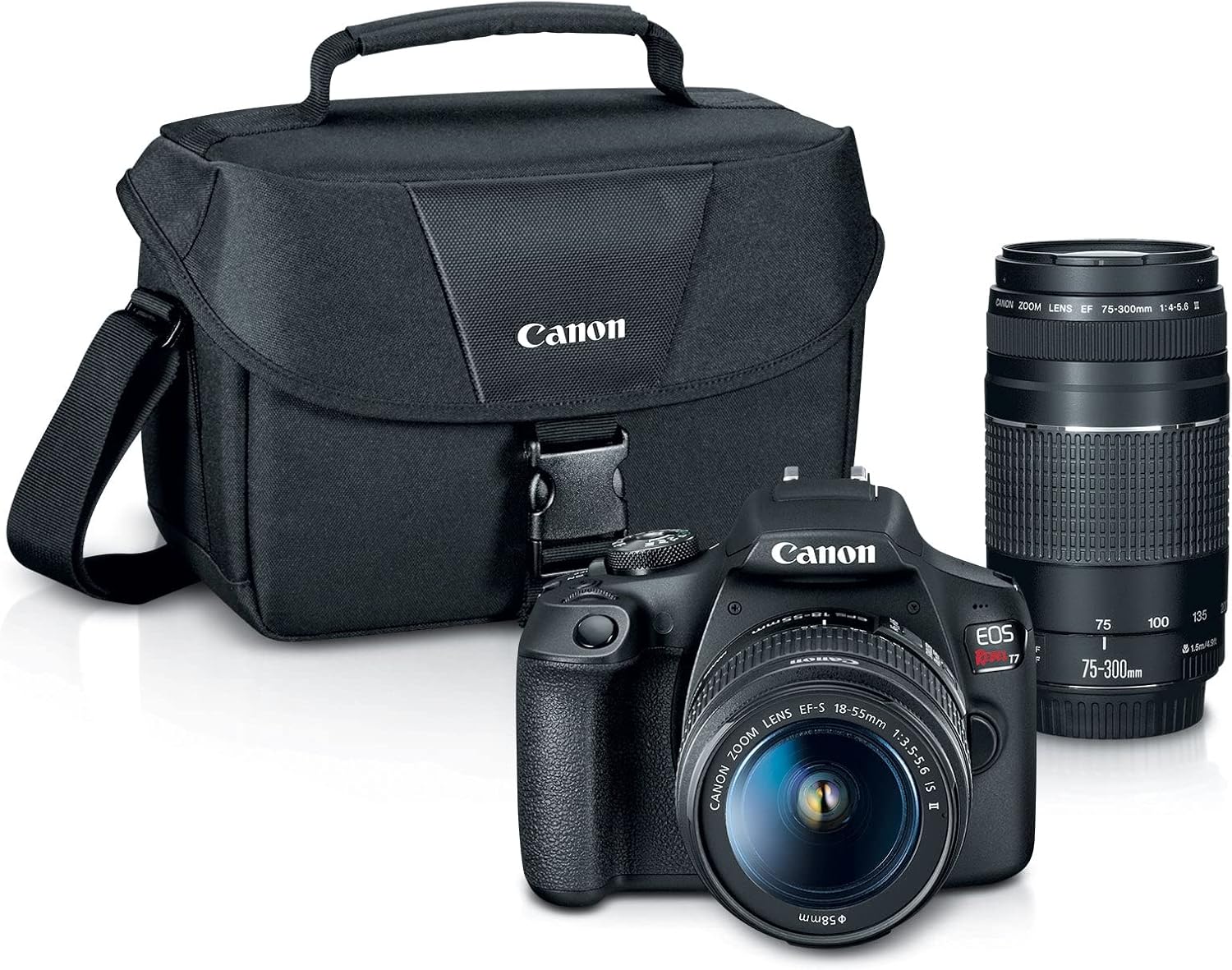
Figure 1: Canon EOS Rebel T7 DSLR Camera 2 Lens Kit with camera bag and accessories.
3. Camera Matulview
3.1 Quddiem View
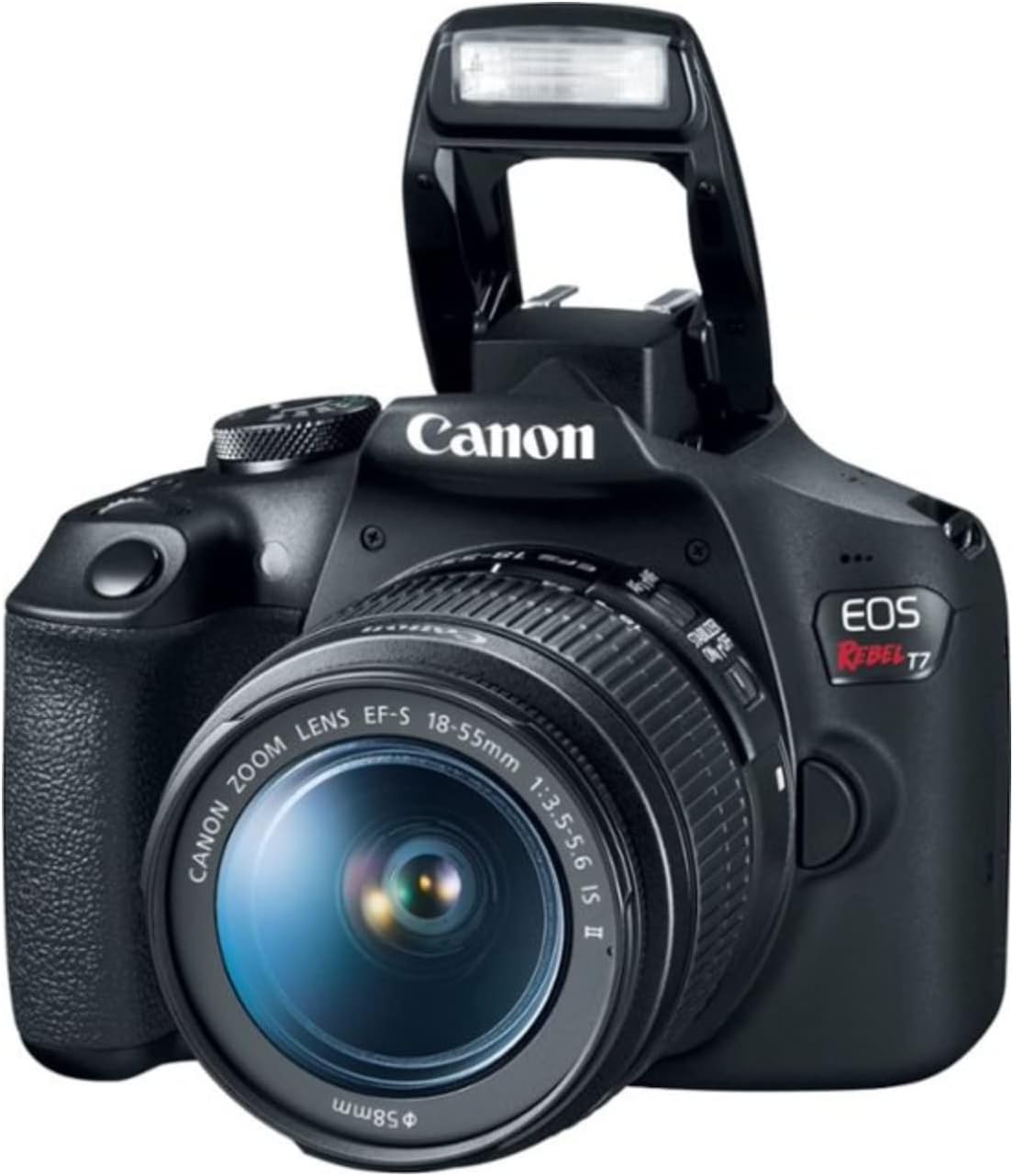
Figura 2: Quddiem view of the Canon EOS Rebel T7 DSLR Camera with the EF-S 18-55mm lens attached and the pop-up flash raised.
The front of the camera features the lens mount, pop-up flash, and the shutter button. The grip is ergonomically designed for comfortable handling.
3.2 Wara View
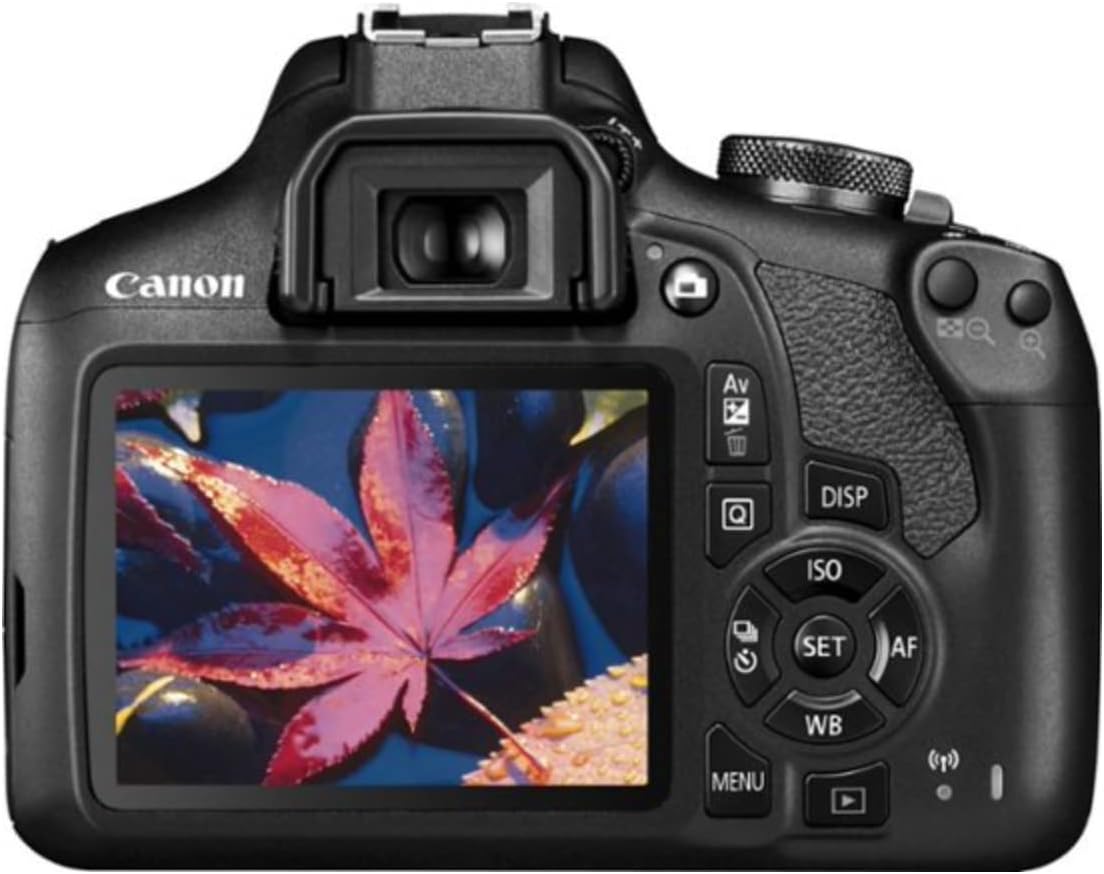
Figura 3: Wara view of the Canon EOS Rebel T7 DSLR Camera, showing the LCD screen and various control buttons.
The rear of the camera includes the 3.0-inch LCD screen, viewfinder, and a range of control buttons for menu navigation, playback, ISO settings, and more. The mode dial is located on the top right for easy access to different shooting modes.
3.3 Fuq View
The top of the camera houses the mode dial, hot shoe for external flash units, main dial, and the power switch. These controls allow for quick adjustments to camera settings.
4. Lens Overview
Your kit includes two versatile lenses:
- EF-S 18-55mm f/3.5-5.6 IS II: A standard zoom lens suitable for everyday photography, landscapes, and portraits. It features Image Stabilization (IS) to reduce blur.
- EF 75-300mm f/4-5.6 III: A telephoto zoom lens ideal for sports, wildlife, and distant subjects.
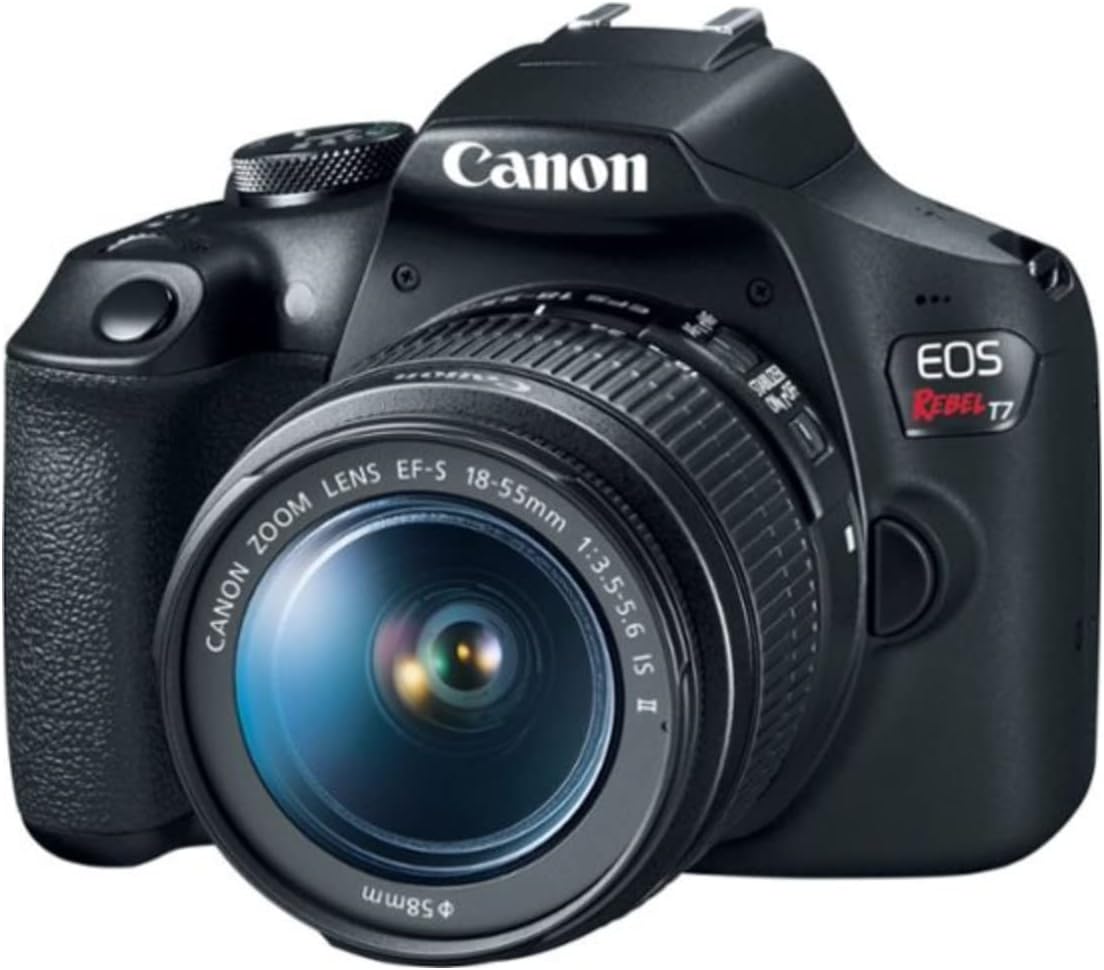
Figure 4: Canon EOS Rebel T7 DSLR Camera with the EF-S 18-55mm lens attached.
5. Setup
5.1 Installazzjoni tal-batterija
- Iftaħ l-għatu tal-kompartiment tal-batterija fil-qiegħ tal-kamera.
- Insert the battery pack (LP-E10) with the electrical contacts facing inward, ensuring it clicks into place.
- Agħlaq l-għatu tal-kompartiment tal-batterija sew.
5.2 Inserzjoni tal-Kard tal-Memorja
- Iftaħ l-għatu tas-slott tal-kard tal-memorja fuq il-ġenb tal-kamera.
- Insert an SD, SDHC, or SDXC memory card with the label facing the front of the camera until it clicks.
- Agħlaq il-qoxra tal-islott tal-karta tal-memorja.
5.3 Twaħħil tal-Lentijiet
- Neħħi l-għatu tal-lenti ta' wara u l-għatu tal-bodi tal-kamera.
- Allinja l-punt aħmar fuq il-lenti mal-punt aħmar fuq il-korp tal-kamera.
- Dawwar il-lenti lejn l-arloġġ sakemm tikklikkja f'postha.
- Neħħi l-għatu tal-lenti ta 'quddiem.
6. It-tħaddim tal-Kamera
6.1 Modi Bażiċi ta' Sparar
Dawwar id-dial tal-modalità biex tagħżel il-modalità ta' sparar mixtieqa tiegħek:
- Scene Intelligent Auto (A+): The camera automatically analyzes the scene and sets optimal settings. Ideal for beginners.
- Mitfi l-Flash: Disables the flash for situations where flash is not permitted or desired.
- Creative Auto (CA): Offers more control over background blur and other creative effects while still providing automatic exposure.
- Special Scene Modes (SCN): Includes presets for specific situations like Portrait, Landscape, Close-up, Sports, Food, and Night Portrait.
6.2 Advanced Shooting Modes
For more control, use these modes:
- Programm AE (P): The camera sets the shutter speed and aperture, but you can adjust other settings.
- Shutter-Priority AE (Tv): You set the shutter speed, and the camera automatically sets the aperture for correct exposure.
- Aperture-Priority AE (Av): You set the aperture, and the camera automatically sets the shutter speed for correct exposure.
- Espożizzjoni Manwali (M): Inti tikkontrolla kemm il-veloċità tax-shutter kif ukoll l-apertura.
6.3 Reġistrazzjoni tal-Vidjo
The EOS Rebel T7 supports Full HD 1080p video recording.
- Set the mode dial to the movie shooting mode (camera icon).
- Press the Live View shooting/Movie shooting button to start/stop recording.
6.4 Konnettività Wi-Fi u NFC
Use the built-in Wi-Fi and NFC to connect your camera to a smartphone or tablet for remote shooting and image transfer.
- Install the Canon Camera Connect app on your smart device.
- On the camera, go to Menu > Wi-Fi/NFC.
- Segwi l-istruzzjonijiet fuq l-iskrin biex tistabbilixxi konnessjoni.
Video 1: Canon EOS Rebel T7 Camera and Kit Overview
Vidjo 2: Fuqview & Demo - Canon EOS Rebel T7 DSLR Camera 2 Lens Kit
7. Manutenzjoni
7.1 Cleaning the Camera Body
- Use a soft, dry cloth to wipe dust and smudges from the camera body.
- Għal ħmieġ iebsa, ħafif dampNaddaf id-drapp bl-ilma jew b'prodott speċjalizzat għat-tindif tal-kameras.
- Never use organic solvents or abrasive cleaners.
7.2 Tindif tal-Lentijiet
- First, use a blower brush to remove dust and loose particles from the lens surface.
- If smudges remain, use a lens cleaning solution and a microfiber cloth, wiping gently in a circular motion from the center outwards.
- Avoid touching the lens surface with your fingers.
7.3 Kura tal-Batterija
- Charge the battery fully before first use and after extended periods of non-use.
- Aħżen il-batteriji f'post frisk u niexef.
- Remove the battery from the camera when not in use for long periods.
8 Issolvi l-problemi
Jekk tiltaqa' ma' problemi bil-kamera tiegħek, irreferi għas-soluzzjonijiet komuni li ġejjin:
- Il-kamera ma tixgħel: Kun żgur li l-batterija hija ċċarġjata u mdaħħla sew.
- L-immaġnijiet huma mċajpra: Check lens focus, ensure image stabilization is on (if available on the lens), and use a faster shutter speed or tripod.
- Żball fil-karta tal-memorja: Reinsert the memory card, try a different card, or format the card (this will erase all data).
- Il-flash mhux qed jaħraq: Check flash settings, ensure it's not in 'Flash Off' mode, and verify battery level.
For more detailed troubleshooting, consult the full user manual on the Canon support websit.
9. Speċifikazzjonijiet
| Karatteristika | Speċifikazzjoni |
|---|---|
| Isem tal-Mudell | EOS Rebel T7 |
| Tip tas-Sensor | CMOS (APS-C) |
| Riżoluzzjoni Għadha Effettiva | 24.1 MP |
| Riżoluzzjoni tal-vidjo | FHD 1080p |
| Muntaturi Kompatibbli | Canon EF |
| Medda ISO | 100-6400 (Estiż għal 12800) |
| Punti ta' fokus awtomatiku | 9-Point AF system |
| Daqs tal-Iskrin | 3 Pulzier |
| Teknoloġija tal-Konnettività | HDMI, NFC, USB, Wi-Fi |
| Sparar Kontinwu | 3 FPS |
| Piż tal-oġġett | 3 Liri |
10. Garanzija u Appoġġ
10.1 Informazzjoni dwar Garanzija
Your Canon EOS Rebel T7 DSLR Camera comes with a 1-year manufacturer's warranty. Please retain your proof of purchase for warranty claims.
10.2 Appoġġ għall-Klijent
Għal aktar assistenza, appoġġ tekniku, jew mistoqsijiet dwar is-servizz, jekk jogħġbok żur is-sit uffiċjali ta' Canon website or contact their customer service department. You can find detailed contact information and additional resources on the Canon support pages.


