1. Introduzzjoni
This manual provides detailed instructions for the setup, operation, and maintenance of your EMOS E0114 Digital Thermometer and Hygrometer. This device accurately measures indoor temperature and humidity, and also functions as a quartz clock with an alarm, snooze feature, and date display. Please read this manual thoroughly before using the product to ensure correct operation and to prevent damage.
2. Informazzjoni dwar is-Sigurtà
- Żomm l-apparat 'il bogħod minn temperaturi estremi, dawl tax-xemx dirett, u umdità għolja.
- Tesponix l-apparat għall-ilma jew likwidi oħra.
- Tippruvax tiżżarma jew timmodifika l-apparat. Dan jannulla l-garanzija.
- Armi l-batteriji użati b'mod responsabbli skont ir-regolamenti lokali.
- Żomm il-batteriji fejn ma jintlaħaqx mit-tfal.
3. Kontenut tal-Pakkett
Jekk jogħġbok iċċekkja l-kontenut tal-pakkett meta tiftaħ il-pakkett:
- EMOS E0114 Digital Thermometer and Hygrometer
- Manwal għall-Utent
Note: 1 AA Mignon 1.5 V battery is required and not included in the package.

Figure 3.1: EMOS E0114 device in its retail packaging.
4. Prodott Aktarview
Familiarize yourself with the components of your EMOS E0114 device.
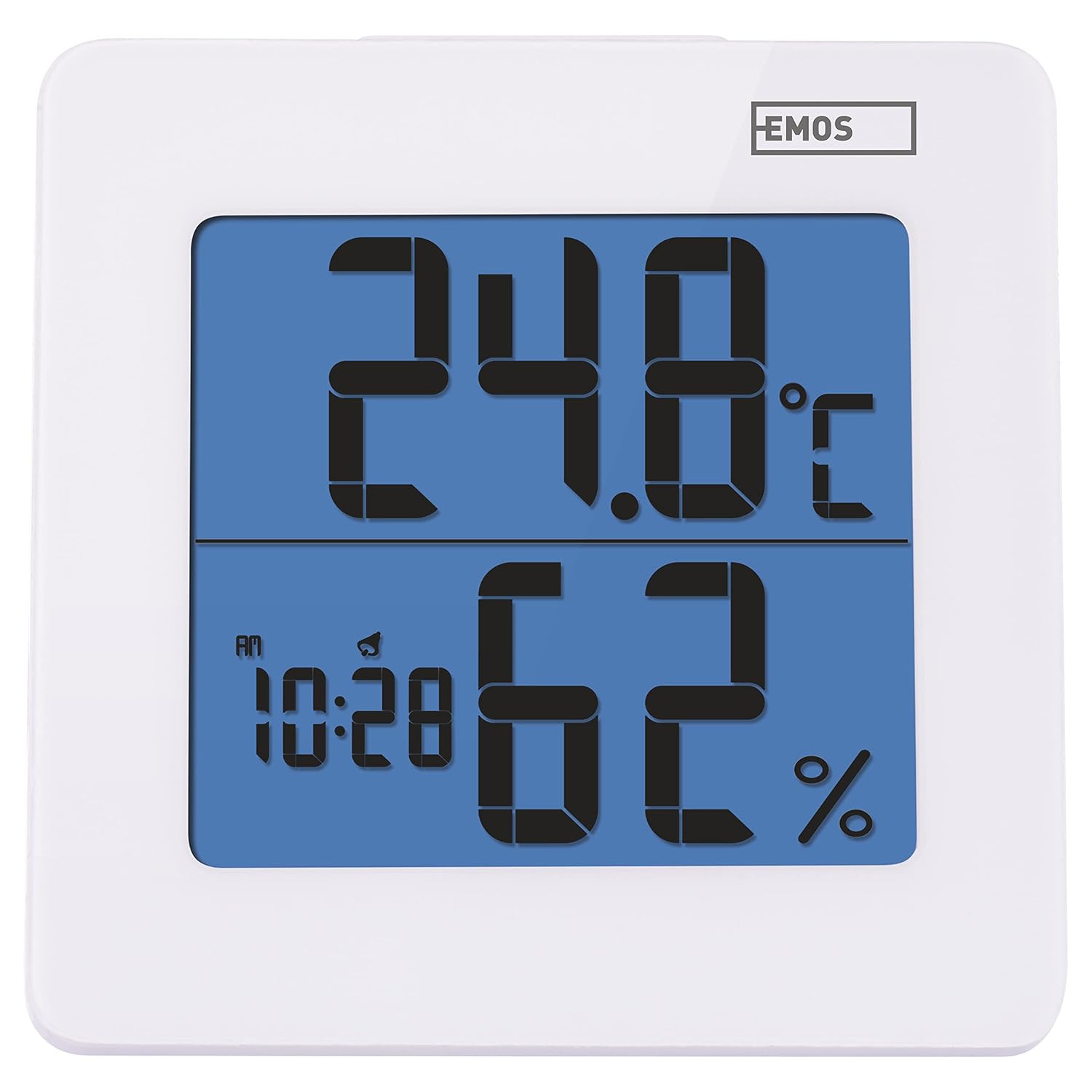
Figura 4.1: Quddiem view of the EMOS E0114 display, showing temperature, humidity, and time.

Figura 4.2: Lura view of the EMOS E0114, highlighting the control buttons and battery compartment.
Buttuni tal-Kontroll:
- MODALITÀ: Switches between time display, alarm setting, and date setting.
- UP: Increases values during setting, activates/deactivates alarm.
- MEM: Juri r-rekords tat-temperatura/umdità massima u minima.
- C/F: Jaqleb bejn l-unitajiet tat-temperatura Celsius u Fahrenheit.
- RESET: Jissettja l-apparat għal defaults tal-fabbrika.
- SNOOZE/LIGHT (Top Bar): Activates snooze function during alarm, illuminates the display backlight.
5. Setup
5.1 Installazzjoni tal-batterija
- Sib il-kompartiment tal-batterija fuq wara tal-apparat (ara l-Figura 4.2).
- Iftaħ l-għatu tal-kompartiment tal-batterija.
- Insert one (1) AA Mignon 1.5 V battery, ensuring correct polarity (+/-).
- Agħlaq l-għatu tal-kompartiment tal-batterija sew.
5.2 Qawwa Inizjali
Upon battery installation, the device will power on automatically and display the current time (default 12:00 AM), temperature, and humidity. The backlight will briefly illuminate.
6. Istruzzjonijiet Operattivi
6.1 L-issettjar tal-Ħin u d-Data
- Fil-modalità tal-wiri tal-ħin normali, agħfas il- MODALITÀ Agħfas il-buttuna darba biex tidħol fil-modalità tal-issettjar tal-ħin. Iċ-ċifri tas-sigħat se jteptpu.
- Uża l- UP buttuna biex taġġusta s-siegħa.
- Agħfas MODALITÀ again to set the minutes. The minute digits will flash. Use the UP buttuna biex taġġusta l-minuti.
- Agħfas MODALITÀ again to set the year. The year digits will flash. Use the UP buttuna biex taġġusta s-sena.
- Kompli agħfas MODALITÀ to set the month and then the day, adjusting each with the UP buttuna.
- Wara li tissettja l-jum, agħfas MODALITÀ to exit setting mode and return to normal time display.
6.2 Issettjar tal-Allarm
- Fil-modalità tal-wiri tal-ħin normali, agħfas il- MODALITÀ button twice to enter alarm setting mode. The alarm time will be displayed, and the hour digits will flash.
- Uża l- UP buttuna biex taġġusta s-siegħa tal-allarm.
- Agħfas MODALITÀ again to set the alarm minutes. The minute digits will flash. Use the UP buttuna biex taġġusta l-minuti tal-allarm.
- Agħfas MODALITÀ biex toħroġ mill-modalità tal-issettjar tal-allarm.
- Biex tattiva jew tiddiżattiva l-allarm, agħfas il-buttuna UP button once in normal time display mode. An alarm icon will appear on the display when activated.
6.3 Using Snooze and Backlight
- Meta l-allarm jinstema ', agħfas il-buttuna SNOOZE / DAWL bar on top of the device to activate the snooze function. The alarm will pause for approximately 5 minutes and then sound again.
- To turn off the alarm completely, press any other button (MODE, UP, MEM, C/F) on the back of the device.
- Agħfas il- SNOOZE / DAWL bar at any time to briefly illuminate the display backlight for better visibility in low light conditions.
6.4 Unitajiet tat-Temperatura li Jibdlu (°C/°F)
Fil-modalità tal-wiri normali, agħfas il- C / F button on the back of the device to toggle between Celsius (°C) and Fahrenheit (°F) temperature readings.
6.5 Viewing Maximum and Minimum Records
The device stores the maximum and minimum temperature and humidity values recorded since the last reset or battery change.
- Agħfas il- MEM button once to display the maximum recorded temperature and humidity.
- Agħfas il- MEM button again to display the minimum recorded temperature and humidity.
- Agħfas MEM a third time to return to the current temperature and humidity display.
- To clear the maximum/minimum records, press and hold the MEM buttuna għal madwar 3 sekondi filwaqt li viewir-rekords.
7. Manutenzjoni
7.1 Tindif
- Imsaħ l-apparat b'ċarruta ratba u niexfa.
- Do not use abrasive cleaners, solvents, or chemical agents, as these may damage the display or casing.
7.2 Sostituzzjoni tal-batterija
When the display becomes dim or the device stops functioning, it is time to replace the battery.
- Iftaħ l-għatu tal-kompartiment tal-batterija fuq wara tal-apparat.
- Neħħi l-batterija AA l-qadima.
- Insert a new AA Mignon 1.5 V battery, observing correct polarity.
- Agħlaq l-għatu tal-kompartiment tal-batterija.
- You may need to reset the time and date after battery replacement.
8 Issolvi l-problemi
| Problema | Kawża Possibbli | Soluzzjoni |
|---|---|---|
| L-ebda wiri jew wiri mudlam | Batterija baxxa jew mejta; installazzjoni ħażina tal-batterija. | Replace the battery with a new AA 1.5V battery. Ensure correct polarity. |
| Ħin/data mhux korretti | Time/date not set correctly after battery installation or reset. | Follow instructions in Section 6.1 to set the time and date. |
| Temperature/humidity readings seem inaccurate | Device placed in an unsuitable location (e.g., near heat source, vent, direct sunlight). | Relocate the device to a stable indoor environment away from direct influences. Allow 30 minutes for readings to stabilize. |
| L-allarm ma ħossx | L-allarm mhux attivat. | Ensure the alarm icon is visible on the display (refer to Section 6.2). |
| L-apparat ma jirrispondix | Ħsara elettronika temporanja. | Agħfas il- RESET button on the back of the device using a thin object (e.g., paperclip). Note: This will clear all settings. |
9. Speċifikazzjonijiet
- Mudell: E0114
- Ditta: EMOS
- Medda tal-Kejl tat-Temperatura: 0 ° C sa +50 ° C (32 ° F sa 122 ° F)
- Riżoluzzjoni tat-Temperatura: 0.1 °C / 0.1 °F
- Medda ta' Kejl ta' Umdità: 20% sa 90% Umdità Relattiva (RH)
- Riżoluzzjoni ta' umdità: 1% RH
- Arloġġ: Quartz with 12/24 hour format
- Allarm: Yes, with Snooze function
- Wiri: LCD backlit
- Funzjoni tal-memorja: Max/Min temperatura u umdità
- Provvista tal-Enerġija: 1 x AA Mignon 1.5 V battery (not included)
- Dimensjonijiet (L x W x H): 3.7 x 9.3 x 9.3 ċm (madwar 1.46 x 3.66 x 3.66 pulzieri)
- Dimensjonijiet tal-iskrin: 60 x 65 mm (approximately 2.36 x 2.56 inches)
- Piż: 109 gramma (madwar 3.84 uqija)
- Tip ta 'Immuntar: Wall mountable (integrated stand)
- Kulur: White (with blue display backlight)

Figure 9.1: Dimensions of the EMOS E0114 device.
10. Garanzija u Appoġġ
EMOS products are designed for reliability and performance. For warranty information or technical support, please refer to the warranty card included with your purchase or visit the official EMOS websit. Jekk jogħġbok żomm il-prova tax-xiri tiegħek għal kwalunkwe talba ta' garanzija.


