Introduzzjoni
This manual provides essential information for the proper installation, operation, and maintenance of your Kenwood DPX501BT 2-DIN CD Receiver. Please read these instructions thoroughly before using the unit to ensure optimal performance and safety. Keep this manual for future reference.
Prodott Overview
The Kenwood DPX501BT is a 2-DIN (double DIN) CD receiver designed for in-car audio systems. It features built-in Bluetooth for hands-free calling and audio streaming, a CD player, USB input, and AM/FM radio. The unit offers various audio adjustments, including an equalizer, to customize your listening experience.

Figura 1: Quddiem view of the Kenwood DPX501BT CD Receiver. This image displays the main unit with its central volume knob, display screen, and various control buttons.

Figura 2: Kenwood DPX501BT CD Receiver shown alongside its remote control unit. The remote allows for convenient operation from a distance.
Setup u Installazzjoni
Proper installation is crucial for the performance and longevity of your receiver. It is recommended that installation be performed by a qualified professional.
Immuntar tal-Unità
The DPX501BT is a 2-DIN unit. Ensure your vehicle's dashboard opening is compatible. Some vehicles may require a dash kit or trimming of the factory radio support bracket for a flush fit.

Figura 3: Ġenb view of the Kenwood DPX501BT receiver, illustrating the mounting bracket and screw points for secure installation into a vehicle's dashboard.
Konnessjonijiet tal-Wiring
Connect the wiring harness according to your vehicle's specifications and the provided wiring diagram (typically found in a separate installation guide or on the unit's harness itself). Ensure all connections are secure to prevent shorts or intermittent operation.
- Qawwa: Qabbad il-wajer isfar ma' 12V kostanti, il-wajer aħmar ma' 12V mixgħul (ignition), u l-wajer iswed mal-art.
- Kelliema: Qabbad il-wajers tal-ispiker mal-wajers tal-ispiker tal-vettura korrispondenti, filwaqt li tiżgura l-polarità korretta.
- Antenna: Qabbad il-kejbil tal-antenna tal-vettura.
- Tixgħel mill-bogħod: Jekk tuża esterna amplifier, connect the blue/white wire to the ampL-input remot tal-lifer.
- Brejk tal-Parkeġġ: For safety features, connect the parking brake wire as instructed.
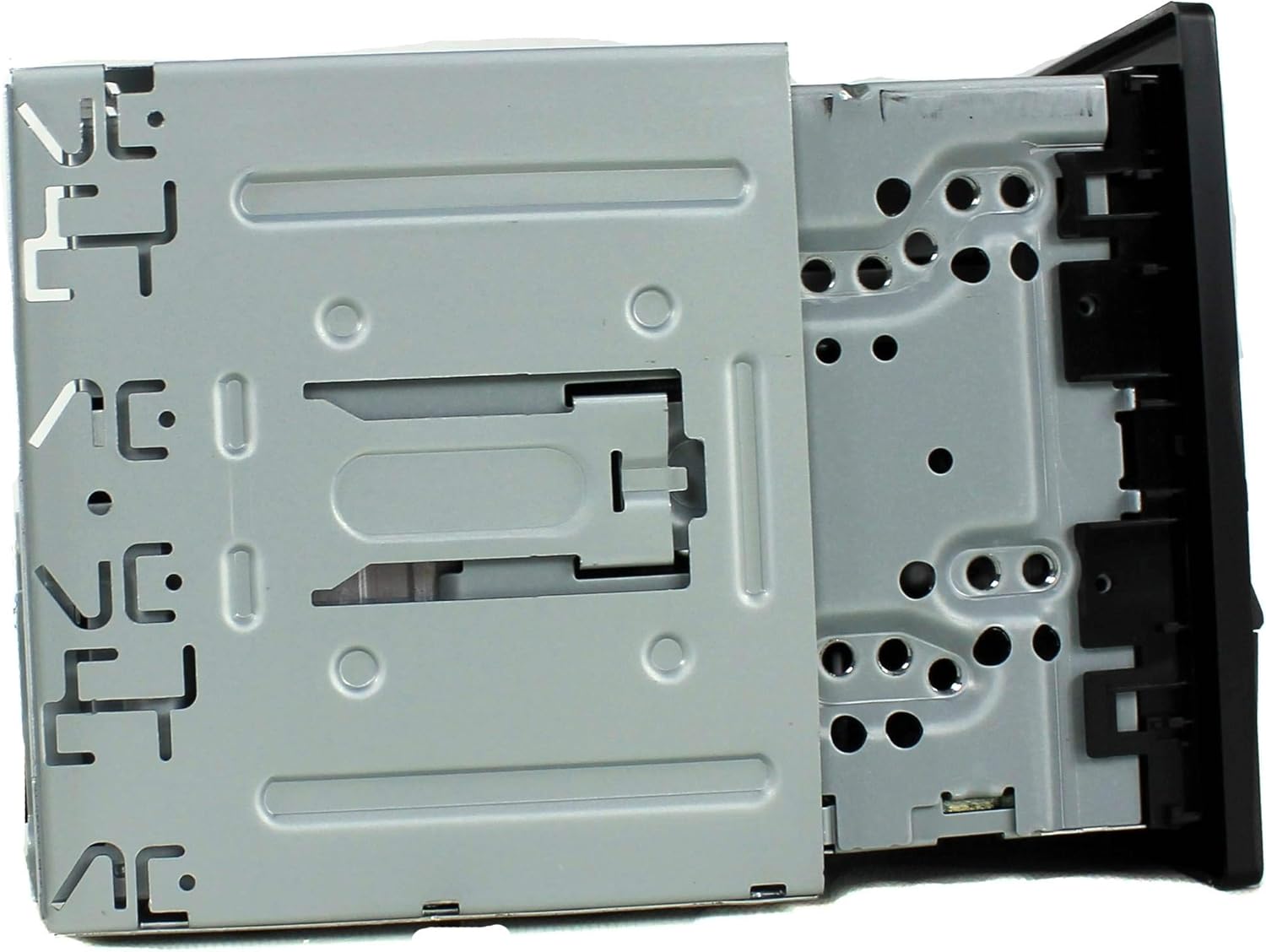
Figura 4: Wara view of the Kenwood DPX501BT, displaying the multi-pin wiring harness connector, RCA pre-outs, and antenna input. This is where all external connections are made.
Istruzzjonijiet Operattivi
Kontrolli Bażiċi
- Power On/Off: Press the SRC (Source) button briefly to turn the unit on. Press and hold the SRC button to turn it off.
- Kontroll tal-Volum: Rotate the large central knob to adjust the volume level.
- Għażla tas-Sors: Press the SRC button repeatedly to cycle through available sources (CD, USB, Bluetooth Audio, Tuner, AUX).
- Menu/Settings: Press the AUDIO button to access audio settings or the FNC (Function) button for other system settings.

Figura 5: Close-up of the Kenwood DPX501BT front panel with the display illuminated in blue, showing the layout of buttons and the central control knob for operation.
Operazzjoni Bluetooth
The DPX501BT features built-in Bluetooth for wireless connectivity.
- Tqabbil ta' Apparat:
- Kun żgur li l-Bluetooth huwa attivat fuq it-tagħmir mobbli tiegħek.
- On the receiver, select the Bluetooth source.
- Fittex għal available devices on your phone. The receiver will appear as "DPX501BT" or similar.
- Select the receiver on your phone and confirm the pairing code if prompted.
- Sejħat mingħajr idejn: Once paired, you can make and receive calls through the receiver. Use the phone button on the unit to answer/end calls.
- Streaming tal-Awdjo bil-Bluetooth: Select Bluetooth Audio as the source to stream music from your paired device. Use the track skip buttons on the receiver to control playback.
Daqq tas-CD/USB
- CD: Insert a CD into the disc slot. The unit will automatically switch to the CD source and begin playback.
- USB: Connect a USB storage device (e.g., flash drive) to the USB port. Select the USB source. The unit will read compatible audio files (MP3, WMA, AAC, WAV). Use the FNC button to navigate folders and files.
Operazzjoni tar-Radju
- Għażla tal-Banda: Press the SRC button until "Tuner" is selected, then press the BAND button to switch between FM1, FM2, FM3, and AM bands.
- Irfinar: Use the seek buttons (◀◀ / ▶▶) to automatically search for stations. Press and hold for manual tuning.
- Stazzjonijiet issettjati minn qabel: Press and hold a numbered button (1-6) to store the current station as a preset. Briefly press to recall a preset.
Settings tal-awdjo
Press the AUDIO button to access various sound adjustments, including:
- Equalizer: Adjust bass, mid, and treble levels, or select from preset EQ curves.
- Bilanċ/Fader: Aġġusta d-distribuzzjoni tal-ħoss bejn l-ispikers tax-xellug/tal-lemin u ta' quddiem/ta' wara.
- Kontroll tas-subwoofer: If connected, adjust subwoofer output levels.
Display Settings
The display illumination color can be customized. Refer to the full owner's manual for detailed instructions on changing display colors and adjusting brightness. Note that display readability can vary based on ambient light conditions and viewangolu tal-ing.
Manutenzjoni
Tindif tal-Unità
- Wipe the front panel with a soft, dry cloth.
- Tużax prodotti tat-tindif li joborxu, xama', jew solventi.
- Għal ħmieġ iebsa, dampen the cloth lightly with water.
CD Player Care
- Immaniġġja s-CDs mit-truf tagħhom biex tevita marki tas-swaba’ u grif.
- Naddaf is-CDs b'ċarruta ratba u mingħajr suf, billi timsaħ miċ-ċentru 'l barra.
- Do not use irregularly shaped CDs or those with adhesive labels, as they can damage the mechanism.
Issolvi l-problemi
If you encounter issues with your DPX501BT, refer to the following common problems and solutions:
| Problema | Kawża Possibbli | Soluzzjoni |
|---|---|---|
| Ebda qawwa | Blown fuse; incorrect wiring; vehicle battery issue. | Iċċekkja l-fjusis tal-vettura u l-fjus tal-unità. Iċċekkja l-konnessjonijiet tal-enerġija u tal-ert. Iċċekkja l-batterija tal-vettura. |
| L-ebda ħoss | Volume too low; mute activated; incorrect speaker wiring; ampkwistjoni ta 'lifier. | Increase volume. Deactivate mute. Check speaker connections and polarity. Verify external ampoperazzjoni ta 'lifier. |
| Il-Bluetooth mhux qed jgħaqqad | Device not in pairing mode; receiver not in Bluetooth source; interference. | Ensure both devices are in pairing mode. Select Bluetooth source on receiver. Try re-pairing. Move away from other wireless devices. |
| Is-CD/USB mhux qed idoqq | Disc/USB corrupted or incompatible format; dirty disc; incorrect source selected. | Ensure media is clean and compatible. Select correct source. Try different media. |
| Display difficult to read | High ambient light; display brightness setting. | Adjust display brightness and dimmer settings. Consider viewing angle relative to sunlight. |
If the problem persists after attempting these solutions, consult a Kenwood authorized service center or contact Kenwood customer support.
Speċifikazzjonijiet
| Karatteristika | Speċifikazzjoni |
|---|---|
| Numru tal-Mudell | DPX501BT |
| Dimensjonijiet tal-Prodott | 6.69 x 5.91 x 3.15 pulzieri |
| Piż tal-oġġett | 4.4 liri |
| Teknoloġiji tal-Konnettività | Bluetooth, USB |
| Komunikazzjoni bla fili | Bluetooth, IR |
| Karatteristiċi Speċjali | Equalizer |
| Tip ta' Kontrollur | Android (kompatibbli) |
| Apparati Kompatibbli | Smartphone, Speaker |
| Modalità tal-Ħruġ tal-Awdjo | Stereo, Surround |
| Surround Sound Channel Konfigurazzjoni | 4 Kanal |
| Rekwiżit ta' Enerġija | 12V battery (1 required) |
Garanzija u Appoġġ
For warranty information, technical support, or service inquiries, please refer to the warranty card included with your product or visit the official Kenwood website. You may also contact Kenwood customer service directly for assistance.


