1. Introduzzjoni
Grazzi tax-xiriasing the Vivitar V143BT-BLK Bluetooth Retro Boom Box Speaker. This manual provides essential information for the safe and efficient operation of your device. Please read it thoroughly before use and retain it for future reference.
Kontenut tal-Pakkett:
- Vivitar V143BT-BLK Bluetooth Retro Boom Box Speaker
- Cable tal-Iċċarġjar tal-USB
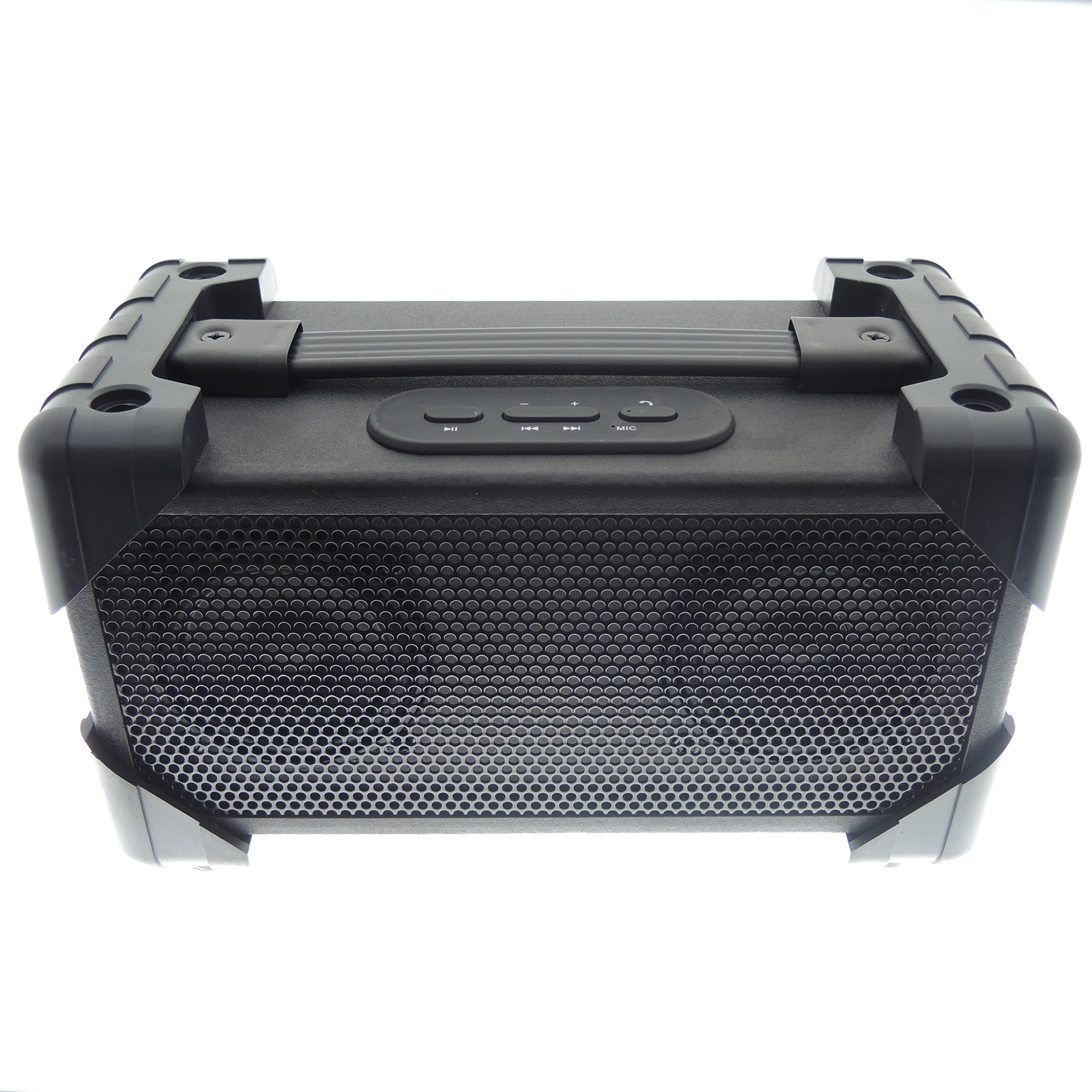
Image 1.1: The Vivitar V143BT-BLK Bluetooth Retro Boom Box Speaker, showcasinid-disinn ġenerali tiegħu.
2. Prodott Aktarview
Iffamiljarizza ruħek mad-diversi partijiet u kontrolli tal-ispiker tiegħek.
Panel ta' quddiem:

Stampa 2.1: Quddiem view of the speaker, featuring the protective grille covering the audio drivers.
Rear Panel and Controls:

Image 2.2: Rear panel showing the ON/OFF switch, DC 5V charging port, and AUX IN port.
- Swiċċ mixgħul / mitfi: Jixgħel jew jitfi l-ispiker.
- Port DC 5V: Connect the USB charging cable here to charge the speaker.
- Port AUX IN: Qabbad apparati awdjo esterni billi tuża kejbil awdjo ta' 3.5mm (mhux inkluż).
Kontrolli tal-Panew ta' Fuq:

Immaġni 2.3: Fuq view of the speaker, displaying the control buttons for playback and volume.
- Buttuna Play/Pause: Jikkontrolla d-daqq tal-awdjo.
- Buttuna tal-Volum 'il Fuq/Trakka li Jmiss: Iżżid il-volum jew taqbeż għat-trakka li jmiss.
- Buttuna għat-Tnaqqis tal-Volum/Trakka Preċedenti: Inaqqas il-volum jew imur għat-trakka ta' qabel.
- Buttuna tal-Modalità: Switches between Bluetooth and AUX modes.
3. Setup
3.1 Iċċarġjar tal-Ispeaker
- Connect the small end of the included USB charging cable to the DC 5V port on the rear of the speaker.
- Qabbad it-tarf il-kbir tal-kejbil tal-iċċarġjar USB ma' adapter tal-enerġija USB (mhux inkluż) jew mal-port USB tal-kompjuter.
- Allow the speaker to charge fully before first use. The charging indicator light (if present) will typically change color or turn off when charging is complete.
3.2 Tixgħel/Jitfi
- To power on, slide the ON/OFF switch on the rear panel to the 'ON' position.
- Biex titfi, żżerżaq is-swiċċ ON/OFF għall-pożizzjoni 'OFF'.
4. Istruzzjonijiet Operattivi
4.1 Tqabbil tal-Bluetooth
- Ensure the speaker is powered on and in Bluetooth mode. If not, press the Mode button until the Bluetooth indicator light flashes, indicating it is ready for pairing.
- Ippermetti l-Bluetooth fuq l-ismartphone, it-tablet, jew apparat awdjo ieħor tiegħek.
- Fittex għal available Bluetooth devices. The speaker will appear as "Vivitar V143BT-BLK" or similar.
- Select the speaker from the list to connect. Once paired, the Bluetooth indicator light will typically stop flashing and remain solid.
- You can now play audio wirelessly from your connected device.
4.2 Playing Music (Bluetooth Mode)
- Play/Pawsa: Agħfas il-buttuna Play/Pause biex tibda jew twaqqaf id-daqq.
- Kontroll tal-Volum: Press and hold the Volume Up button to increase volume. Press and hold the Volume Down button to decrease volume.
- Kontroll tal-binarji: Briefly press the Volume Up button to skip to the next track. Briefly press the Volume Down button to go to the previous track.
4.3 Using the Auxiliary Input (AUX IN)
- Connect one end of a 3.5mm audio cable (not included) to the AUX IN port on the rear of the speaker.
- Qabbad it-tarf l-ieħor tal-kejbil tal-awdjo mal-jack tal-headphones jew mal-output tal-awdjo tal-apparat awdjo estern tiegħek.
- Press the Mode button on the speaker until it switches to AUX mode.
- Ilgħab l-awdjo mit-tagħmir estern tiegħek. Il-volum jista' jiġi kkontrollat permezz tal-ispiker jew tat-tagħmir estern.
4.4 Funzjoni tal-Ispeakerphone
The speaker features a built-in microphone for hands-free calls when connected via Bluetooth.
- When a call comes in, music playback will pause.
- Agħfas il-buttuna Play/Pause biex twieġeb is-sejħa.
- Speak into the speaker.
- Press the Play/Pause button again to end the call. Music playback will resume.
5. Manutenzjoni
5.1 Tindif
- Imsaħ l-ispiker b'ċarruta ratba u niexfa.
- Tużax prodotti tat-tindif li joborxu, xama', jew solventi.
- Evita li tidħol l-umdità fi kwalunkwe fetħiet.
5.2 Ħażna
- Aħżen l-ispiker f'post frisk u niexef 'il bogħod mix-xemx diretta u minn temperaturi estremi.
- Jekk taħżinha għal perjodu estiż, iċċarġja l-batterija perjodikament biex iżżomm il-ħajja tagħha.
6 Issolvi l-problemi
| Problema | Soluzzjoni Possibbli |
|---|---|
| L-ispiker ma jixgħelx. | Kun żgur li l-batterija hija ċċarġjata. Qabbad l-ispiker ma' sors ta' enerġija billi tuża l-kejbil tal-iċċarġjar USB. |
| Ma tistax tqabbad permezz tal-Bluetooth. |
|
| L-ebda ħoss jew volum baxx. |
|
| Distorsjoni tal-ħoss. |
|
7. Speċifikazzjonijiet
| Karatteristika | Dettall |
|---|---|
| Isem tal-Mudell | Vivitar V143BT-BLK |
| Teknoloġija tal-Konnettività | Bluetooth |
| Teknoloġija tal-Komunikazzjoni mingħajr Fili | Bluetooth |
| Medda Bluetooth | 10 Metri (madwar 30 pied) |
| Tip ta' Kelliem | Portabbli, Barra |
| Modalità tal-Ħruġ tal-Awdjo | Stereo |
| Qawwa tal-Ħruġ Massimu tal-Ispeaker | 5 Watts |
| Sors tal-Enerġija | Mħaddma bil-batterija |
| Metodu ta' Kontroll | Buttons on device |
| Piż tal-oġġett | 3.3 Lira (1.5 kg) |
| Dimensjonijiet tal-Prodott | 13 x 9 x 8 pulzieri (33 x 22.8 x 20.3 ċm) |
| Kulur | Iswed |
| Livell ta 'Reżistenza għall-Ilma | Mhux Reżistenti għall-Ilma |
| Apparati Kompatibbli | Smartphone, Pillola |
8. Garanzija u Appoġġ
8.1 Garanzija Limitata
This Vivitar product is covered by a limited warranty against defects in materials and workmanship under normal use. The duration and terms of the warranty may vary by region. Please refer to the warranty card included with your purchase or visit the manufacturer's websit għal informazzjoni dettaljata.
The warranty does not cover damage caused by misuse, accident, unauthorized modification, or external causes such as drops or liquid damage.
8.2 Appoġġ għall-Klijent
For technical assistance, warranty claims, or product inquiries, please contact Vivitar customer support. Contact information can typically be found on the Vivitar official webis-sit jew fuq l-imballaġġ tal-prodott.
When contacting support, please have your product model number (V143BT-BLK) and proof of purchase readily available.


