1. Introduzzjoni
Grazzi tax-xiriasing the Chauvet DJ SlimPar 64 LED RGB Lighting Fixture. This manual provides essential information for the safe and optimal use of your new lighting equipment. Please read these instructions thoroughly before installation and operation.

Image 1.1: Four Chauvet DJ SlimPar 64 LED RGB lighting fixtures and accompanying DMX cables. Each fixture is a slim, round LED par can, and the cables are black with 3-pin XLR connectors.
2. Kontenut tal-Pakkett
Kun żgur li l-pakkett tiegħek fih l-oġġetti li ġejjin:
- Chauvet DJ SlimPar 64 LED RGB Lighting Fixture (Quantity: 4)
- Chauvet DMX Cable (3-pin, 25ft) (Quantity: 1)
- Chauvet DMX Cable (3-pin, 10ft) (Quantity: 3)
- Dan il-Manwal ta' Istruzzjoni

Stampa 2.1: Quddiem view of a single SlimPar 64 fixture, showcasing the array of red, green, and blue LEDs.

Image 2.2: A 3-pin DMX cable, illustrating the male and female XLR connectors used for signal transmission.
3. Informazzjoni dwar is-Sigurtà
For safe operation, please observe the following precautions:
- Dejjem qabbad l-apparat tad-dawl ma' ċirkwit ertjat.
- Żgura ventilazzjoni xierqa madwar l-apparat biex tevita sħana żejda.
- Tħaddimx l-apparat jekk il-korda tal-enerġija tkun bil-ħsara.
- Evita l-espożizzjoni diretta tal-għajnejn għas-sors tad-dawl.
- Skonnettja l-enerġija qabel ma tagħmel xi manutenzjoni jew tindif.
- Dan l-apparat huwa ddisinjat għall-użu fuq ġewwa biss.
4. Karatteristiċi tal-prodott
- Slim housing design (2.5 inches thick) for versatile placement.
- Equipped with 180 Red, Green, and Blue (RGB) LEDs.
- Multiple DMX channel modes (3-channel or 7-channel).
- Integrated automatic sound activation programs.
- Variable speed-pulse effect.
- Static color and RGB color mixing capabilities.
- Integrated power input and output for daisy-chaining multiple units.
5. Setup
5.1 Immuntar
The SlimPar 64 features a dual-bracket yoke for flexible mounting options. It can be mounted on a truss, placed on the floor, or attached to a stand.
- Ensure the mounting surface or structure can support the weight of the fixture.
- Uża cl xierqaamps and safety cables when mounting overhead.
- Adjust the angle of the fixture using the side knobs on the yoke.
Immaġni 5.1: Ġenb view of the SlimPar 64, highlighting its compact design and adjustable mounting bracket.
5.2 Konnessjoni DMX
To control the SlimPar 64 using a DMX controller, connect the DMX cables as follows:
- Connect the DMX output of your controller to the DMX IN port of the first fixture.
- Connect the DMX OUT port of the first fixture to the DMX IN port of the next fixture in the chain.
- Continue this daisy-chain connection for all fixtures.
- For optimal signal integrity, terminate the last fixture in the DMX chain with a 120-ohm DMX terminator (not included).

Image 5.2: Rear panel of the SlimPar 64, displaying the DMX In/Out ports, power In/Out, and the digital display with control buttons.
5.3 Konnessjoni tal-Enerġija
Connect the power cord to the power input on the rear of the fixture. Multiple fixtures can be daisy-chained for power using the power output port, up to the maximum current draw specified in the specifications section.
6. Modi Operattivi
The SlimPar 64 offers several operating modes:
6.1 Modalità Standalone
In standalone mode, the fixture operates without an external DMX controller.
- Programmi Auto: Select from pre-programmed light shows.
- Modalità Attivata mill-Ħoss: The fixture reacts to ambient sound via its built-in microphone.
- Modalità tal-Kulur Statiku: Choose a single static color or mix RGB values to create custom colors.
6.2 Modalità ta 'Kontroll DMX
This mode allows precise control over the fixture's functions using a DMX controller.
- Set the DMX address for each fixture using the control panel.
- Select either 3-channel or 7-channel DMX mode based on your controller and desired level of control.
- Refer to your DMX controller's manual for programming instructions.
6.3 Modalità Master/Slave
Connect multiple SlimPar 64 fixtures to synchronize their operation without a DMX controller.
- Designate one fixture as the "Master" and set it to an auto or sound-activated program.
- Connect the DMX OUT of the Master fixture to the DMX IN of the first "Slave" fixture.
- Connect subsequent Slave fixtures in a daisy chain.
- Set all Slave fixtures to "Slave" mode.
7. Control Panel Overview
The control panel on the rear of the fixture features a digital display and several buttons for navigation and setting adjustments.
- MENU: Access the main menu and navigate through options.
- FUQ ISFEL: Skrollja 'l isfel mill-għażliet tal-menù jew aġġusta l-valuri.
- Daħħal: Confirm selections or save settings.
Specific menu options will vary depending on the selected operating mode.
8. DMX Channel Assignments
The SlimPar 64 supports 3-channel and 7-channel DMX modes. Below is a general overview of typical channel assignments. Refer to the full product manual for detailed DMX charts.
8.1 3-Channel Mode
- Channel 1: Red Intensity
- Channel 2: Green Intensity
- Channel 3: Blue Intensity
8.2 7-Channel Mode
- Channel 1: Master Dimmer
- Channel 2: Red Intensity
- Channel 3: Green Intensity
- Channel 4: Blue Intensity
- Channel 5: Strobe Effect
- Channel 6: Auto Programs / Sound Active
- Channel 7: Program Speed / Sound Sensitivity
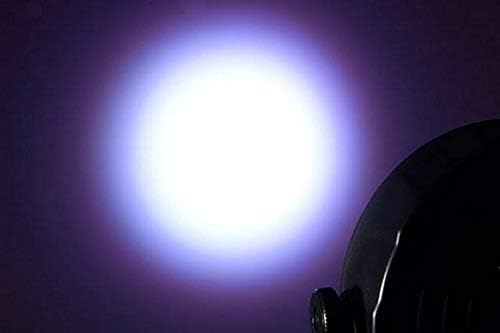
Immaġni 8.1: Eż.ample of a white light beam produced by the SlimPar 64.
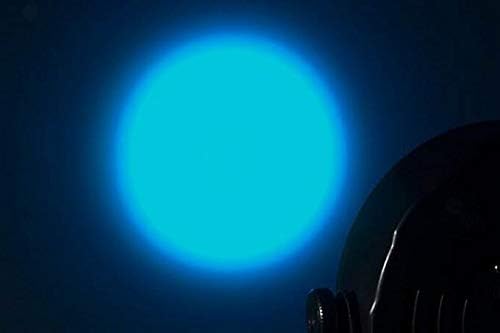
Immaġni 8.2: Eż.ample of a blue light beam produced by the SlimPar 64.
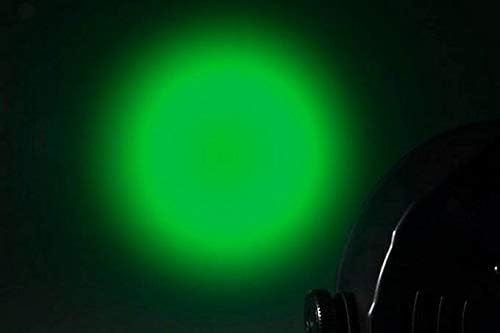
Immaġni 8.3: Eż.ample of a green light beam produced by the SlimPar 64.
9. Manutenzjoni
Manutenzjoni regolari tiżgura l-lonġevità u l-prestazzjoni ottimali tal-apparat tiegħek.
- Tindif: Periodically clean the lens and exterior with a soft, lint-free cloth. Do not use abrasive cleaners.
- Spezzjoni: Regularly check power cables and DMX cables for any signs of damage.
- Ħażna: Store the fixture in a dry, dust-free environment when not in use.
10 Issolvi l-problemi
| Problema | Kawża Possibbli | Soluzzjoni |
|---|---|---|
| L-apparat tad-dawl ma jixgħelx. | No power supply; damaged power cable. | Check power connection; replace damaged cable. |
| L-ebda kontroll DMX. | Incorrect DMX address; faulty DMX cable; missing terminator. | Verify DMX address; check cable connections; add DMX terminator. |
| Fixture not responding to sound. | Sound-activated mode not selected; low sound sensitivity. | Ensure sound-activated mode is active; adjust sound sensitivity. |
11. Speċifikazzjonijiet
| Parametru | Valur |
|---|---|
| Brand | CHAUVET DJ |
| Isem tal-Mudell | SlimPar 64 |
| Numru tal-Mudell | 4334418763 |
| Tip ta' Sors tad-Dawl | LED (Dijodu li Jarmi d-Dawl) |
| Kuluri LED | Aħmar, Aħdar, Blu (RGB) |
| Kanali DMX | 3 jew 7 |
| Voltage | 230 Volts |
| Wattage | 27 watt |
| Piż tal-oġġett | 19.06 pounds (for the package of 4 lights and cables) |
| UPC | 708594653212 |
12. Garanzija u Appoġġ
For warranty information and technical support, please refer to the official CHAUVET DJ webis-sit jew ikkuntattja lid-dipartiment tas-servizz tal-konsumatur tagħhom. Żomm l-irċevuta tax-xiri tiegħek bħala prova tax-xiri.
CHAUVET DJ Official Websit: www.chauvetdj.com