Introduzzjoni
The GPX BCA209B Portable AM/FM Boombox with CD and Cassette Player offers a versatile audio experience, combining classic playback formats with modern convenience. This unit features built-in stereo speakers, an AM/FM radio tuner, a top-loading CD player, and a front-loading cassette player with recording capabilities. Its compact design and built-in carry handle make it ideal for both home use and on-the-go entertainment.

Immaġni: Quddiem view of the GPX BCA209B Portable AM/FM Boombox, showcasing its compact design and speaker grilles.
Informazzjoni dwar is-Sigurtà
Please read all safety warnings and instructions before operating this device. Keep these instructions for future reference.
- Sors tal-Enerġija: Use only the specified power adapter or batteries. Ensure the voltage jaqbel mar-rekwiżiti tal-unità.
- Ilma u Umdità: Do not expose the unit to rain, moisture, or dripping/splashing liquids. Do not place objects filled with liquids on the unit.
- Ventilazzjoni: Aċċerta ruħek li jkun hemm ventilazzjoni xierqa. Timblokkax il-fetħiet tal-ventilazzjoni.
- Sħana: Żomm l-unità 'l bogħod minn sorsi ta' sħana bħal radjaturi, reġistri tas-sħana, stufi, jew apparat ieħor (inkluż amplifiers) li jipproduċu sħana.
- Tindif: Skonnettja l-unità mill-iżbokk tal-enerġija qabel ma tnaddafha. Uża drapp artab u niexef. Tużax prodotti tat-tindif likwidi jew prodotti tat-tindif bl-ajrusol.
- Servizzi: Tippruvax isservi dan il-prodott int stess. Irreferi l-manutenzjoni kollha lil persunal tas-servizz kwalifikat.
- Batteriji: Do not mix old and new batteries. Do not mix alkaline, standard (carbon-zinc), or rechargeable (ni-cad, ni-mh, etc.) batteries. Dispose of batteries properly.
Karatteristiċi
- CD player
- Cassette player
- AM/FM Radio with analog tuning dial
- Auto-Stop at tape end
- LCD Display with white backlight
- Records from Radio and CD to cassette
- Powerful built-in stereo speakers with metal speaker grill
- Jack tal-headphone
- Programmable tracks for CD playback
- Built-in carry handle for easy portability
- AC power cable included
- Operates with 6 C batteries (not included) for portable use
Kontenut tal-Pakkett
Jekk jogħġbok immarka l-kaxxa għall-oġġetti li ġejjin:
- GPX BCA209B Portable AM/FM Boombox
- Adapter tal-Enerġija
- Manwal tas-Sid
Kontrolli u Indikaturi
Familiarize yourself with the boombox's controls and indicators for optimal use.

Immaġni: Close-up view of the boombox's front panel, showing the control buttons and LCD display.

Immaġni: Fuq view of the boombox with the CD compartment lid open, revealing the CD tray.
- Buttuna tal-Qawwa: Ixgħel jew jitfi l-unità.
- Selettur tal-Funzjoni: Switch between CD, Cassette, AM, FM, and AUX modes.
- Kontroll tal-Volum: Jaġġusta l-livell tal-ħruġ tal-awdjo.
- Dial tal-Irfinar (tal-Ġenb): Used to manually tune AM/FM radio frequencies.
- Display LCD: Shows track number, playback mode, and other relevant information.
- Kontrolli tas-CD: Play/Pause, Stop, Skip Forward/Backward, Program, Repeat.
- Kontrolli tal-Cassette: Play, Record, Fast Forward, Rewind, Stop/Eject.
- Jack tal-headphone: Għal smigħ privat bil-headphones (3.5mm).
- Antenna teleskopika: Extend for improved FM radio reception.
Setup
It-Tħaddim tal-Unità
The boombox can be powered by either AC power or batteries.
- Qawwa AC: Qabbad il-kejbil tal-enerġija AC inkluż mal-jack tal-input AC fuq l-unità u mbagħad ma' sokit standard tal-ħajt.
- Qawwa tal-batterija: For portable use, insert 6 'C' size batteries (not included) into the battery compartment located on the bottom of the unit. Ensure correct polarity (+/-).
Setup tal-Antenna
Għal riċezzjoni ottimali tar-radju:
- Riċeviment tal-FM: Fully extend the telescopic antenna. Adjust its position for the best signal.
- Riċeviment ta' filgħodu: The unit has a built-in AM antenna. Rotate the entire unit for the best AM signal.
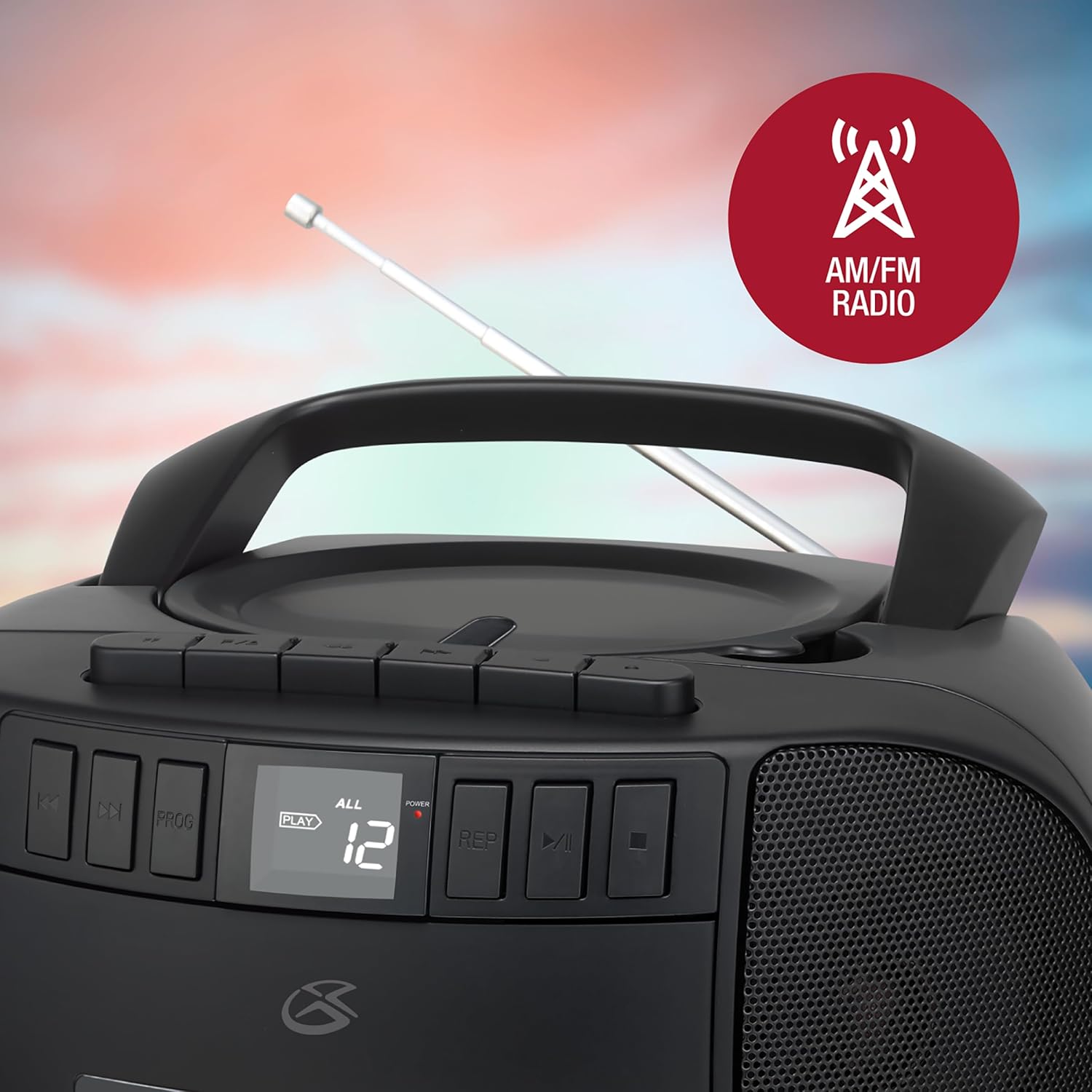
Image: The GPX boombox with its telescopic antenna extended, ready for FM radio reception.
Istruzzjonijiet Operattivi
Operazzjoni ta' CD Player
- Set the Function Selector to 'CD'.
- Iftaħ l-għatu tal-kompartiment tas-CD billi erfgħu bil-mod.
- Place a CD onto the center spindle with the label side facing up.
- Close the CD compartment lid firmly.
- Press the 'Play/Pause' button to begin playback. The track number will appear on the LCD display.
- Use the 'Skip Forward/Backward' buttons to navigate between tracks.
- Agħfas 'Stop' biex ittemm il-plejbek.
- Logħob tal-Programm: While in Stop mode, press 'Program' to select and arrange tracks in a desired order.
- Irrepeti Play: Press 'Repeat' during playback to repeat the current track or all tracks.

Image: A close-up of the boombox's top-loading CD player with a compact disc placed inside.
Operazzjoni tal-Cassette Player
- Issettja s-Selettur tal-Funzjoni għal 'Tejp'.
- Press the 'Stop/Eject' button to open the cassette door.
- Daħħal tejp tal-cassette bit-tarf miftuħ iħares 'il fuq.
- Agħlaq il-bieb tal-cassette.
- Press the 'Play' button to begin playback.
- Use 'Fast Forward' or 'Rewind' buttons to quickly move through the tape.
- Press 'Stop/Eject' to stop playback and open the cassette door.
- Reġistrazzjoni: To record from the radio or CD, first select the desired source (AM/FM or CD) using the Function Selector. Then, with a blank cassette inserted and in Stop mode, press the 'Record' button. Playback from the source will begin automatically and record onto the tape. Press 'Stop' to end recording.
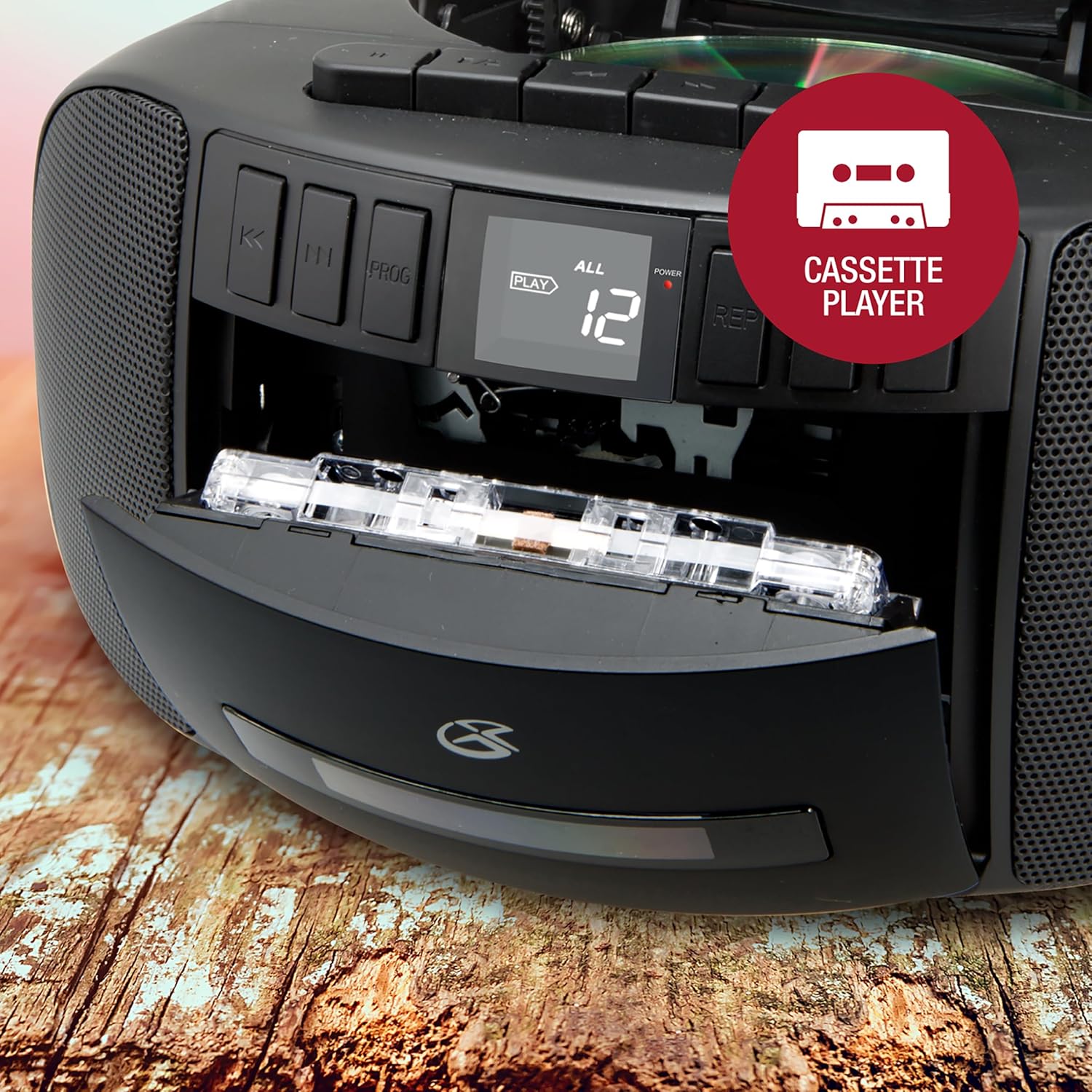
Image: The boombox's front-loading cassette player with a cassette tape partially inserted.
Operazzjoni tar-Radju AM/FM
- Set the Function Selector to 'AM' or 'FM'.
- Extend the telescopic antenna for FM reception.
- Rotate the 'Tuning' dial on the side of the unit to find your desired radio station.
- Adjust the 'Volume' control to your preferred listening level.
Input Awżiljarju
Connect an external audio device (e.g., MP3 player, smartphone) to the AUX IN jack using a 3.5mm audio cable (not included). Set the Function Selector to 'AUX' to play audio from the connected device through the boombox speakers.
Użu tal-headphone
For private listening, plug 3.5mm headphones (not included) into the Headphone Jack. The sound from the speakers will be muted automatically.
Manutenzjoni
- Tindif tal-Unità: Imsaħ il-barra tal-unità b'ċarruta ratba u niexfa. Tużax prodotti tat-tindif jew solventi li joborxu.
- Kura tas-CD Player: Keep the CD compartment clean. Avoid touching the CD lens. If a CD skips, try cleaning the disc with a soft, lint-free cloth from the center outwards.
- Kura tal-Cassette Player: Naddaf ir-ras tat-tejp u r-rombli tal-għafsa perjodikament b'tajjara tal-qoton ħafifa.ampened b'alkoħol isopropiliku.
- Ħażna: When not in use for extended periods, remove batteries and store the unit in a cool, dry place away from direct sunlight.
Issolvi l-problemi
| Problema | Kawża Possibbli | Soluzzjoni |
|---|---|---|
| Ebda qawwa | Il-korda tal-AC mhux imqabbda; Il-batteriji m'għadhomx jintużaw jew imdaħħla sew. | Iċċekkja l-konnessjoni tal-AC; Ibdel il-batteriji jew kun żgur li l-polarità hija korretta. |
| L-ebda ħoss | Volume too low; Function selector in wrong mode; Headphones connected. | Increase volume; Select correct function (CD/Tape/AM/FM/AUX); Disconnect headphones. |
| Is-CD jaqbeż jew ma jdoqqx | CD dirty or scratched; CD compartment lid not closed properly. | Clean or replace CD; Ensure lid is fully closed. |
| Riċeviment ħażin tar-radju | Antenna mhux estiża/aġġustata; Żona b'sinjal dgħajjef. | Extend and adjust FM antenna; Rotate unit for AM; Try moving unit to a different location. |
| Cassette player issues (e.g., door, playback) | Cassette not inserted correctly; Tape heads dirty; Mechanical issue. | Re-insert cassette; Clean tape heads; If persistent, contact support. |
Speċifikazzjonijiet
- Mudell: BCA209B
- Sors tal-Enerġija: AC 120V ~ 60Hz jew 6 x batteriji daqs 'C' (DC 9V)
- Frekwenzi tar-radju: AM 530 - 1710 kHz, FM 88 - 108 MHz
- Kompatibbiltà CD: CD, CD-R / RW
- Tip ta' Cassette: Standard compact cassette
- Tip ta' Kelliem: Stereo
- Konnettività: AM/FM Radio, CD, Cassette, Aux-in, Headphone Jack
- Dimensjonijiet (L x W x H): Madwar 9.53 x 8.87 x 4.88 pulzieri
- Piż: Madwar 4 liri
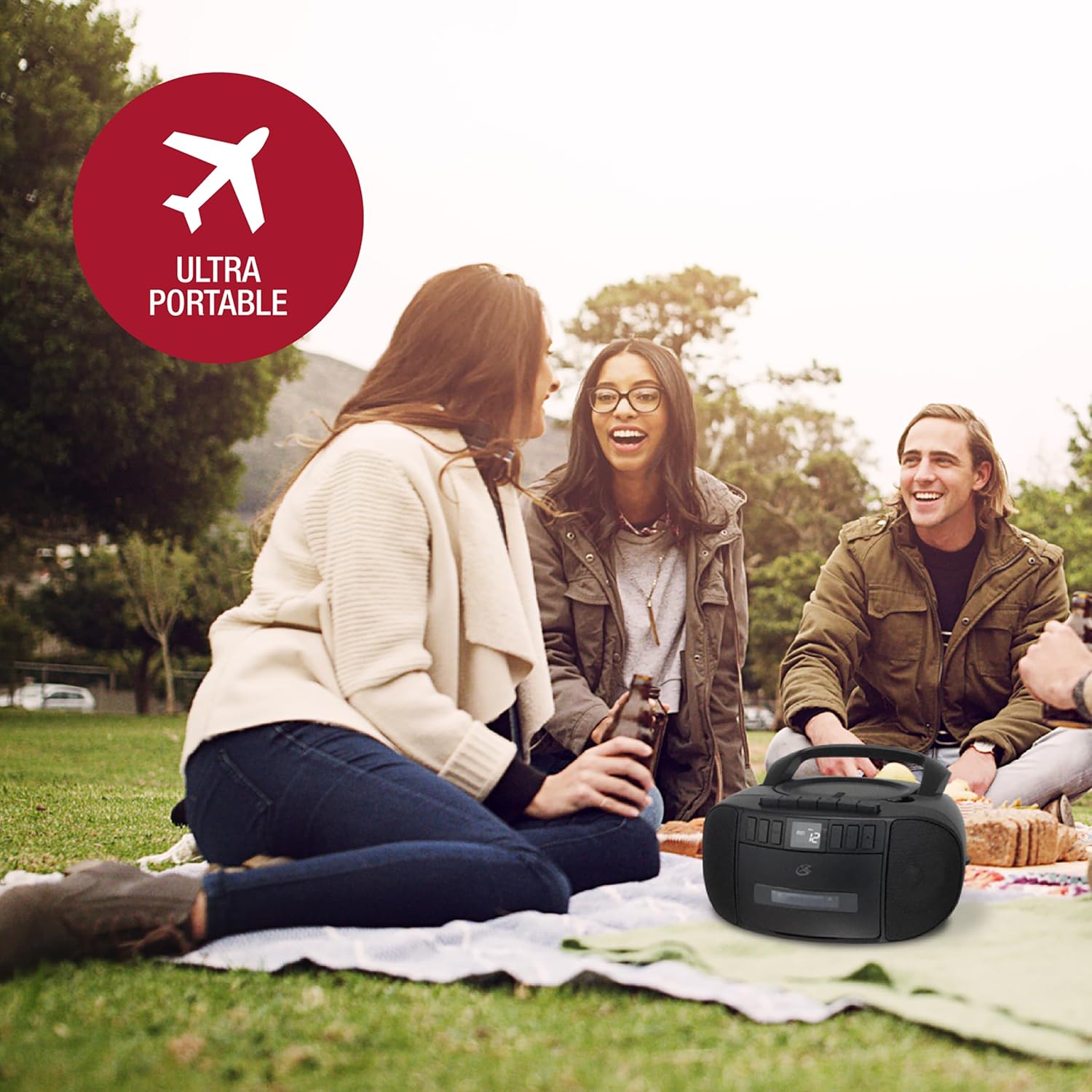
Image: The GPX boombox with its approximate dimensions (length, width, height) indicated.
Garanzija u Appoġġ
For warranty information and customer support, please refer to the documentation included with your purchase or visit the official GPX websit. Żomm il-prova tax-xiri tiegħek għal kwalunkwe talba ta' garanzija.
You can also find additional support and contact information via the GPX brand store: GPX Store on Amazon.


