1. Introduzzjoni
This manual provides instructions for the proper setup, operation, and maintenance of your Amazon Basics Large Portable Bluetooth Speaker (Model BTV3_2). Please read this manual thoroughly before using the product to ensure optimal performance and safety.
2. Informazzjoni dwar is-Sigurtà
- Tesponix l-ispiker għall-ilma jew għal umdità eċċessiva.
- Evita li tpoġġi l-ispiker ħdejn sorsi ta’ sħana jew fid-dawl tax-xemx dirett.
- Tippruvax tiżżarma jew timmodifika l-ispiker. Dan jannulla l-garanzija.
- Use only the provided AC power adapter for charging.
- Żomm il-kelliem 'il bogħod mit-tfal.
3. Kontenut tal-Pakkett
Ivverifika li l-oġġetti kollha huma preżenti fil-pakkett:
- Amazon Basics Large Portable Bluetooth Speaker
- Adapter tal-Qawwa AC

Deskrizzjoni: This image shows the Amazon Basics Large Portable Bluetooth Speaker securely placed within its brown cardboard packaging, indicating how the product is received.
4. Prodott Aktarview
4.1. Quddiem View

Deskrizzjoni: This image displays the front of the Amazon Basics Large Portable Bluetooth Speaker, featuring a black mesh grille that covers the speaker drivers.
4.2. Top Panel Controls

Deskrizzjoni: This image shows the top panel of the speaker with four circular buttons and a small LED indicator. From left to right, the buttons are: Volume Down (-), Play/Pause, Volume Up (+), and Bluetooth Pairing/Call Answer. Below the buttons, a small Bluetooth logo and an LED indicator are visible.
- - (Volume Down): Tnaqqas il-volum tal-awdjo.
- Play/Pawsa: Jdoqq jew iwaqqaf id-daqq tal-awdjo.
- + (Volume Up): Iżżid il-volum tal-awdjo.
- Bluetooth/Call: Initiates Bluetooth pairing mode or answers/ends phone calls.
- Indikatur LED: Displays power and Bluetooth status.
4.3. Side Panel Ports

Deskrizzjoni: This image shows the right side panel of the speaker, featuring a power switch, a DC input port for charging, and an AUX input port for wired audio connections.
- Swiċċ mixgħul / mitfi: Jixgħel jew jitfi l-ispiker.
- Port DC IN: Connects to the AC power adapter for charging.
- Port AUX: Connects to audio devices using a 3.5mm stereo cable (not included).
5. Setup
5.1. Iċċarġja l-Ispeaker
- Connect the provided AC power adapter to the DC IN port on the side of the speaker.
- Ipplaggja l-adapter tal-enerġija AC f'sokit tal-ħajt.
- The LED indicator will illuminate to show charging status. A full charge provides up to 8 hours of playback.
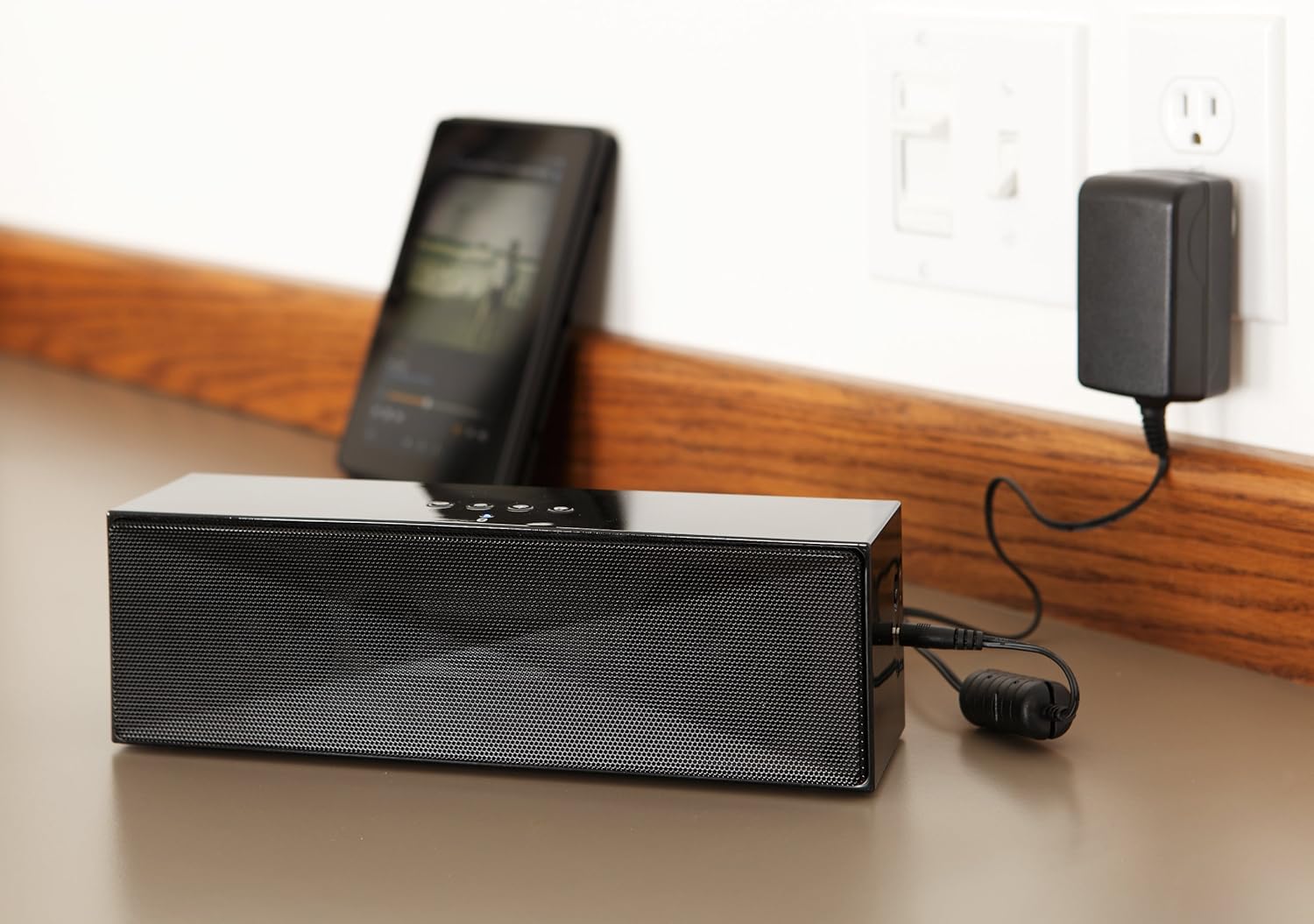
Deskrizzjoni: This image shows the speaker placed on a surface, with its AC power adapter plugged into a wall outlet, illustrating the charging process.
5.2. Tixgħil / Mitfi
Slide the ON/OFF switch located on the side panel to the "ON" position to power on the speaker. Slide it to the "OFF" position to power off.
6. Istruzzjonijiet Operattivi
6.1. Tqabbil tal-Bluetooth
- Ensure the speaker is powered on. The LED indicator will flash, indicating it is in pairing mode.
- Fuq it-tagħmir tiegħek li jaħdem bil-Bluetooth (smartphone, tablet, laptop), attiva l-Bluetooth u fittex tagħmir disponibbli.
- Select "Amazon Basics BTV3_2" from the list of devices.
- Once paired, the LED indicator on the speaker will glow solid blue.
- The speaker can connect to devices up to 30 feet (10 meters) away.

Deskrizzjoni: This image shows the speaker positioned next to a tablet displaying a music playback interface, demonstrating a typical Bluetooth connection scenario.
6.2. Connecting via AUX Cable
- Connect one end of a 3.5mm stereo audio cable (not included) to the AUX port on the speaker.
- Qabbad it-tarf l-ieħor tal-kejbil mal-jack tal-output tal-awdjo tat-tagħmir tiegħek.
- L-ispiker jaqleb awtomatikament għall-modalità ta' input AUX.
6.3. Sejħiet mingħajr idejn
The speaker features a built-in microphone for hands-free calls when connected via Bluetooth.
- Tweġiba għal Sejħa: Press the Bluetooth/Call button once.
- Tmiem Sejħa: Press the Bluetooth/Call button once during a call.
- Ċaħda ta 'Sejħa: Press and hold the Bluetooth/Call button.
7. Manutenzjoni
- Naddaf l-ispiker b'ċarruta ratba u niexfa. Tużax prodotti tat-tindif likwidi jew aerosols.
- Aħżen l-ispiker f'post frisk u niexef meta ma jkunx qed jintuża għal perjodi twal.
- Evita li twaqqa’ l-ispiker jew li tissottomettih għal impatti qawwija.
8 Issolvi l-problemi
| Problema | Kawża Possibbli | Soluzzjoni |
|---|---|---|
| L-ispiker ma jixgħelx. | Il-batterija hija eżawrita. | Connect the speaker to the AC power adapter and charge it. |
| Ma tistax tqabbad permezz tal-Bluetooth. | Speaker is not in pairing mode; device Bluetooth is off; device is out of range. | Ensure speaker LED is flashing; enable Bluetooth on your device; move device closer to the speaker (within 30 feet/10 meters). |
| L-ebda ħoss jew volum baxx. | Volume on speaker or connected device is too low; incorrect input source. | Increase volume on both the speaker and your connected device. Ensure correct connection (Bluetooth or AUX). |
| Speaker turns off automatically when using AUX. | Automatic power-off feature activated due to prolonged silence. | This model may have an automatic power-off feature after a period of inactivity or silence, even when connected via AUX. To resume playback, power the speaker off and then on again using the side switch. |
| Distorsjoni tal-ħoss. | Volume too high; weak battery; interference. | Reduce volume; charge the speaker; move away from other electronic devices. |
9. Speċifikazzjonijiet
| Karatteristika | Dettall |
|---|---|
| Numru tal-Mudell | BTV3_2 |
| Dimensjonijiet (L x W x H) | 10.2 x 2.9 x 3.1 pulzieri (25.9 x 7.4 x 7.9 ċm) |
| Piż | 1.61 liri (0.73 kg) |
| Output Speaker | 2 x 5W (10W b'kollox) |
| Konnettività | Bluetooth, 3.5mm AUX |
| Medda Bluetooth | Sa 30 pied (10 metri) |
| Ħajja tal-batterija | Sa 8 sigħat |
| Kapaċità tal-batterija | 8000 mAh |
| Mikrofonu inkorporat | Iva |
| Sors tal-Enerġija | Battery Powered, AC Adapter |
| Materjal | Plastik |

Deskrizzjoni: This image provides a visual representation of the speaker's dimensions, showing its length (10.2"), width (2.9"), and height (3.1").
10. Garanzija u Appoġġ
Għal informazzjoni dwar il-garanzija u appoġġ għall-klijenti, jekk jogħġbok irreferi għad-dokumentazzjoni inkluża max-xiri tiegħek jew żur il-websajt uffiċjali tal-Amazon Basics. websit. Żomm il-prova tax-xiri tiegħek għal talbiet ta' garanzija.
Appoġġ onlajn: Ħanut tal-Bażiċi tal-Amazon


