Introduzzjoni
The Creative T50W Wireless Bluetooth 2.0 Speakers with NFC offer a premium audio experience, building upon the acclaimed GigaWorks T40 series. Designed for seamless music streaming, these speakers feature Bluetooth connectivity with NFC for easy pairing and integrate aptX high-definition audio codec for superior sound quality.
This 2.0 speaker system utilizes a 3-driver MTM (Midrange-Tweeter-Midrange) configuration, coupled with high-quality audio components and a curved rear enclosure, to deliver a balanced and accurate sound profile suitable for various music genres.
Kontenut tal-Pakkett
Jekk jogħġbok iċċekkja li l-oġġetti kollha elenkati hawn taħt huma inklużi fil-pakkett tiegħek:
- Creative T50W Right Speaker (with integrated controls)
- Creative T50W Left Speaker
- Adapter tal-Enerġija
- Stereo-to-Stereo Audio Cable (3.5mm)
- Gwida ta' Bidu Mgħaġġel (mhux inkluża f'dan il-manwal)
Prodott Overview
Familiarize yourself with the components and controls of your Creative T50W speakers.

Figura 1: Quddiem View of Creative T50W Speakers. This image displays both the right and left speakers from the front. The right speaker, on the right side of the image, features three control knobs for Bass, Treble, and Volume, along with a headphone jack and an auxiliary input jack. Both speakers have three drivers arranged vertically: two larger yellow-coned drivers (midrange) and a smaller black-coned driver (tweeter) in the center. The Creative logo is visible at the bottom of each speaker.
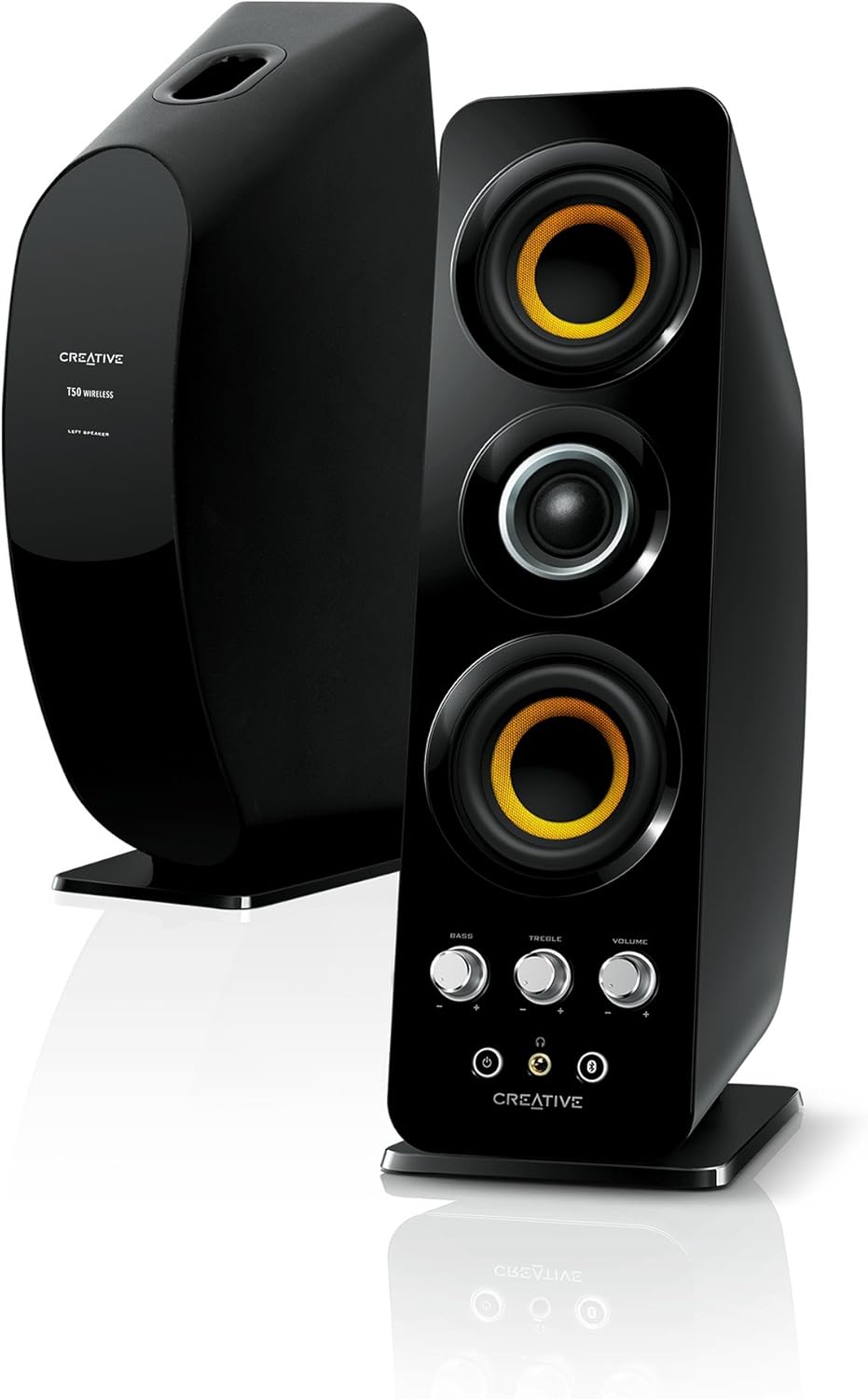
Figura 2: Wara View of Creative T50W Speakers. This image shows the right speaker in the foreground and the left speaker partially visible in the background. The right speaker's rear panel includes the power input, a port for connecting to the left speaker, and a BasXPort opening for enhanced bass. The left speaker's rear panel is simpler, primarily showing its connection port to the right speaker and the BasXPort opening.

Figura 3: Fuq View of Creative T50W Speakers. Din l-immaġni tipprovdi ħarsa ġenerali view of both speakers. The top of the right speaker clearly shows the NFC (Near Field Communication) tag area, indicated by a small NFC logo, which allows for quick Bluetooth pairing with compatible devices.
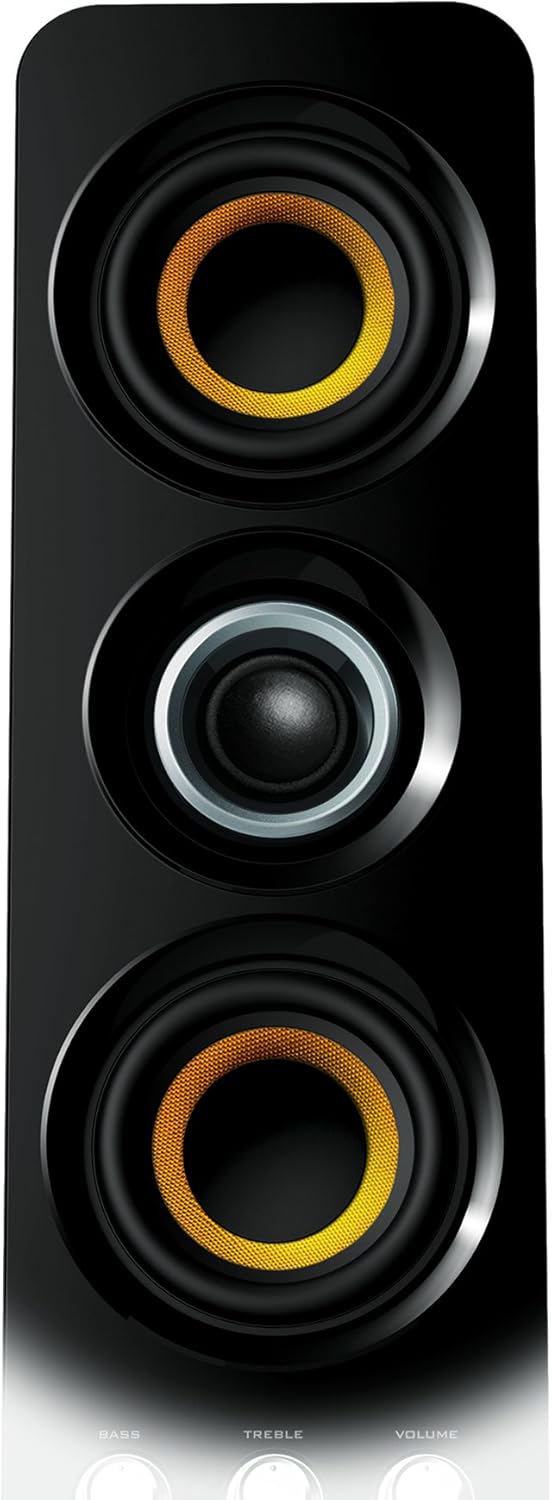
Figure 4: Close-up of Right Speaker Controls. This detailed image focuses on the control panel of the right speaker. It shows the three rotary knobs for Bass, Treble, and Volume adjustment. Below the knobs are the power button, a Bluetooth pairing button, a headphone jack, and an auxiliary input jack. The Creative logo is centered at the bottom.
Setup
1. Poġġiment ta' Speaker
Place the right speaker (with controls) on the right side of your listening area and the left speaker on the left side. Ensure they are positioned at an equal distance from your listening position for optimal stereo imaging.
2. Konnessjoni tal-Kelliema
- Locate the speaker cable attached to the left speaker.
- Connect the other end of this cable to the "TO LEFT SPEAKER" port on the rear of the right speaker.
3. Konnessjoni tal-Enerġija
- Connect the power adapter to the "DC IN" port on the rear of the right speaker.
- Ipplaggja l-adapter tal-enerġija f'iżbokk tal-ħajt.
4. Konnessjoni tas-Sors Awdjo
You have multiple options for connecting audio sources:
Wired Connection (Auxiliary Input)
- Use the provided 3.5mm stereo-to-stereo audio cable.
- Connect one end to the "AUX IN" jack on the front of the right speaker.
- Connect the other end to the headphone jack or audio output of your device (e.g., computer, MP3 player).
Konnessjoni Bluetooth
- Kun żgur li l-ispikers huma mixgħula.
- Press and hold the Bluetooth button on the front of the right speaker until the LED indicator flashes blue, indicating pairing mode.
- On your Bluetooth-enabled device (smartphone, tablet, laptop), search for and select "Creative T50W" from the list of available devices.
- Ladarba jkun imqabbad, l-indikatur LED isir blu solidu.
NFC (Near Field Communication) Connection
- Ensure NFC is enabled on your compatible smartphone or tablet.
- Tap your device gently on the NFC logo located on the top of the right speaker.
- Your device will prompt you to confirm the Bluetooth pairing. Accept the pairing request.
- The speakers will automatically connect via Bluetooth.
Istruzzjonijiet Operattivi
Qawwa mixgħul/mitfi
- Press the Power button on the front of the right speaker to turn the speakers on or off.
Aġġustament Awdjo
- Volum: Rotate the "VOLUME" knob clockwise to increase volume, counter-clockwise to decrease.
- Bass: Rotate the "BASS" knob to adjust the low-frequency output.
- Treble: Rotate the "TREBLE" knob to adjust the high-frequency output.
Uża l-Jack tal-Headphone
- Plug your headphones into the headphone jack on the front of the right speaker.
- Audio will automatically switch from the speakers to your headphones. The volume, bass, and treble controls will still function for headphone output.
Karatteristika ta' Standby Awtomatika
The Creative T50W speakers are designed with an automatic standby feature to conserve power. If no audio input is detected for approximately 10 minutes, the speakers will enter standby mode. They will automatically wake up when an audio signal is detected again.
Manutenzjoni
- Tindif: Use a soft, dry cloth to clean the speaker surfaces. Do not use liquid cleaners or aerosols, as they may damage the finish or internal components.
- Pjazzament: Evita li tpoġġi l-ispikers fid-dawl tax-xemx dirett, ħdejn sorsi ta’ sħana, jew f’żoni b’umdità għolja. Kun żgur li jkun hemm ventilazzjoni adegwata madwar l-ispikers.
- Immaniġġjar: Do not drop or subject the speakers to strong impacts.
- Ħażna: Jekk se taħżen l-ispikers għal perjodu estiż, skonnettjahom mill-provvista tal-enerġija u aħżenhom f'post frisk u niexef.
Issolvi l-problemi
Ebda Qawwa
- Kun żgur li l-adapter tal-enerġija huwa konness sew kemm mal-ispiker kif ukoll ma' sokit tal-ħajt li jaħdem.
- Verify that the power button on the right speaker has been pressed.
Ebda Ħoss
- Check that the volume knob on the right speaker is turned up.
- Ensure the audio source (e.g., computer, phone) is playing audio and its volume is not muted or too low.
- If using a wired connection, ensure the 3.5mm cable is securely connected to both the speaker's AUX IN port and your audio source.
- If using Bluetooth, ensure the speakers are successfully paired and connected to your device. Try re-pairing if necessary.
- Confirm that no headphones are plugged into the headphone jack, as this will mute the speakers.
- Ensure the left speaker is properly connected to the right speaker.
Kwistjonijiet ta' Konnessjoni Bluetooth
- Ensure the speakers are in Bluetooth pairing mode (flashing blue LED).
- Move your Bluetooth device closer to the speakers to ensure it is within range.
- Clear the "Creative T50W" entry from your device's Bluetooth paired devices list and attempt to re-pair.
- Turn off and on the Bluetooth function on your device.
- Restart both your device and the speakers.
- Avoid placing the speakers near other wireless devices that may cause interference.
Distorted or Poor Sound Quality
- Naqqas il-volum kemm fuq l-ispikers kif ukoll fuq is-sors awdjo tiegħek.
- Adjust the Bass and Treble knobs to see if it improves sound.
- Ensure the audio cable (if wired) is not damaged and is fully inserted.
- If using Bluetooth, ensure there are no obstructions or excessive distance between the device and speakers.
- Test with a different audio source or different audio file biex jiġu esklużi kwistjonijiet tas-sors.
Speċifikazzjonijiet
| Isem tal-Mudell | T50W |
| Numru tal-Mudell tal-Oġġett | 51MF1665AA001 |
| Tip ta' Kelliem | Satellite, 2.0 System |
| Teknoloġija tal-Konnettività | Mingħajr fili (Bluetooth), Bil-fili (3.5mm AUX) |
| Komunikazzjoni bla fili | Bluetooth, NFC |
| Modalità tal-Ħruġ tal-Awdjo | Stereo |
| Tip ta' Sewwieq Awdjo | Dynamic Driver (Silk Dome Tweeter, Woven Glass Fiber Cone Midrange) |
| Metodu ta' Kontroll | Rotary Knobs (Volume, Bass, Treble), Buttons (Power, Bluetooth) |
| Apparati Kompatibbli | Desktop, Laptop, MP3 Player, Smartphone, Tablet |
| Sors tal-Enerġija | Corded Elettriku |
| Dimensjonijiet tal-Prodott (kull kelliem) | 12.4"D x 3.6"W x 7.3"Għ (31.5 ċm D x 9.1 ċm W x 18.5 ċm Għ) |
| Piż tal-oġġett | 6.9 Lira (3.13 kg) |
| Tip ta 'Immuntar | Immonta fuq il-mejda |
| Huwa Waterproof | Nru |
Garanzija u Appoġġ
Informazzjoni dwar Garanzija
The Creative T50W Wireless Bluetooth 2.0 Speakers come with a Limited Warranty. Please refer to the warranty card included in your product packaging or visit the official Creative website for detailed terms and conditions regarding your specific region.
Appoġġ għall-Klijent
For technical assistance, product registration, or further inquiries, please visit the official Creative support website. You can typically find FAQs, driver downloads, and contact information for customer service there.
Appoġġ Kreattiv Websit: www.creative.com/support


