Introduzzjoni
This manual provides essential instructions for the safe and efficient operation of your Muse M-28 VF Portable CD/MP3 Radio with USB Player. Please read this manual thoroughly before using the device and retain it for future reference.
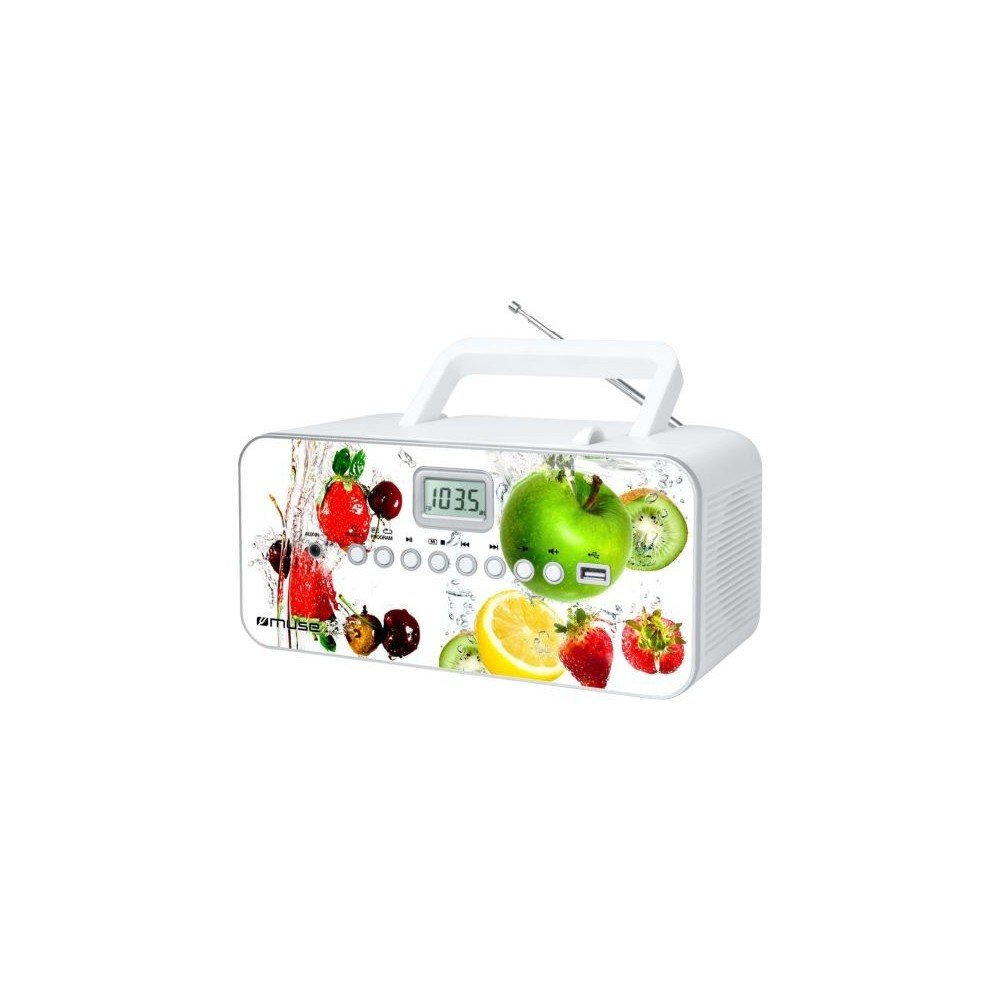
Quddiem view of the Muse M-28 VF portable CD/MP3 radio, showing the CD compartment, display, and control buttons.
Informazzjoni dwar is-Sigurtà
- Tesponix l-unità għax-xita jew l-umdità.
- Timblokka l-ebda fetħiet tal-ventilazzjoni.
- Żgura ventilazzjoni xierqa madwar l-unità.
- Uża biss aċċessorji/aċċessorji speċifikati mill-manifattur.
- Aqla 'l-unità waqt maltempati tas-sajjetti jew meta ma tintużax għal perjodi twal.
- Irreferi l-manutenzjoni kollha lil persunal tas-servizz kwalifikat.
Setup
1. Konnessjoni tal-Enerġija
- Locate the AC power cord.
- Insert the small end of the power cord into the AC IN jack on the back of the unit.
- Ipplaggja t-tarf l-ieħor tal-korda tal-enerġija f'sokit standard tal-ħajt.
2. Aġġustament tal-Antenna
For optimal FM radio reception, fully extend the telescopic antenna. For MW (AM) reception, the unit has a built-in antenna; rotate the unit for best reception.
Istruzzjonijiet Operattivi
1. Power On/Off
Agħfas il- QAWWA buttuna biex tixgħel jew titfi l-unità.
2. Għażla tal-Mod
Agħfas il- MODALITÀ button repeatedly to switch between CD, USB, FM Radio, MW Radio, and AUX modes.
3. CD Playback
- Iftaħ il-bieba tal-kompartiment tas-CD.
- Place a CD (CD/CD-R/CD-RW/MP3 compatible) with the label side facing up.
- Agħlaq il-bieb tal-kompartiment tas-CD.
- Agħżel il-modalità CD billi tuża l-buttuna MODALITÀ buttuna.
- Agħfas il- DĦABBA/PAWŻA buttuna biex tibda d-daqq.
- Uża l- SKIP buttuni (<< / >>) biex tinnaviga t-traċċi.
- Agħfas il- STOP buttuna biex ittemm il-plejbek.
- The unit features a full or partial repeat function. Refer to the display for repeat mode indicators.
4. Daqq USB
- Daħħal flash drive tal-USB fil-port tal-USB.
- Agħżel il-modalità USB billi tuża l-buttuna MODALITÀ buttuna.
- Playback will start automatically or by pressing the DĦABBA/PAWŻA buttuna.
- Uża l- SKIP buttuni (<< / >>) biex tinnaviga t-traċċi.
5. FM/MW Radio Operation
- Agħżel il-modalità FM jew MW billi tuża l-buttuna MODALITÀ buttuna.
- Agħfas u żomm il- INTONA +/- buttuni biex tiskennja awtomatikament għall-istazzjon disponibbli li jmiss.
- Agħfas il- INTONA +/- agħfas il-buttuni fil-qosor biex tirfina l-frekwenza.
- To store a station: Tune to the desired station, then press and hold the PROGRAMM buttuna. Uża SKIP buttuni biex tagħżel numru preset, imbagħad agħfas PROGRAMM again to confirm. The unit supports 20 FM and 10 MW storable stations.
- To recall a stored station: Press the MEMORJA or Issettjat minn qabel buttuna, imbagħad uża SKIP buttons to select the desired preset.
6. Input Awżiljarju (AUX IN)
- Qabbad apparat awdjo estern (eż., smartphone, MP3 player) mal-jack AUX IN billi tuża kejbil awdjo ta' 3.5mm (mhux fornut).
- Agħżel il-modalità AUX billi tuża l- MODALITÀ buttuna.
- Ikkontrolla l-plejbek mill-apparat estern konness.
7. Kontroll tal-Volum
Dawwar il- VOLUM knob to adjust the sound level.
Manutenzjoni
1. Tindif tal-Unità
- Before cleaning, ensure the unit is powered off and unplugged from the wall outlet.
- Uża drapp artab u niexef biex timsaħ l-uċuħ ta’ barra.
- Għal tebgħat iebsa, ftit dampLaħlaħ id-drapp bl-ilma. Tużax prodotti tat-tindif li joborxu, xama’, jew solventi.
- Clean the CD lens periodically with a specialized CD lens cleaner disc (not supplied).
2. Ħażna
Meta ma tkunx qed tużaha għal perjodi twal, aħżen l-unità f'post frisk u niexef, 'il bogħod mix-xemx diretta u minn temperaturi estremi.
Issolvi l-problemi
| Problema | Kawża Possibbli | Soluzzjoni |
|---|---|---|
| Ebda qawwa | Il-korda tal-enerġija mhux konnessa sew. | Iċċekkja jekk il-korda tal-enerġija hijiex imdaħħla sew fl-unità u fis-sokit tal-ħajt. |
| L-ebda ħoss | Il-volum huwa baxx wisq jew immut. Magħżula l-modalità żbaljata. | Increase the volume. Ensure the correct playback mode (CD, USB, Radio, AUX) is selected. |
| Is-CD mhux qed idoqq | CD inserted incorrectly. CD is dirty or scratched. Incorrect mode. | Insert CD with label side up. Clean or replace the CD. Select CD mode. |
| USB mhux qed jilgħab | USB drive not inserted correctly. Incompatible file format. | Ensure USB drive is fully inserted. Check if files are MP3 format. |
| Riċeviment ħażin tar-radju | Antenna not extended/positioned correctly. Interference. | Fully extend and adjust the FM telescopic antenna. Rotate the unit for MW reception. Move away from other electronic devices. |
Speċifikazzjonijiet
- Mudell: M-28 VF
- Ditta: MUSE
- Tipi ta' Diski Kompatibbli: CD, CD-R, CD-RW, MP3
- Tuner tar-Radju: PLL FM/MW
- Stazzjonijiet issettjati minn qabel: 20 FM, 10 MW
- Konnettività: USB Port (1), Auxiliary Input (3.5mm)
- Tip ta' Kelliem: Stereo
- Sors tal-Enerġija: Kejbil AC
- Qawwa tal-Ħruġ: 14 Watts
- Dimensjonijiet (L x W x H): 17 x 26 x 13 ċm (madwar 6.7 x 10.2 x 5.1 pulzieri)
- Piż: 1.4 Kilogrammi (madwar 3.1 lbs)
- Kompatibbli Bluetooth: Nru
Informazzjoni dwar Garanzija
Dan il-prodott jiġi b'garanzija tal-manifattur ta' 1 sena from the date of purchase. Please retain your proof of purchase for warranty claims. The warranty covers defects in materials and workmanship under normal use. It does not cover damage caused by misuse, accident, unauthorized modification, or external causes.
Appoġġ għall-Klijent
For further assistance, technical support, or warranty inquiries, please refer to the contact information provided with your product packaging or visit the official MUSE website. Do not attempt to repair the unit yourself.


