1. Introduzzjoni
This manual provides instructions for the setup, operation, and maintenance of your Logitech M557 Bluetooth Mouse. The Logitech M557 is designed for seamless wireless connectivity with Bluetooth-enabled computers, laptops, and tablets, supporting various operating systems including Windows, macOS, Chrome OS, and Android.
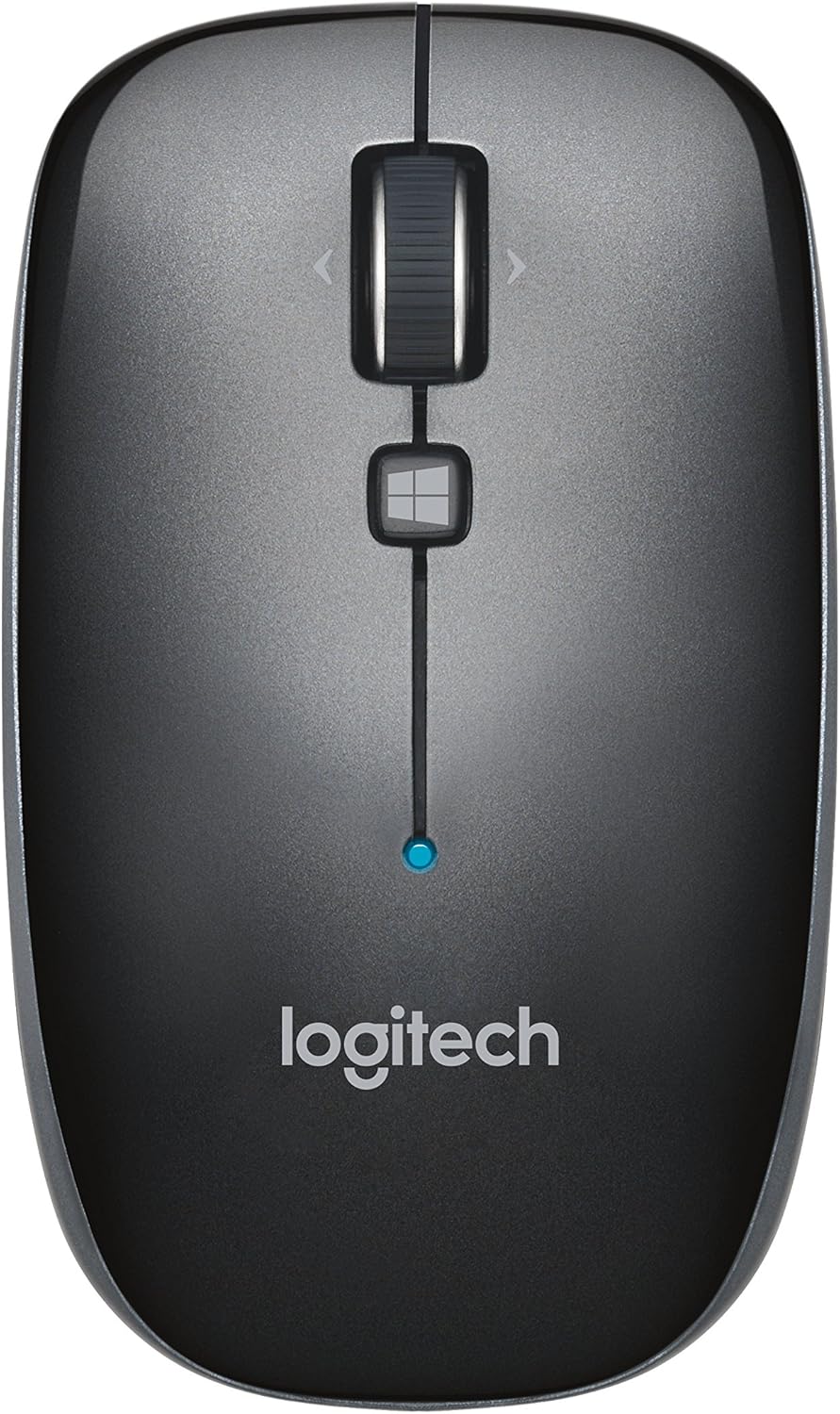
Figura 1: Fuq view of the Logitech M557 Bluetooth Mouse, showing the scroll wheel, Windows button, and Logitech logo.
2. Kontenut tal-Pakkett
Ivverifika li l-pakkett tiegħek fih l-oġġetti li ġejjin:
- Ġurdien Bluetooth Logitech M557
- 1 AAA Battery (pre-installed or included separately)
- Gwida ta' Bidu Mgħaġġel (dan il-manwal iservi bħala gwida dettaljata)
3. Setup
3.1. Installazzjoni tal-batterija
- Sib il-kompartiment tal-batterija fuq in-naħa ta' taħt tal-maws.
- Żerżaq l-għatu tal-kompartiment tal-batterija miftuħ.
- Insert the included AAA battery, ensuring correct polarity (+/-).
- Agħlaq l-għatu tal-kompartiment tal-batterija.

Figura 2: Underside of the Logitech M557 mouse, showing the ON/OFF switch, Connect button, and optical sensor. The battery compartment is typically located here.
3.2. Konnessjoni permezz tal-Bluetooth
The Logitech M557 connects wirelessly via Bluetooth, requiring no USB receiver.
- Qawwa Mixgħul: Slide the ON/OFF switch on the bottom of the mouse to the "ON" position. A small LED indicator on the top of the mouse may light up briefly.
- Attiva l-Modalità ta' Tqabbil: Agħfas u żomm il- Qabbad button on the bottom of the mouse for a few seconds until the LED indicator on the top of the mouse begins to blink rapidly. This indicates the mouse is in pairing mode.
- Ippermetti l-Bluetooth fuq l-Apparat Tiegħek:
- Windows: Mur fuq Settings > Apparati > Bluetooth u apparati oħra. Ensure Bluetooth is turned on.
- macOS: Mur fuq System Settings > Bluetooth. Ensure Bluetooth is turned on.
- Chrome OS/Android: Mur fuq Settings > Apparati konnessi > Bluetooth. Ensure Bluetooth is turned on.
- Imqabbad il-Maws: In your device's Bluetooth settings, look for "Logitech M557" in the list of available devices. Select it to initiate the pairing process.
- Konferma: Once paired, the LED indicator on the mouse will stop blinking and remain solid for a few seconds, then turn off. Your mouse is now ready for use.
Note: If the connection is lost or you wish to pair with a different device, repeat steps 2-5.
4. Kif Tħaddem il-Maws Tiegħek
4.1. Funzjonijiet Bażiċi
- Buttuna tal-Ikklikkjar fuq ix-Xellug: Għażla u attivazzjoni primarja.
- Buttuna tal-Ikklikkjar bil-Lemin: Aċċessa l-menus kuntestwali.
- Scroll Wheel: Tiskrollja vertikalment fid-dokumenti u web paġni.
- Rota inklinata: The scroll wheel can also be tilted left or right for horizontal scrolling (if supported by your operating system/application).
- Scroll Wheel Button: Pressing the scroll wheel acts as a middle-click button, often used for opening links in new tabs or activating specific application functions.
- Buttuna tal-Windows: Located below the scroll wheel. By default, this button opens the Start Menu or Search function on Windows. Its function may be customizable using Logitech Options software (if available for your OS).

Figura 3: Angolat view of the Logitech M557 mouse, highlighting its ergonomic design and button placement.
4.2. Customizing Your Mouse (Optional)
For advanced customization of button functions and scroll behavior, Logitech may offer software such as Logitech Options. Visit the official Logitech support website for your product model to check for compatible software downloads.
5. Manutenzjoni
5.1. Tindif
To maintain optimal performance, clean your mouse periodically:
- Uża drapp ratba u mingħajr ħelu ftit dampmaħsul bl-ilma jew b'soluzzjoni tat-tindif sikura għall-elettronika.
- Evita kimiċi ħarxa jew materjali li joborxu.
- Clean the optical sensor area on the bottom of the mouse to ensure accurate tracking.
5.2. Sostituzzjoni tal-batterija
The Logitech M557 uses one AAA battery. The average battery life is approximately 12 months, but actual life may vary based on usage.
- When the battery is low, the LED indicator on the mouse may flash red.
- Turn off the mouse using the ON/OFF switch on the bottom.
- Iftaħ il-kompartiment tal-batterija.
- Remove the old AAA battery and dispose of it according to local regulations.
- Insert a new AAA battery, observing correct polarity.
- Agħlaq il-kompartiment tal-batterija u erġa’ ixgħel il-maws.
6 Issolvi l-problemi
6.1. Mouse Not Connecting or Disconnecting
- Iċċekkja l-batterija: Kun żgur li l-batterija hija installata sew u għandha biżżejjed ċarġ. Ibdelha jekk meħtieġ.
- Ċiklu tal-Enerġija: Itfi l-maws u mbagħad erġa 'xgħel.
- Erġa 'par: Remove "Logitech M557" from your device's Bluetooth list and repeat the pairing process (Section 3.2).
- Apparat Bluetooth: Ensure Bluetooth is enabled on your computer or tablet.
- Interferenza: Bluetooth can be affected by other wireless devices (e.g., Wi-Fi routers, other Bluetooth devices). Try moving closer to your device or away from potential sources of interference.
- Aġġornamenti tas-Sistema Operattiva: Kun żgur li s-sistema operattiva tat-tagħmir tiegħek u s-sewwieqa tal-Bluetooth huma aġġornati.
6.2. Cursor Movement is Erratic or Non-Responsive
- Sensor Nadif: Naddaf is-senser ottiku fil-qiegħ tal-maws.
- Wiċċ: Ensure you are using the mouse on a suitable surface. Highly reflective or transparent surfaces may affect tracking. A mouse pad is recommended.
- Batterija: Low battery can affect performance. Replace the battery.
6.3. Buttons or Scroll Wheel Not Functioning
- Erġa 'par: Ipprova erġa' qabbad il-maws mat-tagħmir tiegħek.
- Software: If using customization software, ensure it is correctly installed and configured. Temporarily uninstalling and reinstalling the software might resolve issues.
- Test fuq Apparat Ieħor: If possible, test the mouse on another Bluetooth-enabled device to determine if the issue is with the mouse or the original device.
7. Speċifikazzjonijiet
| Karatteristika | Dettall |
|---|---|
| Brand | Logitech |
| Mudell | M557 (Numru tal-Prodott: 910-003971) |
| Teknoloġija tal-Konnettività | Bluetooth |
| Sejbien tal-Moviment | Ottiċi |
| Kompatibilità tas-Sistema Operattiva | Windows 10, 11 or later, macOS, Chrome OS, Android |
| Sors tal-Enerġija | Mħaddma bil-batterija |
| Tip ta 'batterija | 1 batterija AAA (inkluża) |
| Ħajja Medja tal-Batterija | 12 xhur |
| Kulur | Griż |
| Piż tal-oġġett | 2.16 uqija (madwar 61 gramma) |
| Dimensjonijiet tal-Prodott (LxWxH) | 3.93 x 2.28 x 1.34 pulzieri (madwar 10 x 5.8 x 3.4 ċm) |

Figura 4: Logitech M557 mouse displaying its physical dimensions.
8. Garanzija u Appoġġ
Għal informazzjoni dwar il-garanzija u appoġġ tekniku, jekk jogħġbok irreferi għall-websajt uffiċjali ta' Logitech. website. You can find detailed support resources, FAQs, and contact information by visiting support.logi.com and searching for "Logitech M557".
Note: Product specifications and warranty terms are subject to change without notice. Please consult the official Logitech websit għall-aktar informazzjoni kurrenti.


