1. Introduzzjoni
The Comfast CF-WU720N is a compact 150Mbps Wireless USB Adapter designed to provide high-speed wireless connectivity for your desktop or notebook computer. It allows you to connect to a wireless network and access the internet, share files, and enjoy online gaming at speeds up to 150Mbps. This adapter is compliant with IEEE 802.11b/g/n standards and supports USB 2.0 for efficient data transfer.
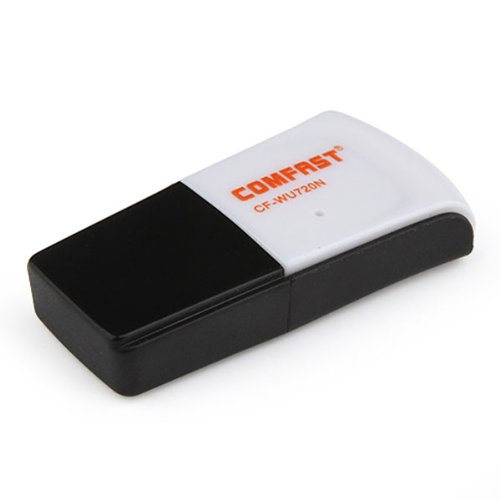
Image 1.1: The Comfast CF-WU720N Wireless USB Adapter, a compact device for wireless connectivity.
2. Karatteristiċi tal-prodott
- Meets IEEE 802.11b/g/n wireless standards.
- Supports USB 2.0 interface for broad compatibility.
- Utilizes Realtek 8191 SU chipset for reliable performance.
- Achieves wireless connection rates up to 150Mbps.
- Supports wireless roaming technology for seamless connectivity.
- Strong compatibility with various popular operating systems.
- Compact size: approximately 39 x 12 x 7mm (1.5 x 0.7 x 0.3 inches).
- Lightweight design: approximately 5g.
3. Kontenut tal-Pakkett
Jekk jogħġbok ivverifika li l-oġġetti kollha huma preżenti fil-pakkett:
- 1 x Comfast CF-WU720N Wireless USB Adapter
- 1 x Gwida ta 'Installazzjoni Mgħaġġla
- 1 x CD-ROM Driver
- 1 x Karta tal-Garanzija

Image 3.1: The retail packaging for the Comfast CF-WU720N, showing the adapter inside.
4. Setup u Installazzjoni
4.1. Installazzjoni tas-sewwieq
Before connecting the USB adapter, it is recommended to install the necessary drivers from the provided CD-ROM. This ensures proper functionality and compatibility with your operating system.
- Insert the driver CD-ROM into your computer's optical drive.
- If the installer does not launch automatically, navigate to "My Computer" or "This PC," open the CD-ROM drive, and run the setup executable (e.g., "setup.exe" or "autorun.exe").
- Follow the on-screen instructions to complete the driver installation. You may be prompted to restart your computer after installation.
- Nota: If your computer does not have an optical drive, you may need to download the latest drivers from the manufacturer's official websit.
4.2. Konnessjoni tal-Adapter tal-USB
Once the drivers are installed, you can connect the Comfast CF-WU720N Wireless USB Adapter to your computer.
- Locate an available USB 2.0 or 3.0 port on your desktop or laptop computer.
- Carefully insert the Comfast CF-WU720N adapter into the USB port. Ensure it is fully seated.
- The operating system should automatically detect the adapter and configure it using the installed drivers. A small LED indicator on the adapter may light up or blink, indicating activity.
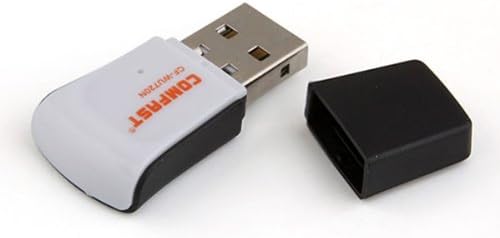
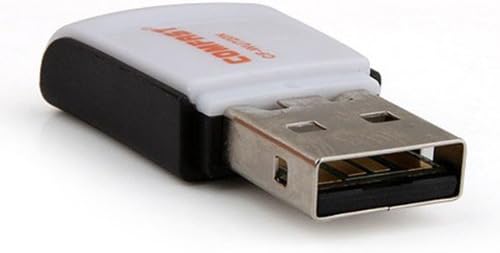
Image 4.1: The Comfast CF-WU720N adapter with its protective cap removed, revealing the USB connector. Image 4.2: A side view of the adapter, highlighting its compact design and USB interface.
5. Istruzzjonijiet Operattivi
After successful driver installation and adapter connection, you can now connect to a wireless network.
- Aċċess għas-Settings tan-Netwerk:
- Windows: Click the wireless network icon in the system tray (usually bottom-right corner).
- macOS: Click the Wi-Fi icon in the menu bar (usually top-right corner).
- Linux: Access network settings through your desktop environment's network manager.
- Agħżel in-Netwerk Tiegħek: A list of available wireless networks (SSIDs) will appear. Select the name of your desired network.
- Qabbad: Ikklikkja "Qabbad" jew "Ingħaqad." Jekk in-netwerk huwa sigur, int se tintalab iddaħħal iċ-ċavetta tas-sigurtà tan-netwerk (password).
- Ikkonferma l-Konnessjoni: Once connected, the network icon will typically change to indicate a successful connection, and you should be able to access the internet.
6. Manutenzjoni
To ensure optimal performance and longevity of your Comfast CF-WU720N Wireless USB Adapter, follow these simple maintenance guidelines:
- Żomm Nadif: Imsaħ l-adapter bil-mod b'ċarruta ratba u niexfa biex tneħħi t-trab. Evita li tuża prodotti tat-tindif likwidi jew solventi.
- Ipproteġi l-Konnettur tal-USB: When not in use, keep the protective cap on the USB connector to prevent dust and damage.
- Evita Kundizzjonijiet Estremi: Tesponix l-adapter għal temperaturi estremi, umdità, jew dawl tax-xemx dirett.
- Immaniġġja bir-reqqa: Evita li twaqqa' l-adapter jew li tissottomettih għal impatti qawwija.
- Aġġornamenti tas-sewwieq: Iċċekkja perjodikament il-manifattur websit għal sewwieqa aġġornati biex tiġi żgurata l-aħjar prestazzjoni u kompatibilità.
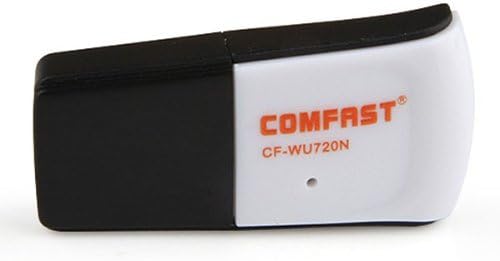
Image 6.1: The Comfast CF-WU720N adapter with its protective cap in place, ready for storage or transport.
7 Issolvi l-problemi
If you encounter issues with your Comfast CF-WU720N Wireless USB Adapter, refer to the following common solutions:
| Problema | Soluzzjoni Possibbli |
|---|---|
| Adapter not detected / No Wi-Fi networks visible. |
|
| Ma nistax nikkonnettja ma' netwerk Wi-Fi speċifiku. |
|
| Veloċità baxxa tal-konnessjoni jew skonnessjonijiet frekwenti. |
|
8. Speċifikazzjonijiet
| Karatteristika | Dettall |
|---|---|
| Mudell | CF-WU720N |
| Standards bla fili | IEEE 802.11b/g/n |
| Interface | USB 2.0 |
| Chipset | Realtek 8191 SU |
| Veloċità Wireless | Sa 150Mbps |
| Medda ta' Frekwenzi | 2.4 GHz |
| Karatteristiċi tas-Sigurtà | WPA/WPA2, WPA-PSK/WPA2-PSK, 64/128-bit WEP |
| Sistemi Operattivi | Windows XP/Vista/7/8/10, macOS, Linux (driver dependent) |
| Dimensjonijiet (L x W x H) | Madwar 39 x 12 x 7 mm (1.5 x 0.7 x 0.3 pulzieri) |
| Piż | Appross. 5g |
9. Garanzija u Appoġġ
This product comes with a warranty as specified on the included Warranty Card. Please refer to the card for details regarding warranty period, terms, and conditions.
For technical support, driver updates, or further assistance, please visit the official Comfast webis-sit jew ikkuntattja lid-dipartiment tas-servizz tal-konsumatur tagħhom. L-informazzjoni ta' kuntatt tipikament tista' tinstab fuq l-imballaġġ tal-prodott jew fuq il-manuskritt tal-manifattur. websit.
Jekk jogħġbok żomm l-irċevuta tax-xiri tiegħek għal skopijiet ta' garanzija.


