1. Introduzzjoni
This manual provides comprehensive instructions for the Sony Cyber-shot DSC-W810 Digital Camera. It covers essential information for setting up, operating, maintaining, and troubleshooting your camera to ensure optimal performance and longevity. Please read this manual thoroughly before using your camera.
2. Prodott Aktarview
Familiarize yourself with the components and controls of your Sony Cyber-shot DSC-W810 camera.
2.1 Komponenti tal-Kamera
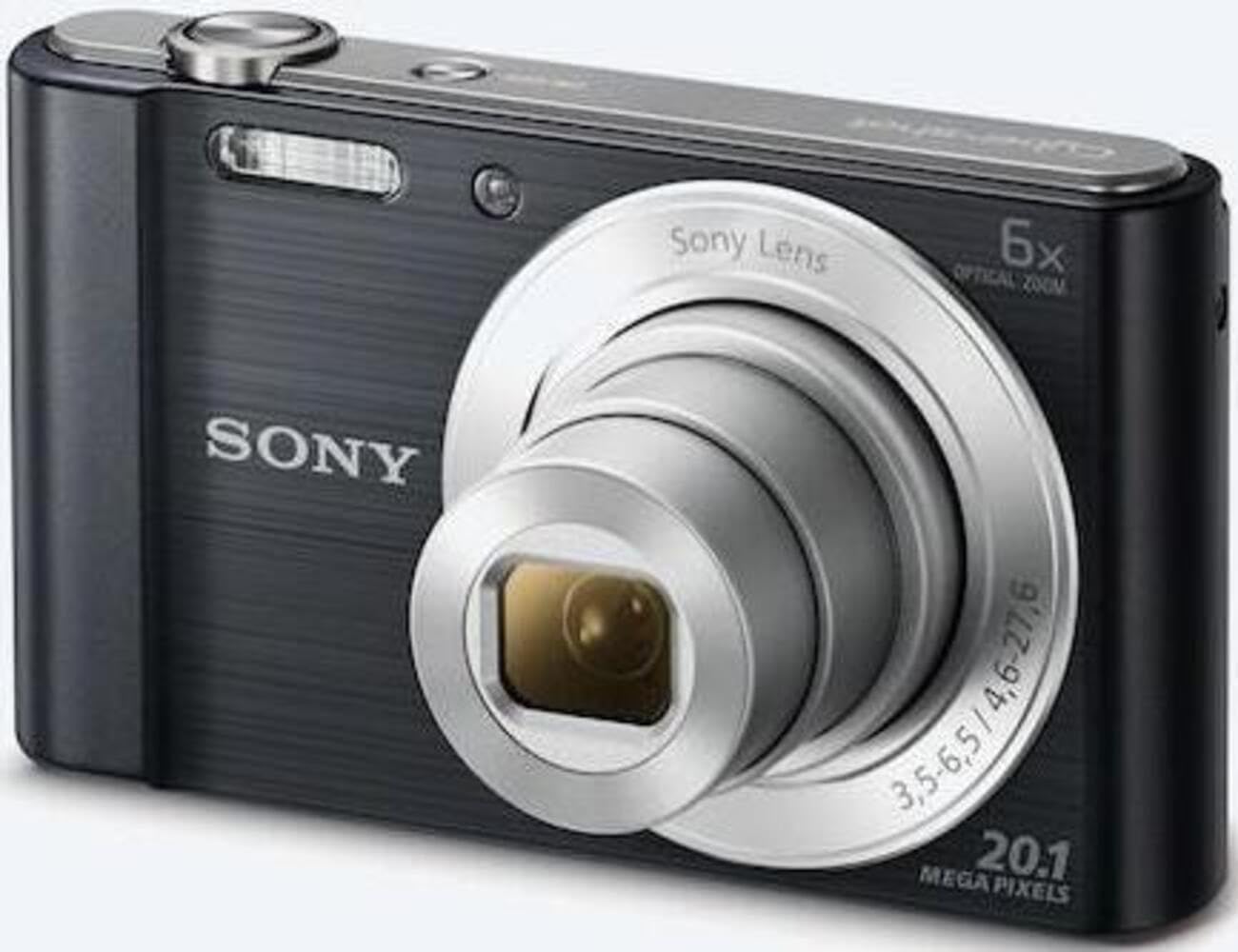
Figura 1: Quddiem view of the camera with the lens retracted. This shows the lens, flash, and shutter button.
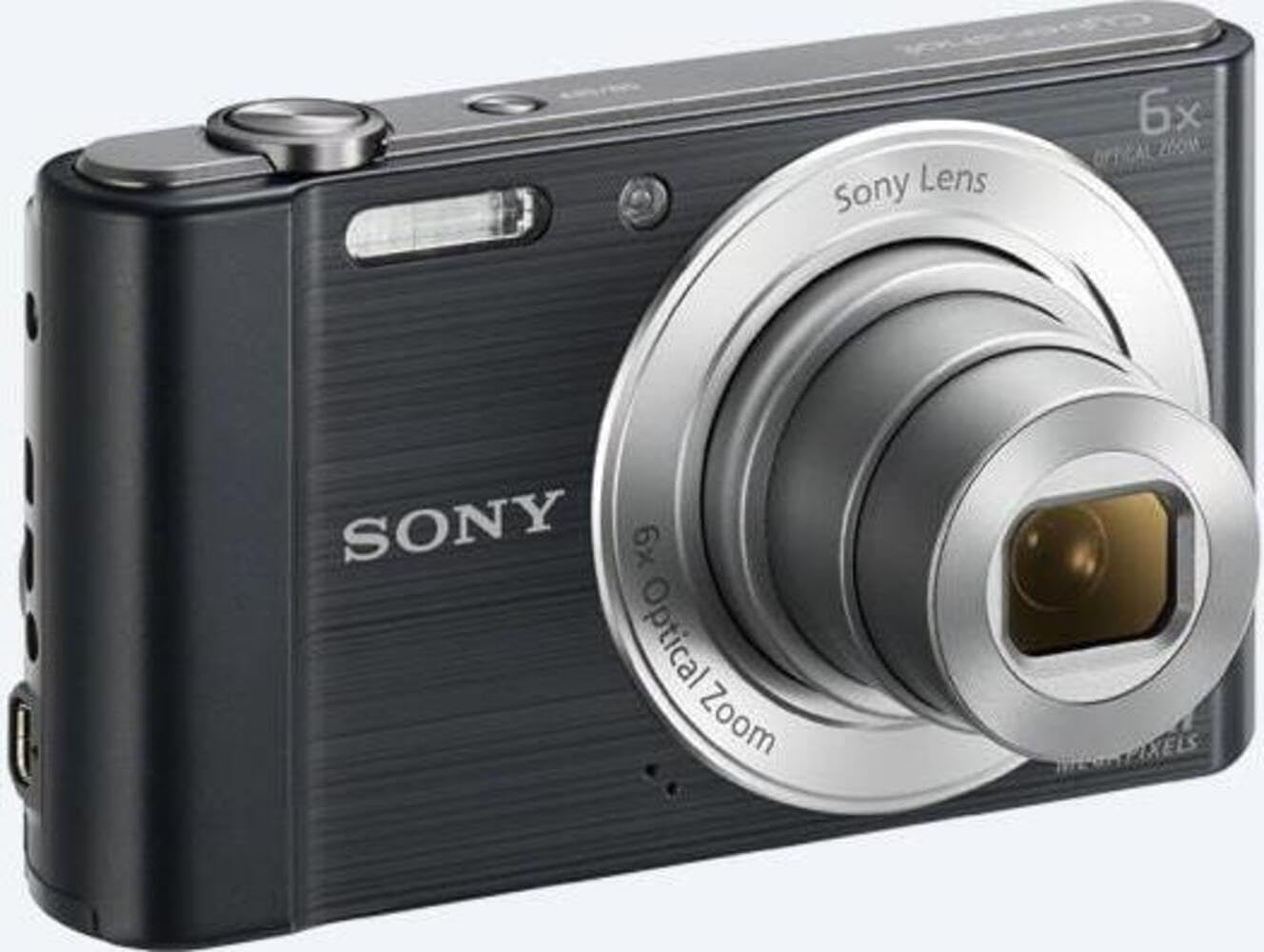
Figura 2: Quddiem view of the camera with the lens extended, ready for shooting. This illustrates the camera's compact design when in use.

Figura 3: Wara view of the camera, highlighting the 2.7-inch LCD screen, navigation buttons, movie record button, and menu button.

Figura 4: Fuq view of the camera, showing the power button, shutter button, and zoom lever.
2.2 Control Buttons and Functions
- Buttuna tas-shutter: Agħfas fin-nofs biex tiffoka, u agħfas kompletament biex taqbad immaġni.
- Lieva taż-Żum (W/T): Adjusts optical and digital zoom. "W" for wide-angle, "T" for telephoto.
- Buttuna tal-Qawwa: Jixgħel jew jitfi l-kamera.
- Movie Button: Jibda u jwaqqaf ir-reġistrazzjoni tal-vidjo.
- Buttuna tal-daqq: Jidħol fil-modalità tal-plejbek biex view ritratti u vidjows.
- Buttuna tal-menu: Aċċessa s-settings u l-għażliet tal-kamera.
- Buttuni Direzzjonali: Navigate menus and select options. Also used for flash settings, self-timer, and display options.
- Flash: Flash integrat għal kundizzjonijiet ta' dawl baxx.
- Skrin LCD: Wiri ta' 2.7 pulzieri għall-inkwadrar ta' ritratti, viewing immaġini, u navigazzjoni menus.
3. Setup
Follow these steps to prepare your camera for first use.
3.1 Daħħal il-batterija
- Iftaħ l-għatu tal-batterija/karta tal-memorja li jinsab fil-qiegħ tal-kamera.
- Insert the battery with the correct orientation, ensuring the terminals align. Push until it clicks into place.
- Agħlaq l-għatu sew.
Note: The camera does not include batteries. Please use compatible Sony NP-BN or NP-BN1 batteries.
3.2 Daħħal Kard tal-Memorja
The camera supports SDXC or SDHC memory cards.
- Iftaħ l-għatu tal-batterija/karta tal-memorja.
- Insert the memory card into the slot with the correct orientation until it clicks.
- Agħlaq l-għatu sew.
Note: A memory card is not included with the camera. Purchase a compatible SDXC or SDHC card separately.
3.3 L-Ewwel Tixgħel u l-Issettjar
- Agħfas il-buttuna Power biex tixgħel il-kamera.
- The initial setup screen will appear. Follow the on-screen prompts to set the language, date, and time.
- Ensure the date and time are accurate for proper photo organization.
4. It-tħaddim tal-Kamera
Learn how to capture photos and videos with your DSC-W810.
4.1 Tieħu Ritratti
- Ixgħel il-kamera.
- Ikkwadra r-ritratt tiegħek billi tuża l-iskrin LCD.
- Uża l-lieva taż-żum (W/T) biex taġġusta ż-żum ottiku 6x.
- Press the Shutter button halfway down to focus. The focus frame will turn green when focus is achieved.
- Press the Shutter button fully to take the picture.
4.2 Using Flash Modes
The camera features a built-in flash with various modes. Press the right directional button (flash icon) to cycle through modes:
- Flash awtomatiku: Camera automatically determines if flash is needed.
- Fill-flash: Il-flash jispara għal kull xutt.
- Sinkronizzazzjoni bil-mod: Il-flash jispara, u l-veloċità tax-xater titnaqqas biex jinqabad id-dawl tal-isfond.
- Bla Flash: Il-flash huwa diżattivat.
Tip: For low-light environments, the "Party Mode" (accessible via the menu) can optimize settings for clearer images without harsh flash.
4.3 Reġistrar Vidjows
- Ixgħel il-kamera.
- Press the dedicated Movie button to start recording.
- Press the Movie button again to stop recording.
Note: Videos are recorded in 720p resolution in MP4 format.
4.4 Modalità Daqq
- Agħfas il-buttuna Daqq biex tidħol fil-modalità daqq.
- Use the left/right directional buttons to browse through your photos and videos.
- Press the center button to play videos.
- Agħfas il-buttuna tal-Daqq mill-ġdid biex terġa' lura għall-modalità tal-isparar.
5. Manutenzjoni
Kura xierqa tiżgura l-lonġevità u l-prestazzjoni tal-kamera tiegħek.
5.1 Tindif tal-Kamera
- Korp tal-Kamera: Imsaħ b'ċarruta ratba u niexfa. Għal ħmieġ iebes, uża drapp imnixxef ħafif.ampened bl-ilma.
- Lenti: Uża pinzell tal-lentijiet biex tneħħi t-trab, imbagħad imsaħ bil-mod b'ċarruta għat-tindif tal-lentijiet. Evita li tmiss il-wiċċ tal-lenti b'subgħajk.
- Skrin LCD: Use a soft, dry cloth specifically designed for LCD screens.
Caution: Do not use organic solvents such as alcohol or thinner to clean the camera.
5.2 Kura tal-Batterija
- Iċċarġja l-batterija kompletament qabel l-ewwel użu.
- Neħħi l-batterija jekk il-kamera mhux se tintuża għal perjodu estiż.
- Aħżen il-batteriji f'post frisk u niexef.
5.3 Ħażna
When not in use, store the camera in a dry, well-ventilated area, away from direct sunlight, high temperatures, and humidity. Use a camera case for protection during transport.
6 Issolvi l-problemi
Irreferi għal din it-taqsima għal soluzzjonijiet għal kwistjonijiet komuni.
| Problema | Soluzzjoni |
|---|---|
| Il-kamera ma tixgħelx. |
|
| L-immaġini huma mċajpra. |
|
| Flash is too bright or too dim. |
|
| Żball fil-karta tal-memorja. |
|
7. Speċifikazzjonijiet
Key technical specifications for the Sony Cyber-shot DSC-W810 Digital Camera.
| Karatteristika | Dettall |
|---|---|
| Isem tal-Mudell | DSCW810B.CE3 |
| Riżoluzzjoni Għadha Effettiva | 20.1 MP |
| Teknoloġija tas-Sensor tar-Ritratti | CCD |
| Zoom ottiku | 6x |
| Zoom Diġitali | 48x |
| Tul Fokali Massimu | 27.6 mm |
| Tul Fokali Minimu | 4.6 mm |
| Stabbilizzazzjoni tal-Immaġni | Diġitali, ottiċi |
| Daqs tal-Iskrin | LCD ta' 2.7 pulzieri |
| Riżoluzzjoni tal-vidjo | 720p |
| Appoġġjati File Formati | JPEG, RAW (Still), MP4 (Video) |
| Tip ta' Memorja Flash | SDXC or SDHC |
| Konnettività | USB, HDMI |
| Piż tal-oġġett | 111 Gramm |
| Kulur | Iswed |
8. Garanzija u Appoġġ
8.1 Informazzjoni dwar Garanzija
This product comes with a 90-day Limited Hardware Warranty. For full details, please refer to the official warranty document:
View 90-day Limited Hardware Warranty
Note: This is an international version of the camera and may have warranty limitations in certain regions.
8.2 Appoġġ għall-Klijent
Għal aktar assistenza, appoġġ tekniku, jew mistoqsijiet dwar is-servizz, jekk jogħġbok żur is-sit uffiċjali tal-appoġġ ta' Sony. websit jew ikkuntattja lis-servizz tal-konsumatur tagħhom.