Introduzzjoni
Welcome and thank you for choosing the AUNA CM280 USB Condenser Microphone. This manual provides essential information for setting up, operating, and maintaining your microphone. Please read it thoroughly to ensure proper use and to maximize your recording experience.
The AUNA CM280 is a high-quality USB studio microphone designed for recording, podcasting, and other audio applications. It features a 32mm electric membrane, a cardioid polar pattern, and a direct monitoring headphone output. Its plug-and-play compatibility with Windows and macOS ensures easy setup without the need for manual driver installation.
Informazzjoni dwar is-Sigurtà
Biex tevita ħsara u tiżgura tħaddim sikur, jekk jogħġbok osserva l-prekawzjonijiet ta' sigurtà li ġejjin:
- Do not expose the microphone to water, moisture, or extreme temperatures.
- Evita li twaqqa’ l-mikrofonu jew li tissottomettih għal impatti qawwija.
- Do not attempt to open or modify the microphone. Refer all servicing to qualified personnel.
- Use only the provided USB cable for connection and power.
- Żomm il-mikrofonu 'l bogħod minn kampi manjetiċi qawwija.
- Clean the microphone with a soft, dry cloth. Do not use liquid cleaners.
Kontenut tal-Pakkett
Carefully unpack your AUNA CM280 microphone and ensure all items are present:
- AUNA CM280 Microphone Unit
- Tripod tal-mejda
- Cable USB
- Transport Pouch
- Manwal tal-Utent (bil-Ġermaniż u bl-Ingliż)

Image: The AUNA CM280 microphone shown with its table tripod, USB connection cable, and a soft blue transport pouch.
Prodott Overview
Familiarize yourself with the main components and features of your AUNA CM280 microphone:
- 32mm Electric Membrane: High-quality condenser capsule for clear audio capture.
- Mudell Polari Kardjojde: Primarily picks up sound from the front, reducing unwanted noise from the sides and rear.
- Port USB: For connecting to your computer and receiving power.
- Ħruġ tal-headphones ta' 3.5mm: For direct, latency-free monitoring of your audio.
- Kontroll tal-Volum tal-Headphone: Adjust the monitoring level directly on the microphone.
- Mute Circuit: Quickly mute the microphone output.
- LED tal-Istatus: Indicates microphone status (ready, mute, overdrive).
- Integrated Wind Protection: Helps reduce plosives and breath noise.
- 5/8" Tripod Thread: For mounting on the included table tripod or other compatible stands.
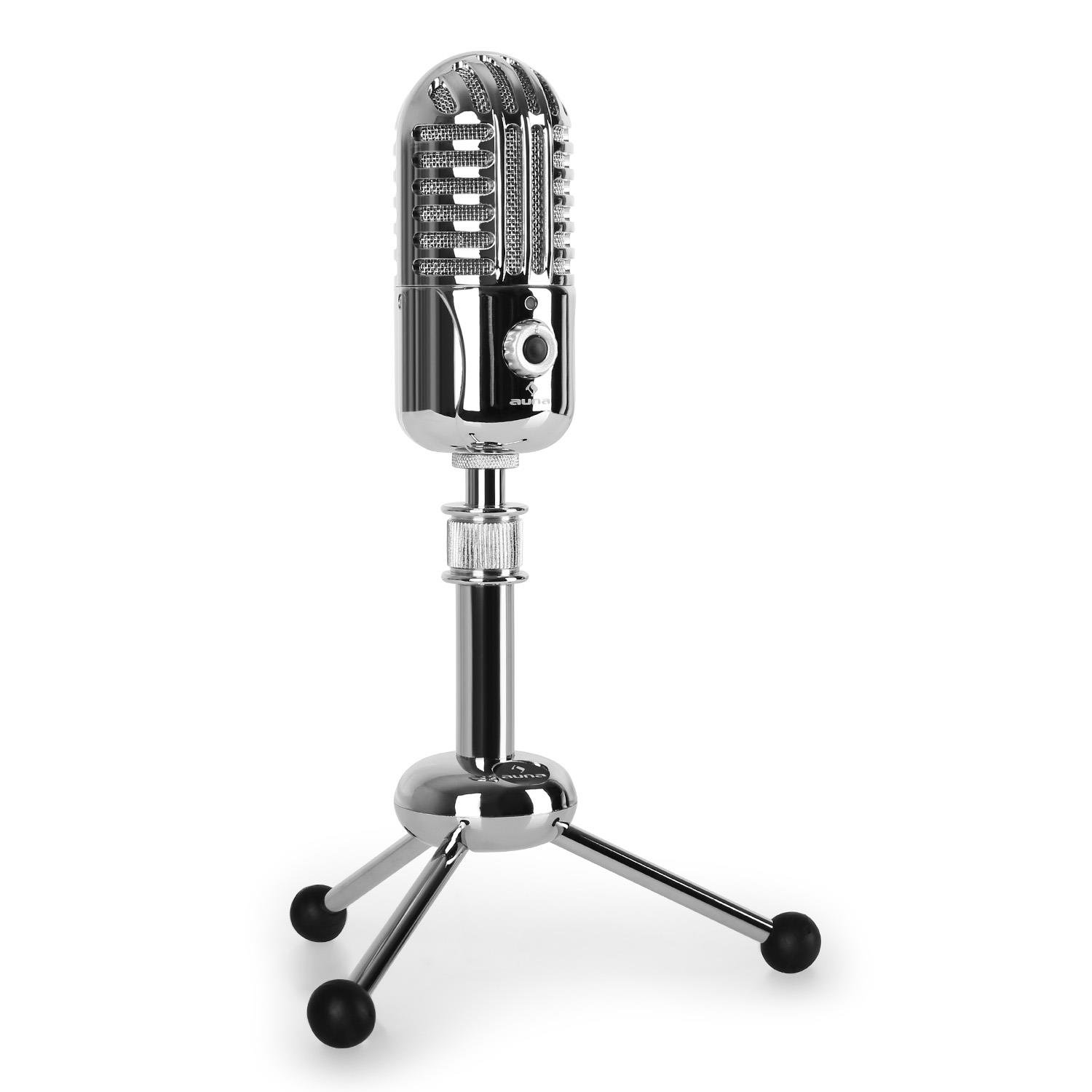
Immaġni: Quddiem view of the AUNA CM280 microphone on its stand.

Immaġni: Wara view of the AUNA CM280 microphone, highlighting the USB connection port and the 3.5mm headphone output for direct monitoring.
Setup u Installazzjoni
1. Konnessjoni mal-Kompjuter Tiegħek
- Place the AUNA CM280 microphone on a stable surface using the included table tripod.
- Connect one end of the supplied USB cable to the USB port on the back of the microphone.
- Connect the other end of the USB cable to an available USB port on your computer (Windows PC or Mac).
2. Installazzjoni tas-sewwieq
The AUNA CM280 is a Plug & Play device. Your operating system (Windows or macOS) will automatically detect and install the necessary drivers upon connection. No manual driver installation is required.
3. Initial Configuration (Windows/macOS)
After connecting, you may need to select the AUNA CM280 as your default audio input and output device in your system settings and recording software.
- Windows: Go to Control Panel > Sound > Recording tab. Select "AUNA CM280" as the default device. In the Playback tab, you can also select it for headphone monitoring.
- macOS: Go to System Preferences > Sound > Input tab. Select "AUNA CM280". Do the same in the Output tab for headphone monitoring.
Ensure your recording software (e.g., Audacity, GarageBand, OBS) is also configured to use the AUNA CM280 as its audio input device.
Istruzzjonijiet Operattivi
Tqegħid tal-mikrofonu
For optimal sound quality, position the microphone directly in front of the sound source (e.g., your mouth) within a few inches. The cardioid polar pattern means it is most sensitive to sounds coming from the front.
Monitoraġġ tal-Headphone
Connect your headphones to the 3.5mm jack on the back of the microphone. Use the headphone volume control knob on the microphone to adjust your monitoring level. This provides direct, latency-free monitoring of your audio.
Funzjoni Mute
The microphone features a mute circuit. Press the dedicated button (if available, or refer to the specific control on your model) to mute or unmute the microphone. This is useful for temporary pauses during recording or calls.
Indikaturi LED tal-Istat
The microphone's status LED provides visual feedback:
- Blu: Microphone is ready for use.
- Isfar: Il-mikrofonu huwa siekta.
- Aħmar: Indicates an overdrive or clipping signal. Adjust your input gain or move further from the microphone to prevent distortion.
Għajnuniet għar-Reġistrazzjoni
- Akustika tal-Kamra: Record in a quiet environment to minimize background noise.
- Filtru Pop: Consider using an external pop filter to further reduce plosive sounds (P, B) and protect the microphone capsule.
- Gwadan Staging: Set your input gain in your software to a level where the signal is strong but does not peak into the red (overdrive).
Manutenzjoni u Kura
Proper care will extend the life of your AUNA CM280 microphone:
- Tindif: Wipe the microphone body with a soft, dry, lint-free cloth. Do not use abrasive cleaners, solvents, or chemical sprays.
- Ħażna: When not in use, store the microphone in its transport pouch to protect it from dust and scratches. Keep it in a cool, dry place.
- Immaniġġjar: Always handle the microphone with care. Avoid touching the microphone grille directly.
Issolvi l-problemi
If you encounter issues with your AUNA CM280 microphone, try the following solutions:
- Ebda Ħoss/Mikrofonu Mhux Rilevat:
- Kun żgur li l-kejbil USB huwa konness sew kemm mal-mikrofonu kif ukoll mal-kompjuter tiegħek.
- Ipprova port USB differenti fuq il-kompjuter tiegħek.
- Ibda mill-ġdid il-kompjuter tiegħek.
- Verify that the AUNA CM280 is selected as the default input device in your operating system's sound settings and your recording software.
- Poor Sound Quality/Distortion:
- Check the status LED. If it's red, the signal is overdriving. Reduce the input gain in your software or move further from the microphone.
- Ensure the microphone is positioned correctly and not too close to the sound source.
- Check for environmental noise or vibrations that might be picked up.
- Kwistjonijiet ta' Monitoraġġ tal-Headphones:
- Ensure headphones are fully plugged into the 3.5mm jack.
- Adjust the headphone volume knob on the microphone.
- Verify that the AUNA CM280 is selected as the output device for monitoring in your system's sound settings or recording software.
Speċifikazzjonijiet Tekniċi
| Karatteristika | Speċifikazzjoni |
|---|---|
| Konnessjonijiet | USB port, 3.5 mm headphone jack |
| Installazzjoni tas-sewwieq | Automatic (Plug & Play) |
| Rispons ta' Frekwenza | 20 Hz – 20 KHz |
| Pressjoni tal-Ħoss Massima | 120 dB |
| Sinjal-mal-ħoss Ratio | 96 dB |
| D/A-A/D Converter | 44.1/48 kHz, 16 bit |
| Volum tal-Headphone | Aġġustabbli |
| Ċirkwit Mute | Iva |
| Ħajt Tripod | 5/8 pulzier |
| LED status | Three colors (Blue: Ready, Yellow: Mute, Red: Overdrive) |
| Provvista tal-Enerġija | Via USB |
| Materjal | Metall, Polikarbonat |
| Piż | 300 Gramm |
| Dimensjonijiet (L x W x H) | 50 x 50 x 110 millimetru |
| Mudell Polari | Unidirezzjonali (Kardjoid) |
| Apparati Kompatibbli | Kompjuter Personali, Laptop |
Garanzija u Appoġġ
AUNA products are designed for reliability and performance. For information regarding warranty coverage, technical support, or service, please refer to the warranty card included with your product or visit the official AUNA websit. Żomm il-prova tax-xiri tiegħek għal talbiet ta' garanzija.


