1. Introduzzjoni
Thank you for choosing the Rabbit Air BioGS 2.0 Air Purifier. This advanced system is designed to significantly improve your indoor air quality by effectively removing allergens, pollutants, odors, and harmful particles. Featuring a 4-stage filtration and deodorization process, including a BioGS HEPA filter and activated carbon filter, the SPA-550A is engineered for quiet operation and long-lasting performance. Please read this manual thoroughly to ensure proper setup, operation, and maintenance of your air purifier.

Figura 1: Quddiem view of the Rabbit Air BioGS 2.0 Air Purifier.
2. Istruzzjonijiet Importanti dwar is-Sigurtà
Biex tnaqqas ir-riskju ta’ nar, xokk elettriku, jew korriment, dejjem segwi dawn il-prekawzjonijiet bażiċi ta’ sigurtà:
- Aqra l-istruzzjonijiet kollha qabel ma tħaddem l-apparat.
- Dejjem aqla’ l-purifikatur tal-arja qabel ma tċaqlaq, tnaddaf, jew tagħmel xi manutenzjoni.
- Do not operate any appliance with a damaged cord or plug. If the cord or plug is damaged, contact customer support.
- Żomm il-korda tad-dawl 'il bogħod minn uċuħ imsaħħna.
- Tużax il-purifikatur tal-arja barra jew fuq uċuħ imxarrbin.
- Do not block air openings or place the unit on a soft surface where openings may be blocked.
- Do not insert foreign objects into any ventilation or exhaust opening.
- Dan l-apparat għandu plagg polarizzat (xafra waħda hija usa 'mill-oħra). Biex jitnaqqas ir-riskju ta 'xokk elettriku, dan il-plagg huwa maħsub biex jidħol fi żbokk polarizzat mod wieħed biss. Jekk il-plagg ma jidħolx għal kollox fl-iżbokk, aqleb il-plagg. Jekk xorta ma taqbilx, ikkuntattja elettriċista kwalifikat. Tippruvax tegħleb din il-karatteristika tas-sigurtà.
3. Prodott Aktarview
The BioGS 2.0 Air Purifier features an intuitive design with easy-to-access controls and indicators. Familiarize yourself with the main components and functions:

Figure 2: Top control panel and indicators.
Komponenti:
- Żbokk tal-Arja: Fejn tiġi rilaxxata arja purifikata.
- Detentur mill-bogħod: Convenient storage for the remote control.
- Buttuna tal-Kontroll: Main power and mode selection.
- Indikatur tal-Kwalità tal-Arja: LED lights indicating current air quality.
- Indikaturi tal-veloċità tal-fann: Displays the current fan speed setting (1-5).
- Timer Indicators: Juri s-settings tat-tajmer attiv.
- Negative Ion On/Off: Indicator for the negative ionizer function.
- Dħul ta' l-Arja: Located on both sides and bottom for efficient air circulation.
- Sensor tal-Kwalità tal-Arja: Detects odors and particles in the air.
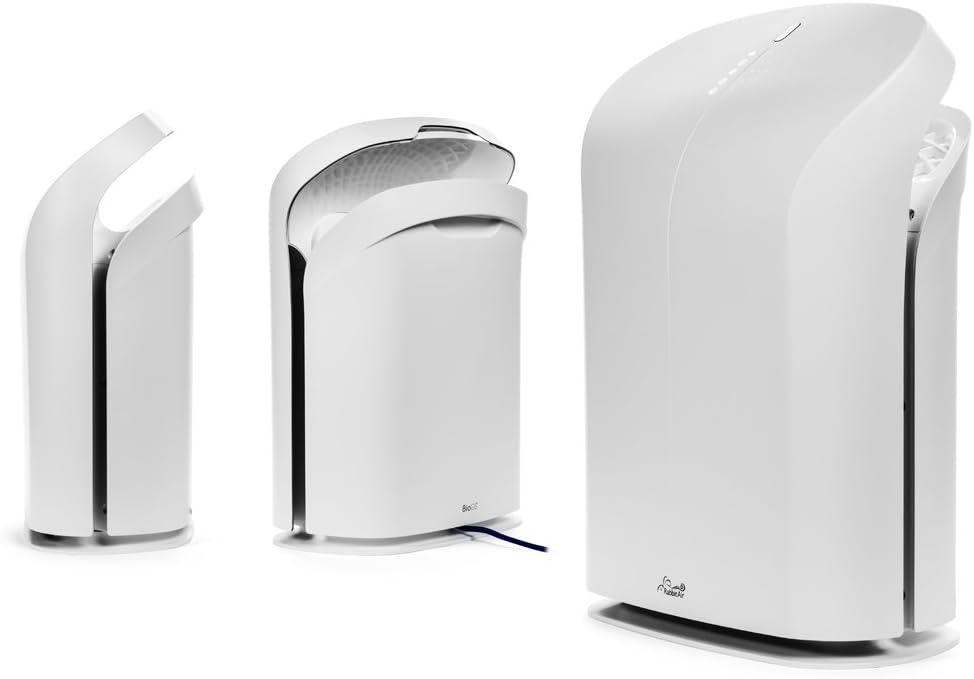
Figura 3: Diversi views of the BioGS 2.0 Air Purifier.
4. Setup Inizjali
Follow these steps to set up your BioGS 2.0 Air Purifier:
- Ħoll l-Unità: Carefully remove the air purifier from its packaging. Retain packaging for future transport or storage.
- Installazzjoni tal-Filtru: The filters are typically pre-installed. However, ensure all protective plastic packaging is removed from the filters before first use. Refer to the 'Maintenance' section for filter access.
- Pjazzament: Place the air purifier on a firm, level surface. Ensure there is adequate space around the unit (at least 6 inches from walls or furniture) for optimal air intake and output. Avoid placing it near heat sources or in direct sunlight.
- Konnessjoni tal-Enerġija: Ipplaggja l-korda tad-dawl fi żbokk elettriku standard.

Figure 4: Recommended placement in a living room setting.
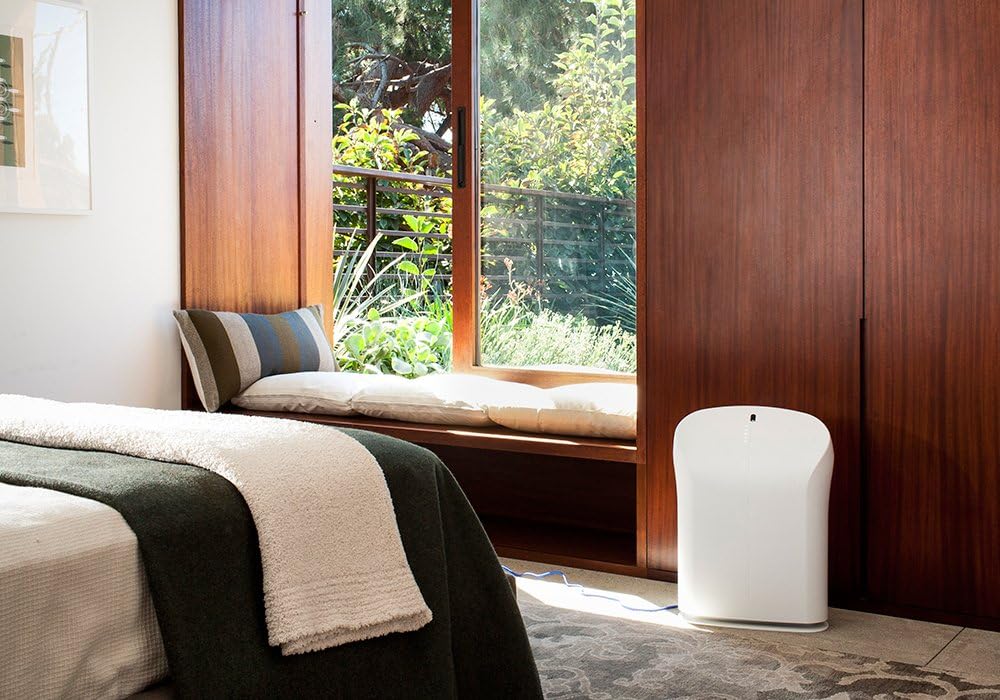
Figure 5: Recommended placement in a bedroom setting.
5. Istruzzjonijiet Operattivi
The BioGS 2.0 can be operated using the control panel on the unit or the included remote control.

Figure 6: Remote control for the BioGS 2.0 Air Purifier.
5.1. Power On/Off
Press the power button (usually indicated by a circle with a vertical line) on the control panel or remote to turn the unit on or off.
5.2. Aġġustament tal-Veloċità tal-Fann
The unit has five adjustable fan speeds. Press the fan speed button (often depicted as a gear or fan icon) repeatedly to cycle through the speeds. The corresponding LED indicators will illuminate.
5.3. Modalità Awtomatika
Activate Auto Mode by pressing the dedicated button (often an 'A' or circular arrow icon). In this mode, the air purifier automatically adjusts the fan speed based on the detected air quality, optimizing performance and energy consumption.
5.4. Funzjoni Timer
Use the timer button (clock icon) to set the operating duration. You can typically set the unit to run for a specific number of hours before automatically turning off.
5.5. Negative Ion Function
The negative ionizer can be turned on or off by pressing its respective button (often a smiling face or wave icon). This function helps to freshen the air by releasinjoni negattivi.
5.6. Indikatur tal-Kwalità tal-Arja
The LED lights on the control panel provide a visual indication of the current air quality, allowing you to monitor your environment at a glance.
6. Manutenzjoni u Kura
Manutenzjoni regolari tiżgura prestazzjoni ottimali u testendi l-ħajja tal-purifikatur tal-arja tiegħek.
6.1. Tindif ta 'qabel il-Filtru
The washable pre-filter captures larger particles. It should be cleaned regularly, typically once a month or as needed. To clean:
- Spluggja l-unità.
- Remove the front panel and carefully detach the pre-filter.
- Vacuum the pre-filter with a brush attachment or rinse it under cool running water.
- Ħalli l-pre-filtru jinxef kompletament bl-arja qabel ma terġa' tinstallah.
6.2. HEPA and Activated Carbon Filter Replacement
The BioGS HEPA and Charcoal-Based Activated Carbon Filters are designed to last up to three years with 12-hour daily use. Filter life may vary based on usage and air quality. Replace filters when the filter indicator light illuminates or when you notice a decrease in performance or an increase in odors.
- Spluggja l-unità.
- Remove the front panel and old filters.
- Install new genuine Rabbit Air replacement filters, ensuring they are correctly seated.
- Reset the filter life indicator according to the instructions provided with the replacement filters or in the full user manual.
6.3. Tindif Ġenerali
Wipe the exterior of the unit with a soft, dry cloth. Do not use abrasive cleaners or solvents. Ensure the unit is unplugged before cleaning.
7. Gwida għas-soluzzjoni tal-problemi
Refer to this table for common issues and their solutions:
| Problema | Kawża Possibbli | Soluzzjoni |
|---|---|---|
| L-unità ma tixgħel. | No power, power cord loose, unit not plugged in. | Iċċekkja l-konnessjoni tal-enerġija, kun żgur li s-sokit jaħdem sew. |
| Fluss ta 'arja dgħajjef. | Clogged pre-filter, dirty HEPA/Carbon filters. | Clean pre-filter, replace HEPA/Carbon filters. |
| Storbju mhux tas-soltu. | Foreign object in fan, unit not on a level surface. | Unplug and check for obstructions. Place on a stable surface. |
| Ir-riħa tippersisti. | Activated carbon filter saturated, source of odor too strong. | Replace activated carbon filter. Identify and remove odor source. |
8. Speċifikazzjonijiet Tekniċi
| Karatteristika | Speċifikazzjoni |
|---|---|
| Numru tal-Mudell | SPA-550A |
| Dimensjonijiet tal-Prodott (P x W x H) | 9.8" x 16.6" x 22.2" |
| Piż | 16.8 Liri |
| Żona tal-Art Rakkomandata | Sa 550 pied kwadru |
| Livell ta' Storbju | 25 Decibels (fl-inqas livell) |
| Wattage | 39 watt |
| Iffiltra l-Ħajja | Up to 3 years (HEPA & Activated Carbon, 12-hour daily use) |
9. Garanzija u Appoġġ għall-Klijent
Rabbit Air stands behind the quality of its products. The BioGS 2.0 Air Purifier comes with an industry-leading five-year warranty, covering defects in materials and workmanship under normal use.
For technical assistance, warranty claims, or general inquiries, Rabbit Air offers 24/7 lifetime technical support. Please visit the official Rabbit Air website or refer to the contact information provided in your product packaging for the most current support details.
Riżorsi onlajn: For additional information, FAQs, and filter purchasing, please visit the Rabbit Air Store on Amazon.


