1. Introduzzjoni
This manual provides essential information for the safe and efficient operation of your TCL L32E3005/G 32-inch LED HD-Ready Television. Please read this manual thoroughly before using the television and retain it for future reference. It covers setup, operation, maintenance, and troubleshooting to ensure you get the best experience from your device.
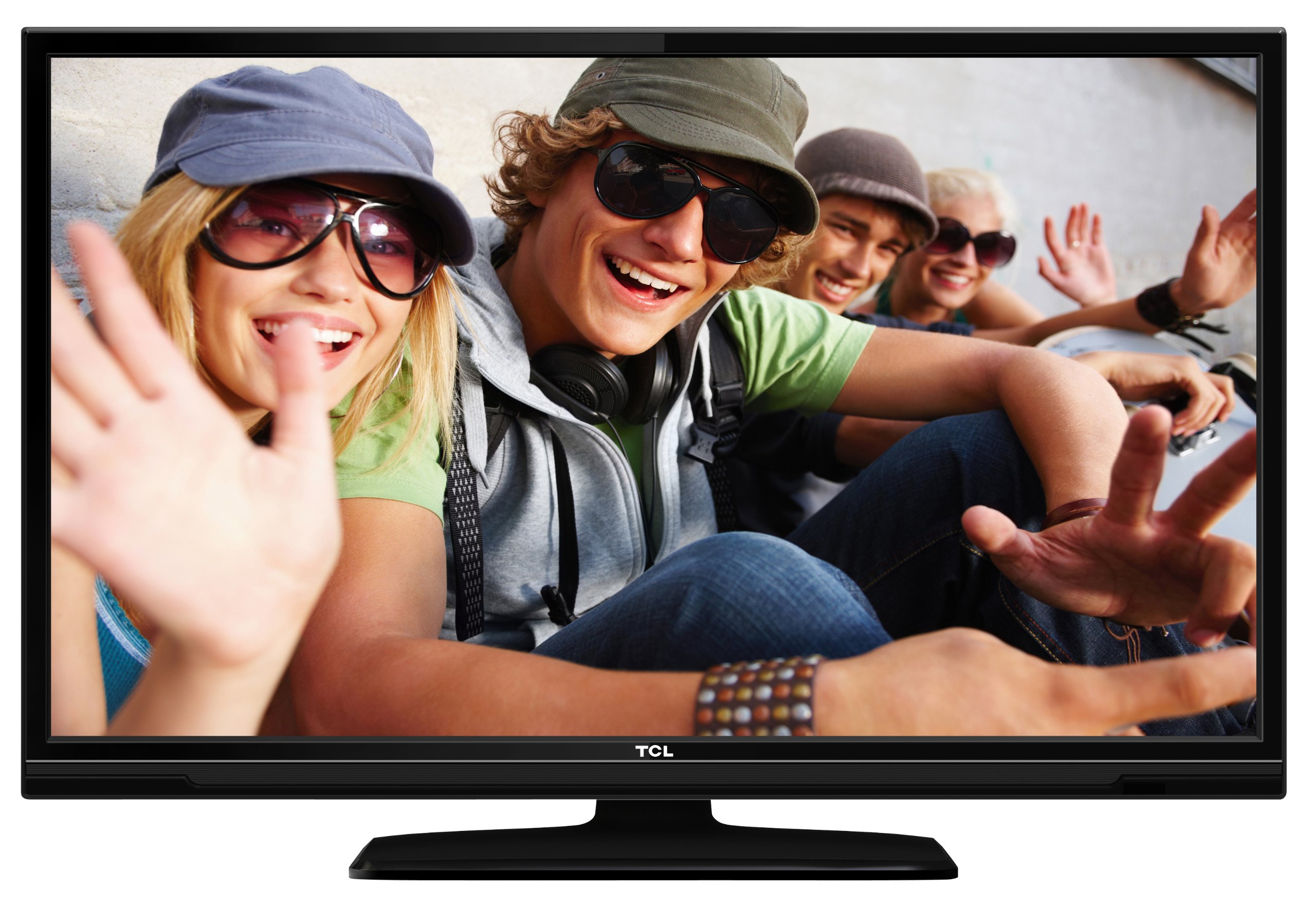
This image shows the TCL L32E3005/G television from a slight angle, highlighting its slim black bezel and the stand. The screen displays a colorful image of people, demonstrating its visual capabilities.
2. Informazzjoni dwar is-Sigurtà
Dejjem osserva l-prekawzjonijiet ta’ sigurtà li ġejjin biex tevita xokk elettriku, nar, jew ħsara lit-televiżjoni:
- Tesponix it-televiżjoni għax-xita jew għall-umdità.
- Do not open the cabinet; refer all servicing to qualified personnel.
- Aċċerta ruħek li jkun hemm ventilazzjoni xierqa madwar it-televiżjoni.
- Avoid placing the television near heat sources or in direct sunlight.
- Use only the power adapter supplied with the television.
- Żomm il-batteriji fejn ma jintlaħaqx mit-tfal.
3. Kontenut tal-Pakkett
Ivverifika li l-oġġetti kollha huma preżenti fil-pakkett:
- TCL L32E3005/G LED-backlight Television
- Adapter tal-Enerġija
- Bażi Stand
- Kontroll mill-bogħod (jeħtieġ 2 batteriji AAA, inklużi)
- Manwal għall-Utent (dan id-dokument)
4. Setup
4.1 Disimballaġġ
Carefully remove the television and all accessories from the packaging. Retain the packaging materials for future transport or storage.
4.2 Stand Installation (Table Mounting)
Biex tinstalla l-bażi tal-istand:
- Poġġi t-televiżjoni wiċċha 'l isfel fuq wiċċ artab u ċatt biex tevita li tagħmel ħsara lill-iskrin.
- Align the stand base with the mounting holes on the bottom of the television.
- Secure the stand base using the provided screws. Ensure it is firmly attached.
- Carefully lift the television and place it on a stable, level surface suitable for table mounting.
4.3 Apparat li jgħaqqad
Connect your external devices to the television using the appropriate ports:
- HDMI: For high-definition video and audio from devices like Blu-ray players, game consoles, or set-top boxes. Your TV has 2 HDMI ports.
- USB: Għall-konnessjoni ta' apparati tal-ħażna USB biex tilgħab il-midja files. Your TV has 1 USB 2.0 port.
- Antenna/Cable (DVB-C/-S2/-T): Connect an antenna or cable for digital terrestrial (DVB-T), cable (DVB-C), or satellite (DVB-S2) broadcasts.
- VGA: Għall-konnessjoni ta' kompjuter.
- CI+: Għal moduli ta' aċċess kondizzjonali (CAM) biex jiddeċifraw kanali kriptati.
4.4 Konnessjoni tal-Enerġija
After all connections are made, plug the power adapter into the television's power input, then plug the power adapter into a wall outlet.
5. Joperaw
5.1 Power On/Off
Agħfas il- QAWWA button on the remote control or on the television to turn the TV on or off.
5.2 Setup Inizjali
The first time you turn on the television, an initial setup wizard will guide you through basic settings such as language, country, and channel scanning.
5.3 Irfinar tal-Kanali
After connecting your antenna or cable, perform an automatic channel scan through the TV's menu to find available DVB-C, DVB-S2, or DVB-T channels.
5.4 Gwida Elettronika tal-Programm (EPG)
Aċċessa għall-Gwida tal-Programm Elettroniku (EPG) għal view program schedules and information for digital channels. This feature helps you plan your viewing.
5.5 Għażla tal-Input
Uża l- SORS or INPUT button on your remote control to switch between connected devices (e.g., HDMI 1, HDMI 2, USB, DVB-T).
5.6 Daqq tal-Midja USB
Insert a USB storage device into the USB port. The TV will typically prompt you to access the media browser, allowing you to play photos, music, or videos stored on the device.
5.7 Modalità tal-Lukanda
This television includes a Hotel Mode feature, which allows for customization of settings suitable for hotel environments, such as limiting volume, setting a default channel, or disabling certain functions. Consult the advanced settings menu for Hotel Mode configuration.
6. Manutenzjoni
6.1 Tindif tal-Iskrin
Imsaħ l-iskrin bil-mod b'ċarruta ratba u mingħajr suf. Għal marki persistenti, nixxef ftit.ampLaħlaħ id-drapp bl-ilma jew b'prodott speċjalizzat għat-tindif tal-iskrin. Tisprejjax likwidu direttament fuq l-iskrin.
6.2 Tindif tal-Kabinett
Use a soft, dry cloth to wipe the television cabinet. Avoid using abrasive cleaners or solvents.
6.3 Batteriji tal-Kontroll mill-Bogħod
Replace the remote control batteries (2x AAA) when the remote's range decreases or it stops responding. Ensure correct polarity when inserting new batteries.
7 Issolvi l-problemi
Jekk tiltaqa' ma' problemi bit-televiżjoni tiegħek, irreferi għall-problemi u s-soluzzjonijiet komuni li ġejjin:
- Ebda Qawwa: Check if the power adapter is securely connected to both the TV and the wall outlet. Ensure the outlet is functional.
- L-ebda Stampa, Iżda Ħoss: Verify the input source is correctly selected. Check cable connections to external devices.
- L-ebda ħoss, iżda stampa: Check the volume level and mute status. Ensure audio cables are correctly connected for external devices.
- Kwalità Fqira tal-Istampa: Check antenna/cable connections. If using an external device, try a different HDMI cable or port. Adjust picture settings in the TV menu.
- Il-Kontroll mill-bogħod Mhux Jaħdem: Ensure there are no obstructions between the remote and the TV. Replace batteries if necessary.
Jekk il-problema tippersisti, ikkuntattja l-appoġġ tal-klijent.
8. Speċifikazzjonijiet
| Mudell | L32E3005/G |
| Daqs tal-Iskrin | 80 ċm (32-il pulzier) |
| Teknoloġija tal-Wiri | LED |
| Riżoluzzjoni | 720p (1366 x 768 Pixel) |
| Riffriskar Rata | 50 Hz |
| Teknoloġija Tuner | DVB-C, DVB-S2, DVB-T |
| Konnettività | 2x HDMI, 1x USB 2.0, VGA, CI+ |
| Output Awdjo | 8 Watt (2.0 Channel) |
| Karatteristiċi Speċjali | Electronic Program Guide (EPG), Hotel Mode |
| Dimensjonijiet (W x H x D) | 74 x 49.4 x 18.9 ċm (bl-istand) |
| Piż | 7.22 kg |
| Sors tal-Enerġija | Adapter |
| Batteriji mill-Bogħod | 2x AAA (inklużi) |
9. Garanzija u Appoġġ
Għal informazzjoni dwar il-garanzija u appoġġ tekniku, jekk jogħġbok irreferi għall-karta tal-garanzija inkluża mal-prodott tiegħek jew żur is-sit uffiċjali tat-TCL. websit. Żomm l-irċevuta tax-xiri tiegħek bħala prova tax-xiri għal talbiet ta' garanzija.


