Introduzzjoni
This manual provides comprehensive instructions for the installation, operation, and maintenance of your G.SKILL RipjawsX F3-2133C10D-16GXM DDR3 desktop memory kit. Please read this guide carefully before proceeding with installation to ensure proper functionality and system stability. This memory kit consists of two 8GB DDR3 modules, totaling 16GB, designed for desktop computers.
Setup u Installazzjoni
Proper installation of memory modules is crucial for system stability and performance. Follow these steps carefully:
- Preparazzjoni:
- Kun żgur li l-kompjuter tiegħek huwa mitfi u skonnettjat mill-plakka tal-ħajt.
- Open the computer case. Refer to your computer or motherboard manual for specific instructions on how to access the internal components.
- Discharge any static electricity by touching a grounded metal object, such as the computer case, before handling the memory modules. Consider using an anti-static wrist strap.
- Identify the DIMM slots on your motherboard. For optimal performance, install memory modules in matched pairs into the recommended dual-channel slots, typically indicated by color-coding or markings on the motherboard. Consult your motherboard manual for the correct slot configuration.
- Inserzjoni tal-Modulu:
- Locate the retention clips at each end of the DIMM slot. Push them outwards to unlock the slot.
- Align the memory module with the DIMM slot, ensuring the notch on the module matches the key in the slot. The module should only fit one way.
- Apply even pressure to both ends of the memory module until it seats firmly into the slot and the retention clips snap back into place, securing the module.
- Wara l-Installazzjoni:
- Once both modules are installed, close the computer case.
- Erġa' qabbad il-kejbil tal-enerġija u ixgħel il-kompjuter tiegħek.
- Access your system's BIOS/UEFI settings (usually by pressing DEL, F2, or F10 during startup). Verify that the system recognizes the correct amount of RAM (16GB).
- To achieve the advertised 2133MHz speed, you may need to enable the Extreme Memory Profile (XMP) jew DOCP (Direct Over Clock Pro)file) in your BIOS/UEFI settings. Refer to your motherboard manual for detailed instructions on enabling XMP/D.O.C.P.

Image: A single G.SKILL RipjawsX DDR3 memory module, showing its blue heat spreader and gold contacts. This illustrates the physical appearance of one module.
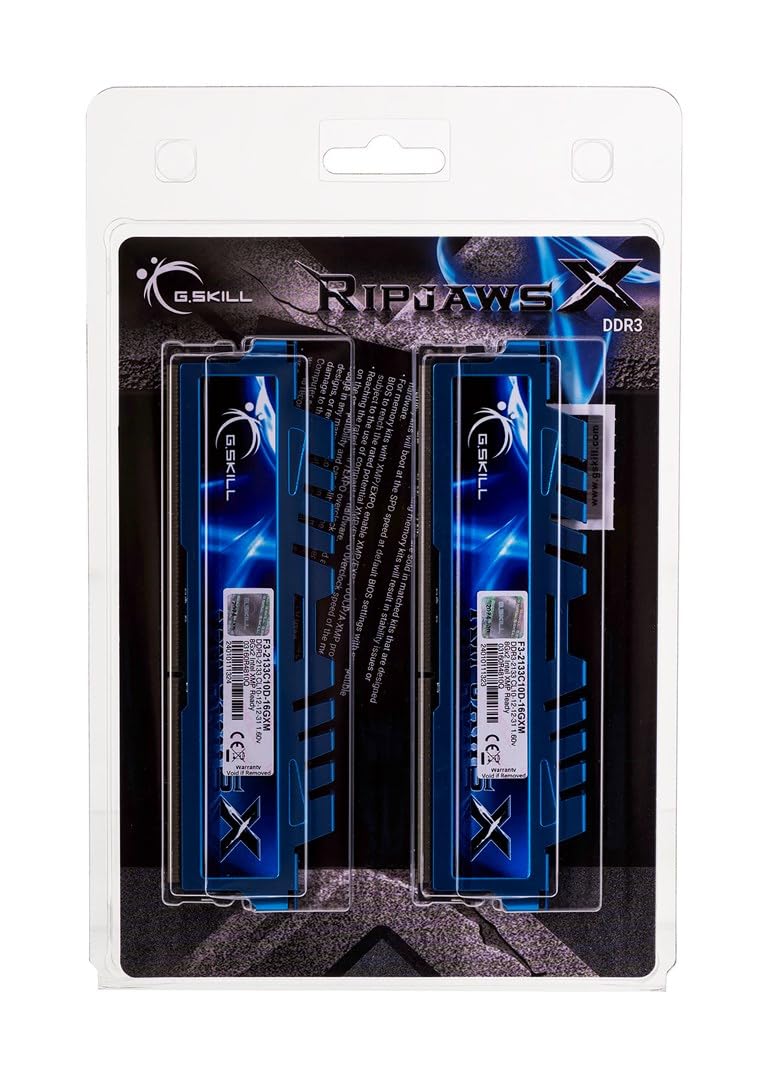
Image: Two G.SKILL RipjawsX DDR3 memory modules, angled to show both heat spreaders and the product labels. This represents the kit of two modules.
Informazzjoni Operattiva
Once installed and configured, your G.SKILL RipjawsX memory modules operate automatically with your system. The primary function of RAM is to provide fast access data storage for the CPU, improving overall system responsiveness and multitasking capabilities. Ensuring XMP is enabled in your BIOS/UEFI will allow the memory to run at its rated speed of 2133MHz with the specified timings, optimizing performance.
Manutenzjoni
G.SKILL RipjawsX memory modules are designed for reliability and typically require minimal maintenance. To ensure optimal performance and longevity:
- Kontroll tat-Trab: Periodically clean the interior of your computer case to prevent dust buildup on components, including memory modules. Excessive dust can hinder heat dissipation.
- Ġestjoni tat-temperatura: Ensure your computer's cooling system is functioning correctly to maintain appropriate operating temperatures for all components, including RAM.
- Immaniġġjar Fiżiku: Avoid touching the gold contacts on the memory modules. If you need to remove or re-install modules, always handle them by the edges.
Issolvi l-problemi
If you encounter issues after installing your G.SKILL RipjawsX memory, consider the following troubleshooting steps:
- Is-Sistema Mhux Tibbutja/L-Ebda Wiri:
- Ensure the memory modules are fully seated in their slots and the retention clips are locked.
- Try installing only one module at a time to identify if a specific module is faulty.
- Clear your motherboard's CMOS (Complementary Metal-Oxide-Semiconductor) settings. Refer to your motherboard manual for instructions.
- Incorrect RAM Capacity Detected:
- Verify that both modules are correctly installed.
- Check your BIOS/UEFI settings to confirm the total installed memory.
- Memory Running at Lower Speed:
- Access your BIOS/UEFI settings and ensure XMP (Extreme Memory Profile) or D.O.C.P. is enabled. This will set the memory to its rated speed of 2133MHz.
- Confirm your motherboard and CPU support DDR3 2133MHz memory speeds.
- Instabbiltà/Ħsarat tas-Sistema:
- Mexxi għodda dijanjostika tal-memorja (eż., Windows Memory Diagnostic jew MemTest86) biex tiċċekkja għal żbalji.
- Ensure your motherboard BIOS/UEFI is updated to the latest version, as this can improve memory compatibility.
Speċifikazzjonijiet
Detailed specifications for the G.SKILL RipjawsX F3-2133C10D-16GXM memory kit:
| Numru tal-Mudell | F3-2133C10D-16GXM |
| Tip ta' Memorja | DDR3 |
| Kapaċità | 16GB (2 x 8GB) |
| Veloċità | 2133MHz |
| CAS Latency | CL10-12-12-31 |
| Voltage | 1.60V |
| Fattur tal-Formola | DIMM ta' 240-pin |
| Apparati Kompatibbli | Desktop |
| Dimensjonijiet tal-Prodott | 5 x 1 x 8 pulzieri |
| Piż tal-oġġett | 4.2 uqija |

Image: The retail packaging for the G.SKILL RipjawsX DDR3 memory kit, displaying product information including model number, capacity, speed, and timings.
Informazzjoni dwar Garanzija
All G.SKILL memory products, including the RipjawsX F3-2133C10D-16GXM kit, come with a limited lifetime warranty. This warranty covers defects in material and workmanship. For specific terms and conditions, please refer to the official G.SKILL websit jew ikkuntattja l-appoġġ tekniku.
Appoġġ Tekniku
The G.SKILL technical team is available to provide complete technical support via online forum, telephone, or email. For assistance, please use the contact information below:
- USA / Kanada:
- Telefon: +1-909-598-2800
- Email: techsupport@gskillusa.com
- Ċina:
- Telefon: +86-021-6191-8390
- Email: cntech@gskill.com
- Il-Ġermanja:
- Telefon: +49-40-3038-8465
- Email: eutech@gskill.com
- Online Forum: Żur www.gskill.com for additional resources and community support.


