1. Introduzzjoni
This manual provides essential information for the safe and efficient operation of your Keystone KSTAD70B 70-Pint Dehumidifier. This unit is designed to remove up to 70 pints of moisture from the air daily, suitable for rooms up to 4500 square feet. Key features include electronic controls with an LED display, a 24-hour timer, a transparent water level indicator, and a full bucket alert with automatic shutoff. It also offers a continuous draining option and a removable, easy-to-clean dust filter with a clean-filter alert. The auto-restart function preserves your settings after a power outage, and rolling casters facilitate easy movement.
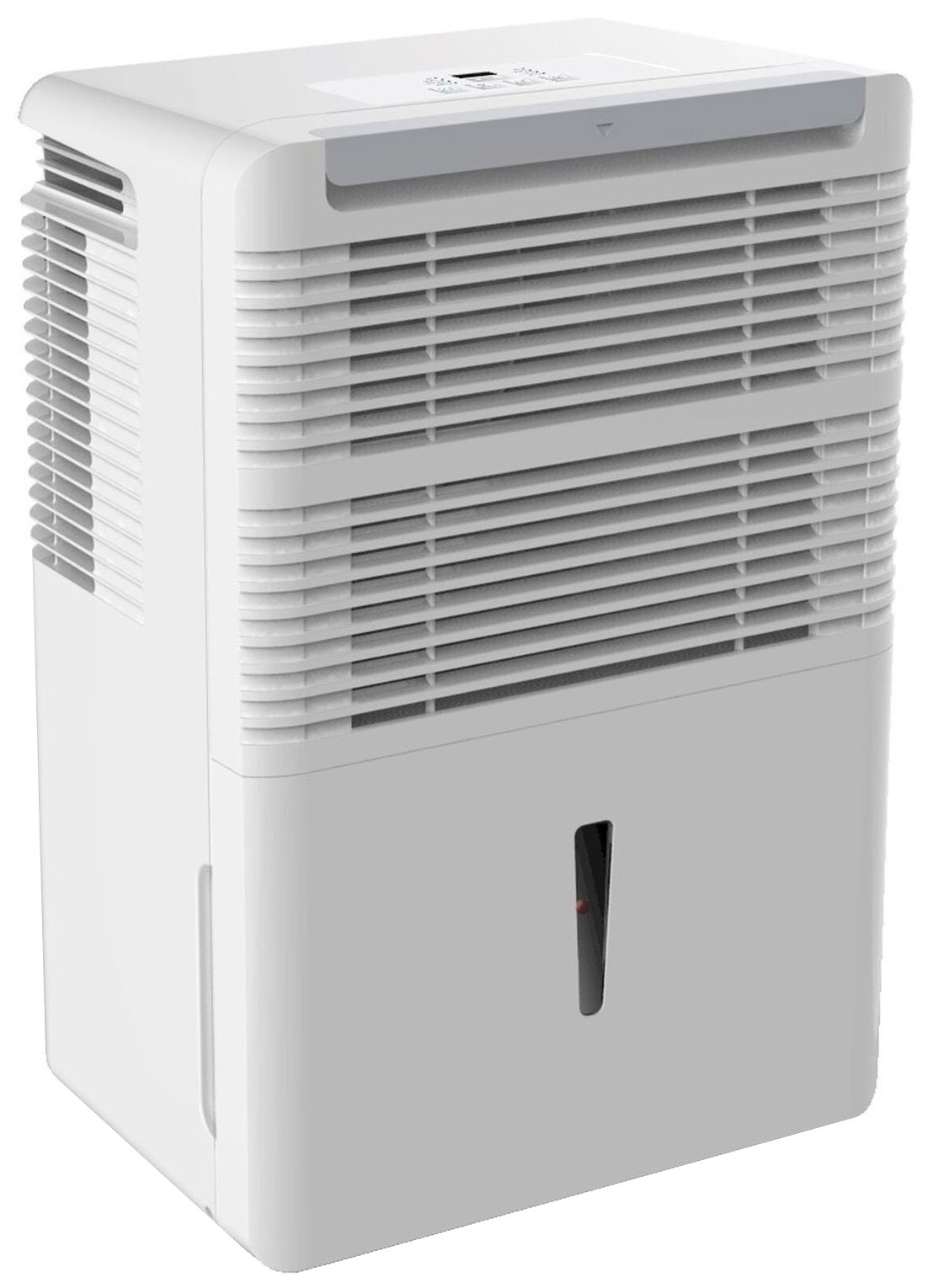
Figura 1: Quddiem view of the Keystone KSTAD70B Dehumidifier.
2. Informazzjoni dwar is-Sigurtà
Please read all safety instructions before operating the dehumidifier to prevent injury or damage. Keep this manual for future reference.
- Always connect the unit to a properly grounded electrical outlet of the correct voltage.
- Tħaddimx l-unità b'korda jew plagg bil-ħsara.
- Ensure adequate clearance (at least 12-18 inches) around the air intake and outlet to prevent overheating and ensure efficient operation.
- Twaqqafx l-arja.
- Do not use the dehumidifier near water or in excessively wet environments.
- Skonnettja l-unità qabel ma tnaddafha jew tagħmel xi manutenzjoni.
- Dan l-apparat mhuwiex maħsub għall-użu minn persuni (inklużi tfal) b’kapaċitajiet fiżiċi, sensorji jew mentali mnaqqsa, jew nuqqas ta’ esperjenza u għarfien, sakemm ma jkunux ingħataw superviżjoni jew istruzzjoni dwar l-użu tal-apparat minn persuna responsabbli għas-sigurtà tagħhom.
- Do not use chemical solvents or abrasive cleaners on the unit.
3. Twaqqif u Tqegħid
3.1 Disimballaġġ
Neħħi d-deumidifikatur bir-reqqa mill-imballaġġ tiegħu. Żomm il-materjali tal-imballaġġ għal ħażna jew trasport fil-futur. Spezzjona l-unità għal kwalunkwe ħsara waqt it-tbaħħir.
3.2 Tqegħid
For optimal performance, place the dehumidifier in a location where air can circulate freely around it. The unit circulates air from the sides, not the top. Therefore, avoid placing it directly in a corner or against walls. Maintain a minimum clearance of 12-18 inches (30-45 cm) on all sides to ensure proper airflow.
3.3 Qawwa Inizjali
Ipplaggja l-korda tal-enerġija f'bokk elettriku ertjat. L-unità issa hija lesta għall-operazzjoni.
4. Istruzzjonijiet Operattivi
4.1 Control Panel Overview

Figure 2: Control panel of the Keystone KSTAD70B Dehumidifier.
The control panel features an LED display and various buttons for setting the dehumidifier's functions:
- Buttuna tal-Qawwa: Ixgħel jew jitfi l-unità.
- Buttuna tal-Fann: Adjusts fan speed (typically Low, Medium, High).
- Buttuna tat-Tajmer: Jissettja t-tajmer mixgħul/mitfi ta' 24 siegħa.
- Vleġeġ 'il fuq/'l isfel: Adjust humidity level settings or timer duration.
- Indikatur tal-Filtru: Illuminates when the air filter needs cleaning.
- Indikatur sħiħ: Illuminates when the water bucket is full and needs emptying.
- Cont. (Continuous) Indicator: Illuminates when the unit is set for continuous operation.
- Modalità Turbo: Activates maximum dehumidification.
- Modalità Normali: Operazzjoni standard ta' deumidifikazzjoni.
- Defrost Awtomatiku: Automatically defrosts the coils if ice builds up.
4.2 Issettjar tal-Livell ta' Umdità Mixtieq
Press the Up or Down arrow buttons to set your desired humidity level. The unit will operate until the set humidity is reached, then cycle on and off to maintain it. The recommended humidity range for comfort is typically between 45% and 55%.
4.3 Tħaddim Kontinwu
To run the dehumidifier continuously, select the 'Cont.' setting. In this mode, the unit will operate regardless of the ambient humidity level. Note that when continuous operation is selected, the humidity setpoint buttons will not respond.
4.4 Funzjoni Timer
Use the Timer button to program the unit to turn on or off automatically after a set number of hours (up to 24 hours).
4.5 Auto-Restart
The unit features an auto-restart function that saves your settings. In the event of a power outage, the dehumidifier will automatically resume operation with the last settings once power is restored.
5. Manutenzjoni
Manutenzjoni regolari tiżgura prestazzjoni ottimali u lonġevità tad-deumidifikatur tiegħek.
5.1 Tbattil tal-Barmil tal-Ilma
When the water bucket is full, the 'Full' indicator light will illuminate, and the unit will automatically shut off. Carefully remove the bucket and empty the collected water. Reinsert the bucket firmly until it clicks into place to resume operation.

Figura 3: It-tneħħija tal-barmil tal-ġbir tal-ilma.

Figure 4: Transparent water level indicator.
5.2 Continuous Draining Option
For continuous operation without emptying the bucket, you can connect a standard garden hose (not included) to the unit's low-level drain. The unit includes an adapter with a clear hose that pushes onto a smooth plastic fitting inside the unit. This adapter has male hose threads for attaching a garden hose. Ensure the hose is routed downwards to a suitable drain to allow gravity to remove the water.
5.3 Tindif tal-Filtru tal-Arja
The 'Filter' indicator light will remind you when it's time to clean the air filter. A clean filter ensures efficient operation and better air quality. To clean, lift the filter straight up from the top at the front corner of the unit and slide it out. Wash the filter with warm, soapy water, rinse thoroughly, and allow it to air dry completely before reinserting.

Figure 5: Removing the air filter for cleaning.
6 Issolvi l-problemi
Before contacting support, try these common troubleshooting steps:
| Problema | Kawża Possibbli | Soluzzjoni |
|---|---|---|
| Id-deumidifikatur ma jixgħelx. | No power; power cord loose; 'Full' indicator on. | Check power supply; ensure cord is plugged in; empty water bucket. |
| L-unità taħdem imma ma tneħħix l-umidità. | Air filter clogged; room temperature too low; unit size too small for area. | Clean air filter; ensure room temperature is above 41°F (5°C); consider unit placement. |
| L-unità hija storbjuża. | L-unità mhix livellata; ostruzzjoni tal-fann. | Place on a flat, stable surface; check for obstructions in fan area. |
| L-ilma joħroġ mill-unità. | Water bucket not properly seated; continuous drain hose loose or clogged. | Ensure bucket is fully inserted; check continuous drain hose connection and clear any blockages. |
7. Speċifikazzjonijiet
| Karatteristika | Dettall |
|---|---|
| Brand | Keystone |
| Isem tal-Mudell | KSTAD70B |
| Kapaċità ta 'Deumidifikazzjoni | 70 Pinta kuljum |
| Daqs tal-Kamra Rakkomandat | Sa 4500 pied kwadru |
| Kulur | Abjad |
| Karatteristiċi Speċjali | Automatic Restart, Automatic Shutoff |
| Numru ta' Veloċitajiet | 3 |
| Mod ta' Operazzjoni | Normal, Turbo, Auto-Defrost |
| Wattage | 720 watt |
| Piż tal-oġġett | 40 Liri |
| Dimensjonijiet tal-Prodott (L x W x H) | 11.25 x 15.5 x 23.25 pulzieri |
| Użi Rakkomandati | Residenzjali |
8. Informazzjoni dwar Garanzija
The Keystone KSTAD70B Dehumidifier comes with a garanzija ta 'sena on parts and labor, and a garanzija limitata ta ’5 snin on the sealed system. Please refer to the physical warranty card included with your product for full terms and conditions.
9. Appoġġ għall-Klijent
For product registration, warranty claims, or technical assistance, please refer to the contact information provided in the physical instruction manual that came with your dehumidifier. Online registration or direct manufacturer contact information may not be readily available; therefore, retaining your original manual is important for support inquiries.


