1. Introduzzjoni
This manual provides essential information for the safe and efficient operation of your Haier LE50F2280 50-Inch 1080p 60Hz LED HDTV. Please read these instructions thoroughly before using your television and retain them for future reference. This television is designed to provide a clear picture and reliable performance for your home entertainment needs.
2. Informazzjoni dwar is-Sigurtà
TWISSIJA: Biex tnaqqas ir-riskju ta 'xokk elettriku, tneħħix il-qoxra (jew id-dahar). L-ebda partijiet li jistgħu jintużaw mill-utent ġewwa. Irreferi s-servizz lil persunal tas-servizz kwalifikat.
- Sors tal-Enerġija: Ensure the television is connected to an AC 120V, 60Hz power supply.
- Ventilazzjoni: Timblokkax il-fetħiet tal-ventilazzjoni. Ħalli biżżejjed spazju madwar it-televiżjoni għal fluss tal-arja xieraq.
- Ilma u Umdità: Tesponix it-televiżjoni għax-xita jew għall-umdità. Tpoġġix oġġetti mimlija b'likwidi, bħal vażuni, fuq it-televiżjoni.
- Tindif: Unplug the television from the wall outlet before cleaning. Use a soft, dry cloth. Do not use liquid cleaners or aerosol cleaners.
- Immuntar: When mounting the television on a wall, follow the manufacturer's instructions for the wall mount.
- Tfal: Supervise children to ensure they do not play with the television.
3. X'hemm fil-Kaxxa
Ivverifika li l-komponenti kollha huma preżenti qabel ma tipproċedi bis-setup:
- Haier LE50F2280 50-Inch LED HDTV
- Stand tat-TV (Bażi u Viti)
- Kontroll mill-bogħod (bil-batteriji)
- Korda tal-Enerġija
- Manwal għall-Utent (dan id-dokument)
4. Setup
4.1. Twaħħil tal-Istand
If you are not wall-mounting your television, follow these steps to attach the stand:
- Carefully place the television face-down on a soft, clean surface to prevent screen damage.
- Align the stand base with the mounting holes on the bottom of the television.
- Waħħal l-istand billi tuża l-viti pprovduti. Kun żgur li l-viti kollha huma ssikkati sew.
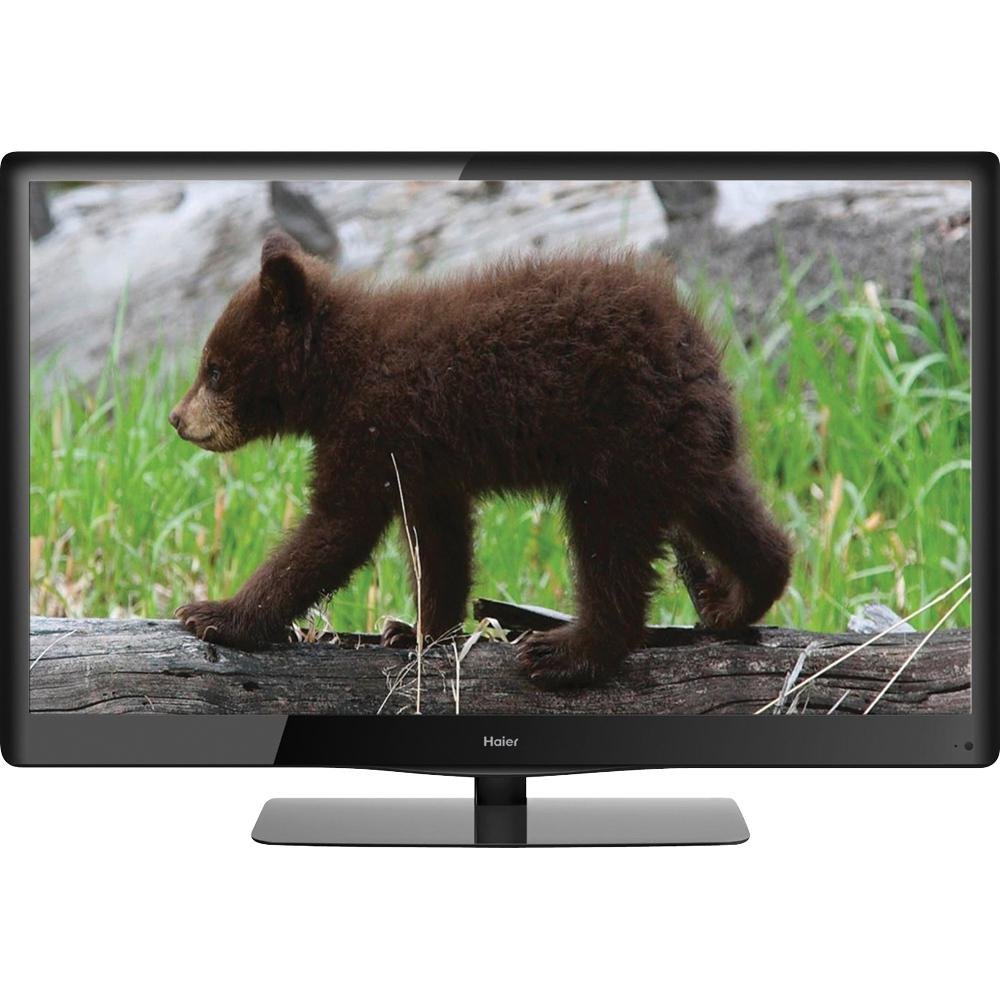
Image 4.1: The Haier LE50F2280 50-Inch LED HDTV with its stand attached, ready for placement. This image illustrates the television's overall design and how the stand supports it.
4.2. Mezzi ta 'Konnessjoni
Your Haier LE50F2280 television features multiple A/V inputs for connecting various devices.
- Konnessjonijiet HDMI: Use HDMI cables to connect high-definition devices such as Blu-ray players, game consoles, or cable/satellite boxes to the HDMI ports (HDMI 1, HDMI 2, HDMI 3). HDMI provides both audio and video through a single cable.
- Konnessjoni tal-antenna/kejbil: Connect an antenna or cable TV coaxial cable to the 'ANT/CABLE IN' port to receive over-the-air broadcasts or basic cable channels.
- Port USB: Insert a USB drive into the USB port for media playback (music and photos).
- Jack tal-headphone: Qabbad headphones għal smigħ privat.
- Output koassjali: Connect to an external audio system for digital audio output.
Note: For optimal picture quality from high-definition sources, use HDMI connections.
4.3. L-Ewwel Tixgħil u l-Iskennjar tal-Kanali
- Plug the power cord into the television and then into a wall outlet.
- Press the Power button on the remote control or on the television itself.
- Follow the on-screen prompts to select your language and perform an automatic channel scan. This will detect available over-the-air or cable channels.
5. Istruzzjonijiet Operattivi
5.1. Funzjonijiet Bażiċi
- Power On/Off: Agħfas il- QAWWA buttuna fuq il-kontroll remot.
- Kontroll tal-Volum: Uża l- VOL + / - buttuni biex taġġusta l-volum.
- Għażla tal-Kanal: Uża l- CH + / - buttuni biex tibdel il-kanali jew iddaħħal in-numri tal-kanali direttament billi tuża t-tastiera numerika.
- Siekta: Agħfas il- MUTE buttuna biex titfi temporanjament il-ħoss. Agħfas mill-ġdid biex tirrestawra.
5.2. Għażla tas-Sors tal-Input
To switch between connected devices (e.g., Blu-ray player, game console, antenna):
- Agħfas il- INPUT or SORS buttuna fuq il-kontroll remot tiegħek.
- Use the arrow buttons to navigate through the list of available inputs (HDMI 1, HDMI 2, HDMI 3, TV, AV, Component, USB).
- Agħfas OK or DĦUL biex tagħżel l-input mixtieq.
5.3. Issettjar tal-Immaġni u l-Ħoss
Access the menu to customize picture and sound settings:
- Settings tal-Istampa: Adjust brightness, contrast, color, tint, and sharpness. The 1080p Full HD resolution provides a high-quality picture.
- D-LED Direct: This technology enhances contrast and color. No user adjustment is typically required for this feature.
- Settings tal-ħoss: Adjust bass, treble, and balance.
- Auto Volume Leveler (AVL): Enable AVL to prevent sudden volume changes between channels or during commercials. This feature helps maintain a consistent audio level.
5.4. Daqq tal-Midja USB
Biex idoqq il-mużika jew view photos from a USB drive:
- Daħħal USB drive li fih mużika MP3 files or JPEG images into the USB port.
- Agħżel is-sors tad-dħul tal-USB billi tuża l-buttuna INPUT buttuna.
- Innaviga fil-fowlders u files using the remote control's arrow buttons and select your desired media.
6. Manutenzjoni
6.1. Cleaning the Television
- Dejjem aqla’ t-televiżjoni qabel ma tnaddafha.
- Uża drapp artab, niexef u mingħajr suf biex timsaħ l-iskrin u l-kabinett.
- Għal marki iebsa fuq l-iskrin, aqta’ ħafifampen the cloth with water. Do not spray water or cleaning solutions directly onto the screen or cabinet.
- Evita li tuża prodotti tat-tindif, xama', jew solventi li joborxu għax jistgħu jagħmlu ħsara lill-finitura.
6.2. Iffrankar tal-Enerġija
Your Haier LE50F2280 is Energy Star compliant, meeting strict energy efficiency guidelines. To further conserve energy:
- Turn off the television when not in use.
- Adjust picture settings (e.g., backlight) to lower levels if bright illumination is not required.
7 Issolvi l-problemi
Before contacting customer support, try these solutions for common issues:
| Problema | Kawża Possibbli | Soluzzjoni |
|---|---|---|
| Ebda qawwa | Power cord not connected; Power outlet not working; Remote control batteries depleted. | Ensure power cord is securely plugged in. Test the outlet with another device. Replace remote control batteries. |
| L-ebda stampa, iżda l-ħoss huwa preżenti | Sors ta' input mhux korrett magħżul; Apparat estern mhux mixgħul jew imqabbad sew. | Agħfas il- INPUT button to select the correct source. Check connections and power of external devices. |
| L-ebda ħoss, iżda l-istampa hija preżenti | Volume muted or too low; External audio system issues. | Agħfas il- MUTE button or increase volume. Check connections to external audio systems. |
| Kwalità fqira tal-istampa | Weak antenna signal; Incorrect picture settings; Low-quality source material. | Adjust antenna position or check cable connection. Adjust picture settings in the menu. Ensure source material is high quality. |
| Il-kontroll mill-bogħod ma jaħdimx | Batteries depleted or inserted incorrectly; Obstruction between remote and TV sensor. | Replace batteries, ensuring correct polarity. Remove any obstructions. Ensure remote is pointed at the TV's remote sensor. |
8. Speċifikazzjonijiet
| Karatteristika | Dettall |
|---|---|
| Numru tal-Mudell | LE50F2280 |
| Daqs tal-Iskrin | 50 Pulzier |
| Teknoloġija tal-Wiri | LED (D-LED Direct) |
| Riżoluzzjoni | Full HD 1080p (1920 x 1080) |
| Riffriskar Rata | 60 Hz |
| Proporzjon ta' l-aspett | 16:9 |
| Konnettività | 3 x HDMI, 1 x USB, Antenna/Cable In, Headphone Jack, Coaxial Output |
| Tuners | Integrated ATSC / NTSC / QAM tuners |
| Karatteristiċi Speċjali | Auto Volume Leveler (AVL), Energy Star 5.3, RoHS compliant |
| Dimensjonijiet tal-Prodott (W x H x D) | 45.19 x 29.06 x 11.02 pulzieri (bl-istand) |
| Piż tal-oġġett | 39.6 libbra (18 Kilogrammi) |
| Wattage | 120 watt |
9. Garanzija u Appoġġ
Għal informazzjoni dwar il-garanzija u appoġġ għall-klijenti, jekk jogħġbok irreferi għall-karta tal-garanzija inkluża mal-prodott tiegħek jew żur is-sit uffiċjali ta' Haier. websit. Żomm l-irċevuta tax-xiri tiegħek bħala prova tax-xiri għal kwalunkwe talba ta' garanzija.
If you encounter issues that cannot be resolved using the troubleshooting guide, please contact Haier customer support for assistance. Details for contacting support are typically found on the manufacturer's websit jew fl-ippakkjar tal-prodott.


