1. Introduzzjoni
This manual provides comprehensive instructions for the installation, setup, operation, and maintenance of your Aprilaire 8466 Heat Pump Thermostat. The Aprilaire 8466 is a programmable thermostat designed to efficiently manage your home's heating and cooling system, offering precise temperature control and customizable scheduling options. Please read this manual thoroughly before installation and operation to ensure proper use and optimal performance.
2. Informazzjoni dwar is-Sigurtà
TWISSIJA: Electrical shock hazard. Disconnect power to the heating and cooling system before installing or servicing the thermostat. Failure to do so may result in electrical shock or equipment damage.
- All wiring must conform to local electrical codes and ordinances.
- This thermostat is designed for use with 24 VAC systems only.
- Do not short out terminals on the gas valve or at the system control to test the thermostat. This will damage the thermostat and void the warranty.
- Kun żgur li l-konnessjonijiet kollha huma siguri u iżolati kif suppost.
3. Prodott Aktarview
The Aprilaire 8466 thermostat provides precise control over your heat pump system. It features a large, high-contrast LCD display for easy reading and intuitive controls.

Figura 3.1: Aprilaire 8466 Heat Pump Thermostat front view. The Aprilaire 8466 thermostat features a large LCD screen displaying current temperature, time, and system status, with control buttons on the left and right sides.
3.1 Karatteristiċi ewlenin
- Large 4.5 square inch LCD with high contrast for easier reading.
- Controls 3 stages sħana / 2 stages cool.
- Bright, white backlit display for enhanced visibility.
- Easy-to-use temperature control and program override.
- Choice of 5/1/1 day programmable or 5/2 day programmable scheduling.
- Progressive recovery feature optimizes start times for comfort.
- Permanent program retention during power loss.
- Indefinite set point hold function.
- Juri t-temperatura tal-kamra, l-issettjar tat-temperatura, u t-temperatura ta 'barra fakultattiva.
3.2 Thermostat Components and Display
Refer to the diagram below for an understanding of the thermostat's display elements and control buttons.

Figura 3.2: Diagram of Aprilaire 8466 Thermostat display and controls. This diagram labels the various display elements and physical buttons on the Aprilaire 8466 thermostat, including current indoor temperature, time, system mode, fan setting, program button, up/down arrows, hold button, and low battery warning.
- Buttuna MODE: Cycles through system modes (Heat, Cool, Auto, Off).
- Buttuna FAN: Cycles through fan modes (Auto, On, Circ).
- Buttuna PROG: Accesses programming settings.
- Vleġeġ 'il fuq/'l isfel: Adjust temperature settings and navigate menus.
- Buttuna ŻOMM: Activates or deactivates the temperature hold function.
- Display LCD: Shows current temperature, set temperature, time, day, system status, and messages.
- Bieb tal-batterija: Located on the front for easy battery replacement.
- Quick Reference Card: Stored behind the battery door for quick access to common functions.
4. Installazzjoni
Proper installation is crucial for the thermostat's performance. If you are unsure about any step, it is recommended to consult a qualified HVAC technician.
4.1 Għodod Meħtieġa
- Tornavit (Phillips u flathead)
- Drill with appropriate drill bits (if mounting new backplate)
- prodotti għat-tqaxxir tal-wajer
- Lapes
4.2 It-tneħħija tat-Termostat il-Qadim
- Itfi l-enerġija: Locate the circuit breaker or fuse box that controls your heating and cooling system and turn off the power.
- Neħħi l-għatu: Neħħi l-għatu tat-termostat il-qadim tiegħek bir-reqqa.
- Photograph wiring: Take a picture of the wiring connections for reference. This is critical for correct installation.
- Label wires: Use the provided labels or masking tape to label each wire with the terminal designation it was connected to (e.g., R, C, Y, G, W, O/B).
- Disconnect wires: Skonnettja l-wajers mit-terminals tat-termostat il-qadim.
- Remove old base: Unscrew and remove the old thermostat's mounting base from the wall.
4.3 Immuntar tat-Termostat il-Ġdid
- Separate base: Gently pull the front of the Aprilaire 8466 thermostat away from its mounting base.
- Position base: Hold the new mounting base against the wall, feeding the wires through the opening. Mark the screw holes with a pencil.
- Drill toqob: Drill toqob pilota jekk meħtieġ.
- Bażi sigura: Screw the mounting base securely to the wall.
- Qabbad il-wajers: Connect the labeled wires to the corresponding terminals on the new thermostat's mounting base. Ensure connections are tight. Refer to your photograph from step 4.2.3.
- Attach thermostat: Align the thermostat body with the mounting base and snap it into place.
- Installa batteriji: Insert two fresh AA alkaline batteries into the battery compartment.
- Irrestawra l-qawwa: Erġa' ixgħel il-kurrent mis-circuit breaker jew mill-kaxxa tal-fjużijiet.
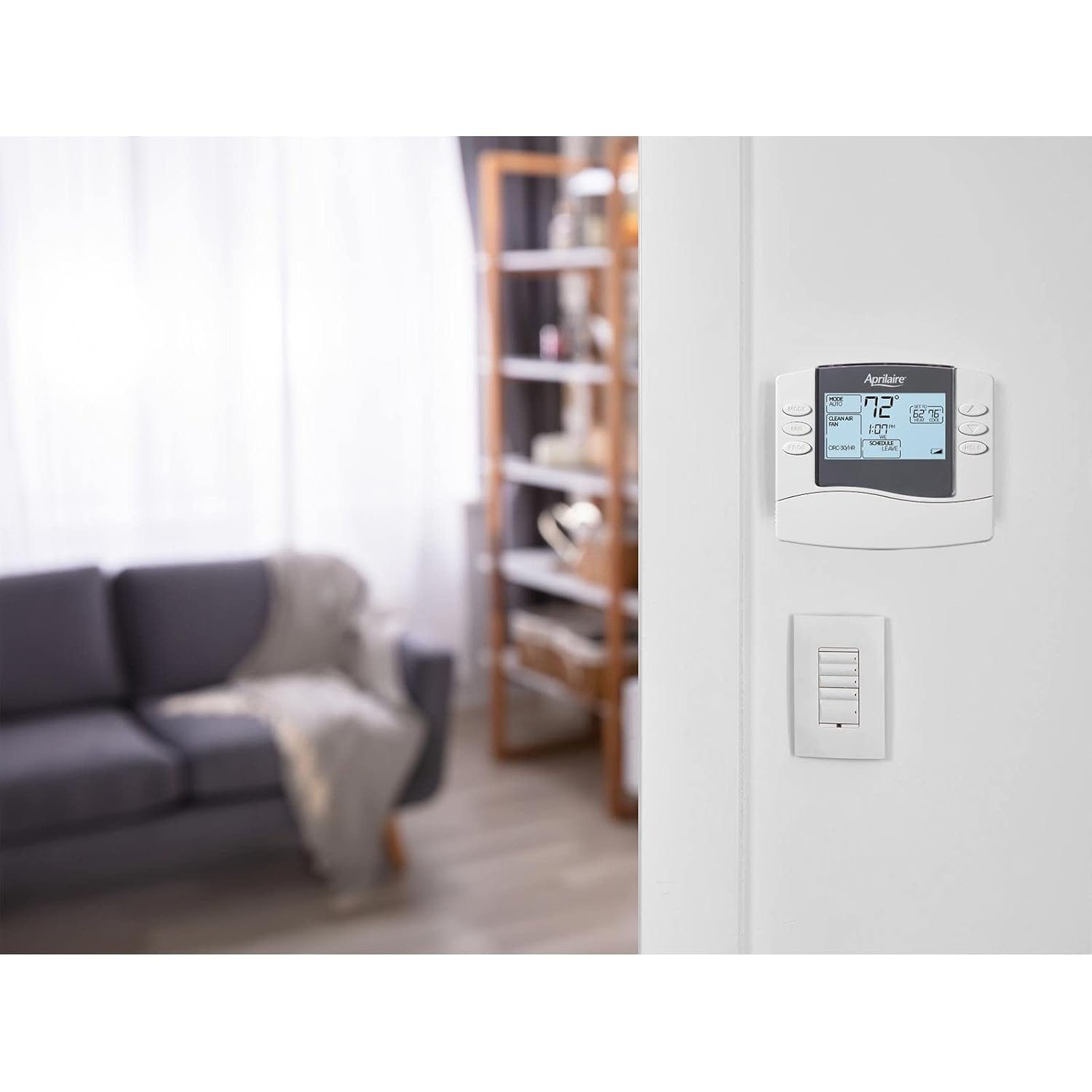
Figura 4.1: Aprilaire 8466 Thermostat installed on a wall. The Aprilaire 8466 thermostat is shown mounted on a white wall in a modern living room setting, demonstrating its aesthetic integration into a home environment.
5. Setup u Konfigurazzjoni Inizjali
After installation and restoring power, the thermostat will guide you through an initial setup process.
5.1 Issettjar tad-Data u l-Ħin
- The display will likely prompt you to set the time and day.
- Uża l- UP u 'L isfel arrow buttons to adjust the hour, then press PROGRAMM biex tikkonferma.
- Repeat for minutes and AM/PM.
- Uża l- UP u 'L isfel arrow buttons to select the current day of the week, then press PROGRAMM biex tikkonferma.
5.2 System Type Configuration (Installer Settings)
This thermostat is designed for heat pump systems. Ensure the correct system type is selected in the installer settings. Accessing these settings typically involves a specific button combination (e.g., holding MODE and FAN for several seconds). Refer to the detailed installer guide for specific steps, or consult a professional. Incorrect settings can damage your HVAC system.
6. Istruzzjonijiet Operattivi
6.1 System Mode Selection
Agħfas il- MODALITÀ buttuna biex tiċċikla bejn il-modi tas-sistema disponibbli:
- SĦANA: The system will operate to maintain the heating set point.
- Kessaħ: The system will operate to maintain the cooling set point.
- AUTO: The thermostat automatically switches between heating and cooling to maintain your desired temperature range.
- MITFI: Is-sistema tat-tisħin u tat-tkessiħ hija mitfija.
6.2 Fan Mode Selection
Agħfas il- FAN button to cycle through the available fan modes:
- AUTO: Il-fann jaħdem biss meta s-sistema tat-tisħin jew tat-tkessiħ tkun qed taħdem b'mod attiv.
- FUQ: Il-fann jaħdem kontinwament, irrispettivament minn jekk is-sistema tat-tisħin jew tat-tkessiħ hijiex attiva.
- ĊIRK: The fan runs periodically to circulate air, typically for a set duration each hour.
6.3 Aġġustament tat-Temperatura
Uża l- UP u 'L isfel arrow buttons to adjust the desired temperature set point. The new set point will be displayed on the screen.
6.4 Programming a Schedule
The Aprilaire 8466 allows for 5/1/1 day or 5/2 day programming. This means you can set different schedules for weekdays, Saturday, and Sunday (5/1/1) or weekdays and weekends (5/2).
- Agħfas il- PROGRAMM button. The display will show the current program period (e.g., WAKE).
- Uża l- UP u 'L isfel arrows to adjust the start time for the current program period. Press PROGRAMM biex tikkonferma.
- Uża l- UP u 'L isfel arrows to adjust the heating set point for this period. Press PROGRAMM biex tikkonferma.
- Uża l- UP u 'L isfel arrows to adjust the cooling set point for this period. Press PROGRAMM biex tikkonferma.
- Repeat steps 2-4 for the remaining program periods (LEAVE, RETURN, SLEEP) for the current day group.
- After programming all periods for one day group, the thermostat will advance to the next day group (e.g., Saturday if in 5/1/1 mode). Repeat the process.
- Agħfas MODALITÀ to exit programming mode at any time.
The thermostat features Irkupru Progressiv, which means it will activate your heating or cooling system before a scheduled period begins to ensure the desired temperature is reached by the start of that period.
6.5 Temperature Hold Function
Il- ŻOMM button allows you to temporarily or indefinitely override the programmed schedule.
- Żamma temporanja: Aġġusta t-temperatura billi tuża l- UP or 'L isfel arrows. The thermostat will maintain this temperature until the next scheduled program period begins.
- Indefinite Hold: Agħfas il- ŻOMM button once. The display will show "HOLD". The thermostat will maintain the current set temperature indefinitely until the ŻOMM button is pressed again to cancel.
7. Manutenzjoni
7.1 Sostituzzjoni tal-batterija
The thermostat uses two AA alkaline batteries for backup power and to maintain settings during power outages. A low battery indicator will appear on the display when replacement is needed.
- Open the battery door located on the front of the thermostat.
- Neħħi l-batteriji qodma.
- Daħħal żewġ batteriji alkalini AA ġodda, waqt li tiżgura l-polarità korretta (+/-).
- Agħlaq il-bieb tal-batterija.
Nota: The thermostat retains its programming during battery replacement for a short period. Replace batteries promptly after the low battery indicator appears.
7.2 Tindif tat-Termostat
Imsaħ il-barra tat-termostat b'ċarruta ratba uamp cloth. Do not use abrasive cleaners or solvents. Avoid spraying liquids directly onto the thermostat.
8 Issolvi l-problemi
If you experience issues with your Aprilaire 8466 thermostat, refer to the table below for common problems and solutions.
| Problema | Kawża Possibbli | Soluzzjoni |
|---|---|---|
| L-ebda wiri jew skrin vojt | No power from HVAC system; dead batteries. | Check circuit breaker for HVAC system. Replace batteries. Ensure thermostat is properly seated on its base. |
| Is-sistema ma tirrispondix (l-ebda tisħin/tkessiħ) | Incorrect system mode; wiring issue; HVAC system fault. | Verify system mode (HEAT/COOL/AUTO). Check wiring connections. Consult HVAC technician if system fault is suspected. |
| Temperatura mhux preċiża | Thermostat location (drafts, direct sunlight); sensor issue. | Ensure thermostat is not exposed to drafts or direct sunlight. If problem persists, contact support. |
| Programming not working | HOLD function active; incorrect program settings. | Cancel HOLD function. Re-check program schedule for correct times and temperatures. |
| "SERVICE" message on display | Indicates a potential issue with the HVAC system or thermostat. | Note the message and contact a qualified HVAC technician for diagnosis. |
9. Speċifikazzjonijiet
- Mudell: 8466
- Ditta: Aprilaire
- Dimensjonijiet tal-Prodott: 6 x 5 x 2 pulzieri
- Piż tal-oġġett: 11.2 uqija
- Tip ta 'Kontrollur: Programmabbli
- Karatteristiċi Speċjali: Auto Changeover, Programmable
- Kompatibilità tas-Sistema: Heat Pump (3 Heat / 2 Cool stages)
- Sors tal-Enerġija: 24 VAC (from HVAC system) and 2 AA Alkaline Batteries (backup)
- Wiri: Large 4.5 sq. inch LCD, backlit
- Programmazzjoni: 5/1/1 day or 5/2 day
- Manifattur: Korporazzjoni tal-Prodotti tar-Riċerka
- Data L-Ewwel Disponibbli: 23 ta’ Frar, 2010
10. Garanzija u Appoġġ
For specific warranty information, please refer to the documentation included with your product packaging or visit the official Aprilaire websit.
If you require technical assistance or have questions not covered in this manual, please contact Aprilaire Customer Support. Contact details can typically be found on the Aprilaire webis-sit jew fuq l-imballaġġ tal-prodott.


