1. Introduzzjoni u Fuqview
The Alpine VIE-X007-WS-E is a dedicated in-dash car navigation system designed for specific vehicle models, featuring a high-definition 7-inch wide VGA LED LCD display. This unit provides clear and detailed maps, high-quality video playback, and integrates advanced features for an enhanced driving experience. It includes a 32GB SDHC memory for map and music data, a built-in terrestrial digital TV tuner, and Bluetooth connectivity for hands-free calling and audio streaming. The system is 'Tuned by Alpine' to ensure optimal acoustic settings and vehicle-specific functionalities.
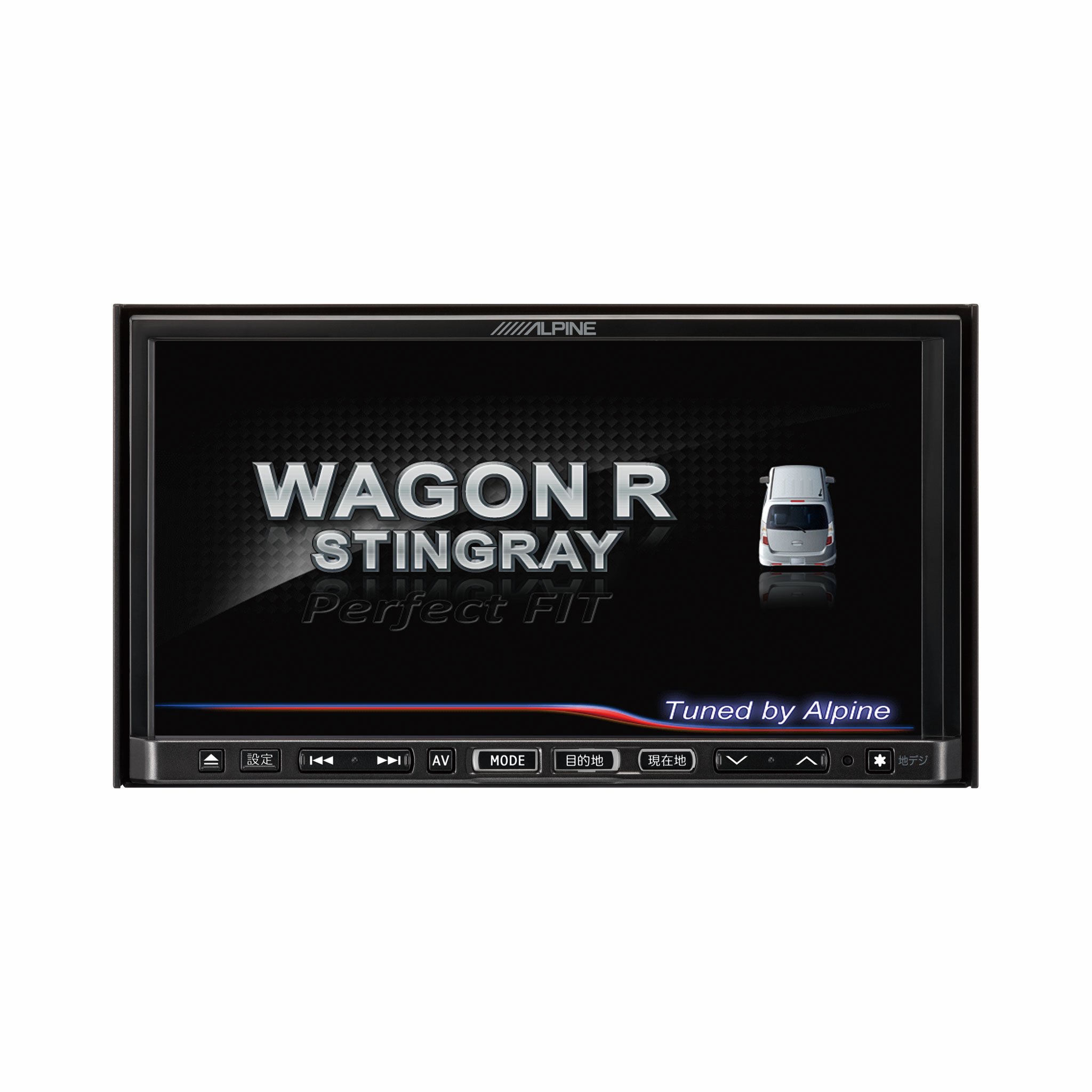
Stampa 1.1: Quddiem view of the Alpine VIE-X007-WS-E In-Dash Car Navigation System, showcasing its 7-inch display and control interface.
2. Karatteristiċi ewlenin
- Wiri: 7-inch LED / WVGA Touch Panel Monitor for clear visuals and intuitive control.
- Ħażna: 32GB SD memory (16GB for Map Data + 16GB for Music Data).
- Tuner: Built-in Terrestrial Digital TV Tuner (12 Segments/One Segment) for broadcast reception.
- Konnettività: Built-in Bluetooth for hands-free calling and Bluetooth audio support.
- Daqq tal-Midja: Supports DVD/CD, FM/AM radio, SD Memory Card, iPod/iPhone, USB, and Walkman (connection cable not included).
- Integrazzjoni tal-Vettura: Alpine system link functions for rear vision camera and vehicle-specific settings.
3. Istruzzjonijiet ta' Setup
Proper installation is crucial for optimal performance and safety. It is highly recommended that this unit be installed by a qualified professional car audio technician.
3.1. Kontrolli ta 'qabel l-installazzjoni
- Kun żgur li l-batterija tal-vettura hija skonnettjata qabel tibda l-installazzjoni.
- Verify all necessary mounting hardware and wiring harnesses are present.
- Confirm compatibility with your specific vehicle model (Wagon R MH23 Stingray).
3.2. Konnessjonijiet tal-Wiring
- Konnessjoni tal-Enerġija: Connect the main power harness to the vehicle's power supply, ensuring proper grounding.
- Konnessjonijiet tal-Ispeaker: Connect the speaker wires to the corresponding vehicle speakers, observing polarity.
- Konnessjonijiet tal-antenna: Connect the GPS antenna and the terrestrial digital TV antenna to their respective inputs on the unit. Position antennas in locations with clear line of sight.
- Konnessjonijiet ta' Apparat Estern: Connect any optional devices such as a rear-view camera, USB devices, or iPod/iPhone using the appropriate cables (sold separately).
3.3. Immuntar tal-Unità
- Carefully insert the unit into the vehicle's dashboard opening.
- Secure the unit using the provided mounting brackets and screws.
- Re-connect the vehicle's battery.
3.4. L-Ewwel Tixgħil
- Turn on the vehicle's ignition. The unit should power on and display the Alpine logo.
- Segwi kwalunkwe struzzjonijiet fuq l-iskrin għas-setup inizjali, bħall-għażla tal-lingwa u ż-żona tal-ħin.
4. Istruzzjonijiet Operattivi
This section provides general guidance on operating your Alpine navigation system.
4.1. Power On/Off
- The unit typically powers on automatically with the vehicle's ignition.
- To manually turn off or put the unit into standby, press and hold the power button (location may vary, refer to specific vehicle integration manual).
4.2. Operazzjoni tat-touchscreen
- Navigate menus and select functions by lightly touching the screen icons.
- Use swipe gestures for scrolling through lists or maps.
4.3. Navigation Functions
- Aċċess għan-Navigazzjoni: Tap the 'Navigation' or 'Map' icon on the main menu.
- Entering Destination: Use the on-screen keyboard to input an address, point of interest (POI), or select from recent destinations.
- Gwida tar-Rotta: Once a destination is set, the system will calculate a route and provide turn-by-turn voice guidance and visual cues.
- Mappa View: Switch between 2D, 3D, and various zoom levels using the on-screen controls.
4.4. Daqq tal-Midja
- Radju: Select 'FM' or 'AM' from the main menu. Use the tuner controls to scan for stations or select presets.
- CD/DVD: Insert a disc into the slot. Playback should begin automatically or can be selected from the 'Disc' source.
- Karta SD/USB: Insert an SD card or USB device. Select 'SD' or 'USB' as the source and browse for media files.
- Awdjo Bluetooth: Pair your Bluetooth device (see section 4.5) and select 'Bluetooth Audio' as the source to stream music.
- Terrestrial Digital TV: Select 'TV' from the main menu. The system will scan for available channels.
4.5. Tqabbil tal-Bluetooth
- On the unit, go to the 'Bluetooth' menu.
- Ippermetti Bluetooth fuq it-tagħmir mobbli tiegħek u fittex tagħmir disponibbli.
- Select 'Alpine VIE-X007-WS-E' (or similar name) from your device's list.
- Ikkonferma l-kodiċi tat-tqabbil fuq iż-żewġ apparati jekk tintalab.
- Ladarba tkun imqabbad, tista' tagħmel/tirċievi telefonati u tixxandar l-awdjo.
5. Manutenzjoni
Regular maintenance ensures the longevity and optimal performance of your navigation system.
5.1. Tindif tal-Unità
- Use a soft, dry cloth to wipe the display and control panel.
- Għal tbajja’ iebsa fuq l-iskrin, agħfas ħafifampen the cloth with a screen cleaner specifically designed for electronics. Do not spray cleaner directly onto the unit.
- Evita li tuża prodotti tat-tindif li joborxu, solventi, jew kimiċi ħarxa.
5.2. Software and Map Updates
- Periodically check the Alpine official website for available software and map updates.
- Follow the instructions provided with the update package carefully to ensure proper installation. Updates typically involve downloading files to an SD card or USB drive and inserting it into the unit.
5.3. Immaniġġjar tal-Kard SD
- Always eject the SD card safely through the unit's menu before physically removing it.
- Store the SD card in a protective case when not in use to prevent damage.
6 Issolvi l-problemi
Din it-taqsima tindirizza kwistjonijiet komuni li tista’ tiltaqa’ magħhom u s-soluzzjonijiet potenzjali tagħhom.
| Problema | Kawża Possibbli | Soluzzjoni |
|---|---|---|
| L-unità ma tixgħelx. | Konnessjoni tal-enerġija maħlula, fjus maħruq, problema bil-batterija tal-vettura. | Check power wiring and fuse. Ensure vehicle battery is charged. Consult a professional if issues persist. |
| No GPS signal or inaccurate positioning. | GPS antenna obstructed or improperly connected, unit in an area with poor satellite reception. | Kun żgur li l-antenna tal-GPS għandha viżibilità ċara view tas-sema. Iċċekkja l-konnessjoni tal-antenna. Mexxi lejn żona miftuħa. |
| Bluetooth device fails to pair. | Bluetooth not enabled on device, incorrect pairing mode, interference. | Ensure Bluetooth is active on your device. Put the unit in pairing mode. Try re-pairing. Move closer to the unit. |
| It-touchscreen ma jirrispondix. | Temporary software glitch, screen calibration issue. | Restart the unit (turn vehicle ignition off and on). If available, perform screen calibration via settings. |
| L-ebda ħoss mill-kelliema. | Volume too low, mute activated, speaker wiring issue. | Żid il-volum. Iċċekkja jekk il-mute huwiex attiv. Ivverifika l-konnessjonijiet tal-ispiker. |
If you encounter problems not listed here or if the suggested solutions do not resolve the issue, please contact Alpine customer support or a certified service center.
7. Speċifikazzjonijiet
| Karatteristika | Speċifikazzjoni |
|---|---|
| Brand | Alpini |
| Mudell | VIE-X007-WS-E |
| Daqs tal-Iskrin | 7 Pulzier |
| Tip ta 'Wiri | WVGA LED LCD Touch Panel Monitor |
| Kapaċità tal-Ħżin tal-Memorja | 16 GB (for Map Data, total 32GB SDHC) |
| Karatteristiċi Speċjali | Hands Free (Bluetooth) |
| Teknoloġija tal-Konnettività | Bluetooth, USB |
| Input tal-Interface tal-Bniedem | Touchscreen |
| Tip ta' Midja Appoġġjat | Memory, DVD, CD, FM/AM, SD Card, iPod/iPhone, USB, Walkman |
| Tuner inkorporat | Terrestrial Digital TV Tuner (12 Segments/One Segment) |
| Batteriji Inklużi | Nru |
| Dimensjonijiet tal-Prodott | 18.66 x 17.8 x 10 ċm |
| Piż tal-oġġett | 6.44 kg |
8. Garanzija u Appoġġ
Warranty information for the Alpine VIE-X007-WS-E is typically provided with the product packaging or at the point of purchase. Please refer to these documents for details regarding warranty coverage, terms, and conditions.
For technical support, service inquiries, or to find authorized service centers, please visit the official Alpine website or contact Alpine customer service directly. Ensure you have your product model number (VIE-X007-WS-E) and proof of purchase available when seeking support.
Uffiċjal Alpin Websit: www.alpine.com


