1. Introduzzjoni
The Generac CAM LOCK, Model 067042C, is a component designed for securing specific Generac outdoor power equipment. This lock helps to ensure the proper closure and security of access panels or covers, contributing to the safe and reliable operation of your equipment. Please read this manual thoroughly before installation and use to ensure correct application and to prevent damage or injury.
2. Informazzjoni dwar is-Sigurtà
Always observe the following safety precautions when handling or installing the CAM LOCK:
- Ensure the equipment is powered off and disconnected from any power source before attempting installation or maintenance.
- Ilbes tagħmir protettiv personali (PPE) xieraq, bħal ingwanti u protezzjoni għall-għajnejn, waqt l-installazzjoni.
- Żomm partijiet żgħar 'il bogħod mit-tfal.
- If you are unsure about any installation step, consult a qualified technician or Generac customer support.
3. Prodott Aktarview
The Generac CAM LOCK 067042C is a black-colored key lock designed for outdoor equipment. It consists of a bracket and a securing screw.

Figura 3.1: Quddiem view of the Generac CAM LOCK 067042C. This image shows the main body of the cam lock, which is a bracket with a securing screw at the top, designed to hold panels in place.
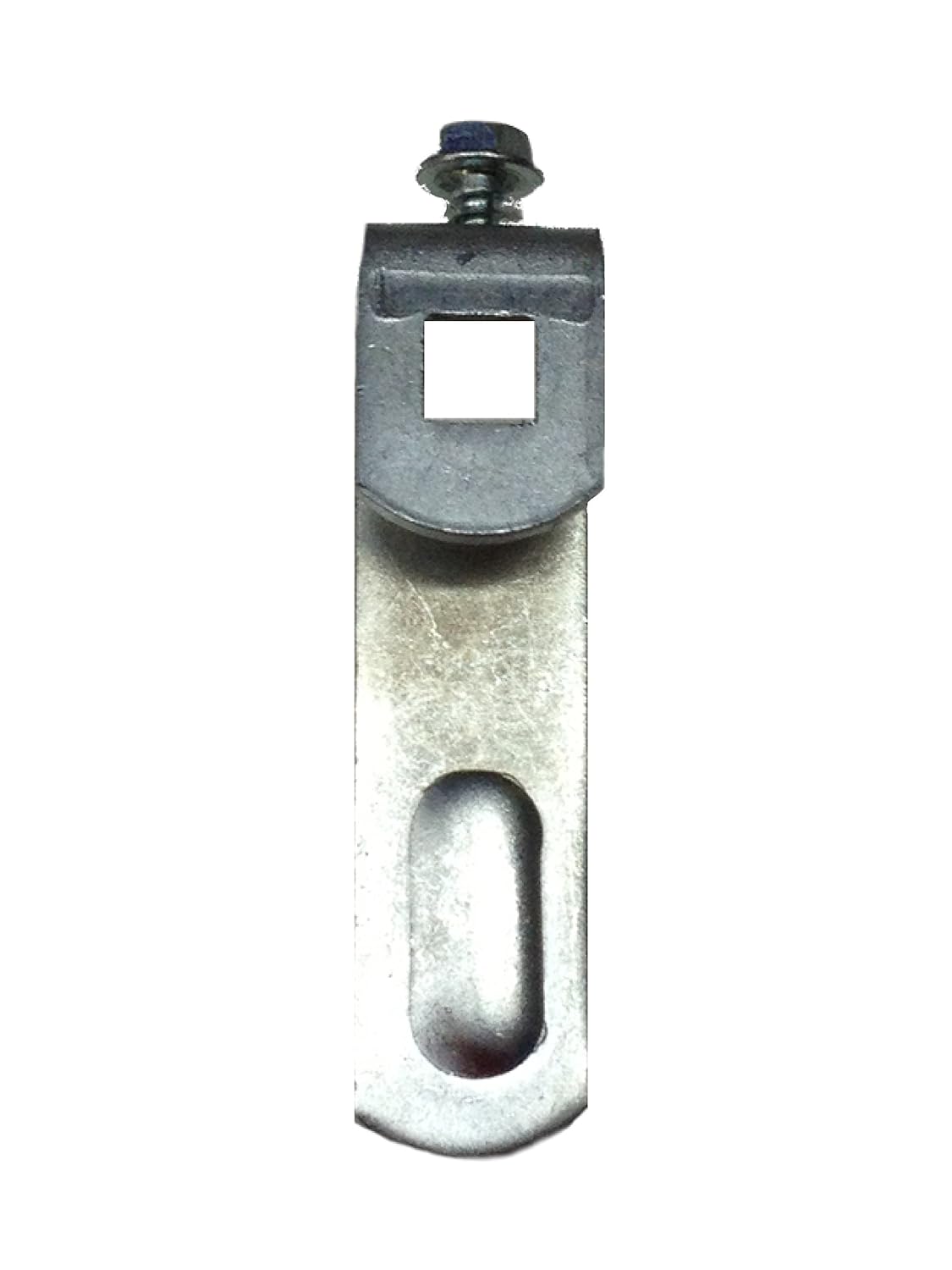
Figura 3.2: Ġenb view of the Generac CAM LOCK 067042C. This image illustrates the profile of the cam lock, highlighting its L-shaped bracket and the screw mechanism for attachment.
4. Setup u Installazzjoni
Follow these steps to properly install your Generac CAM LOCK 067042C:
- Identifika l-Post tal-Immuntar: Locate the designated mounting point on your Generac equipment where the cam lock is to be installed. This is typically on an access panel or cover.
- Pożizzjona s-Serratura: Align the cam lock bracket with the pre-drilled holes or mounting slots on the equipment.
- Waħħal bil-Qafliet: Insert the provided screw (or appropriate fastener if not included with the lock) through the cam lock and into the equipment's mounting point.
- Issikka sew: Using a suitable tool, tighten the screw until the cam lock is firmly attached and does not wobble. Do not overtighten, as this may strip the threads or damage the equipment.
- Funzjonalità tat-Test: After installation, test the cam lock by attempting to secure and unsecure the panel or cover it is intended to hold. Ensure it operates smoothly and provides a secure closure.
5. Istruzzjonijiet Operattivi
To operate the Generac CAM LOCK 067042C:
- Biex Tissakkar: Ensure the panel or cover is properly closed. Rotate the cam lock mechanism until it engages with the corresponding latch point on the equipment, securing the panel.
- Biex Nisfruttaw: Rotate the cam lock mechanism in the opposite direction until it disengages from the latch point, allowing the panel or cover to be opened.
This cam lock is designed for manual operation, functioning as a latch. While the specifications indicate 'Key Lock', the visual representation suggests a simple cam mechanism. If your specific equipment configuration includes a key-operated variant, refer to your equipment's primary manual for key usage instructions.
6. Manutenzjoni
Regular maintenance ensures the longevity and proper function of your CAM LOCK:
- Tindif: Periodically wipe the lock with a clean, damp drapp biex tneħħi l-ħmieġ u l-fdalijiet. Evita kimiċi ħarxa li jistgħu jagħmlu ħsara lill-finitura.
- Spezzjoni: Regularly inspect the cam lock for any signs of wear, damage, or corrosion. Check that the screw remains tight.
- Lubrikazzjoni (jekk applikabbli): If the mechanism feels stiff, a small amount of silicone-based lubricant can be applied to moving parts, if any, to ensure smooth operation. Avoid oil-based lubricants that can attract dirt.
- Sostituzzjoni: If the cam lock shows significant wear or damage, replace it immediately with a genuine Generac replacement part to maintain equipment integrity and safety.
7 Issolvi l-problemi
Kwistjonijiet komuni u s-soluzzjonijiet tagħhom:
Issue: Cam lock is difficult to rotate or engage.
- Soluzzjoni: Check for any obstructions or debris preventing smooth movement. Clean the area around the lock. If the mechanism is stiff, apply a small amount of silicone lubricant.
- Soluzzjoni: Ensure the panel or cover is correctly aligned before attempting to engage the lock. Misalignment can cause resistance.
Issue: Cam lock feels loose after installation.
- Soluzzjoni: Re-tighten the securing screw. If the screw continues to loosen, consider using a thread-locking compound (e.g., blue Loctite) or replacing the screw if it is stripped.
- Soluzzjoni: Inspect the mounting surface for damage or wear that might prevent a secure fit.
8. Speċifikazzjonijiet
| Numru tal-Mudell | 067042C |
| Brand | Generac |
| Kulur | Iswed |
| Materjal | Plastik |
| Tip Lock | Lock Key |
| Użu Rakkomandat | Outdoor Equipment (e.g., Power Generators) |
| Dimensjonijiet tal-Pakkett | 7 x 5 x 1 pulzieri |
| Piż tal-oġġett | 0.01 uqija |
Nota: L-ispeċifikazzjonijiet huma soġġetti għal bidla mingħajr avviż.
9. Informazzjoni dwar Garanzija
Generac products are manufactured to high-quality standards. For specific warranty details pertaining to the Generac CAM LOCK 067042C, please refer to the warranty documentation included with your original Generac equipment or visit the official Generac websit. Żomm l-irċevuta tax-xiri tiegħek bħala prova tax-xiri għal kwalunkwe talba ta' garanzija.
10. Appoġġ għall-Klijent
For technical assistance, replacement parts, or further information regarding your Generac CAM LOCK 067042C, please contact Generac customer support or visit their official websit:
- Generac Official Websit: www.generac.com
- Ħanut tal-Marka Amazon: Generac Store on Amazon
When contacting support, please have your product model number (067042C) and any relevant purchase information ready.


